Put A Pi In Your JAMMA

Most of us who play an occasional arcade game will have never taken a look inside a cabinet however much its contents might interest us. We’ll know in principle what kind of hardware we’d expect to see if we were given the chance, but the details are probably beyond us.

In fact, there is a standard for the wiring in arcade cabinets. Arcade operators demanded running costs as low as possible, and the industry responded with the JAMMA wiring standard. The Japan Amusement Machinery Manufacturers Association was the name the Japanese trade body was known under in the 1980s, and they originated a specification for both wiring and connector that would allow hardware to be easily installed for any game that supported it.

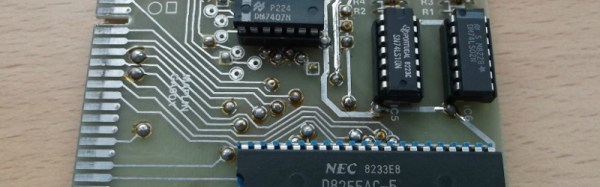
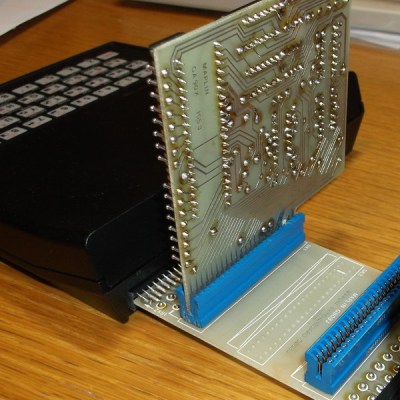
[Jochen Zurborg] has created an interesting board supporting the JAMMA connector, one that interfaces it with a Raspberry Pi and offers full support of the Pi as a video source. He’s launching his Pi2Jamma as a commercial product so sadly there are no schematics or Gerbers for you to look at, but if you’d prefer to roll your own it probably wouldn’t be beyond most Hackaday readers to do so. What it does though is open up the huge world of emulation on the Pi to owners of classic cabinets, and if you don’t mind forking out for one then we can see it might make for a very versatile addition to your cabinet.

We’ve featured [Jochen]’s work before here at Hackaday with a joystick that faithfully replicates arcade items. As to the Pi, this is the first JAMMA board we’ve seen with video, but we’ve featured another board using a Pi to bring console controllers to JAMMA boards in the past.

Drone Snags A Snag, Pilot Faces Fine

If you hail from somewhere to which Australian beers have been exported, you could be forgiven for forming a view of the country based solely on TV adverts for Foster’s, or Castlemaine XXXX. Entertaining 30-second stories of wily young Aussies, and their inventive schemes to get their hands on a cool glass of the Amber Nectar.

Whether it’s an accurate depiction or not is something you’d have to ask an Australian, but it seems to provide a blueprint for at least some real-life stories. An Australian man in Sunbury, west of Melbourne, is to face a fine of up to A$9000 for using his multirotor to pick up a sausage in a bun from a stall in a superstore car park, and deliver it to him relaxing in his hot tub.

From one perspective the video of the event which we’ve posted below the break is a very entertaining film. We see the flight over houses and a main road to a local branch of Bunnings, an Australian hardware store chain. Their sausage sizzle is a weekly institution in which local non-profit groups sell barbecued sausages from a stall in the car park as a fundraiser. The drone lowers a bag on a string over people queuing, with a note saying “Please buy snag(Aussie slang for sausage) and put in bag, here’s $10”. Someone complies, and the tasty treat is flown back over suburbia to our hero in his tub. It’s fairly obviously a production with many takes and supporting actors rather than a real continuous flight, but the Australian Civil Aviation Safety Authority is nevertheless investigating it. Breaches of the rules are reported as being use of a drone within 30 metres of people, as well as flight beyond the line of sight and over a populated area. The original video has been taken down, but it lives on courtesy of Australian tech site EFTM.

Aside from providing our readership with entertainment courtesy of our Australian friends there is an important message to take away from this story. It’s likely that if they can adequately prove that their flight was never out of the line of sight they can escape some of the charges, but even so they have strayed into difficult territory. We’ve written about drone hysteria on the part of authorities before, and we are living in an age during which twitchy agencies have shown themselves willing to view what we know to be little more than grown-up toys as something akin to terror weapons. Of course people who use multirotors for wilful endangerment should be brought to book in no uncertain terms, but the line between that and innocuous use feels sometimes to have been shifted in an alarming direction. Please keep entertaining us with your multirotor exploits and hacks, but never take your eye off how what you are doing could be misconstrued by those in authority. We’d prefer not to be writing up drone stories involving fines.

Continue reading “Drone Snags A Snag, Pilot Faces Fine”

Swear Bleep Detecting Eyebrows

Swear on broadcast television and they’re going to bleep out the audio to protect the sensibilities of the general public. Swear bleeps are fairly standardised at 1kHz, or so [mechatronicsguy] tells us. You learn something new every day.

OK, it’s not as though there’s an ISO document somewhere detailing the exact tone to use when someone says a naughty word on camera, it is far more likely that a 1kHz tone is the most likely frequency to be at hand in a studio. It’s so ubiquitous that even audio engineers with nowhere near perfect pitch can identify it, and one to which an acquaintance of ours swears years of exposure have given his ears a selective notch filter.

Armed with this information, [mechatronicsguy] created a fun project. As a fan of the [electroBOOM] Youtube channel he made a set of LED eyebrows for a picture of his bleep-prone hero, and using a Teensy with its audio and FFT libraries he made them light up whenever a 1kHz tone is detected. It’s not the most amazing of hacks, but if you find yourself in need of a smile on a chilly November morning then maybe it’ll have the same effect on you as it did with us. He’s posted a quick video of the ‘brows in action which we’ve embedded below the break.

Continue reading “Swear Bleep Detecting Eyebrows”

Retrotechtacular: [Walt] Builds A Family Fallout Shelter

In the 1950s it seemed likely that the Cold War could at any minute take a turn for the worse, and we might all be consumed in the fiery conflagration of nuclear war. Fortunately neither the leaders on our side of the fence nor those on the other were the dangerous unpredictable lunatics their opponent’s propaganda might have portrayed them as, and instead we continued on our way uneasily gazing at each other over the Iron Curtain.

For civilian America, the Government created a series of promotional efforts to prepare them for the effects of nuclear war and equip them with the means to survive. Some of them like the infamous “Duck and cover” film seem quaint and woefully inadequate when viewed with several decades hindsight, but others tried hard to equip the 1950s American with what looked like the real means to survive.

Our film below the break today is part of one such effort. The Family Fallout Shelter was a booklet produced in 1959 by the Office of Civil and Defense Mobilization, and it described in detail the construction of a series of fallout shelters of differing designs.  There was a concrete underground shelter, a partially buried twin-wall shelter with infill, and the one shown in the film, a basement fallout shelter made from concrete blocks. Our narrator and protagonist is [Walt], a capable bespectacled middle-aged man in a check shirt who takes us through the shelter’s construction.

We start with him giving some friends a tour of the finished shelter, and we see its cozy furnished interior with bunk beds and all mod cons. We’re told it would make a useful extra spare bedroom, or a darkroom. Then we flash back to construction as [Walt] takes us through all the steps required to build your own basement shelter. As he says, it’s a project that could be attempted by almost anyone, and what follows is a pretty good introduction to basic bricklaying. We can’t help being concerned about the security of those unmortared roof blocks in the face of a Tsar Bomba, but fortunately they were never put to the test. We do find it amusing that this is presented by the National Concrete Masonry Association — how better to boost sales than get the populace to build extra brick walls in every home?

The film and booklet provide a fascinating window into some of the culture surrounding preparations for nuclear war in the early Cold War era. The ideas that it would be survivable, and that two weeks in a home-made fallout shelter would be sufficient to ensure that civilians would be safe are in stark contrast to the then-secret deep shelters and long-term survival plans that the governments of the time created for themselves. It would be interesting to know how many of these home shelters were built, and how many survive. Did you ever spend a night in a basement spare bedroom with a blast wall?

We’ll leave you with the film’s closing words from the Director of the Office of Civil and Defense Mobilization.

No home in America is modern without a family fallout shelter. This is the nuclear age.

Continue reading “Retrotechtacular: [Walt] Builds A Family Fallout Shelter”

A Pipe Organ For The MIDI Generation

If you are a musician and you are also a Hackaday reader, there’s a good chance you’ll own at least one MIDI instrument. A synthesizer of some description, maybe a keyboard, or perhaps a drum machine. A pipe organ? Probably not.

If you answer to the name of [Wendell Kapustiak] though, you’d say yes to that question. He’s built himself a beautiful pipe organ from scratch, with hand-tuned wooden pipes, and for a modern touch he’s made it MIDI controlled. An Arduino Due sends its commands to a set of solenoid drivers, the solenoids then control the air flow from his wind chest through a set of plastic tubes to his organ pipes. Air supply comes from a shop vac in a sound-insulated box, with a pressure regulating chamber. The result is not perfect, he believes that the pipes are too close together and this somehow makes them difficult to tune, but to an outsider’s eye it’s a pretty impressive instrument.

[Wendell] is both a skilled and prolific maker, and his blog is rather a good read. The organ project is spread over a few years, so to get the full picture it is best to read his previous posts on the subject as well as the one first linked. He recounts his early experiments as well as giving us details of the electronics and the pipes. He’s put up a video showing the completed instrument which you can see below the break, and another more recently showing a recent one-LED-per-note modification.
Continue reading “A Pipe Organ For The MIDI Generation”

When A CRT Isn’t Retro Enough: LEDs

When we think of an old-style computer terminal, it has a CRT screen: either one of the big 1970s VDUs with integrated keyboard, or maybe one from a later decade with more svelte styling. You would have found other displays in use in previous decades though, and one of them came our way that we think it worthy of sharing.

16 segments in action. (PD) Wikimedia Commons.

[Dan Julio] was given several tubes of Siemens DL1416B 4-digit 17-segment LED displays by a friend, and decided to use them as an unusual retro display for his terminal project. These devices are an alphanumeric display with a parallel interface that can show a subset of the ASCII character set as well as a cursor. He had 213 of them, so made plans for a 64 character by 16 line display, however on discovering a quantity of the parts were non-functional he had to scale back to 12 lines of 48 characters.

The terminal in action.

The displays are mounted on PCBs in groups of four, controlled by a PIC16F1459 and some shift registers. These boards are then daisy-chained via a TTL serial line. The whole display shares one of the three serial ports on a Teensy 3.1 with his retro keyboard that has its own PIC controller, the others serving a serial printer port and the terminal serial port. The Teensy software has two modes: serial terminal or a Tiny Basic interpreter, and the relevant repositories are linked from the project page.

Since each set of DL1416Bs takes 250 mA, the whole display consumes about 9 A at 5 volts. On top of that the keyboard uses another 500 mA, so a sufficiently powerful supply had to be incorporated. This is mounted along with the Teensy in a very well-made enclosure, and the whole is mounted on what looks like a surplus monitor stand for a very professional finish.

To take us through the terminal’s features he’s posted a YouTube video that we’ve placed below the break. It comes across as a surprisingly usable machine, as he logs into a Raspberry Pi and edits a file, and takes us through some features of the BASIC interpreter.

Continue reading “When A CRT Isn’t Retro Enough: LEDs”

A Vintage Interface For A Modern Radio

The arrival of affordable software defined radio technologies over the last couple of decades has completely changed the way that radio amateurs and other radio enthusiasts approach the airwaves. There’s a minor problem with most software defined receivers though, being by their nature software driven they will usually rely on a host computer for their interface. Thus the experience is one of clicking mouse buttons or using keyboard shortcuts rather than the mechanical analogue dial interfaces that provided easy control of older radios.

Meccano encoder mounts for the win!

This is a problem that has been addressed by [Jon Hudson, G4ABQ], with one of his SDRplay receivers. He’s mounted it and its control PC in the chassis of a very aged and non-functional Marconi CR100 communication receiver, and given it a control interface that only uses the Marconi’s front panel controls (YouTube link). A rotary encoder has been grafted onto the Marconi tuning capacitor with what looks like some Meccano, and in turn that feeds an Arduino which behaves as a keyboard for the benefit of the PC. Some extra buttons have been added for mode selection, spectrum zoom and shift, and care appears to have been taken to give their labels a period feel. Arduino code came courtesy of [Mike Ladd, KD2KOG]. The result is a very controllable SDR receiver, albeit one in a rather large case.

If you are interested in the project then we are told that it will be on the RS stand at Electronica in Munich next week, meanwhile we’ve put the video below the break.

Continue reading “A Vintage Interface For A Modern Radio”