Taking Polyphony To A New Level

There are all manner of musical synthesis techniques, from the early electromechanical instruments through analogue tape systhesis, the all-electronic waveform synthesisers of the 1960s onwards, and Yamaha’s FM systhesis of the 1980s, to name but a few. One of the attributes of such a machine lies in how many voices it has, or in simple terms, how many notes it can play simultaneously. Electronic complexity limited those early synths, but what happens on an FPGA where vast numbers of circuits can be made with little extra cost? [Tsuneo.Ohnaka] is pushing the envelope a little, by cramming 10240 individually controllable oscillators onto a Terasic DE10-nano FPGA board.

While this thing can in theory generate 10240 different notes at once, in practice that doesn’t mean it has 10240 voices. Instead he calls it a spectrum engine, in that with such a large number of oscillators all with individually controllable frequency, phase, and amplitude, he’s made the part of all those Fourier transform maths where all the different frequencies are combined, in hardware. It’s as though you had a sound card which wasn’t based around a DAC fed with samples, instead all those spectrum points you’d derive from a Fourier transform. Because it’s a massive parallel array of real oscillators it all happens concurrently, instantaneously in real time, and is not held back by the processing constraints of a microprocessor. Think of it as something akin to a software defined radio transmitter, but for the world of audio synthesis.

In that light, it can emulate all those other forms of audio synthesis driven by software, but without the software overhead of generating the waveforms. It’s certainly a different approach to generating audio from a computer, and he’s posted a cacophonic demo video below of it as an 80-voice polyphonic synthesiser. We like it.

Continue reading “Taking Polyphony To A New Level”

AI On Every Machine: The LLM You Probably Didn’t Want

It’s been a story of the last week or so if you follow the kind of news channels a Hackaday scribe does, that Google have quietly installed an LLM as part of the Chrome browser. Reports vary as to when they did this because there’s a lot of confusion online with their online Gemini features also present in the browser, but it seems Chrome users are noticing its effect through slower performance and hefty disk access. Given that Chrome is by far the most popular web browser, this means that billions of users will have downloaded the four gigabyte Gemini Nano model, and now have an LLM they didn’t know about. It will be used to provide advanced auto-correct and other text suggestion features that their online version of Gemini would presumably be overburdened with, and since it’s available through a set of in-browser APIs we expect that it will find its way into a lot of websites, online applications, and plugins.

It’s caused a bit of a fuss in some circles, and we think, with some justification. When billions of computers unwittingly install an extremely energy intensive software component the effect on global power consumption will be significant, with a consequent uptick in the carbon footprint of computing. It’s not a phenomenon restricted to Chrome, as an example Siri has used a local LLM on Apple devices for a while now. We’ve seen rumblings of discontent and talk of getting European climate regulators involved, but perhaps instead it’s time to have a conversation about local AI models. The key is not whether or not they are a good thing to have, but when and how they operate.

While many of us are sick to death of AI slop and have not been lured into AI psychosis by an over-reinforcing chatbot, the fact remains that LLMs can do some useful things, they’re here to stay whether we like it or not, and having one under your control on your own computer doesn’t have to be a bad thing. Install Llama.cpp on your machine, and you’ve got an LLM of your very own, upon which your usage data isn’t going to be sold, and your content isn’t going to reinforce the finest plagiarism device the world has ever seen.

Opt-In and Opt-Out

The concerning development with the Chrome LLM is that not only has it been installed without the user’s consent, it runs without their consent too, and they can’t use it for anything except what Google Chrome wants it to be used for. Unlike the Llama.cpp mentioned above, it’s not under their control, instead it’s a compute-hungry monster ultimately controlled by Google. The prospect of a future in which multiple pieces of everyday software install their own similarly out-of-control multi-gigabyte CPU-munchers is a concerning one. Anyone who remembers Microsoft’s Clippy grabbing all the resources in a 1990s desktop as its stuttering animation played its course will know where this is going.

If local LLMs are an inevitability, what’s needed is a way to make them like any other application, one that the user chooses and installs themselves. Such an LLM could make its services available to applications such as a web browser if the user allows it to, but not run unless asked. It’s fairly obvious that installing Llama.cpp or similar is beyond many users, but it shouldn’t lie beyond the bounds of possibility to package something like it as an application they can install.

We know that the previous paragraph is pie-in-the-sky wishful thinking, and that as the person who knows computers in your family your next few Christmases will be spent wrestling with six different LLMs running on some elderly family member’s PC. But perhaps in Clippy lies the answer. If the consumer can learn to associate built-in AI features with their computer grinding to a halt just as they did with an office assistant thirty years ago, then perhaps they’ll demand change. We can hope.

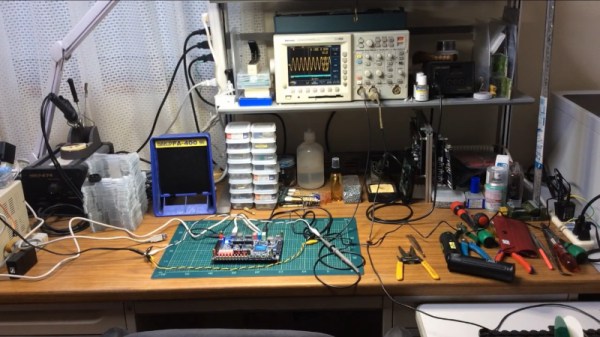
You’ve Seen The Chip Shortage And The Memory Shortage, Now Prepare For The PCB Shortage

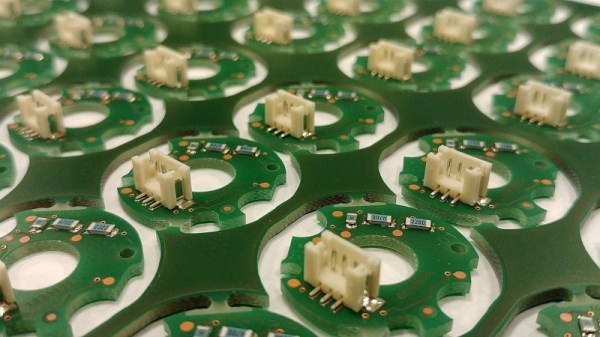
It’s nice to hide away in our little corner of the internet and talk tech, safely away from the turmoil of world events. Sometimes though, geopolitics intrude even into our space, and Reuters are here reporting on a new concern that will probably affect many Hackaday readers. Conflict in the Gulf of Arabia, and in particular raids on Saudi petrochemical plants, is threatening PCB production far away in China.

Most of us probably have a mental image of tankers sailing through the Strait of Hormuz laden with Gulf crude, off to be processed by refineries somewhere else in the world. Certainly a load of oil takes just that route, but for the Saudis and other oil-producing nations in the region, it also makes economic sense to site petrochemical industries at source. They export the much more valuable refined products, among which is the polymer resin used in PCB production. The Reuters report says that consequent to this and a rise in copper prices, the cost of a PCB in China has risen by 40%. Naturally this doesn’t sound like good news.

Here at Hackaday, when it comes to component shortages this isn’t our first rodeo. We’re in the middle of a memory shortage due to AI companies, and the COVID-era chip shortage is still fresh in our minds. Unfortunately, this type of thing as been a regular of the technology world for decades. Here we are with another one, and should we be worried? In the short term it’s certainly a concern as the Gulf conflict is still searching for an end to its uneasy stalemate, but remembering previous shortages we think that global industry will adapt and expand other sources where necessary. Just as with the similar IC encapsulation resin shortage back in the ’90s, it may eventually be the panic more than the shortage which becomes responsible for the price hikes.

We’ve taken an abstract look at global electronic supply chains before.


Header image: Gabriela P., CC BY 4.0.

A Digital Audio Recorder For TOSLink

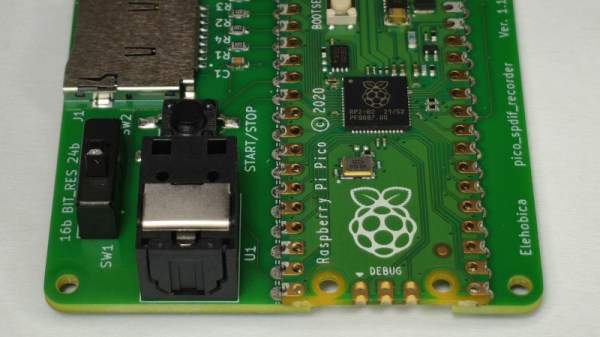
Every now and then in our travels we come upon a project with such an obvious need that it’s almost a surprise nobody has thought of doing it before. So it is with [Elehobica]’s project, an audio recorder for S/PDIF audio streams. It’s the device you could have used, years ago!

S/PDIF, or its optical fiber cousin TOSLINK, is the digital output you’ll find on the back of Hi-Fi equipment, it’s a serial encoding of an uncompressed digital audio data stream dating from the era when CDs were new. Its relative simplicity may be what’s given it longevity — it’s easy to implement so it plugs into pretty much everything.

Perhaps back in the day it might have been a pain for an 8-bit microprocessor to handle, but in 2026 it’s no bother for a Raspberry Pi Pico. The project is a small PCB with the Pico, a few interface components, and an SD card socket, and it sends what it hears on the input to the card as WAV files. We particularly like its smart sample rate and bit depth detection, and the way it cuts up tracks based on periods of silence. If you work with SPD/IF, this is going to be a useful tool.

Perhaps it could even be fed with a laser!

This Handy Synth Packs An ESP32

Since the first electronic hobbyist wired up a multivibrator to a keyboard many decades ago, electonic synthesisers have been a staple of home-made projects. Now with the proliferation of significantly powerful microcontrollers it’s possible to make a synth that surpasses many of the high-end models from days gone by.

Among those we’ve seen of late perhaps none does this better than [Povle] with their Spark portable keyboard. It’s a tiny thing that reminds us of those little Casio synths of the 1980s, but in its 3D printed case it packs a load of features.

Hardware wise it’s an ESP32 with a 3D printed keyboard using keyswitches. There are a load of pots for sound adjustment, and buttons for functions. A small OLED display shows what’s going on. Software wise it relies upon the AMY synth library, and there are repositories for both its hardware and software.

There’s a demo video we’ve placed below, and in it you hear the keyboard at work. And here maybe we’ve saved the best until last, because alongside being a fully featured synth, it’s also a sampler and a Bluetooth MIDI keyboard. Is there nothing this thing can’t do!

Continue reading “This Handy Synth Packs An ESP32”

Is It A Pet? No, It’s A Teacher’s Pet!

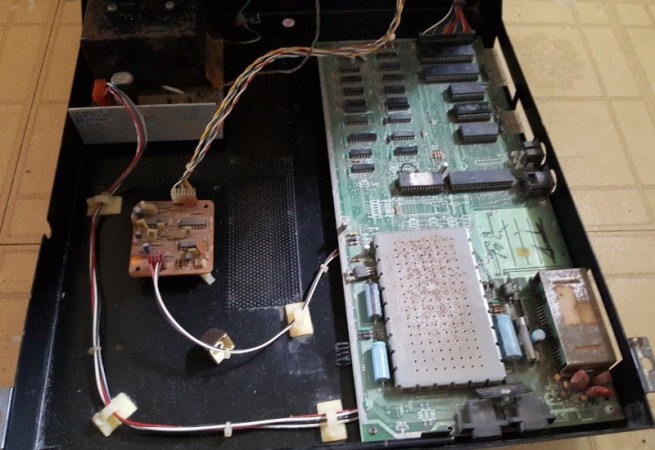
Here at Hackaday we cover the world of retrocomputing, which means that we see all manner of older computers in our everyday work. We might even claim that we’ve seen them all, were it not that every now and then something comes along which surprises us. [Tynemouth Software] has done just that, with an unexpected Commodore. It’s a Commodore 4064, something that was new to us, but which is best described as a Commodore 64 in a PET case. He’s bringing this one back to life.

For those with weak early-Commodore-fu, maybe it’s worth a quick recap. The PET was Commodore’s big hit from the late 1970s, and it took the form of an all-in-one machine with a CRT display built in. They packed a 6502, BASIC, blocky monochrome graphics, and unexpectedly an IEE-488, or GPIB port. Meanwhile the 64 was the company’s smash hit early 1980s home computer in a compact console design, with high-res color graphics for the time on your TV, and a synthesizer chip that’s still legendary in 2026. Combining a 64 mainboard with the super-robust PET case appears to have been part of Commodore’s business and education offerings.

This one appears to have been in the damp, because that board is definitely more than a bit grubby. After a lot of debugging its power and video circuits, including an unexpected sync splitter board to drive the non-composite monitor, he narrows down the problem to a dodgy ROM and some memory errors.

It seems there’s some question in Commodore enthusiast circles as to whether these machines were assembled from surplus PET parts, but he puts that one to bed by pointing out the custom metalwork and the few custom Commodore 64 features on the board. All in all it’s an interesting dive into an unusual 8-bit machine.

We’ve seen [Tynemouth] a few times here, perhaps most notably with their modern take on a ZX80.

Jenny’s Daily Drivers: Going 32-Bit With SliTaz In 2026

We’re used to seeing technologies move with the times, and it’s likely among Hackaday readers are the group who spend the most time doing that and are most aware of it. There’s one which we’ll all be aware of which has quietly slipped away for most of us almost without a word, I speak of course of 32-bit computing. For most of us that means 32-bit computing on x86 machines, and since the 64-bit x86 instruction set we all now use has been around for nearly a quarter century, its 32-bit ancestor is now ancient history.

In the world of software that means we’re now in an era of operating systems and browsers dropping 32-bit support, so increasingly keeping a 32-bit machine up to date will become a challenge. That sounds like something just painful and difficult enough to subject to a Daily Drivers piece, so just how practical is it to use a 32-bit machine for my daily work in 2026?

2005 Just Gave Me A Computer

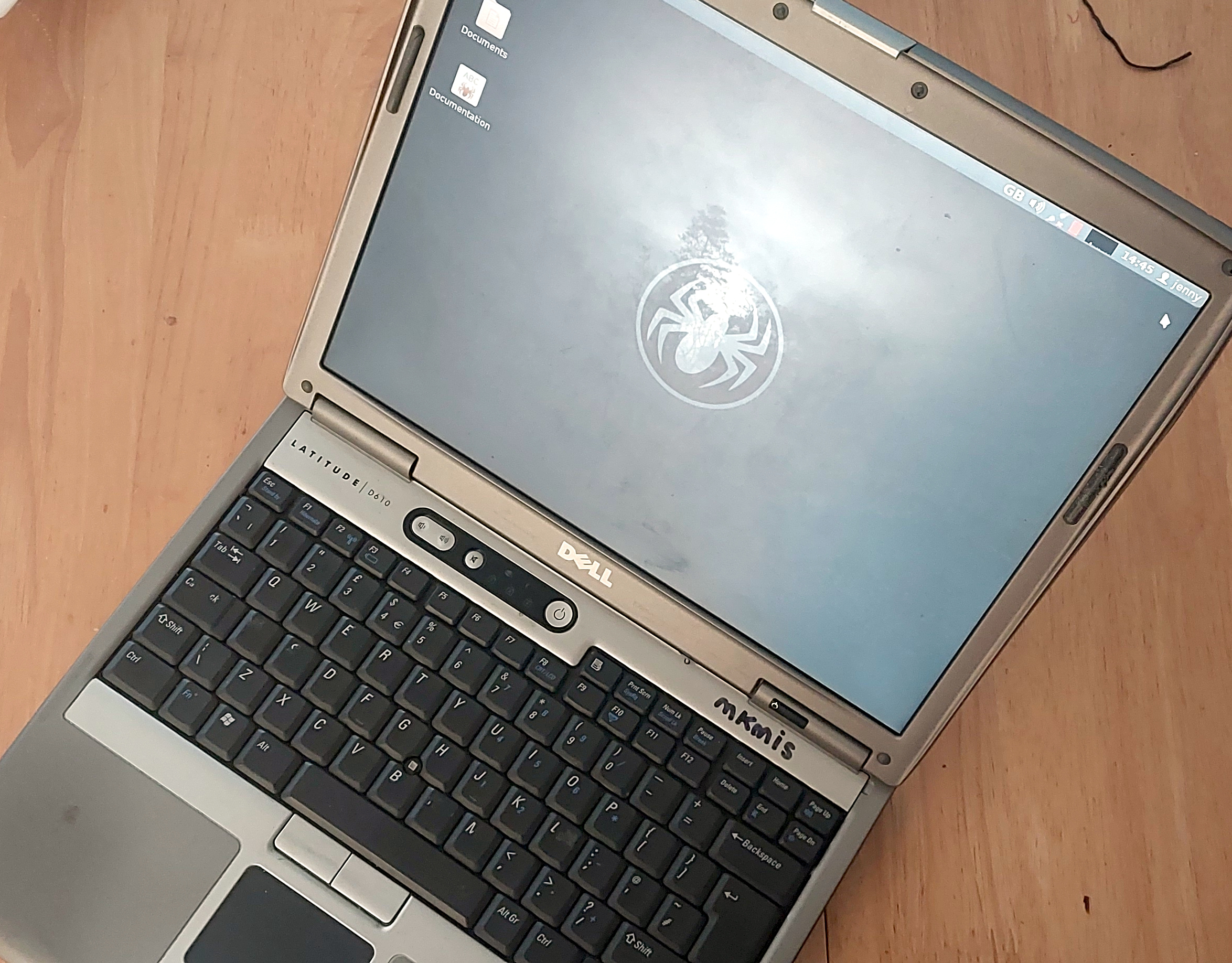
My trusty Dell, showing the SliTaz desktop
Not looking too bad for a 21 year old laptop.

On my desk I have a Dell Latitude D610. It was made in about 2005 in the days when Dells were solidly made, and with its 1.6GHz Pentium M and 2Gb of memory it represents roughly the final throw of the dice for a 32-bit Intel laptop. Just over a year later it would have been replaced by one of the Intel Core series with the 64-bit instructions grudgingly adopted from AMD, but at the time it was a respectably useful machine.

It came into my possession about eight years ago when I used it to test the Revbank bar tab software for my hackerspace, and for the past six years it’s languished unloved in my box there. It’s got an ancient Ubuntu distro on it, so my first task is to pick a 32-bit replacement from 2026. That’s now a dwindling selection, so it’s time to start digging though some minimalist distros. With the supply of those based on mainstream distros drying up as they drop 32-bit support, it’s time to look into more esoteric offerings. This fits well with the ethos of this series, we’re all about the unusual here.

Cutting out the mainstream based distros certainly narrows the field, and out of the promising contenders in the minimalist field, I went for SliTaz. It uses Busybox and the Openbox desktop, that runs from RAM. I was looking for good application support in the repos, and this distro has the things I need. Download it, stick it on a USB stick, and let’s see what it can do. I know one thing, I wouldn’t have been able to download that ISO in five seconds with the internet connection I had in 2005. Continue reading “Jenny’s Daily Drivers: Going 32-Bit With SliTaz In 2026”