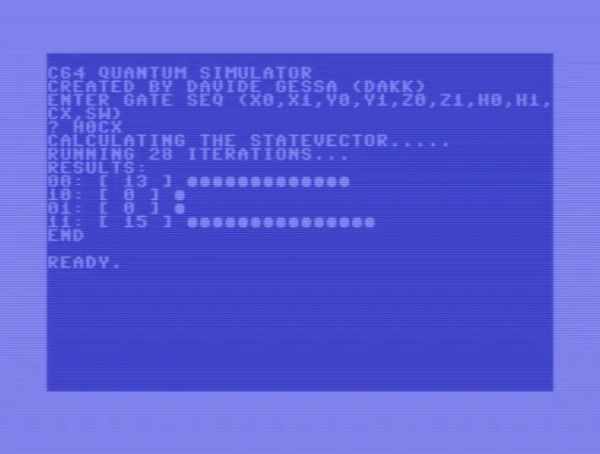
The term ‘quantum computer’ gets usually tossed around in the context of hyper-advanced, state-of-the-art computing devices. But much as how a 19th century mechanical computer, a discrete computer created from individual transistors, and a human being are all computers, the important quantifier is how fast and accurate the system is at the task. This is demonstrated succinctly by [Davide ‘dakk’ Gessa] with 200 lines of BASIC code on a Commodore 64 (GitHub), implementing a range of quantum gates.
Much like a transistor in classical computing, the qubit forms the core of quantum computing, and we have known for a long time that a qubit can be simulated, even on something as mundane as an 8-bit MPU. Ergo [Davide]’s simulations of various quantum gates on a C64, ranging from Pauli-X, Pauli-Y, Pauli-Z, Hadamard, CNOT and SWAP, all using a two-qubit system running on a system that first saw the light of day in the early 1980s.
Naturally, the practical use of simulating a two-qubit system on a general-purpose MPU running at a blistering ~1 MHz is quite limited, but as a teaching tool it’s incredibly accessible and a fun way to introduce people to the world of quantum computing.
The best part of I2C is that it is a bus that is available just about anywhere, covering a vast ecosystem of devices that offer it as a hardware-defined interface, while being uncomplicated enough that it can also be implemented purely in software on plain GPIO pins. Despite this popularity, I2C is one of those famous informal standards that feature a couple of popular implementations, while leaving many of the details such as exact timing, bus capacitance and other tedious details to the poor sod doing the product development. Thus it is that we end up with articles such as a recent one on the tongue-twisting [pair of pared pears] blog, covering issues found while implementing an I2C slave.
As with any shared bus, whether multi-master or not, figuring out when the bus is clear is a fun topic, yet one which can cause endless headaches. One issue here comes from a feature that the SMBus version of I2C calls quick read/write. This allows for the rapid transfer of some data. Still, depending on the data returned by the slave, it may appear to the master that nothing is happening yet, since SDA is being held low by the slave until the stop condition, essentially locking the bus.
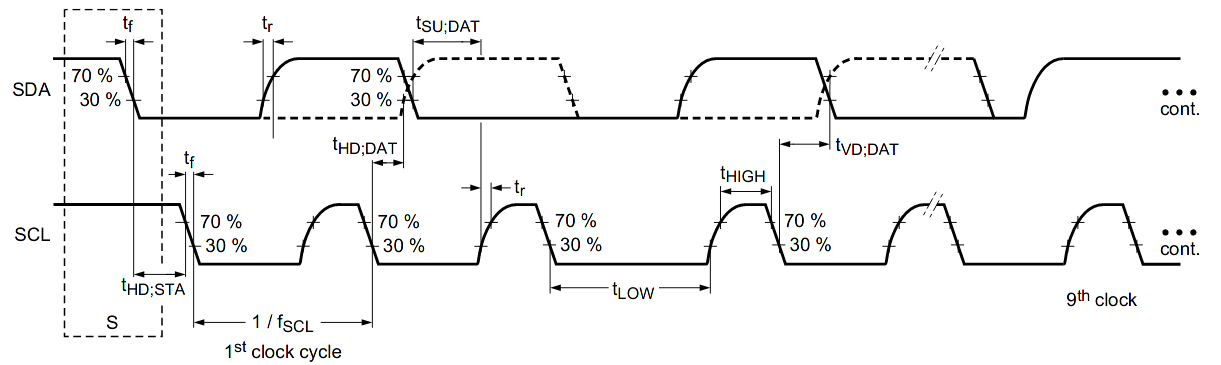
I2C hold times example.
Where things get even more exciting comes generally in the form of what logic analyzers love to traumatically call a ‘spurious start/stop condition’. This refers to the behavior of SDA and SCL, with SDA going low before SCL indicating an error. This can occur due to a hold time that’s too low, causing other devices on the bus to miss the transition. Here SMBus defines a transition time of 300 ns, while I2C calls for 0 seconds, but it’s now suggested to delay calling a start/stop condition until a delay of 300 ns has passed. Essentially, it would seem that implementing a hold time is the way forward until evidence to the contrary appears.
The third pitfall pertains to the higher-speed modes of I2C, including Fast-Mode (FM) and Fast-Mode Plus (FM+). Backward compatibility with these higher speed versions is absent to spotty. Although FM+ (introduced by NXP in 2007) is supposed to be backward compatible with slower speeds, effectively the timing requirement differences between the FM+ and FM standards are too large to compensate for. At least in the current versions of the standards, but one of the joys of I2C is that there’s always another new set of revisions to look forward to.
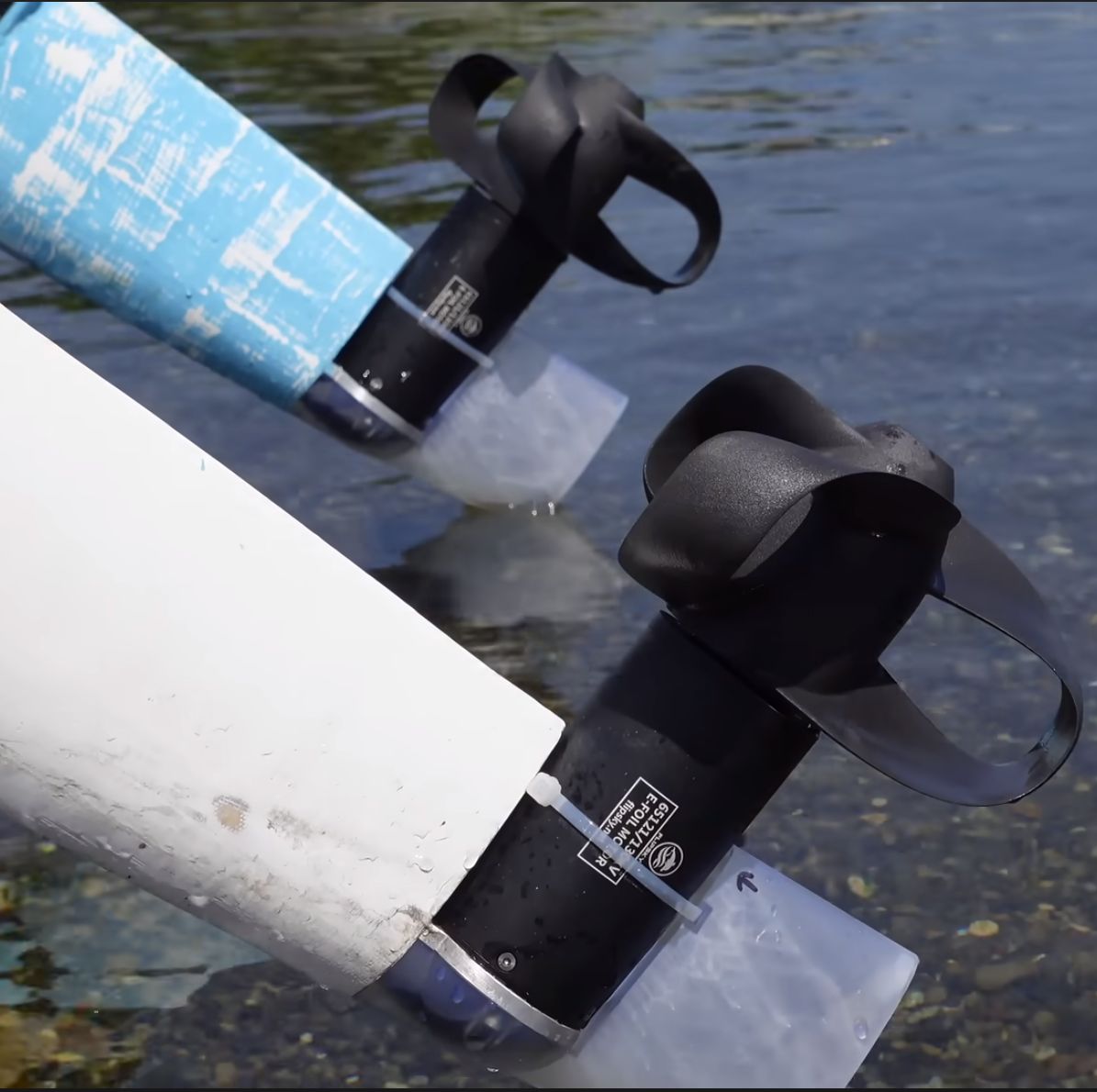
The toroidal boat propeller pair installed. (Credit: rctestflight)
As boring as propeller designs may seem to the average person, occasionally there’s a bit of a dust-up in the media about a ‘new’ design that promises at least a few percent improvement in performance, decreased noise profile, or any combination of such claims. Naturally, if you’re [Daniel Riley] of RCTestFlight, then you have to 3D print a few of them, and make a video covering a handful. Most famous of these is probably the toroidal propeller that made waves a while ago, mostly in the field of flying drones, but commercial toroidal boat props exist too.
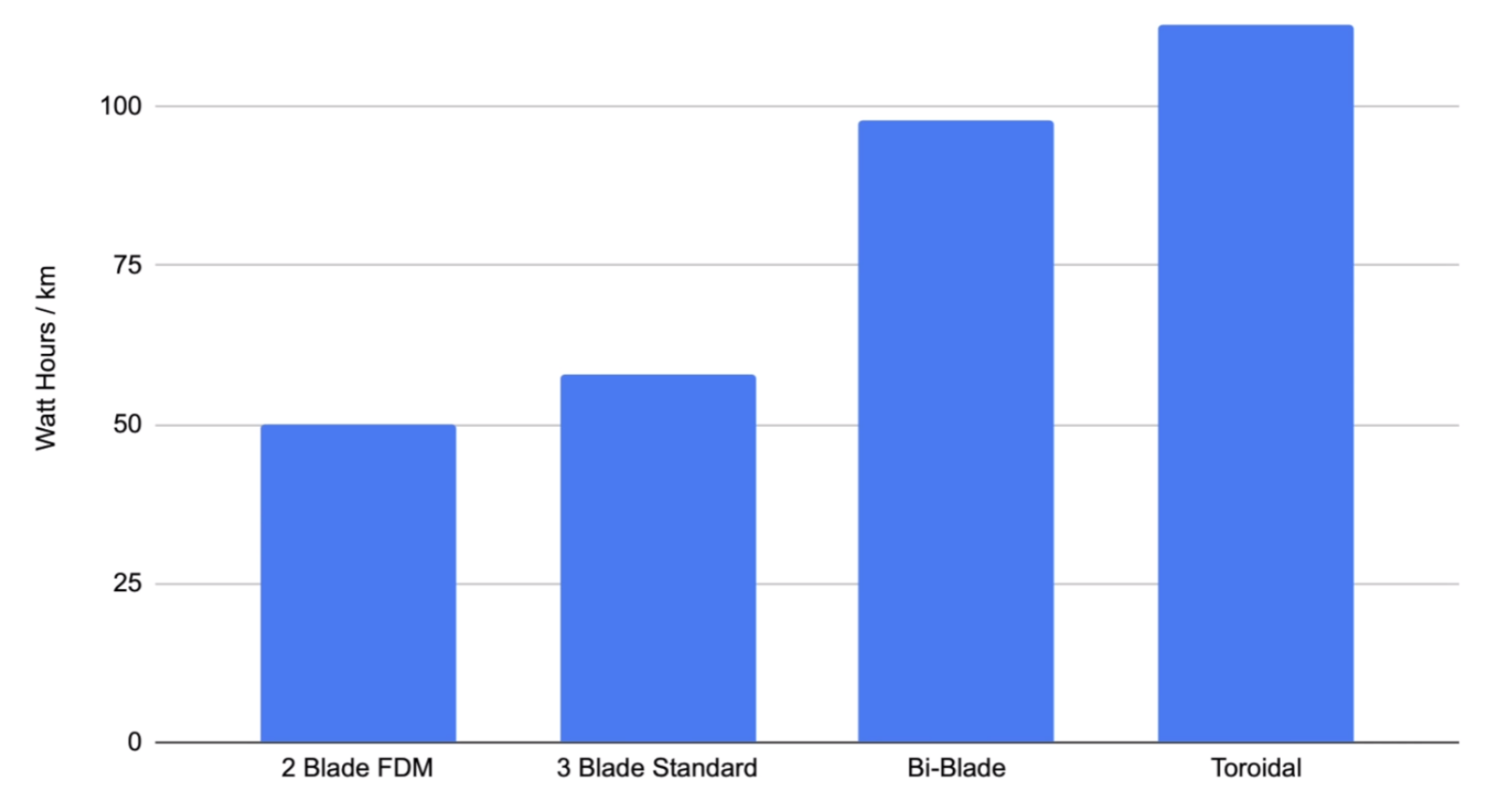
Test results of the different boat propeller designs. (Credit: rctestflight)
Interestingly, the 2-blade FDM-printed propeller ended up performing the best, while the bi-blade design (with two sets of blades positioned one after the other) performed worse — but better than the toroidal design. Here the last two designs were professionally printed in nylon, rather than printed at home in a standard FDM printer with all of the surface sanding and treatment required. Even so, the surface treatment did not seem to noticeably affect the results in further testing.
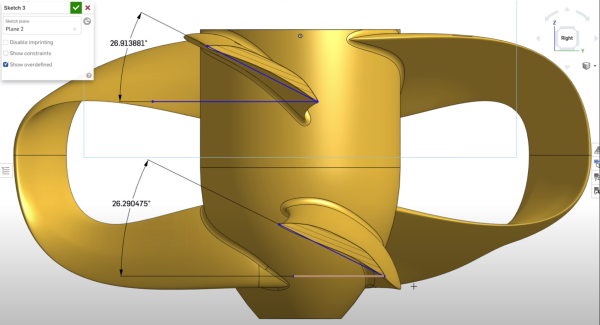
Hints at the root cause of the problem came from the bubble tests. In a bubble test, air is blown in front of the spinning propeller to visualize the flow of the water. This revealed some stalling on the bi-blade and the toroidal design too, which would explain some of the performance loss. Going back between the CAD model and the design in the patent by Sharrow Marine didn’t provide any obvious hints.
Considering that this latter company claims a performance uplift over regular boat propellers, the next steps for [Daniel] would appear to involve some careful navigating between fluid dynamic modeling and claims made in glossy marketing material to figure out exactly how close someone at home with a 3D printer and some spare time can get to those claimed numbers.
(Heading image: The toroidal propeller’s details in the CAD software. (Credit: rctestflight) )
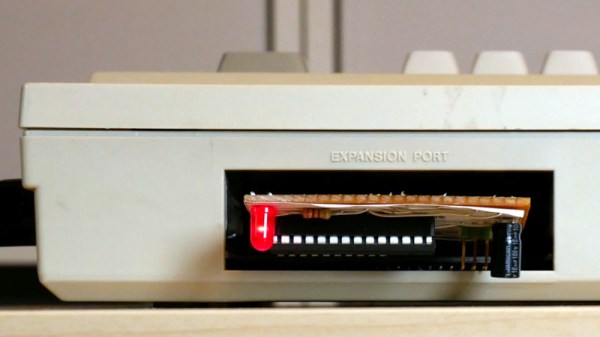
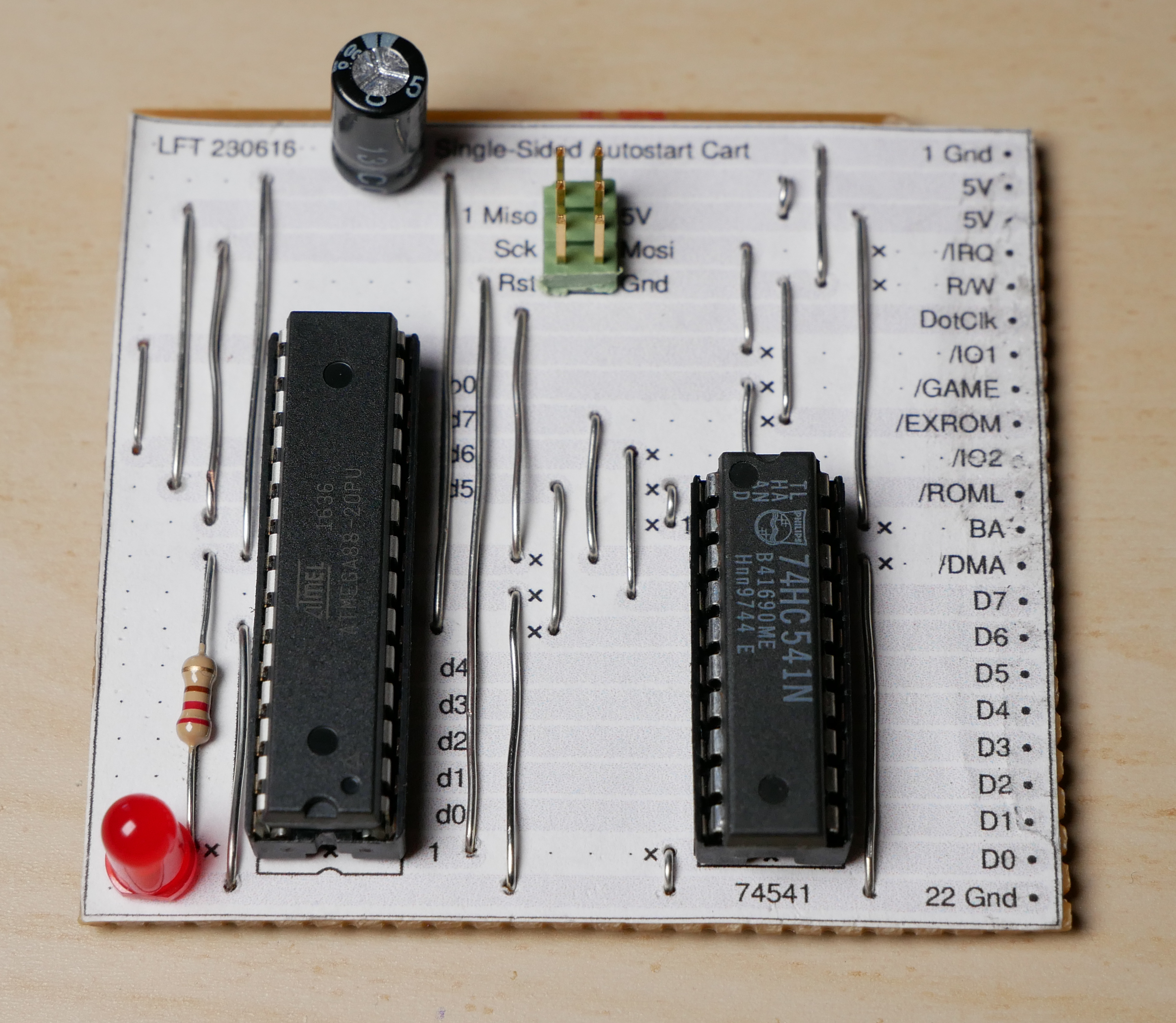
The DIY Commodore 64 cartridge. (Credit: Linus Åkesson)
When you want to write software for a system like the Commodore 64, the obvious and safe choice is to create an image that can be used with a tape or floppy drive emulator. Yet these come with the obvious disadvantage of loading time and manual steps, much like with the original hardware. Unfortunately, if you crave that instant-on experience that cartridges offer – courtesy of them being plugged directly into the system’s CPU bus – you better get an EE diploma to figure it all out. Or maybe not, as [Linus Åkesson] found out when he created a custom cartridge to boot his Commodordian project from.
For the core of the cartridge a bit of stripboard was sufficient to interface with the C64’s cartridge slot. Despite being single-sided, all the required signals were on one side of the slot. These include the EXROM line that informs the system that a cartridge is present, the ROML line that informs the cartridge when the system is trying to read from it, and of course the data bus. After this the interaction gets somewhat interesting, due to the use of the single-sided stripboard, as the address bus and other signals are on the non-connected side.
Working around this was the biggest challenge, but by creatively using the ROML and DotClk lines and by disabling the display output, the ATmega88 and 74HC541-based cartridge a working solution was created. There is still room for improvement here, naturally, but it would appear that if the goal is simply to autoload software on boot, this is definitely a workable solution. One could also splurge on double-sided stripboard, but that would strip away most of the fun of this solution.
Despite how hostile to life some parts of the Earth’s continents are, humanity has enthusiastically endeavored over the course of millennia to establish at least a toehold on each of them. Yet humanity has barely ventured beyond the surface of the oceans which cover around three-quarters of the planet, with human activity in these bodies of water dropping off quickly along with the fading of light from the surface.
Effectively, this means for all intents and purposes we have to this day not explored the vast majority of the Earth’s surface, due to over 70% of it being covered by water. As an ocean planet, much of Earth’s surface is covered by watery depths of multiple kilometers, with each 10 meters of water increasing the pressure by one atmosphere (1.013 bar), so that at a depth of one kilometer we’re talking about an intense 101 atmospheres.
Over the past decades, the 1985 discovery of Titanic’s wreck approximately 3.8 kilometer below the surface of the Atlantic, the two year long search for AF447’s black boxes, and the fruitless search for the wreckage of MH370 despite washed-up remnants have served as stark reminders of just how alien and how hostile the depths of the Earth’s oceans are. Yet with both tourism and mining efforts booming, will we one day conquer the full surface of Earth?
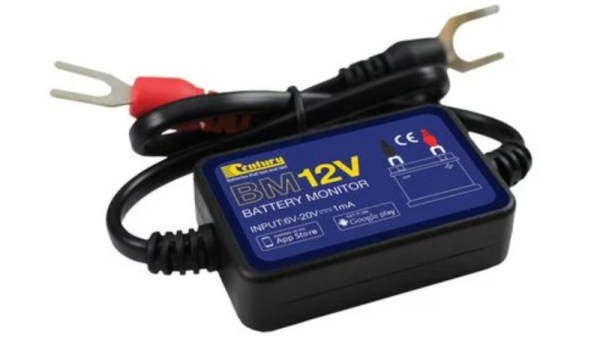
These days Bluetooth-based gadgets are everywhere, including for car and solar batteries. After connecting them up to the battery, you download the accompanying app on your smartphone, open it up and like magic you can keep tabs on your precious pile of chemistry that keeps things ticking along. Yet as [haxrob] discovered during an analysis, many of these devices will happily pass your location and other information along to remote servers.
The device in question is a Bluetooth 4.0 Battery Monitor that is resold under many brands, and which by itself would seem to do just what it is said to do, from monitoring a battery to running crank tests. Where things get unpleasant is with the Battery Monitor 2 (BM2) mobile app that accompanies the device. It integrates a library called AMap which is “a leading provider of digital map in China” and part of Alibaba. Although the app’s information page claims that no personal information is collected, the data intercepted with Wireshark would beg to differ.
In part 2 of this series, the BM2 app is reverse-engineered, decompiling the Java code. The personal information includes the latitude and longitude, as well as GPS, cell phone tower cell IDs and WiFi beacon data, which understandably has people rather upset. In addition to leaking your personal info, the BM2 app seems to be also good at running constantly in the background, which ironically drains your phone’s battery at an alarming rate.
Cases like these should be both a warning to not just install any app on your smartphone, as well as a wake-up call to Google and others to prevent such blatant privacy violations.
These days the dozen or so ECUs in an average car are joined by an infotainment system of some type, which are typically a large touch screen on the dashboard (the headunit) and possibly a couple of auxiliary units for the rear seats. These infotainment systems run anything from QNX to (Yocto) Linux or more commonly these days some version of Android. As [Eric McDonald] discovered with his 2021 Honda Civic, its headunit runs an archaic Android dating back to roughly 2012.
While this offers intriguing options with gaining root access via decade-old exploits that the car manufacturer never fixed, as [Eric] notes, this is an advantage that anyone who can gain access to the car’s CAN buses via e.g. the headlights, a wireless access point, or even inject an exploit via ADB radio can use to their advantage. Essentially, these infotainment systems are massive attack surfaces with all of their wired and wireless interfaces, combined with outdated software that you as the vehicle owner are forbidden to meddle with by the manufacturer.
Naturally taking this ‘no’ as a challenge as any civilized citizen would, [Eric] set out to not only root the glorified Android tablet that Honda seeks to pass off as a ‘modern infotainment system’, but also reverse-engineer the system as far as possible and documenting the findings on GitHub. As [Eric] also explains in a Hacker News discussion, his dream is to not only have documentation available for infotainment systems in general as a community effort, but also provide open source alternatives that can be inspected by security researchers rather than being expected to lean on the ‘trust me bro’ security practices of the average car manufacturer.
Although a big ask considering how secretive car manufacturers are, this would seem to be an issue that we should tackle sooner rather than later, as more and more older cars turn into driving security exploits just waiting to happen.