Tech In Plain Sight: Windshield Frit

You probably see a frit every day and don’t even notice it. What is it? You know the black band around your car’s windshield? That’s a frit (which, by the way, can also mean ingredients used in making glass) or, sometimes, a frit band. What’s more, it probably fades out using a series of dots like a halftone image, right? Think that’s just for aesthetics? Think again.

Older windshields were not always attached firmly, leading to them popping out in accidents. At some point, though, the industry moved to polyurethane adhesives, which are superior when applied correctly. However, they often degrade from exposure to UV. That’s a problem with a windshield, which usually gets plenty of sunlight.

The answer is the frit, a ceramic-based baked-on enamel applied to both sides of the windshield’s edges, usually using silk screening. The inner part serves as a bonding point for the adhesive. However, the outer part blocks UV radiation from reaching the adhesive. Of course, it also hides the adhesive and any edges or wiring beneath it, too.

Continue reading “Tech In Plain Sight: Windshield Frit”

Deep Dive Into 3D Printing Nozzles

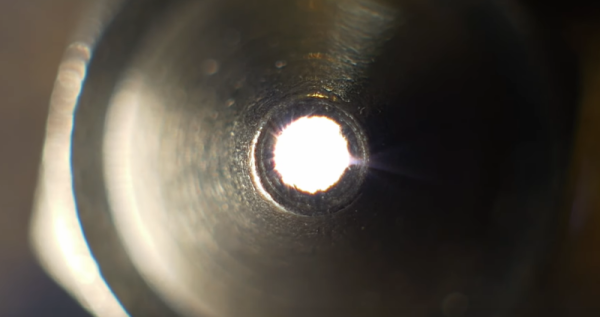
[Lost in Tech] set out to examine a variety of 3D printing nozzles. Before he got there, though, he found some issues. In particular, he found that his current crop of printers don’t take the standard E3D or MK8 nozzles. So, instead, he decided to examine various nozzles under the microscope.

Unsurprisingly, each nozzle had a tiny hole at the end, although the roundness of the hole varied a bit from nozzle to nozzle. As you might expect, more expensive nozzles had better orifices than the cheap ones. Grabbing pictures of nozzles at magnification isn’t easy, so he set up a special image stacking setup to get some beautiful images (and he has another video on how that works).

But the real star of the video is when he virtually travels into the orifice to show the innermost details of the nozzle from the inside out. This let him visualize the smoothness and finish. The Creality nozzles looked very good and weren’t terribly expensive. Many of the expensive nozzles were quite good. However, as you would expect, the quality of cheap nozzles were all over the place.

By the end, [Lost in Tech] speculates if the non-standard nozzles are a way to prevent you from buying low-cost nozzles and eating into sales or if they are a way to prevent you from buying low-cost nozzles that may give you poor print quality. What do you think?

There’s more than one way to look inside a nozzle. We just buy our nozzles, but some people make their own.

Continue reading “Deep Dive Into 3D Printing Nozzles”

Predicting The A-Bomb: The Cartmill Affair

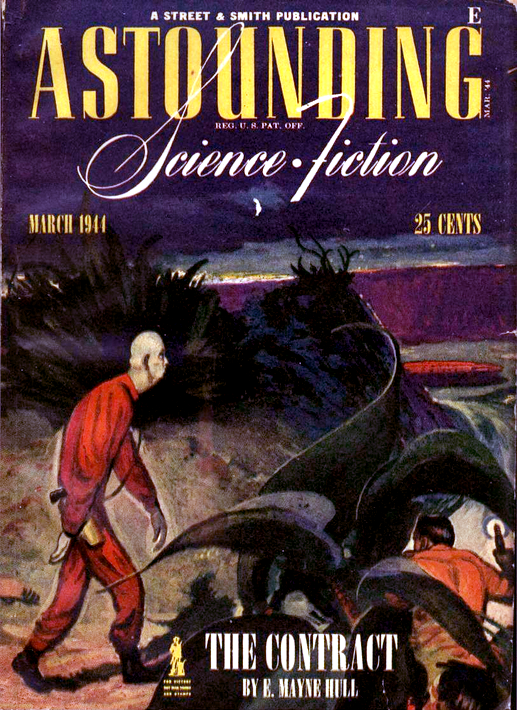
The cover of the infamous issue of Astounding, March 1944

There’s an upcoming movie, Argylle, about an author whose spy novels are a little too accurate, and she becomes a target of a real-life spy game. We haven’t seen the movie, but it made us think of a similar espionage caper from 1944 involving science fiction author Cleve Cartmill. The whole thing played out in the pages of Astounding magazine (now Analog) and involved several other science fiction luminaries ranging from John W. Campbell to Isaac Asimov. It is a great story about how science is — well, science — and no amount of secrecy or legislation can hide it.

In 1943, Cartmill queried Campbell about the possibility of a story that would be known as “Deadline.” It wasn’t his first story, nor would it be his last. But it nearly put him in a Federal prison. Why?  The story dealt with an atomic bomb.

Nothing New

By itself, that’s probably not a big deal. H.G. Wells wrote “The World Set Free” in 1914, where he predicted nuclear weapons. But in 1914, it wasn’t clear how that would work exactly. Wells mentioned “uranium and thorium” and wrote a reasonable account of the destructive power: Continue reading “Predicting The A-Bomb: The Cartmill Affair”

Android-Powered Rigol Scopes Go Wireless

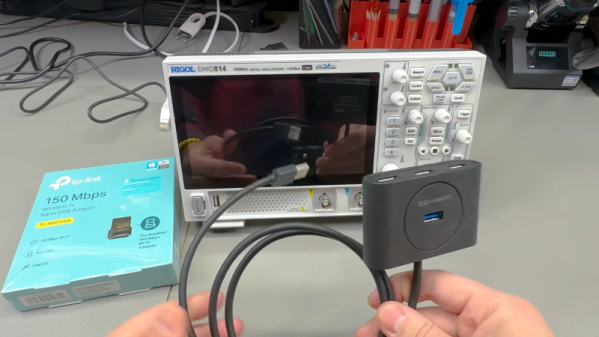
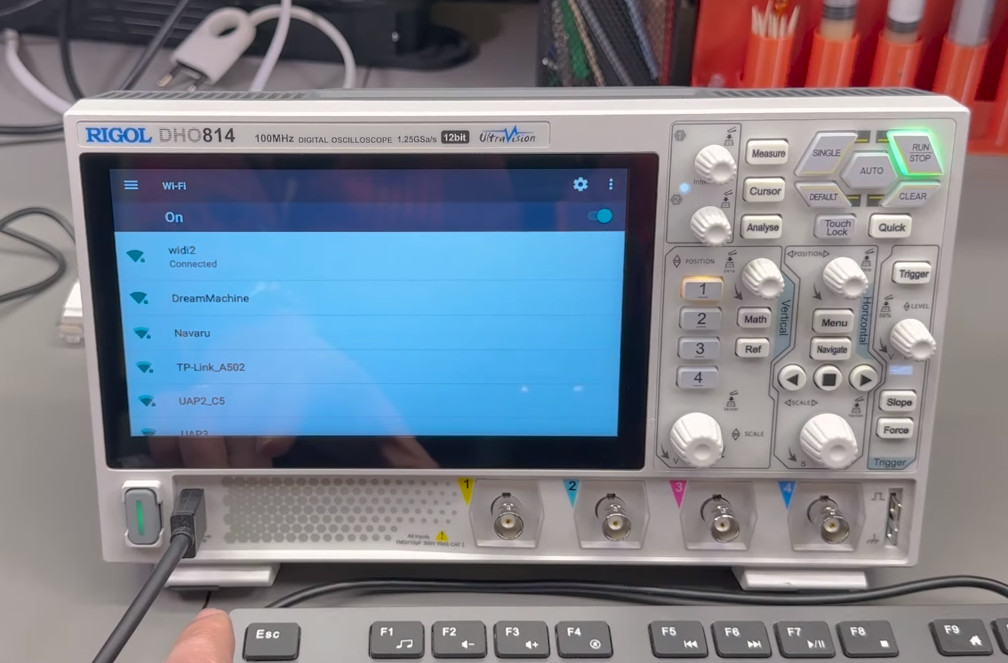
The Rigol DHO800 and DHO900 series use Android underneath, and as you might expect, this makes them easier to hack. A case in point: [VoltLog] demonstrates that you can add WiFi to the scope using a cheap USB WiFi adapter. This might seem like a no-brainer on the surface, but because the software doesn’t know about WiFi, there are a few minor hoops to jump through.

The first issue is that you need a WiFi adapter the built-in OS already knows how to handle. The community has identified at least one RTL chipset that works and it happens to be in the TP-Link TL-WN725N. These are old 2.4 GHz only units, so they are widely available for $10 or less.

But even with the correct hardware, the scope doesn’t have any menus to configure the WiFi interface. To solve that, you need to temporarily use a USB hub and a USB keyboard. Once you have everything plugged in, you can use the Super + N keyboard shortcut to open up the Android notification bar, which is normally hidden. Once you’ve setup the network connection, you won’t need the keyboard anymore.

Or maybe not — it turns out the keyboard does allow you to change a few other things. For example, [VoltLog] used it to increase the screen brightness more than the default maximum setting.

The only other issue appears to be that the scope shows it is disconnected even when connected to WiFi. That doesn’t seem to impact operation, though. Of course, you could use a WiFi to Ethernet bridge or even an old router, but now you have a cable, a box, and another power cord to deal with. This solution is neat and clean. You bet we’ve already ordered a TP-Link adapter!

WiFi scopes are nothing new. We suspect Rigol didn’t want to worry about interference and regulatory acceptance, but who knows? Besides, it is fun to add WiFi to wired devices.

Continue reading “Android-Powered Rigol Scopes Go Wireless”

Arduino, Virtually

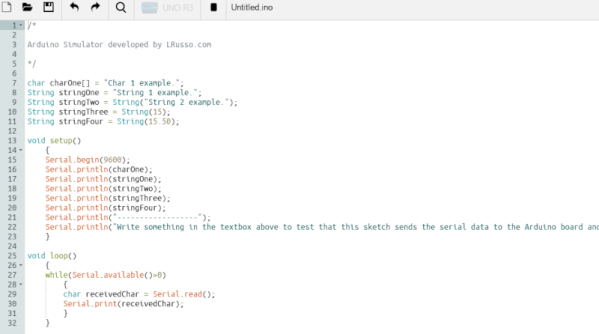
While simulating an Arduino isn’t a new idea, a recent project by [LRusso] provides an open source JavaScript simulator that runs in your browser. You can try it out live or host it yourself if you prefer.

The simulator looks much like the standard IDE, so there isn’t much to learn. You can select from several targets, including a UNO R3, a MEGA 1280, a MEGA 2560, or a NANO V3. At the bottom of the screen, you’ll see the correct number of digital pins, analog pins, and the serial monitor. The code is relatively new, and we noticed that the digital and output pins seem to work only for outputs. There is no way to modify any of the values from the user interface. You can, however, enter things into the serial monitor.

You can run a canned demo that uses digital and analog output. There is also another sample that uses the serial port. Unlike some other simulators, you can’t really add much external circuitry but, for some purposes, that isn’t a problem.

If you are looking for more, there is Simulide, which is also free. Falstad can do mixed signal simulations with Arduino code. There’s also Wokwi, which we’ve covered a few times before.

Linux Fu: Where’s That Darn File?

Disk storage has exploded in the last 40 years. These days, even a terabyte drive is considered small. There is one downside, though. The more stuff you have, the harder it is to find it. Linux provides numerous tools to find files when you can’t remember their name. Each has plusses and minuses, and choosing between them is often difficult.

Definitions

Different tools work differently to find files. There are several ways you might look for a file:

  1. Find a file if you know its name but not its location.
  2. Find a file when you know some part of its name.
  3. Find a file that contains something.
  4. Find a file with certain attributes (e.g., larger than 100 kB)

You might combine these, too. For example, it is reasonable to query all PDF files created in the last week that are larger than 100 kB.

There are plenty of different types of attributes. Some file systems support tags, too. So, you might have a PERSONAL tag to mark files that apply to you personally. Unfortunately, tool support for tags is somewhat lacking, as you’ll see later.

Another key point is how up-to-date your search results are. If you sift through terabytes of files for each search, that will be slow. If you keep an index, that’s fast, but the index will quickly be out of date. Do you periodically refresh the index? Do you watch the entire file system for changes and then update the index? Different tools do it differently. Continue reading “Linux Fu: Where’s That Darn File?”

Need A Refresher On RMS?

If you mostly deal with DC current, you might not think much of root mean square or RMS measurements. Sure, you’ve seen meters that have “true RMS” settings, but what does it mean? If you don’t know — or you want a refresher — watch [Prof MAD’s] recent video explaining the topic.

There are two things to remember when working with RMS. If you put, say, 100VDC through a 100-ohm resistor, you’ll draw 1A and use 100W of power. However, since AC gradually makes its way to a peak value and then starts ramping down immediately, you can’t use the peak value or anything like it to figure out AC power. After all, the voltage is only at that peak for an instant. That’s where RMS comes in. 100 VAC RMS through a 100-ohm resistor will also consume an average of 100W over time.

Continue reading “Need A Refresher On RMS?”