Wireless Charging For Border Patrol Drones

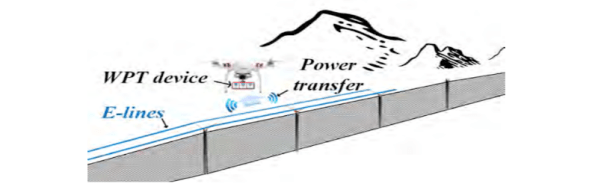
It makes sense to use drones to patrol borders or perimeters. But there’s a problem. Drones have to carry batteries or fuel and mostly have a short operating time. A new paper from the University of Houston proposes a solution by recharging drones in flight using a novel wireless charging mechanism. What’s the cost? Another paper explores the economics of the approach.

The system relies on electric lines running along a border wall feeding wireless power transfer devices that allow the drone to recharge in flight. This is akin, we think, to an electric train that takes power from the third rail except, in this case, the power rail is wireless. Also, the drone would still have batteries to enable it to go off the rail as needed.

The paper mentions that the source power could be from wind or solar, but that’s not necessarily important and it also requires a storage battery in the system that you could omit if using conventional power. In addition, you’d think batteries and solar panels might be targets for theft in remote areas.

The paper mentions that another alternative is to simply have charging towers along the wall where drones land to recharge. This is easier, we think, but it does put the drone out of full operation status while charging. On the other hand, cheap drones could work in shifts to cover an area, so it seems like that might be a better solution than charging while flying.

What do you think? How would you make a long-duration drone? Fuel cells? In-flight battery swapping from a refueling drone? Laser power? Maybe a magnetic battery swap system where the drone swoops over a charger to drop off and pick up a fresh battery? Let us know what you would try or — even better — what you have done.

We’ve seen a drone pit stop robot already. Refueling drones have been done, too. But it does seem like something better is possible.

OpenGL In 500 Lines (Sort Of…)

How difficult is OpenGL? How difficult can it be if you can build a basic renderer in 500 lines of code? That’s what [Dmitry] did as part of a series of tiny applications. The renderer is part of a course and the line limit is to allow students to build their own rendering software. [Dmitry] feels that you can’t write efficient code for things like OpenGL without understanding how they work first.

For educational purposes, the system uses few external dependencies. Students get a class that can work with TGA format files and a way to set the color of one pixel. The rest of the renderer is up to the student guided by nine lessons ranging from Bresenham’s algorithm to ambient occlusion. One of the last lessons switches gears to OpenGL so you can see how it all applies.

Continue reading “OpenGL In 500 Lines (Sort Of…)”

Cheap Spot Welder Teardown

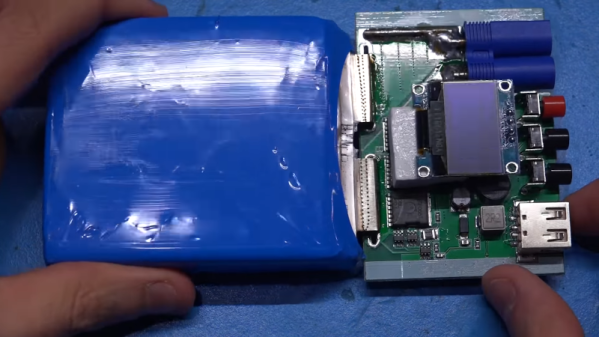
It used to be hard to dump enough electricity through two pieces of metal to meld them together. But a lithium-ion battery can do it. The question is, should it? [The Signal Path] takes a cheap battery-based spot welder apart to see what’s inside and tries to answer that question. You can see the teardown in the video below.

The cheap welder has some obvious safety problems so the first thing was to trim down some wires and also retinning some of the PCB traces to ensure they are the lowest possible resistance. Of course, the less resistance in the wiring, the more current is available for welding.

Continue reading “Cheap Spot Welder Teardown”

Tired Of 3D Printed Skirts? Try Kisses

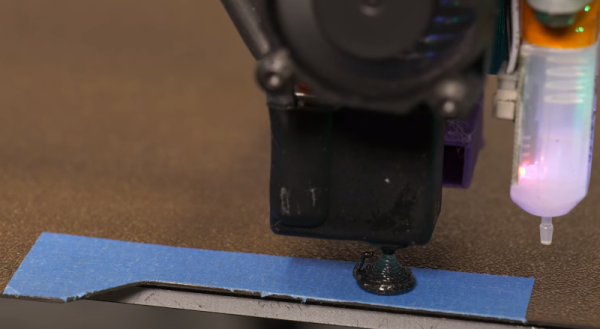
One popular option when 3D printing is to have the printer draw a loop or two around the print before starting. This serves several purposes: it clears the print head for one thing. It also marks the area of the print bed in use and many people use it to adjust the leveling if necessary. However, the little scraps of plastic do add up. [Makers Mashup] decided to try something different and now uses what he dubs the landing strip and kisses method.

The landing strip turns out to be a piece of blue tape and the kiss in question is like the chocolate kind and does not involve pressing your lips against the nozzle. There’s a wizard that generates startup code for you that has the style of purge if you like.

Continue reading “Tired Of 3D Printed Skirts? Try Kisses”

Linux Fu: Simple Pipes

In the old days, you had a computer and it did one thing at a time. Literally. You would load your cards or punch tape or whatever and push a button. The computer would read your program, execute it, and spit out the results. Then it would go back to sleep until you fed it some more input.

The problem is computers — especially then — were expensive. And for a typical program, the computer is spending a lot of time waiting for things like the next punched card to show up or the magnetic tape to get to the right position. In those cases, the computer was figuratively tapping its foot waiting for the next event.

Someone smart realized that the computer could be working on something else while it was waiting, so you should feed more than one program in at a time. When program A is waiting for some I/O operation, program B could make some progress. Of course, if program A didn’t do any I/O then program B starved, so we invented preemptive multitasking. In that scheme, program A runs until it can’t run anymore or until a preset time limit occurs, whichever comes first. If time expires, the program is forced to sleep a bit so program B (and other programs) get their turn. This is how virtually all modern computers outside of tiny embedded systems work.

But there is a difference. Most computers now have multiple CPUs and special ways to quickly switch tasks. The desktop I’m writing this on has 12 CPUs and each one can act like two CPUs. So the computer can run up to 12 programs at one time and have 12 more that can replace any of the active 12 very quickly. Of course, the operating system can also flip programs on and off that stack of 24, so you can run a lot more than that, but the switch between the main 12 and the backup 12 is extremely fast.

So the case is stronger than ever for writing your solution using more than one program. There are a lot of benefits. For example, I once took over a program that did a lot of calculations and then spent hours printing out results. I spun off the printing to separate jobs on different printers and cut like 80% of the run time — which was nearly a day when I got started. But even outside of performance, process isolation is like the ultimate encapsulation. Things you do in program A shouldn’t be able to affect program B. Just like we isolate code in modules and objects, we can go further and isolate them in processes.

Doubled-Edged Sword

But that’s also a problem. Presumably, if you want to have two programs cooperate, they need to affect each other in some way. You could just use a file to talk between them but that’s notoriously inefficient. So operating systems like Linux provide IPC — interprocess communications. Just like you make some parts of an object public, you can expose certain things in your program to other programs.

Continue reading “Linux Fu: Simple Pipes”

Layer Line Removal Putty Reviewed

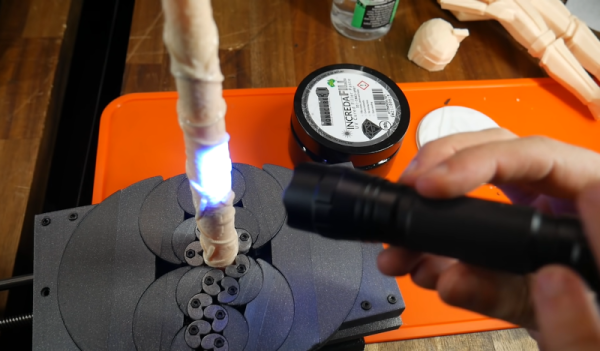
[Teaching Tech] is not alone in hating layer lines in 3D prints and also hates sanding. He recently tried Incredafill putty, a UV-curable putty that you can use to cover up lines in prints. Once covered and cured, you sand the putty smooth. You can see what he thought of the product in the video below.

As many people suggested in the video comments, you can pull the same trick with UV resin thickened with some other substance. We’ve even covered using diluted resin to get a similar effect. The putty has more of the appearance of hair cream or some kind of ointment, so it was easy to spread around with a gloved finger. A brush also worked. UV curing was done by a small flashlight or the handy sun. However, you’ll see later that he used a UV curing station and that works well if you have one.

Of course, even after applying the putty, you still have to sand. We are assuming the sanding is easier than trying to sand the actual layer lines smooth. On the other hand, the resin dust is probably pretty toxic, so there is a trade-off involved.

The results did look good. Of course, since there was still sanding involved, how good it looks will depend on your sanding tools, your technique, and — perhaps most importantly — your patience. Sanding can do a lot for 3D prints. We might not trust it completely with resin dust, but you could get rid of at least some of the dust with a downdraft table.

Continue reading “Layer Line Removal Putty Reviewed”

In 2045: Alpha Centauri

We’ve talked about project Breakthrough Starshot which aims to send a solar sail probe to Alpha Centauri within 20 years. A little basic math and knowing that Alpha Centauri is 4.3 light years away means you are going to need to travel over 20% of the speed of light to make the trip in that time. Some new papers have proposed ways to address a few of the engineering problems.

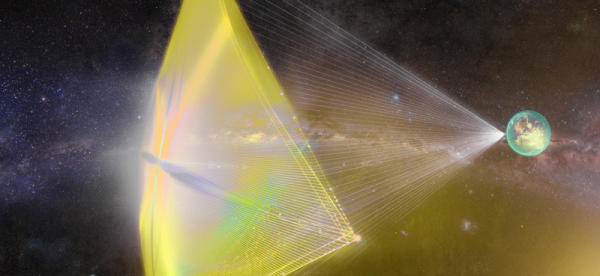
The basic idea is simple. A very small probe is attached to a very large sail. But calling it a solar sail is a bit of a misnomer. The motive power for the sail would be a powerful laser, which provides more reliable power to the tiny probe’s propulsion system. The problems? First, the thin sail could tear under constant pressure. The answer, according to one of the papers, is to shape the sail like a parachute so it can billow under pressure.

The other problem is not burning the sail up. Space is a hard environment to dump waste heat into since radiation is the only way to transfer it. Another paper suggests that nanoscale patterns on the sail will allow it to release waste heat into the interstellar environment.

Continue reading “In 2045: Alpha Centauri”