Heads Up: Smart Glass Multimeter

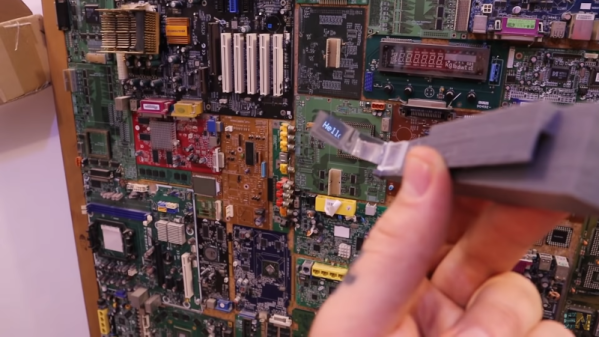
Sometimes it is hard to probe a circuit and then look over at the meter. [Electronoobs] decided to fix that problem by making a Google Glass-like multimeter using an OLED screen and Bluetooth module.

The custom PCB doesn’t have many surprises. A small board has a controller, a battery charger, a display, and a Bluetooth module. One thing he did forget is a switch, though, so the board is always on unless you arrange an external switch.

Continue reading “Heads Up: Smart Glass Multimeter”

The Imperfect Bipolar Transistor

We like to pretend that our circuit elements are perfect because, honestly, it makes life easier and it often doesn’t matter much in practice. For a normal design, the fact that a foot of wire has a tiny bit of resistance or that our capacitor value might be off by 10% doesn’t make much difference. One place that we really bury our heads in the sand, though, is when we use bipolar transistors as switches. A perfect switch would have 0 volts across it when it is actuated. A real switch won’t quite get there, but it will be doggone close. But a bipolar transistor in saturation won’t be really all the way on. [The Offset Volt] looks at how a bipolar transistor switches and why the voltage across it at saturation is a few tenths of a volt. You can see the video below.

To understand it, you’ll need a little bit of math and some understanding of the construction of transistors. The idea of using a transistor as a switch is that the transistor is saturated — that is, increasing base current doesn’t make much change in the collector current. While it isn’t perfect, it is good enough to switch a relay or do other common switching tasks.

Continue reading “The Imperfect Bipolar Transistor”

3D Animation For All Thanks To Google AI

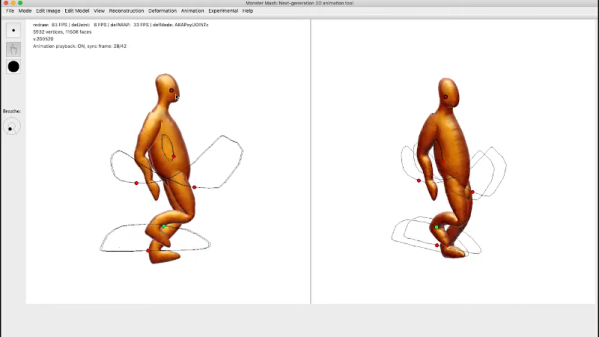
Google rarely fails to impress with technology demos. Their latest — Monster Mash — is aimed at using artificial intelligence to allow the creation of simple 3D animations without a lot of training or trouble. We’ll warn you: we aren’t artists so we didn’t get the results the demos were showing, but then again, if you are even a little artistic, you’ll probably have better luck than we did. You might want to start watching the video, below.

There’s also a research paper if you are more interested in the technology. The idea is to make simple line drawings in 2D. Then you inflate the object to 3D. The final step is to trace out animation paths.

Continue reading “3D Animation For All Thanks To Google AI”

Queen Victoria’s Secret (Teletype And COSMAC Elf)

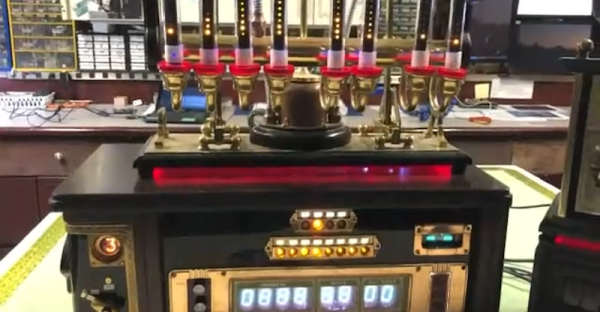
We don’t really think anyone in the Victorian era had a COSMAC Elf — the homebrew computer based around the RCA 1802 CPU. But if they did, it might have looked like [Daniel Ross’] steampunk recreation of the system that includes an appropriate-looking teletype device. You can see the thing in a series of videos, below. There are actually quite a few videos showing different parts of the system, along with several blog postings stretching back a few months.

A magic eye tube doesn’t look out of place in this build. We especially liked the glass tube displays and the speaker, although we thought the USS Enterprise looked out of place with the technology based on stone knives and bearskins, to paraphrase Mr. Spock. On the plus side, the VFD displays have the right glowing look, although a Nixie would have been pretty good there, too.

The videos don’t have much detail, but the blog posts do if you wanted to attempt something similar. Honestly, 1802 system design is pretty easy thanks to the its on-chip DMA that allows you to load memory from switches with no actual software like a monitor. The teletype started out life as a Remington #7 from around 1900, although another newer machine donated parts to get everything working. It is a testament to how well things were built then that it took as much abuse as it did and still has working parts.

We have a soft spot for the 1802 — it was a very good design for its time. We’ve even gone as far as to simulate it.

Continue reading “Queen Victoria’s Secret (Teletype And COSMAC Elf)”

The Dynamotor Simplified

[Robert Murray-Smith] doesn’t like the price of inverters to convert DC to AC. That led him to build a dynamotor, or what is sometimes called a motor-generator set. These devices are just DC motors driving a generator. Of course, motors can also be used as generators and [Robert] had a stack of brushless motors in the form of PC fans. A two-fan dynamotor was born.

The brushless motors are attractive because, traditionally, the brushes are what usually fail on a dynamotor. The fan that will act as a generator needs some surgery, but it is simple. He scraped off all the control electronics and connected wires to the coils to form a three-phase generator. There’s no need for the fan blades in that configuration, either. If you were using ordinary motors and a generator, getting shafts concentric would be an important task. With the fans, it is simple to just line up the mounting holes and you get perfect alignment for free.

How does it work? [Robert] has a second video showing the output on a scope. You can see both videos below. The dynamotor makes a good-looking sine wave, probably much better than most reasonable-priced solid state inverters. He didn’t mention how much current he could successfully draw, but it probably isn’t much. You’d also need a transformer to replace a commercial inverter that would put out line voltage, so that would be some more loos in the system. On the other hand, if you wanted AC at a lower voltage, you might just replace all the transformers, if you were building a piece of gear yourself.

We’ve looked at how these things work in some detail. There were common in old tube radios, particularly military ones.

Continue reading “The Dynamotor Simplified”

Camera Zero Looks Cool, Runs Cool

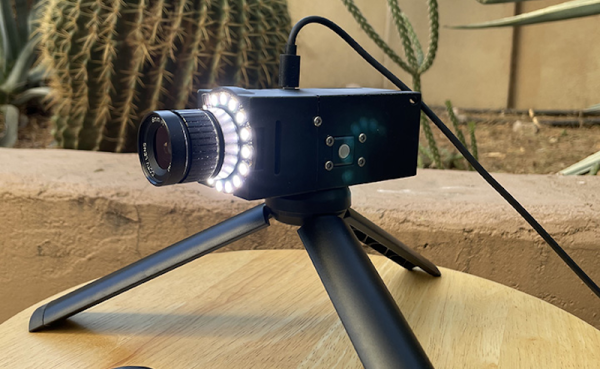
Security cameras are a commodity item these days, but that doesn’t mean [edgett’s] design using a Pi Zero, an Arducam, an LED ring, and active cooling isn’t worth a look. This is a great example of how integrating some off-the-shelf modules and 3D printing can create very professional-looking results. There’s also a trackball interface so you can control the camera. The software, written in Python, is available on GitHub.

The trackball doesn’t move the camera, but it does manage a menu system that lets you capture a photo or video, set the optical parameters like exposure, shutter, and ISO, and launch Camera Remote to offer a Web-based interface instead of the trackball.

If you add infrared illumination, you can swap out the camera for an IR version and have a nice-looking night vision camera, too. The camera is reasonably compact. Not including the lens and the tripod, the camera measures 100 by 44 by 44 mm. So under two inches square and about 4 inches long.

We worried a little about gluing the LED ring down, but then again our phones are all glued together these days, so maybe we should stop fretting. One thing we didn’t see on either site, though, was a picture taken with the camera itself. However, the 12-megapixel camera and quality lens should do a great job. We’ve even seen that particular camera module work with a much smaller computer recently.

Engineering The Less Boring Way

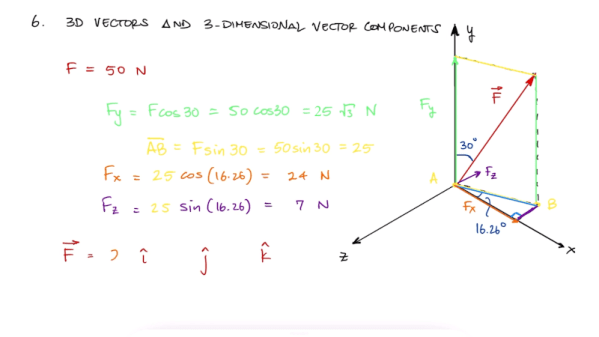
We have to admire a YouTube channel with the name [Less Boring Lectures]. After all, he isn’t promising they won’t be boring, just less boring. Actually though, we found quite a few of the videos pretty interesting and not boring at all. The channel features videos about mechanical engineering and related subjects like statics and math. While your typical electronics project doesn’t always need that kind of knowledge, some of them do and the mental exercise is good for you regardless. A case in point: spend seven minutes and learn about 2D and 3D vectors in two short videos (see below). Or spend 11 minutes and do the whole vector video in one gulp.

These reminded us of Kahn Academy videos, although the topics are pretty hardcore. For example, if you want to know about axial loading, shear strain, or free body diagrams, this is a good place to look.

Continue reading “Engineering The Less Boring Way”