Real Time Object Detection For $59

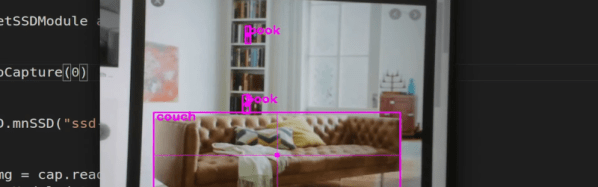
There was a time when making a machine to identify objects in a camera was difficult, even without trying to do it in real time. But now, you can do it with a Jetson Nano board for under $60. How well does it work? Watch [Murtaza’s] video below and see what you think.

The first few minutes of the video piqued our interest, and good thing, too, because the 50 lines of code get a 50-plus minute video! It is worth watching, though, because there’s a lot of good information about how to apply this technique in your own projects.

Continue reading “Real Time Object Detection For $59”

Undocumented X86 Instructions Allow Microcode Access

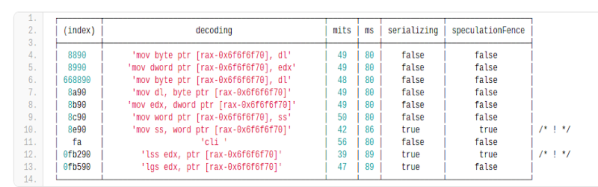
For an old CPU, finding all the valid instructions wasn’t very hard. You simply tried them all. Sure, really old CPUs might make it hard to tell what the instruction did, but once CPUs got illegal instruction traps, you could quickly just scan possible op codes and see what didn’t throw an exception. Modern processors, though, are quite another thing. For example, you might run a random instruction that locks up the machine or miss an instruction that would have been valid but the CPU is in the wrong mode. [Can Bölük] has a novel solution: By speculatively executing the target instruction and then monitoring the microcode sequencer, he can determine if the CPU is decoding an instruction even if it refuses to execute it.

Some unknown instructions may have power for good or evil, such as the recently announced undocumented instructions that can apparently rewrite the microcode. We expect to see a post soon on how to reprogram your Intel processor to run as a 6502 natively.

Continue reading “Undocumented X86 Instructions Allow Microcode Access”

Speaker Is Fully 3D Printed

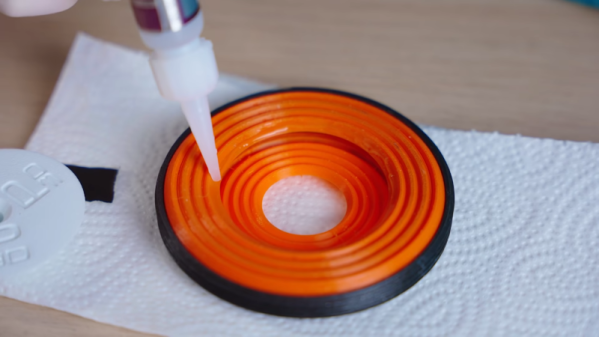
[Thomas] is always up to some kind of 3D printing project. His latest? A fully 3D printed speaker. This is possible because of designs by [Paul Ellis] that use 3D printed materials for nearly all parts of the speaker.  You can see and hear the speaker in the video below.

You might expect different parts of the speaker use different filaments. There are also different techniques such as the use of single-wall printing that makes the speaker possible.

Continue reading “Speaker Is Fully 3D Printed”

PCTG Filament Has Interesting Properties

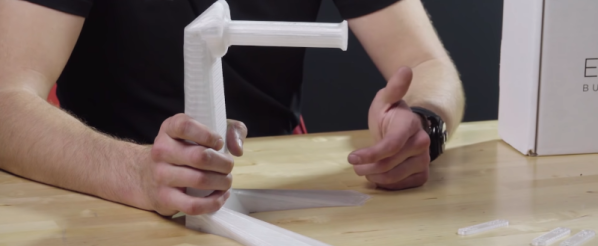
Early 3D printers used ABS, but bad fumes and warping made most people go to PLA. However, PETG has a lot of the great properties of ABS along with some of the ease-of-use of PLA. According to a recent [VisionMiner] video, however, PCTG — Polyethylene Terephthalate-Glycol — could be the next filament of choice. The filament itself is from Essentium, but it appears that [VisionMiner] is a reseller of the filament (along with other engineering plastics). Thus the video below has a bit of marketing speak in it, but it also has good information and examples of using PCTG.

The plastic is relatively inexpensive, but still not as cheap as PLA or even PETG. A 750g roll is about $40 The benefits? According to the video, this plastic is stronger, tougher, and clearer than other common options.

Continue reading “PCTG Filament Has Interesting Properties”

Coil Winding Machine Makes It Easy

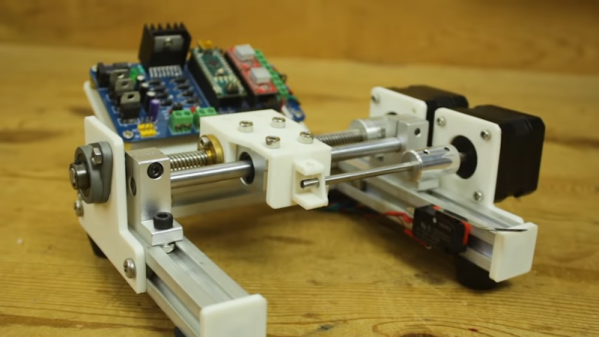
[Mr Innovative] needed to wind some coils, and decided to make a machine to do the work. Making such machines has become a lot easier over the years. There was a time when we might probably have had to hack an old printer or scanner to get linear rods and stepper motors. Now, thanks to widespread 3D printing, we can order parts like that from lots of places. The 3D printing helps, too, to fabricate all the little custom widgets you need to put something like that together.

The machine looks great. It uses a number of parts that would look at home on a 3D printer or CNC build. We thought his Chinese mini table saw did a great job cutting the aluminum extrusions, but we did worry about the safety of his fingers. We’ll admit we are generally lazy and buy the extrusions precut.

Continue reading “Coil Winding Machine Makes It Easy”

Hacking The Ortur Laser With Spoil Board, Z-Height, And Air Assist

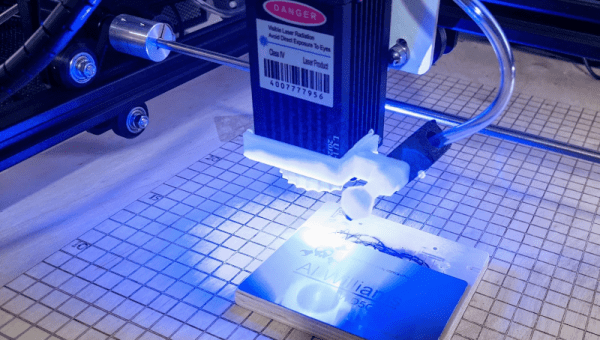
Last month in my hands-on review of the Ortur Laser I hinted that I had done a few things to make it work a little better. I made three significant changes in particular: I anchored the machine to a spoil board with markings, I added a moving Z axis to adjust focus by moving the entire laser head, and I added an air assist.

Turns out, you can find designs for all of these things all over the Internet and I did, in fact, use other people’s designs. The problem is the designs often conflict with one another or don’t exactly work for your setup. So what I’ll tell you about is the combination that worked for me and what I had to do to get it all working together. The air assist is going to take a post all by itself, but some of the attempts at air assist led to some of the other changes I made, so we’ll talk about it some in this post, as well.

One of the modifications — the spoil board mount — I simply downloaded and the link for that is below. However, I modified the moving Z axis and air assist parts and you can find my very simple modifications on Thingiverse. You’ll also find links to the original designs and you’ll need them for extra parts and instructions, too.

Continue reading “Hacking The Ortur Laser With Spoil Board, Z-Height, And Air Assist”

PCB Reflow With A PCB

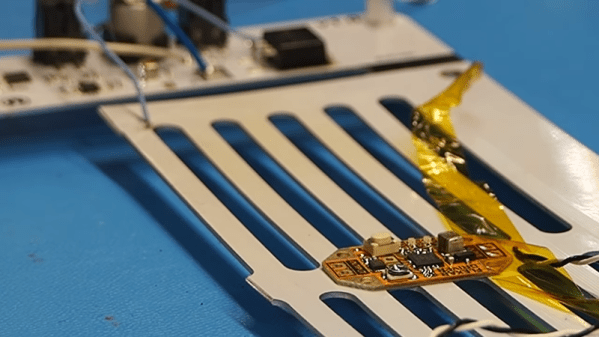
We wonder if [Carl Bugeja] was looking at a 3D printer’s heated bed when he got the idea to create a PCB reflow heater using a PCB. He tried a quick test to heat up a standard PCB and made it self-reflow. That worked, though it obviously wouldn’t be practical for all boards. But it proved he could make it work.

To improve the heating performance, he laid out a metal core PCB, along with some custom control electronics. The board’s resistance didn’t quite perform to calculations, but luckily, it was too high so a shunt wire was able to reduce the overall resistance. One important thing to consider is that the heater board needs to use higher temperature solder so it doesn’t desolder its own components

We were glad to see [Carl] use a metal core board as standard PCB material can get cranky at high temperatures over 130C. Even so, it would be good to check the boards you plan to use this way to make sure they are rated for the kind of temperatures required.

We’ve seen lots of reflow heat sources. Halogen lights come to mind. Or, raid the toy closet and find an Easy Bake oven.

Continue reading “PCB Reflow With A PCB”