Rack ’em Stack ’em Raspberry Pi Controller Board

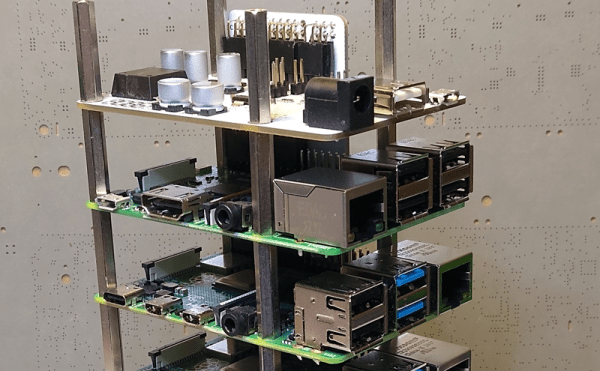
It isn’t that hard to assemble an array of Raspberry Pi boards and there are several reasons you might want to do so. The real trick is getting power to all of them and cooling all of them without having a mess of wires and keeping them all separated. The ClusterCTRL stack lets you stack up to five Raspberry Pi boards together. The PCB aligns vertically along the side of the stack of Pis with sockets for each pin header. Using a single 12 to 24V supply, it provides power for each board, a USB power connection, and provisions for two fans. There is also a USB port to control the fans and power.

There’s also a software component to deliver more granular control. Without using the software, the PI’s power on in one second and monitor a GPIO pin to control the fans. With the software, you can turn on or off individual nodes, gang the two fans to turn on together, and even add more stacks.
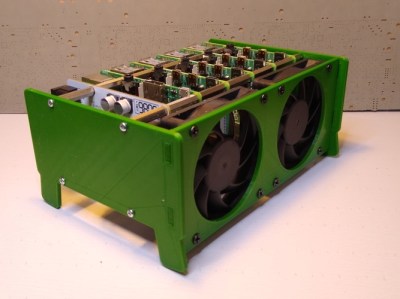
There is a case that you can print from STL files, although you can buy them preprinted on the Tindie listing where the bulk of information on ClusterCTRL is found. You could also have a 3D printing vendor run off a copy for you if you’d rather.

The power supply is a 10A 5.1V DC to DC converter. That works out to 2A per Pi and 51W total. The power supply for the input, then, needs to be enough to cover 51W, the power for the fans, and some overhead for regulator inefficiency and other small overhead.

We’ve seen a lot of Pi clusters over the years including one that is a good learning tool for cluster management. Of course, there’s always the Oracle cluster with 1,060 boards, which is going to take a bigger power supply.

Popcorn Pocket P. C. Open Sourced

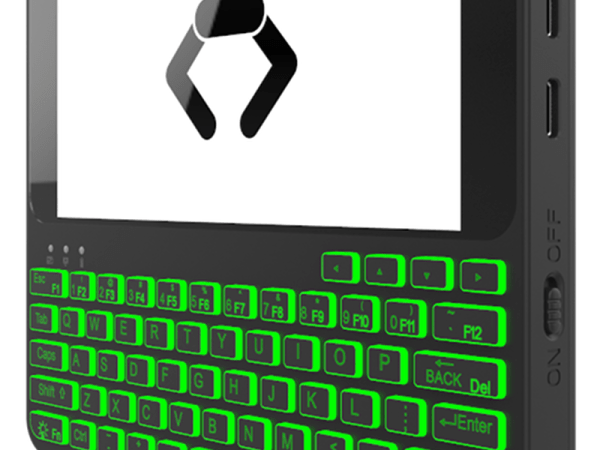
If you miss the days you could get an organizer that would — sort of — run Linux, you might be interested in Popcorn computer’s Pocket P. C., which was recently open-sourced on GitHub. Before you jump over to build one, though, there are a few things you should know.

First, the files are untested since the first unit hasn’t shipped yet. In addition, while the schematic looks pretty complete, there’s no actual bill of materials and the PCB layers in the PDF file might not be very easy to replicate, since they are just a series of images, one for each layer. You can see an overview video of the device, below.

Continue reading “Popcorn Pocket P. C. Open Sourced”

Linux Fu: Remote Execution Made Easy

If you have SSH and a few other tools set up, it is pretty easy to log into another machine and run a few programs. This could be handy when you are using a machine that might not have a lot of memory or processing power and you have access to a bigger machine somewhere on the network. For example, suppose you want to reencode some video on a box you use as a media server but it would go much faster on your giant server with a dozen cores and 32 GB of RAM.

Remote Execution

However, there are a few problems with that scenario. First, you might not have the software on the remote machine. Even if you do, it might not be the version you expect or have all the same configuration as your local copy. Then there’s the file problem. the input file should come from your local file system and you’d like the output to wind up there, too. These aren’t insurmountable, of course. You could install the program on the remote box and copy your files back and forth manually. Or you can use Outrun.

There are a few limitations, though. You do need Outrun on both machines and both machines have to have the same CPU architecture. Sadly, that means you can’t use this to easily run jobs on your x86-64 PC from a Raspberry Pi. You’ll need root access to the remote machine, too. The system also depends on having the FUSE file system libraries set up.

Continue reading “Linux Fu: Remote Execution Made Easy”

Glasgow Uses An FPGA As An Embedded Systems Multitool

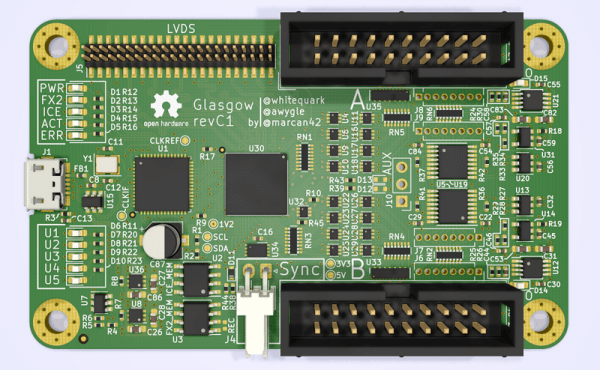
Everyone who builds embedded systems wants tools to help build and debug systems faster, so it isn’t uncommon to see boards outfitted with various tools like serial port sniffers. We’ve seen a few incarnations and the latest is Glasgow. The small board uses an FPGA and claims to do the following:

  • UART with automatic baud rate determination
  • SPI or I2C
  • Read and write common EEPROMs and flash chips
  • Read and write common EPROMs including a data rescue function
  • Program AVR chips via SPI
  • Play back JTAG SVF files
  • Debug ARC and some MIPS CPUs
  • Program XC9500LX CPLDs
  • Communicate to several wireless radios and CPUs
  • Do sound synthesis
  • Read raw data from floppy drives

The revC board is the first to be relatively functional and sports 16 I/O pins operating at up to 100 MHz, although the documentation hints that 6 MHz might be the top of what’s easily accomplished. The software is written in Python and the iCE40 FPGA toolchain that we’ve talked about many times in the past.

This already looks like a useful tool and the reconfigurable nature of FPGAs makes it a good platform to expand. The documentation discusses the difficulty in debugging things for the board, so the base software offers support such as a built-in logic analyzer to help.

We have seen dev boards become bench tools, like using the iCEstick as a logic analyzer. It’s nice to see dedicated tools like this one built up around the speed and versatility of FPGAs.

Continue reading “Glasgow Uses An FPGA As An Embedded Systems Multitool”

Talking Head Teaches Laplace Transform

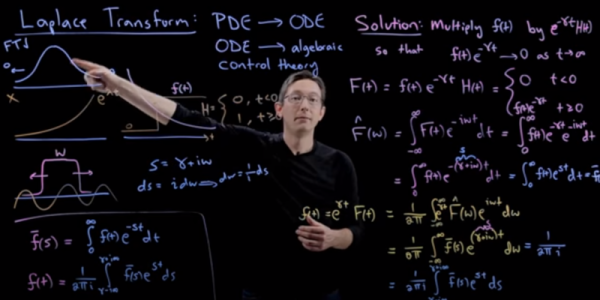
Most people who deal with electronics have heard of the Fourier transform. That mathematical process makes it possible for computers to analyze sound, video, and it also offers critical math insights for tasks ranging from pattern matching to frequency synthesis. The Laplace transform is less familiar, even though it is a generalization of the Fourier transform. [Steve Bruntun] has a good explanation of the math behind the Laplace transform in a recent video that you can see below.

There are many applications for the Laplace transform, including transforming types of differential equations. This comes up often in electronics where you have time-varying components like inductors and capacitors. Instead of having to solve a differential equation, you can perform a Laplace, solve using common algebra, and then do a reverse transform to get the right answer. This is similar to how logarithms can take a harder problem — multiplication — and change it into a simpler addition problem, but on a much larger scale.

Continue reading “Talking Head Teaches Laplace Transform”

A Shell? A Programming Language? Relax! It’s Both!

Every time we publish a Linux hack that uses a shell script, someone will chime in about how awful it is to program shell scripts. While we like the ubiquity and efficiency, we can’t disagree that the shell is a bit of a hack itself. [Axel Lijencrantz] wants to change your shell to be a full-blow programming language called Crush.

On the face of it, it looks like a shell. Want to see the contents of the current directory? Simple: ls.

The difference is underneath. In Crush, ls is a built-in and it returns data in rows like a database. You can manipulate that database with SQL-like commands: ls | where {type=="directory"}.

Continue reading “A Shell? A Programming Language? Relax! It’s Both!”

Virtual Software Defined Radio

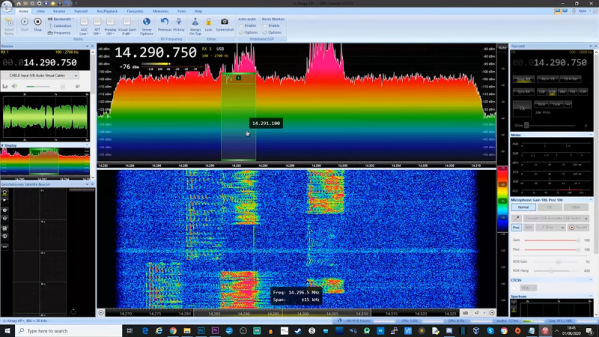
Software defined radio or SDR has changed the radio landscape forever. But to use one you need to buy some kind of hardware right? Maybe not. As [Tech Minds] shows in a recent video there are plenty of SDRs publically available on the Internet. We know that isn’t news, but the video does cover several different methods of finding and using SDR receivers including many that run totally in the browser.

Of course, there are a lot of reasons you might want to borrow an alien radio receiver, even if you have your own hardware. Maybe you don’t have a great antenna or maybe you want to hear a signal — maybe even your own — from a different location.

Continue reading “Virtual Software Defined Radio”