Two Way Mirror Improves Video Conferencing

Like everyone lately, [Matt] has been spending more time doing video conferencing lately. The problem is you naturally want to look at the screen, but that means you aren’t looking at the camera and, thus, you aren’t making eye contact. If you use a laptop, there is a relatively easy fix, although it isn’t particularly stylish. [Matt] built a black shroud out of foam board and put in two-way mirror. How does that help? Well, with the set up, you can put a very thin black web camera pointing up towards the mirror. Because the shroud is dark, you can see the screen through the mirror, but the camera sees you.

Where do you get a thin black web camera? You make one from an old laptop camera. They are tiny and easy to repurpose, a trick [Matt] has shared before. As a bonus, the post shows an easy way to take an LED strip and make a diffused light for lighting up your webcam call.

Continue reading “Two Way Mirror Improves Video Conferencing”
Building A 3270 Terminal Controller

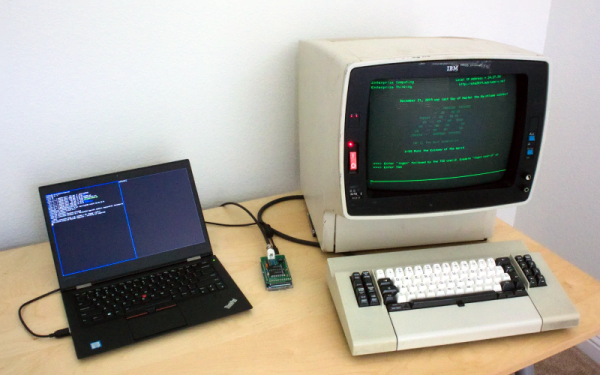
We like to talk about how most of our computers today would have been mainframes a scant 40 or 50 years ago. Because of that, many people who want to run IBM mainframes such as the IBM 360 or 370 use the Hercules emulator to run the big iron on their PCs. However, mainframe IBM computers used an odd style of terminal and emulating it on a PC isn’t always as satisfying. At least, that’s what [lowobservable] thought, so he decided to get a 3270 terminal working with Hercules.

Back in the bad old days of computing, there were two main styles of terminals. Some companies, for example DEC, essentially used terminals as a “glass teletype.” That is, the screen was an analog of a roll of paper — more or less — and the keyboard immediately sent things to the remote system. However, companies like IBM and HP favored a different approach. Their terminals dealt with screens full of data. The terminal was smart enough to let you fill in forms, edit text on the screen, and then you’d send the entire screen in one gulp. Both systems had pros and cons, but — as you might expect — the screen-oriented terminals were more complex.

Continue reading “Building A 3270 Terminal Controller”

What Rhymes With Spice And Simulates Huge Circuits?

Most of us have computers on our desk that would have been considered supercomputers not long ago. We always wonder how many of them get any actual workout other than decoding video. If you want to simulate circuits you may very well start chewing up significant CPU time, so you might consider Xyce, an open source high-performance analog circuit simulator from Sandia National Labs. As you’d expect from a giant government lab it is able to support large scale parallel computing, but will also work on common desktop systems. On Linux, it will do what they call “small-scale parallelism.” In addition, it can deal with simulations of things as diverse as neural networks and power grids.

The code is open source, but oddly you do have to register to download it. Xyce has been around for a bit, but version 7.0 just arrived in April. Many of the changes are to improve compatibility with other Spice programs, notably HSpice.

Continue reading “What Rhymes With Spice And Simulates Huge Circuits?”

Home Assistant Get Fingerprint Scanning

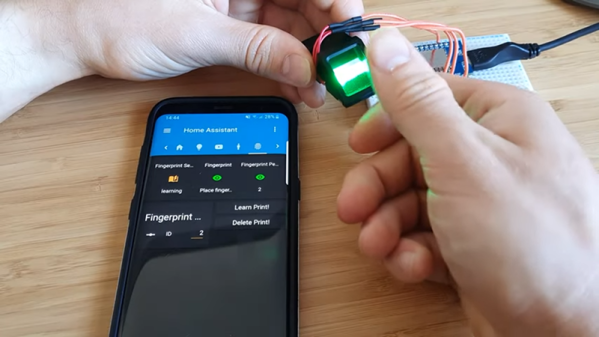
Biometrics — like using your fingerprint as a password — is certainly convenient and are pretty commonplace on phones and laptops these days. While their overall security could be a problem, they certainly fit the bill to keep casual intruders out of your system. [Lewis Barclay] had some sensors gathering dust and decided to interface them to his Home Assistant setup using an ESP chip and MQTT.

You can see the device working in the video below. The code is on GitHub, and the only thing we worried about was the overall security. Of course, the security of fingerprint scanners is debatable since you hear stories about people lifting fingerprints with tape and glue, but even beyond that, if you were on the network, it would seem like you could sniff and fake fingerprint messages via MQTT. Depending on your security goals, that might not be a big deal and, of course, that assumes someone could compromise your network to start with.

Continue reading “Home Assistant Get Fingerprint Scanning”

Ewon Is An Expressive Robot With Google Assistant

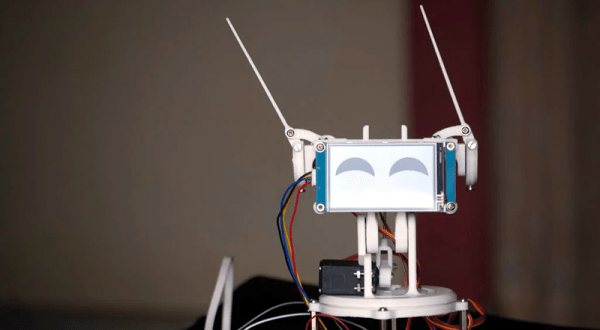
Had too much self-quarantine? [Sharathnaik] had, so he decided to build a robot companion named Ewon. Using a Raspberry Pi, Ewon isn’t a robot that moves around, but rather an expressive Google assistant. Using some servo-driven ears and a display, Ewon reacts to you based on keywords you use in your queries. For example, it might perk up and smile at the mention of ice cream. Or look unhappy if you mention sadness.

The project is simple because of the Google Assistant API. However, we liked the 3D printed body and some of the additional features the robot adds.

Continue reading “Ewon Is An Expressive Robot With Google Assistant”

Boot Your Pi Over USB

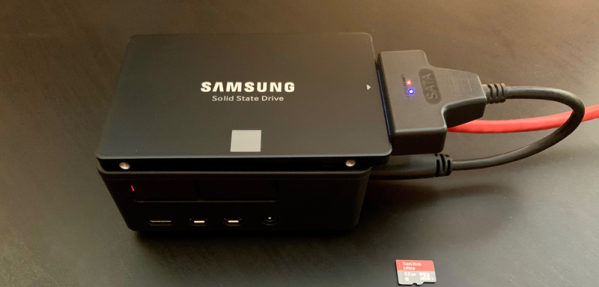
Historically, booting a Raspberry Pi required an SD card. However, if you follow [tynick’s] instructions, you can get a Pi 4 to boot from the USB port. Combine it with a small solid state disk drive, and you’ll get great performance, according to his post.

The caveat is this depends on a beta bootloader and, of course, you’ll still have to boot from an SD card at least once to load that bootloader. If you were deploying something serious, you’d probably want to make sure the bootloader is suitable for your needs.

Continue reading “Boot Your Pi Over USB”

Secret Knock Unlocks Door

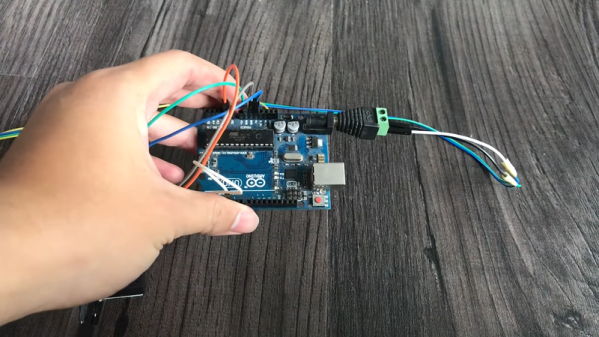
Watch any movie about the years of prohibition, and you’ll probably see character gain admittance to a speakeasy by using a secret knock on the door. In the old movies, a little sliding door would open so the doorman could check you out and let you in. With [IsmailSan’s] electronic lock, the secret knock automatically unlocks the door. You can see a video of how it works, below.

(Ed Note: Grrr…GitHub repo got pulled between writing and publication. Go check out the in-links in the bottom paragraph if you’re interested in knock-detectors.)

The device uses a piezoelectric speaker to detect the knocking. A speaker is a transducer and like many transducers, it will work — to some extent — in either direction. A servo motor manages the deadbolt. An Arduino runs the whole thing.

Continue reading “Secret Knock Unlocks Door”