DIY Clapper Lets You Pick Your Components

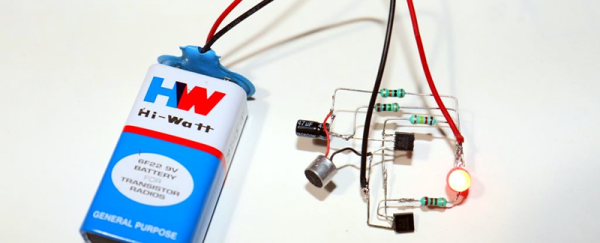
One thing that always means the end of the year is close is the reappearance of TV ads for “The Clapper.” After all, who needs home automation when you can clap on and clap off? While we’re partial to our usual home automation solutions, [Utsource123] shows us that building a clapper can be a fun and easy project using several similar circuits. One with a few transistors and another one with a 555 because, after all, what can’t a 555 do?

Of course, these circuits usually have a microphone. We were trying to think of how you could make a sound-sensitive element out of common parts. After all, you don’t care about the fidelity of the microphone pickup, just that it hears a loud noise. The circuits are about what you’d expect. The transistor version uses one to amplify the microphone and another to switch on the LED. You’d need a bit more to trigger a relay. The 555 uses an even simpler preamp transistor as a trigger.

While we aren’t bowled over with the idea of a clapper, we imagine these circuits aren’t far removed from the ones you buy in stores. For about $16 you also get enough switching to handle a simple AC load, though. Maybe Alexa and Google should allow making clapping a wake up word?

This is sure simpler than the last clapper clone we saw. Then there’s the deluxe DIY version.
E3D Tool Changer Partially Reviewed

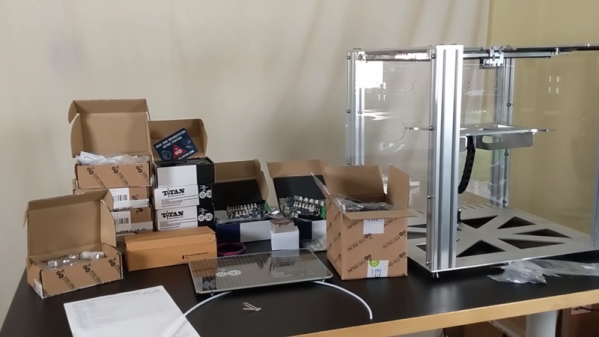
[Design Prototype Test] got a box in the mail. Inside? An E3D “tool changer and motion system.” Superficially, it looks like a 3D printer, but it is touted as a machine that can mount several different kinds of tools, including a 3D print head. In the video below, you can see the assembly of the heavy-looking machine.

In a world in which a cheap 3D printer costs way under $200, this machine is much sturdier and costs about $3,000 with all the pieces. [Design Prototype Test] is a bit put out by the price, but you have to wonder if they aren’t trying to allow for an eventual CNC head for which the extra-sturdy build could be an advantage. However, the use of motion belts makes that seem like a long shot.

Continue reading “E3D Tool Changer Partially Reviewed”

DSP Spreadsheet: FIR Filtering

There’s an old saying: Tell me and I forget, teach me and I may remember, involve me and I learn. I’m guilty of this in a big way — I was never much on classroom learning. But if I build something or write some code, I’m more likely to understand how it works and why.

Circuit simulation and software workbooks like Matlab and Jupyter are great for being able to build things without a lot of overhead. But these all have some learning curve and often use clever tricks, abstractions, or library calls to obscure what’s really happening. Sometimes it is easier to build something in a spreadsheet. In fact, I often do little circuit design spreadsheets or even digital design because it forces me to create a mathematical model which, in turn, helps me understand what’s really going on.

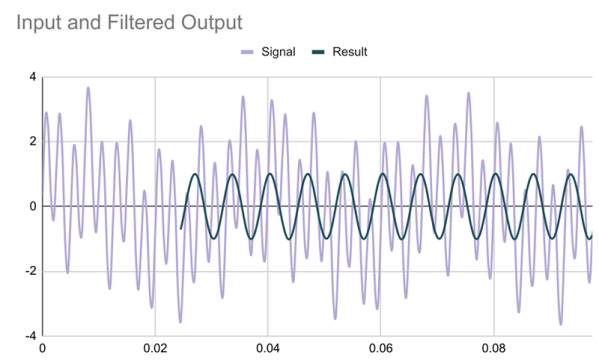
In this article I’m going to use Google Sheets — although you could do the same tricks in just about any spreadsheet — to generate some data and apply a finite impulse response (FIR) filter to it. Of course, if you had a spreadsheet of data from an instrument, this same technique would work, too.

Continue reading “DSP Spreadsheet: FIR Filtering”

Bent Electric Field Explains Antenna Radiation

We all use antennas for radios, cell phones, and WiFi. Understanding how they work, though, can take a lifetime of study. If you are rusty on the basic physics of why an antenna radiates, have a look at the very nice animations from [Learn Engineering] below.

The video starts with a little history. Then it talks about charges and the field around them. If the charge moves at a constant speed, it also has a constant electric field around it. However, if the charge accelerates or decelerates, the field has to change. But the field doesn’t change everywhere simultaneously.

Continue reading “Bent Electric Field Explains Antenna Radiation”

How Do Those Component Testers Work?

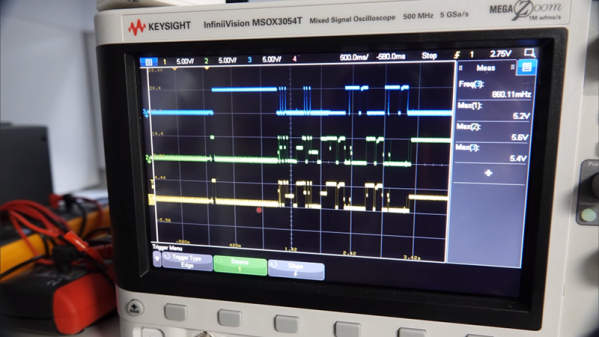
Most people have at least seen those cheap component testers you can buy on the Chinese websites for $10 or so. If you haven’t seen them before, they usually have some kind of multi pin socket. You put a component in the socket and it will identify — with a push of a button — what the part is, which pin is which, and the value of the part. For example, you can insert a resistor, a capacitor, an inductor, a diode, or a transistor and get a readout of which pin is which. It seems like magic, but [Andreas Spiess] did the research on how it all works and summed up his findings in a recent video.

[Andreas] even quotes our earlier post on the topic and, as we did, dug into the original developers of the device which has been cloned over and over by Chinese sellers. Although there have been some divergence with all the different versions, the basic idea is the same. An AVR CPU uses some analog and digital trickery to make a lot of different measurements.

Continue reading “How Do Those Component Testers Work?”

Bouncing Signals Off The Moon

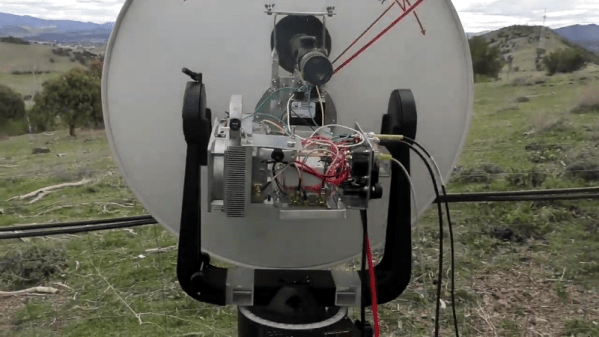
One of the great things about ham radio is that isn’t just one hobby. Some people like to chit chat, some like to work foreign countries, some prepare for emergencies, and there are several space-related activities. There are hundreds of different kinds of activities to choose from. Just one is moonbounce, and [Ham Radio DX] decided to replicate a feat many hams have done over the years: communicate with someone far away by bouncing signals from the moon.

The set up is pretty sophisticated but not as bad as you might imagine. You can see that they spend a lot of time getting the equipment aligned. A known reference point helps them set the position of the antenna. A GPS keeps both stations in sync for frequency and time.

Continue reading “Bouncing Signals Off The Moon”

Compiler Explorer, Explored

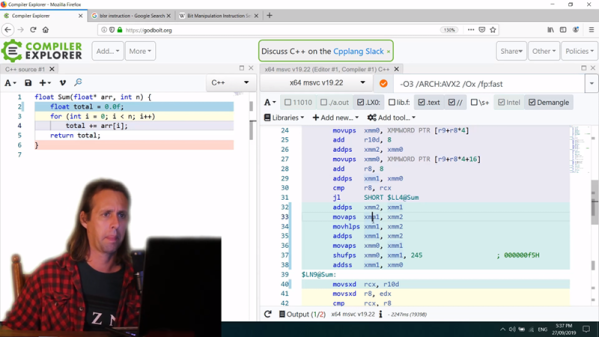
It wasn’t long ago that we introduced you to a web site, the Godbolt compiler explorer, that allows the visitor to compile code using a slew of compilers and compare their output. We suspect some number of readers said, “Wow! I can use that!”, while perhaps everyone else said, “Huh?” Well if you were in the second group, you ought to watch [What’s a Creel’s] video below where he walks through using the website. He looks at four different algorithms using four different compilers and it is a good example of how you might use the tool to make decisions about how you write software.

Continue reading “Compiler Explorer, Explored”