Online Logic Simulator Is Textual — No, Graphical

We have a bit of a love/hate relationship with tools in the web browser. For education or just a quick experiment, we love having circuit analysis and FPGA tools at our fingertips with no installation required. However, we get nervous about storing code or schematics we might like to keep private “in the cloud.” However, looking at [Lode Vandevenne’s] LogicEmu, we think it is squarely in the educational camp.

You can think of this as sort of Falstad for logic circuits (although don’t forget Falstad does logic, too). The interface is sort of graphical, and sort of text-based, too. When you open the site, you’ll see a welcome document. But it isn’t just a document, it has embedded logic circuits in it that work.

Continue reading “Online Logic Simulator Is Textual — No, Graphical”

Internet Of Laundry — Let The ESP8266 Watch Your Dirty Drawers Get Clean

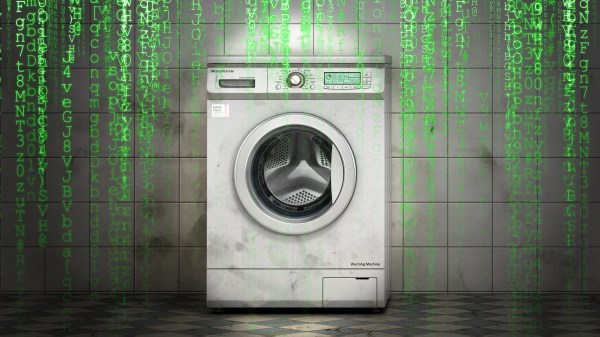
When you think of world-changing devices, you usually don’t think of the washing machine. However, making laundry manageable changed not only how we dress but how much time people spent getting their clothes clean. So complaining about how laborious our laundry is today would make someone from the 1800s laugh. Still, we all hate the laundry and [Andrew Dupont], in particular, hates having to check on the machine to see if it is done. So he made Laundry Spy.
How do you sense when the machine — either a washer or a dryer — is done? [Andrew] thought about sensing current but didn’t want to mess with house current. His machines don’t have LED indicators, so using a light sensor wasn’t going to work either. However, an accelerometer can detect vibrations in the machine and most washers and dryers vibrate plenty while they are running.

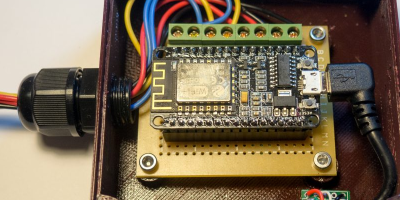
The four-part build log shows how he took an ESP8266 and made it sense when the washer and dryer were done so it could text his cell phone. He’d already done a similar project with an Adafruit HUZZAH. But he wanted to build in some new ideas and currently likes working with NodeMCU. While he was at it he upgraded the motion sensor to an LIS3DH which was cheaper than the original sensor.

[Andrew] already runs Node – RED on a Raspberry Pi, so incorporating this project with his system was a snap. Of course, you could adapt the approach to lots of other things, as well. The device produces MQTT messages and Node – RED subscribes to them. The Pushover handles the text messaging. Node – RED has a graphical workflow that makes integrating all the pieces very intuitive. Here’s the high-level workflow:

You might wonder why he didn’t just have the ESP8266 talk directly to Pushover. That is possible, of course, but in part 2, [Andrew] enumerates some good reasons for his design. He wants to decouple components in the system for easier future upgrades. And MQTT is simple to publish on the sensor side of things compared to API calls which are handled by the Raspberry Pi for now.

Laundry monitoring isn’t a unique idea and everyone has a slightly different take on it, even some Hackaday authors. If phone notification is too subtle for you, you can always go bigger.

Parallel Programming For FPGAs

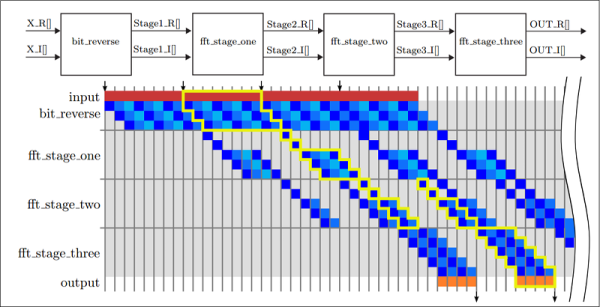
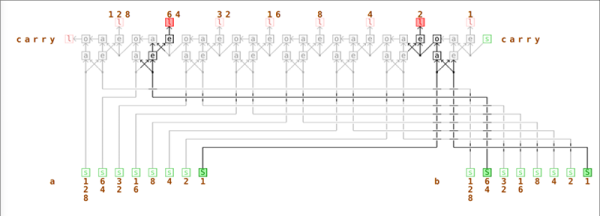
One of the best features of using FPGAs for a design is the inherent parallelism. Sure, you can write software to take advantage of multiple CPUs. But with an FPGA you can enjoy massive parallelism since all the pieces are just hardware. Every light switch in your house operates in parallel with the others. There’s a new edition of a book, titled Parallel Programming for FPGAs that explores that topic in depth and it is under the Creative Commons license. In particular, the book focuses on using Vivado HLS instead of the more traditional Verilog or VHDL.

HLS allows a designer to express a high-level algorithm in C, C++, or SystemC. Given a bit more information, HLS will convert that into an FPGA configuration. That doesn’t mean, though, that you can just cut and paste ordinary C code. HLS has several restrictions due to the fact that it is compiling to logic gates, not lines of code. Actually, it also generates Verilog or VHDL, but if you do it right, that should be transparent to you.

After the introduction, the book is more like a series of monographs on very specific topics, but the depth of each is very impressive. There’s plenty of DSP examples, of course. There’s also general math, so if you ever wondered how to compute a sine or cosine in an FPGA, read chapter 3.

Continue reading “Parallel Programming For FPGAs”

Five Steps To TensorFlow On The Raspberry Pi

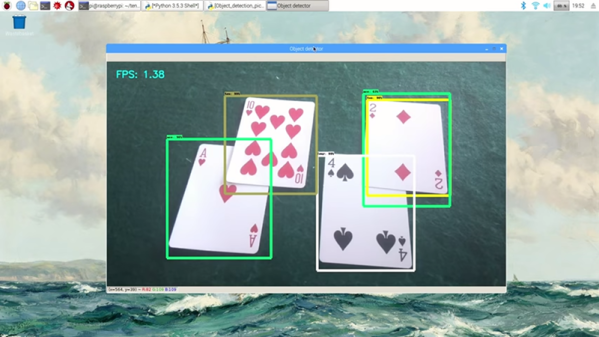
If you have about 10 hours to kill, you can use [Edje Electronics’s] instructions to install TensorFlow on a Raspberry Pi 3. In all fairness, the amount of time you’ll have to babysit is about an hour. The rest of the time is spent building things and you don’t need to watch it going. You can see a video on the steps required below.

You need the Pi with at least a 16 GB SD card and a USB drive with at least 1 GB of free space. This not only holds the software, but allows you to create a swap file so the Pi will have enough virtual memory to build everything required.

Continue reading “Five Steps To TensorFlow On The Raspberry Pi”

Circuit VR: Current Mirrors

Last time we looked at Spice models of a current sink. We didn’t look at some of the problems involved with a simple sink, and for many practical applications, they are perfectly adequate. However, you’ll often see more devices used to improve the characteristics of the current sink or source. In particular, a common design is a current mirror which copies a current from one device to another. Usually, the device that sets the current is in a configuration that makes it very stable while the other device handles the load current.

For example, some transistor parameters vary based on the output voltage which causes small nonlinearities in the output. But if the setting transistor has a fixed voltage across it, that won’t be a problem. The only problem with mirror schemes is that the transistors involved all have to match in key characteristics. For that reason, mirrors are usually better on ICs where the transistors are all more or less the same. You can get discrete transistors that have multiple devices built on a single substrate, but these are not very common.

Continue reading “Circuit VR: Current Mirrors”

Long PCB Shows Effects Of Ludicrous Speed

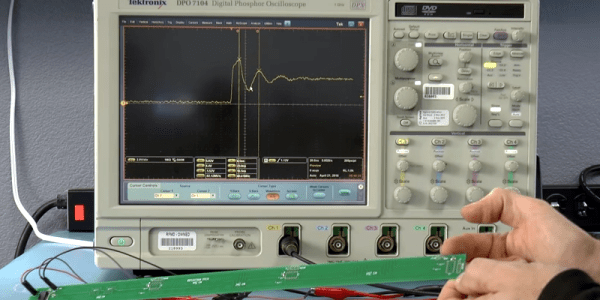
Transmission lines can seem like magic. When you make use of them it seems strange that a piece of wire can block or pass certain frequencies. It is less common to use transmission lines with pulses and typically your circuit’s transmission line behavior isn’t all that significant. That is, until you have to move a signal a relatively long distance. [Robert Baruch] has been using a long PCB to test pulse behavior on a bus he’s working on. He actually has a few videos in this series that are worth watching.

What makes it interesting is that [Robert] has enough distance on the board to where light-speed effects show up. By using a very nice DPO7104 oscilloscope and a signal generator, he shows how the signal reflects on the line at various points, adding and subtracting from it. The measurements matched theory fairly closely. You shouldn’t expect them to match exactly because of small effects that occur randomly throughout the system.

Continue reading “Long PCB Shows Effects Of Ludicrous Speed”

Dark Field Microscopy On The Cheap With A PCB

It might seem like a paradox that you want a dark field to see things with an expensive microscope. As [IMSAI Guy] explains, a dark field microscope doesn’t make the subject dark. It makes the area surrounding the subject dark. After selling his expensive microscope, he found he missed having the capability, so he decided to make one cheaply. You can see how he did it in the video, below.

Dark field microscopy gives better contrast and resolution by discarding light that shines directly through or reflects directly from a sample. The only light you see is any that scatters. If you think about a normal microscope, you can imagine a cone of light coming from the top or the bottom. The tip of the cone hits the sample and then spreads back out into another cone of light. What hits your eye –well, actually, the eyepiece — is all the light from that cone. In a dark field instrument, the illumination cone is hollow — the light is just a ring. That means any light the sample doesn’t scatter gets blocked by a stop in the objective. When there is no sample, there’s no unblocked light, so you see a “dark field.”

Light that either refracts through the sample (from below) or bounces off a feature (from the top) will wind up in the hollow area that passes through the objective and you’ll see the image. It may surprise you that you may already have a piece of dark field technology on your desk. Optical computer mice that can work on glass surfaces use this same technique. If you want to see some examples and a diagram of how it all works, we did a post on a similar lower tech mod. There’s also Wikipedia.

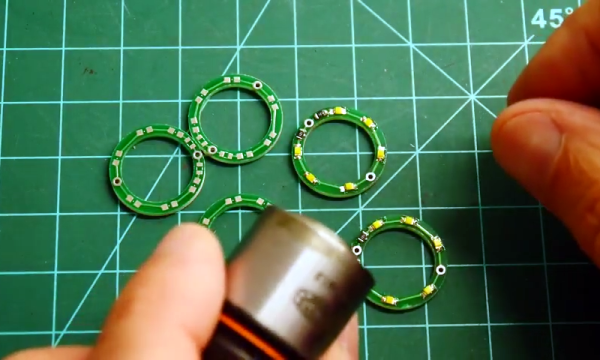
The secret to doing this cheaply was to get a used dark field objective with a little rust on the barrel and then modify them with a custom PC board to create an LED ring light. This is different from the usual illuminator which shines a light through a patch stop to block the inner light. In this case, the light is made into a ring shape by virtue of the arrangement of the LEDs.

Continue reading “Dark Field Microscopy On The Cheap With A PCB”