Raspberry Pi Learns Slow Morse Code

It wasn’t long ago that you needed to know Morse code to be a ham radio operator. That requirement has gone in most places, but code is still useful and many hams use it, especially hams that like to hack. Now, hams are using the Raspberry Pi to receive highly readable Morse code using very low power. The software is QrssPiG and it can process audio or use a cheap SDR dongle.

There are a few reasons code performs better than voice and many other modes. First, building transmitters for Morse is very simple. In addition, Morse code is highly readable, even under poor conditions. This is partly because it is extremely narrow bandwidth and partly because your brain is an amazing signal processor.

Like most communication methods, the slower you go the easier it is to get a signal through. In ham radio parlance, QRS means “send slower”, so QRSS has come to mean mean “send very slowly”. So hams are using very slow code, and listening for it using computerized methods. Because the data rate is so slow, the computer has time to do extreme methods to recover the signal — essentially, it can employ an extremely narrow filter. Having a QRSS signal detected around the world from a transmitter running much less than a watt is quite common. You can see a video introduction to the mode from [K6BFA] and [KI4WKZ], below.


Continue reading “Raspberry Pi Learns Slow Morse Code”

The Sounds Of Silence? Muzo Fails To Deliver

If you fly much or work in a loud office, you know that noise-canceling headphones can be a sanity saver. Wouldn’t it be nice if you could just have noise-canceling without the headphones? Apparently, a lot of people think that’s a good idea and funded a project called Muzo. [Electroboom] borrowed one and — mystified how such a device could work — set out to test it. Along the way, in the video below, you can see him do a neat demonstration with two speakers canceling each other in his closet.

Based on [Electroboom’s] tests and the tests from other users, it doesn’t appear that Muzo does much to reduce noise. It might add some noise of its own, but that’s a far cry from what people expected the unit to do.

Continue reading “The Sounds Of Silence? Muzo Fails To Deliver”

Tiny Tensor Brings Machine Deep Learning To Micros

We’ve talked about TensorFlow before — Google’s deep learning library. Crunching all that data is the province of big computers, not embedded systems, right? Not so fast. [Neil-Tan] and others have been working on uTensor, an implementation that runs on boards that support Mbed-OS 5.6 or higher.

Mbed of course is the embedded framework for ARM, and uTensor requires at least 256K of RAM on the chip and an SD card less than (that’s right; less than) 32 GB. If your board of choice doesn’t already have an SD card slot, you’ll need to add one.

Continue reading “Tiny Tensor Brings Machine Deep Learning To Micros”

Alexa, Hack My TV

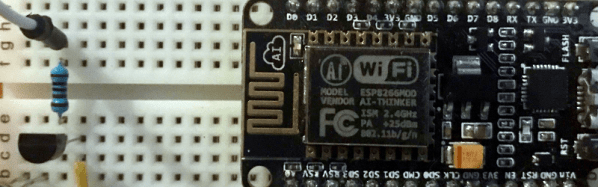
If you have an Alexa, one of the best things you can buy to go with it is a Harmony Hub remote. Sure, you get a universal remote to control all your home theater equipment, but you’ll hardly use it because the Alexa can virtually push the Harmony buttons for you. The negative word in this paragraph, though, is “buy.” The Harmony Hub isn’t inexpensive. Fortunately [Michael Higginis] has you covered. He has an ESP8266 universal remote that you can control with Alexa. You can see a video of setting the system up below.

On the one hand, the idea is fairly simple. An ESP8266 has plenty of horsepower to read and recreate IR codes. However, we were very impressed with the web portal used to configure the device and integrating it with Alexa is a neat trick.

Continue reading “Alexa, Hack My TV”

Inside An Amateur Bugging Device

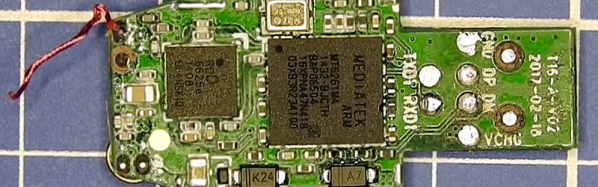
[Mitch] got interested in the S8 “data line locator” so he did the work to tear into its hardware and software. If you haven’t seen these, they appear to be a USB cable. However, inside the USB plug is a small GSM radio that allows you to query the device for its location, listen on a tiny microphone, or even have it call you back when it hears something. The idea is that you plug the cable into your car charger and a thief would never know it was a tracking device. Of course, you can probably think of less savory uses despite the warning on Banggood:

Please strictly abide by the relevant laws of the state, shall not be used for any illegal use of this product, the consequences of the use of self conceit.

We aren’t sure what the last part means, but we are pretty sure people can and will use these for no good, so it is interesting to see what they contain.

Continue reading “Inside An Amateur Bugging Device”

Roll Your Own Arduino PWM

Most projects are built on abstractions. After all, few of us can create our own wire, our own transistors, or our own integrated circuits. A few months ago, [Julian Ilett] found a problem using the Arduino library for PWM. Recently, he revisited the issue and used his own PWM code to fix the problem. You can watch the video below.

Of course, neither the Arduino library nor [Julian’s] code is actually producing PWM. The Atmel CPU’s hardware is doing the work. The Arduino library gives you a wrapper called analogWrite — especially handy if you are not using an Atmel CPU where the same abstraction will do the same work. The issue arose when [Julian] broke the abstraction to invert the PWM output.

Continue reading “Roll Your Own Arduino PWM”

IceSL Is A Cool Slicer

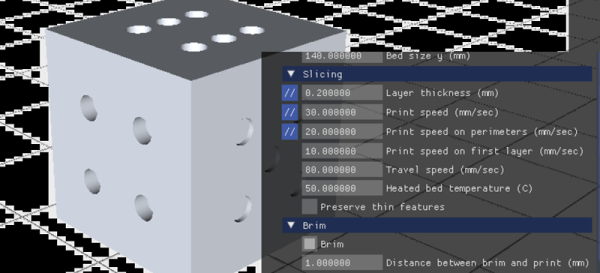
The mechanical and electronic parts of a 3D printer are critical for success, but so is the slicing software. Slic3r and Cura are arguably the most popular, and how they command your printer has a lot to do with the results you can get. There are lots of other slicers out there both free and paid, but it is hard to really dig into each one of them to see if they are really better than whatever you are using today. If you are interested in the performance of IceSL — a free slicer for Windows and Linux — [DIY3DTECH] has a video review that can help you decide if you want to try it. You can see the video below.

IceSL has several modules and can actually do OpenSCAD-like modeling in Lua so you could — in theory — do everything in this one tool. The review, though, focuses only on the slicing aspect. In addition to the desktop client versions, you can use some features online (although on our Linux machine it didn’t work with the latest Chrome beta even with no add ons; Firefox worked great, though).

Continue reading “IceSL Is A Cool Slicer”