High-Voltage Fractals

Int 1777, Georg Lichtenberg found that discharging high voltage on an insulating surface covered with a powder, a fractal-like image appears, sometimes known as a lightning tree. Incidentally, this is a crude form of xerography, the principle that lets copiers and laser printers operate.

[PaulGetson] had a high voltage power source from his Jacob’s ladder experiments and decide to see if he could create Lichtenberg figures. Turns out, he could.

Continue reading “High-Voltage Fractals”

How To Use Docker To Cross Compile For Raspberry Pi (and More)

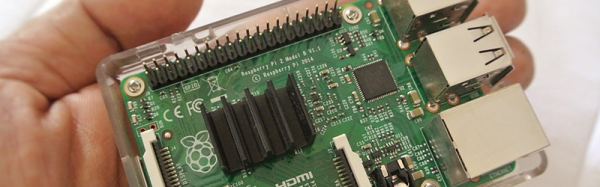
It used to be tedious to set up a cross compile environment. Sure you can compile on the Raspberry Pi itself, but sometimes you want to use your big computer — and you can use it when your Pi is not on hand like when on an airplane with a laptop. It can be tricky to set up a cross compiler for any build tools, but if you go through one simple step, it becomes super easy regardless of what your real computer looks like. That one step is to install Docker.

Docker is available for Linux, Windows, and Mac OS. It allows developers to build images that are essentially preconfigured Linux environments that run some service. Like a virtual machine, these images can run together without interfering with each other. Unlike a virtual machine, Docker containers (the running software) are lightweight because they share the same underlying kernel and hardware of the computer.

The reality is, setting up the Raspberry Pi build environment isn’t any easier. It is just that with Docker, someone else has already done the work for you and you can automatically grab their setupĀ and keep it up to date. If you are already running Linux, your package manager probably makes the process pretty easy too (see [Rud Merriam’s] post on that process). However, the nice thing about the images is it is a complete isolated environment that can move from machine to machine and from platform to platform (the Windows and Mac platforms use a variety of techniques to run the Linux software, but it is done transparently).

Continue reading “How To Use Docker To Cross Compile For Raspberry Pi (and More)”

Antenna Rotation Arduino Style

Back in the days when you didn’t pay for your TV programming, it was common to have a yagi antenna on the roof. If you were lucky enough to have every TV station in the area in the same direction, you could just point the antenna and forget it. If you didn’t, you needed an antenna rotator. These days, rotators are more often found on communication antennas like ham radio beams. For terrestrial use, the antenna only needs to swing around and doesn’t need to change elevation. However, it does take a stout motor because wind loading can put a lot of force on the system.

[SP3TYF] has a HyGain AR-303 rotator and decided to build an Arduino-based controller for it. The finished product has an LCD and is able to drive a 24 V motor. You can control the azimuth of the antenna with a knob or via the computer.

Continue reading “Antenna Rotation Arduino Style”

Circuit Design? Spread The Joy

Accountants and MBAs use spreadsheets to play “what if” scenarios with business and financial data. Can you do the same thing with electronic circuits? The answer–perhaps not surprisingly–is yes.

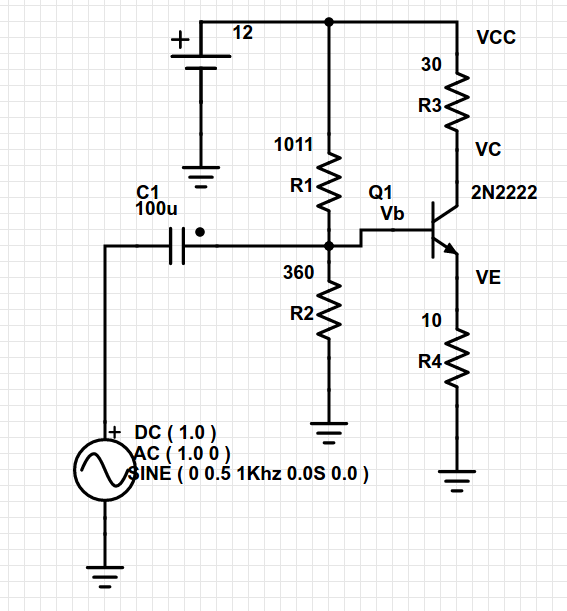
Consider this simple common emitter amplifier (I modeled it in PartSim, if you’d like to open it):

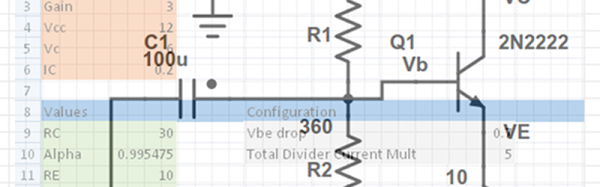
In this particular case, there are several key design parameters. The beta of the transistor (current gain) is 220. The amplifier has an overall voltage gain of about 3 (30/10). I say about, because unless the transistor is ideal, it won’t be quite that. The supply voltage (Vcc) is 12 volts and I wanted the collector voltage (VC) to idle at 6V to allow the maximum possible positive and negative swing. I wanted the collector current (IC) to be 200mA.

Continue reading “Circuit Design? Spread The Joy”

Build A Tiny (Unstable) Bugging Device

We don’t know who the [amgworkshop] wanted to listen in on, but they apparently went searching for a small FM wireless transmitter. There’s plenty of circuits around, but they wanted something smaller. The original circuit had a variable capacitor to tune the output frequency. The new design uses a fixed capacitor and a spring for an antenna. You can see the build steps in the video below, but don’t expect a lot of frequency stability or fidelity out of a single transistor transmitter.

The parts list is minimal. In addition to a coin cell holder (which serves as the construction base), you need a transistor, two resistors, three capacitors, a homemade inductor (very easy to make with some wire and a drill bit), and an electret microphone. Of course, you need a battery, too. The whole thing is potted with hot glue.

Continue reading “Build A Tiny (Unstable) Bugging Device”

Pan And Tilt With Dual Controllers

It wasn’t long ago that faced with a controller project, you might shop for something with just the right features and try to minimize the cost. These days, if you are just doing a one-off, it might be just as easy to throw commodity hardware at it. After all, a Raspberry Pi costs less than a nice meal and it is more powerful than a full PC would have been not long ago.

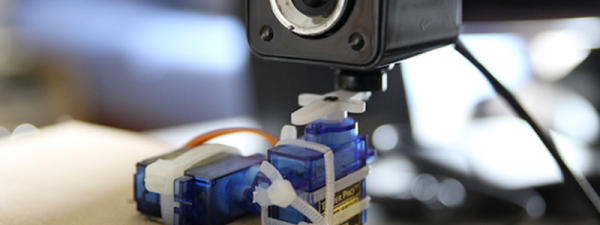
When [Joe Coburn] wanted to make a pan and tilt webcam he didn’t try to find a minimal configuration. He just threw a Raspberry Pi in for interfacing to the Internet and an Arduino in to control two RC servo motors. A zip tie holds the servos together and potentially the web cam, too.

You can see the result in the video below. It is a simple matter to set up the camera with the Pi, send some commands to the Arduino and hook up to the Internet.

Continue reading “Pan And Tilt With Dual Controllers”

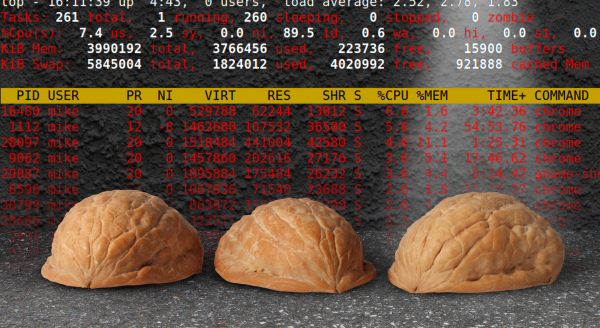
Shell Game

A lot of us spend a lot of time switching between Windows and Linux. Now that platforms like the Raspberry Pi are popular, that number is probably increasing every day. While I run Linux on nearly everything I own (with the exception of a laptop), my work computers mostly run Windows. The laptop is on Windows, too, because I got tired of trying to get all the fancy rotation sensors and pen features working properly under Linux.

What I hate most about Windows is how hard is it to see what’s going on under the hood. My HP laptop works with a cheap Dell active stylus. Sort of. It is great except around the screen edges where it goes wild. Calibration never works. On Linux, I could drill down to the lowest levels of the OS if I were so inclined. With Windows, it is just tough.

War is Shell

One place where Linux always used to have an advantage over DOS and Windows was the shell. There are lots of variations available under Linux, but bash seems to be the current pick for most people. If you want more power, you can move to some alternatives, but even bash is pretty powerful if you learn how to use it and have the right external programs (if you don’t believe it, check out this web server).

Continue reading “Shell Game”