A Low Effort, Low Energy Doorbell

Bluetooth is a good way to connect devices that are near each other. However, it can drain batteries which is one reason Bluetooth Low Energy — BLE — exists. [Drmph] shows how easy it is to deploy BLE to make, in this case, a doorbell. He even shows how you can refit an existing doorbell to use the newer technology.

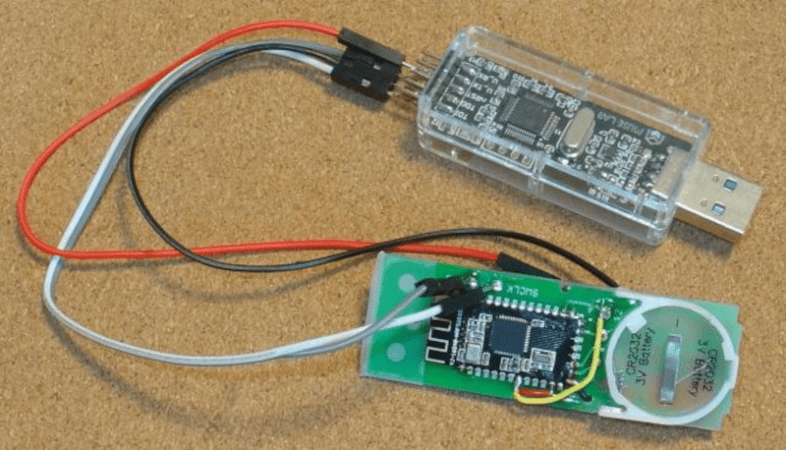
Like many projects, this one started out of necessity. The existing wireless doorbell failed, but it was difficult to find a new unit with good review. Cheap doorbells tend to ring spuriously due to interference. BLE, of course, doesn’t have that problem. Common BLE modules make up the bulk of the project. It is easy enough to add your own style to the doorbell like a voice announcement or musical playback. The transmitter is little more than a switch, the module, a coin cell, and an LED.

It is, of course, possible to have a single receiver read multiple doorbells. For example, a front door and back door with different tones. The post shows how to make a remote monitor, too, if you need the bell to ring beyond the range of BLE.

A fun, simple, and useful project. Of course, the cool doorbells now have video. Just be careful not to get carried away.
Toner Transfer, But Not For PCBs

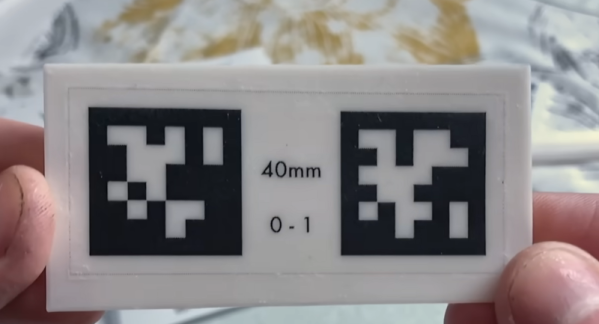
It is old news that you can print PCB artwork on glossy paper and use a clothes iron to transfer the toner to a copper board, which will resist etchant. But [Squalius] shows us how to do a similar trick with 3D prints in a recent video, which you can see below.

The example used is a QR code, although you can use anything you can print in a mirror image. Of course, heat from a clothes iron isn’t going to be compatible with your 3D-printed plastic. The trick is to use some acrylic medium on the part, place the print face down, and apply more medium to the back of the paper.

Continue reading “Toner Transfer, But Not For PCBs”

Writing A RISC-V OS From Scratch

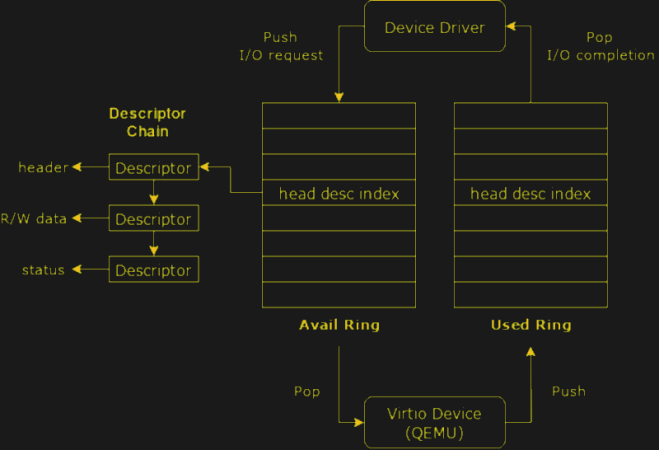
If you read Japanese, you might have seen the book “Design and Implementation of Microkernels” by [Seiya Nuda]. An appendix covers how to write your own operating system for RISC-V in about 1,000 lines of code. Don’t speak Japanese? An English version is available free on the Web and on GitHub.

The author points out that the original Linux kernel wasn’t much bigger (about 8,500 lines). The OS allows for paging, multitasking, a file system, and exception handling. It doesn’t implement interrupt handling, timers, inter-process communication, or handling of multiple processors. But that leaves you with something to do!

The online book covers everything from booting using OpenSBI to building a command line shell. Honestly, we’d have been happier with some interrupt scheme and any sort of crude way to communicate and synchronize across processes, but the 1,000 line limit is draconian.

Since the project uses QEMU as an emulation layer, you don’t even need any special hardware to get started. Truthfully, you probably won’t want to use this for a production project, but for getting a detailed understanding of operating systems or RISC-V programming, it is well worth a look.

If you want something more production-ready, you have choices. Or, stop using an OS at all.

Retro Big Iron For You

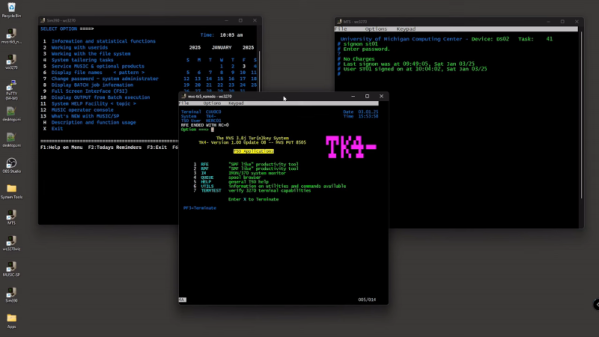
Many of us used “big iron” back in the day. Computers like the IBM S/360 or 3090 are hard to find, transport, and operate, so you don’t see many retrocomputer enthusiasts with an S/370 in their garages. We’ve known for a while that the Hercules emulators would let you run virtual copies of these old mainframes, but every time we’ve looked at setting any up, it winds up being more work than we wanted to spend. Enter [Ernie] of [ErnieTech’s Little Mainframes]. He’s started a channel to show you how to “build” your own mainframe — emulated, of course.

One problem with the mainframe environment is that there are a bunch of operating system-like things like MVS, VM/CMS, and TSO. There were even custom systems like MUSIC/SP, which he shows in the video below.

Continue reading “Retro Big Iron For You”

Try A PWMPot

[Stephen Woodward] is familiar with digital potentiometers but is also familiar with their limitations. That spurred him to create the PWMPot which performs a similar function, but with better features than a traditional digital pot. Of course, he admits that this design has some limitations of its own, so — as usual — you have to make your design choices according to what’s important to you.

Perhaps the biggest limitation is that the PWMPot isn’t useful at even moderately high frequencies. The circuit works by driving two CMOS switches into an RC circuit. The switches’ inverted phase tends to cancel out any ripple in the signal.

Continue reading “Try A PWMPot”

Running AI Locally Without Spending All Day On Setup

There are many AI models out there that you can play with from companies like OpenAI, Google, and a host of others. But when you use them, you get the experience they want, and you run it on their computer. There are a variety of reasons you might not like this. You may not want your data or ideas sent through someone else’s computer. Maybe you want to tune and tweak in ways they aren’t going to let you.

There are many more or less open models, but setting up to run them can be quite a chore and — unless you are very patient — require a substantial-sized video card to use as a vector processor. There’s very little help for the last problem. You can farm out processing, but then you might as well use a hosted chatbot. But there are some very easy ways to load and run many AI models on Windows, Linux, or a Mac. One of the easiest we’ve found is Msty. The program is free for personal use and claims to be private, although if you are really paranoid, you’ll want to verify that yourself.

What is Msty?

Talkin’ about Hackaday!

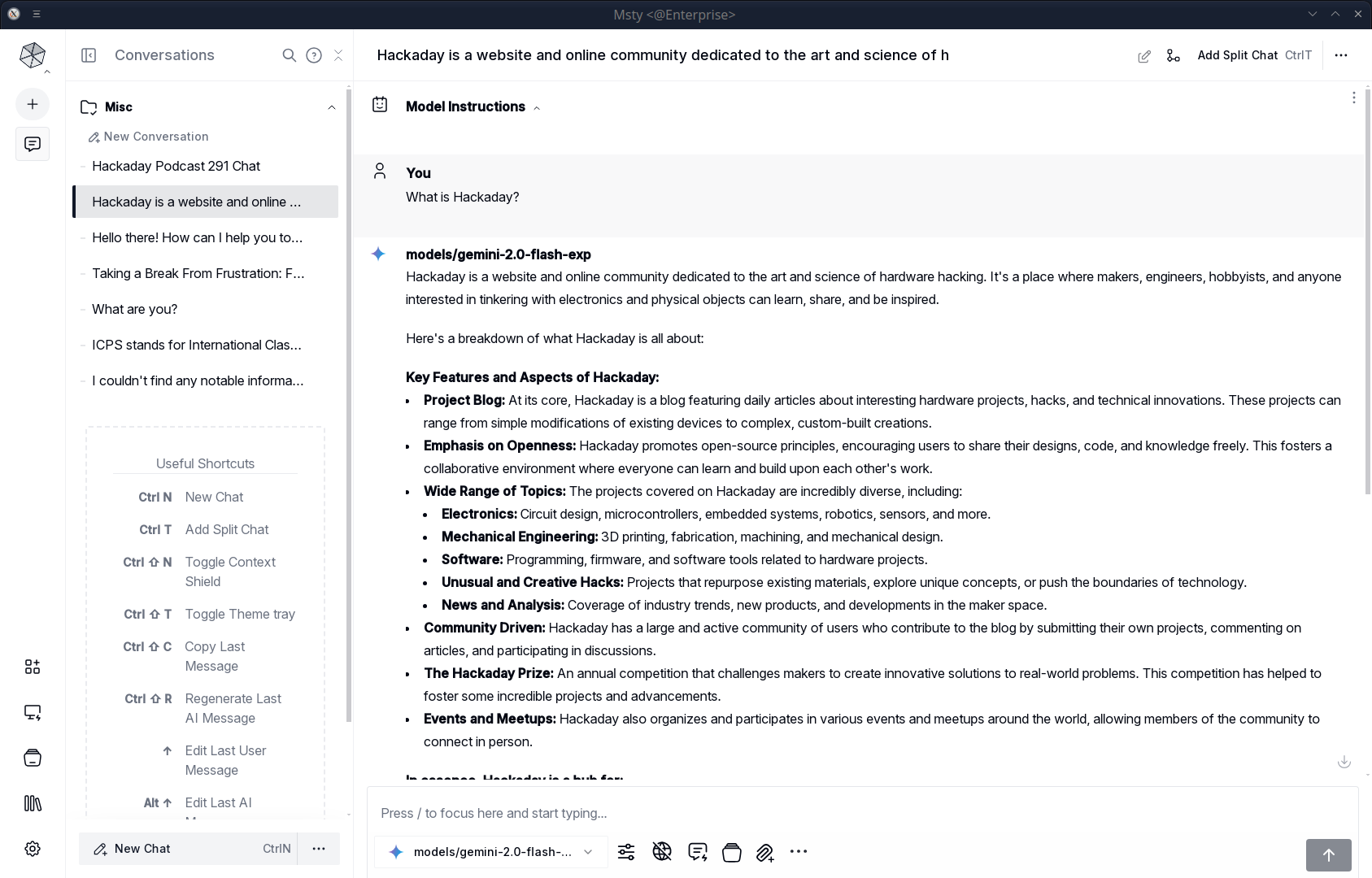
Msty is a desktop application that lets you do several things. First, it can let you chat with an AI engine either locally or remotely. It knows about many popular options and can take your keys for paid services. For local options, it can download, install, and run the engines of your choice.

For services or engines that it doesn’t know about, you can do your own setup, which ranges from easy to moderately difficult, depending on what you are trying to do.

Of course, if you have a local model or even most remote ones, you can use Python or some basic interface (e.g., with ollama; there are plenty of examples). However, Msty lets you have a much richer experience. You can attach files, for example. You can export the results and look back at previous chats. If you don’t want them remembered, you can chat in “vapor” mode or delete them later.

Each chat lives in a folder, which can have helpful prompts to kick off the chat. So, a folder might say, “You are an 8th grade math teacher…” or whatever other instructions you want to load before engaging in chat.

Continue reading “Running AI Locally Without Spending All Day On Setup”

Regular (Expression) Chess

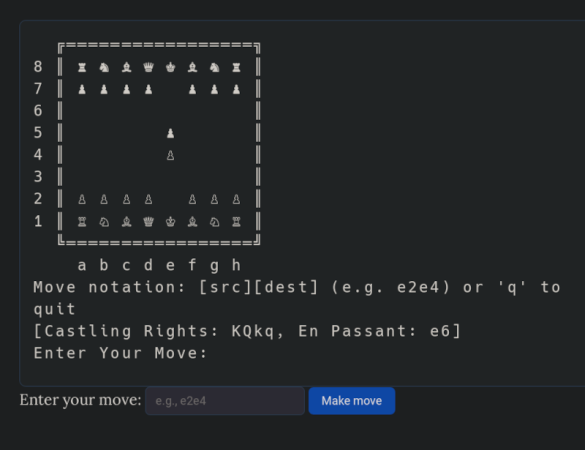
[Nicholas Carlini] found some extra time on his hands over the holiday, so he decide to do something with “entirely no purpose.” The result: 84,688 regular expressions that can play chess using a 2-ply minmax strategy. No kidding. We think we can do some heavy-duty regular expressions, but this is a whole other level.

As you might expect, the code to play is extremely simple as it just runs the board through series of regular expressions that implement the game logic. Of course, that doesn’t count the thousands of strings containing the regular expressions.

Continue reading “Regular (Expression) Chess”