300 Amps Through An Open Source Speed Controller

Sometimes, a little puny matchbox-sized electronic speed controller (ESC) won’t do the job. If you find yourself looking for something heftier, say, in the range of hundreds of amps, you might look towards a design like the MP2 ESC. [owhite] has built an example of the design that can deliver some serious power.

[owhite’s] build has some serious specs: it’s rated to offer up to 300 amps at up to 150 volts, though thus far, it’s only been tested at up to 100 V. Like the original MP2, which hails from the Endless Sphere forums, it’s designed to be compatible with VESC code using the STM32F405 microcontroller. It’s intended for driving high-powered traction motors in applications like e-bikes and electric scooters, as you might have guessed by its potential output power being well into the tens of kilowatts range.

If you’re eager to build your own, you can do so, with the design files on GitHub. Just note that you’ll need some hefty parts to handle the juice, including beefy MOSFETS and juicy capacitors rated at 160 V.

Open source motor controllers abound of late, and we’ve featured a few in recent times. Just remember that astute design and using parts within their means is the key to avoiding letting the smoke out! Continue reading “300 Amps Through An Open Source Speed Controller”

Gesture-Controlled Robot Arm Is A Nifty Educational Build

Traditionally, robot arms have been controlled either by joysticks, buttons, or very carefully programmed routines. However, for [Narongporn Laosrisin’s] homebrew build, they decided to go with gesture control instead.

The MeArm robotic arm is built using laser cut acrylic parts, and can be had in a kit if so desired. It features four servo motors, charged with rotating the arm’s base, pushing the arm forwards and backwards, up and down, and actuating its gripper. The servos are under the command of a micro:bit microcontroller board, which itself receives signals from a second micro:bit which is strapped to the human wishing to control the arm. The second micro:bit detects gestures with its accelerometer, and then sends the relevant commands to the robotic arm’s micro:bit over its built-in radio link. The arm controller then commands the servos to execute the maneuver.

It may be a small robotic arm that doesn’t have the capacity to lift much, but that’s not the point. This project is a great way to teach students how to program microcontrollers, work with sensor inputs, and just generally how to solve engineering puzzles. To that end, it looks like [Narongporn] has a great project on hand for teaching their students. Video after the break.

Continue reading “Gesture-Controlled Robot Arm Is A Nifty Educational Build”

Arbitrary Wave Generator For The Raspberry Pi Pico

Once upon a time, if you wanted to generate some waveforms, you needed to buy an expensive off-the-shelf function generator or whip up a big pile of analog electronics. Not so today, when you can grab a fast microcontroller off the shelf and have it squirt out whatever fancy waves you might desire. That’s just what [rgco] did to build this nifty arbitrary wave generator.

The build improves on prior work by [rgco] with the Arduino Uno, with which they built a device that could output at 381 kilosamples per second, with each sample update taking 42 instruction cycles. Thanks to the Pi Pico’s faster clock speed and certain performance optimizations, they were able to up that to a mighty 125 megasamples per second, using the DMA and PIO subsystems to output a new sample every single clock cycle.

The result is a cheap function generator you can build with a Pi Pico and a handful of resistors, which will probably cost you the grand total of $12. It readily outperforms, at least in regards of speed, devices based on the AD9833 function generator chip, which only runs at 25 megasamples. Plus, that chip can only output sines, triangles, and squares!

Even a passable function generator can be a useful tool to have in the workshop, as we’ve seen before. Video after the break.

Continue reading “Arbitrary Wave Generator For The Raspberry Pi Pico”

CT Scanner Reveals The Difference Between Real And Fake AirPods

These days, you have to be careful what you buy. Counterfeit hardware is everywhere, especially when you’re purchasing things sight unseen over the Internet. [Jon Bruner] recently set out to look at a bunch of fake AirPod clones, and found that the similarities between the imposters and the real thing are only skin deep. A CT scan reveals all.

As you might expect, Apple’s AirPods are a fine example of miniaturization. They’re packed to the gills with hardware, with very little wasted space inside. Flexible PCBs hook up the electronics in an elegant and tidy fashion. Three tiny MEMS microphones are on board to capture the user’s voice and filter out noise. The battery that runs the show is a hefty lithium-ion coin cell which fills almost all the empty space behind the audio driver.

By contrast, the fakes look positively weedy inside. They cut out the bonus microphones, using just one to do the job. Wires link up the different components, with unimpressive blobby soldering visible that has splattered around the internal enclosure. Even the cases are lower-tech, with a weaker battery and a poorer charging solution. Hilariously, cheaping out on the tech makes the fakes lighter, so they compensate by adding weights to create a sense of heft for the user.

It’s amazing how much is revealed by a CT scan, that doesn’t even require opening the devices to tear them down. Fake hardware really is a scourge that many in the tech industry find themselves fighting against on a regular basis.

Ejector Seats: The Rocket Chairs That Save Lives

Once upon a time, escaping an aircraft was a tricky business. You had to unstrap yourself, fling open a heavy glass canopy, and try to wrench yourself out of a small opening without getting smacked by the tail or chopped up by the propeller. Many pilots failed this difficult task, to the tragic loss of their lives.

Eventually, the human cost was heavy enough and militaries grew strained at having to train new pilots to replace the experienced ones lost to accidents and enemy fire. The ejection seat was developed to make escaping a plane as simple as tucking yourself in and pulling a big red handle. Let’s dive in and learn how it came to be.

Continue reading “Ejector Seats: The Rocket Chairs That Save Lives”

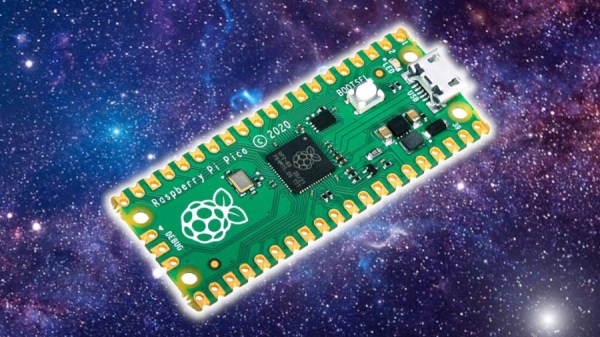
Resurrecting A Bricked Wii U With A Raspberry Pi Pico

There are reports that some Nintendo Wii U systems out in the wild are falling victim to mysterious failures. As is so often the case, certain error codes have been found in common across failed units out in the community, and [Voultar] decided to investigate to see if he could fix this problem with a little hacking.

[Voultar] wasn’t able to source a Wii U with the much-discussed NAND failure mode, but he was able to source a number of supposedly bricked Wii U systems displaying the error codes 160-0101 and 160-0103. The hack is achieved with an exploit in the Wii U’s USB Host Stack descriptor parsing module, developed by [GaryOderNichts]. It allows the injection of a payload that lets one run unsigned code on the Wii U, achieved via a Raspberry Pi Pico. The Pico is ultimately used to boot off an SD card running a recovery program for the Wii U. By resetting the Wii U’s “coldboot title ID”, it solves the error and gets the console booting properly, as per normal.

[Voultar] was able to fix five consoles displaying the common error messages, which we’d call a win. It’s not going to be a fix for every failed Wii U out there, but if you’ve got the dreaded 160-0101 or -0103 errors, it might be worth a shot.

Continue reading “Resurrecting A Bricked Wii U With A Raspberry Pi Pico”

BBC Basic Is Back In A Big Way

The BBC has a long history of teaching the world about computers. The broadcaster’s name was proudly displayed on the BBC Micro, and BBC Basic was the programming language developed especially for that computer. Now, BBC Basic is back and running on a whole mess of modern platforms.

BBC Basic for SDL 2.0 will run on Windows, MacOS, x86 Linux, and even Raspberry Pi OS, Android, and iOS. Desktop versions of the programming environment feature a BASIC editor that has syntax coloring for ease of use, along with luxury features like search and replace that weren’t always available at the dawn of the microcomputer era. Meanwhile, the smartphone versions feature a simplified interface designed to work better in a touchscreen environment.

It’s weird to see, but BBC Basic can actually do some interesting stuff given the power of modern hardware. It can address up to 256 MB of memory, and work with far more advanced graphical assets than would ever have been possible on the original BBC Micro. If you honed your programming skills on that old metal, you might be impressed with what they can achieve with BBC Basic in a new, more powerful context.

If you’re passionate about the BBC and its history with computers, we’ve talked plenty about the BBC Micro in the past, too.

[Thanks to Stephen Walters for the tip!]