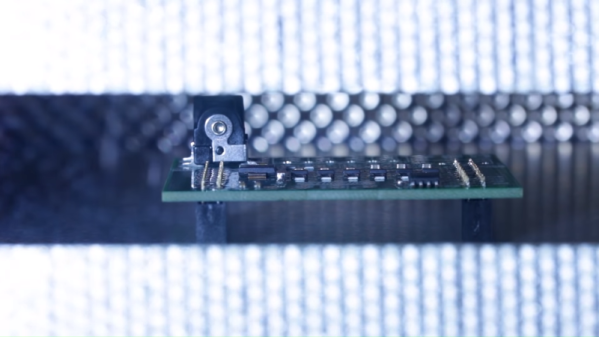
A Faithful Replica Of An Early Computer Trainer

Turn the clock back six decades or so and imagine you’re in the nascent computer business. You know your product has immense value, but only to a limited customer base with the means to afford such devices and the ability to understand them and put them to use. You know that the market will eventually saturate unless you can create a self-sustaining computer culture. But how does one accomplish such a thing in 1961?

Enter the Minivac 601. The brainchild of no less a computer luminary than Claude Shannon, the father of information theory, the Minivac 601 was ostensibly a toy in the vein of the “100-in-1” electronics kits that would appear later. It used electromechanical circuits to teach basic logic, and now [Mike Gardi] has created a replica of the original Minivac 601.

Both the original and the replica use relays as logic switches, which can be wired in various configurations through jumpers. [Mike]’s version is as faithful to the original as possible with modern parts, and gets an extra authenticity boost through the use of 3D-printed panels and a laser-cut wood frame to recreate the look of the original. Sadly, the unique motorized rotary switch, used for both input and output on the original, has yet to be fully implemented on the replica. But everything else is spot on, and the vintage look is great. Extra points to [Mike] for laboriously recreating the original programming terminals with solder lugs and brass eyelets.

We love seeing this retro replica, and appreciate the chance to reflect on the genius of its inventor. Our profile of Claude Shannon is a great place to start learning about his other contributions to computer science. We’ve also got a deeper dive into information theory for the curious.

Thanks to [Granz] for the tip.

Automate The Freight: Autonomous Delivery Hits The Mainstream

It should come as no surprise that we here at Hackaday are big boosters of autonomous systems like self-driving vehicles. That’s not to say we’re without a healthy degree of skepticism, and indeed, the whole point of the “Automate the Freight” series is that economic forces will create powerful incentives for companies to build out automated delivery systems before they can afford to capitalize on demand for self-driving passenger vehicles. There’s a path to the glorious day when you can (safely) nap on the way to work, but that path will be paved by shipping and logistics companies with far deeper pockets than the average commuter.

So it was with some interest that we saw a flurry of announcements in the popular press recently regarding automated deliveries. Each by itself wouldn’t be worthy of much attention; companies are always maneuvering to be seen as ahead of the curve on coming trends, and often show off glitzy, over-produced videos and well-crafted press releases as a low-effort way to position themselves as well as to test markets. But seeing three announcements at one time was unusual, and may point to a general feeling by manufacturers that automated deliveries are just around the corner. Plus, each story highlighted advancements in areas specifically covered by “Automate the Freight” articles, so it seemed like a perfect time to review them and perhaps toot our own horn a bit.

Continue reading “Automate The Freight: Autonomous Delivery Hits The Mainstream”

Wireless Mouse Power-Up: Logitech MX Master Gets USB-C And Big Battery

When the internal rechargeable battery in his wireless mouse died, [cmot17] decided it was the perfect excuse for making a couple of modifications. The Logitech MX Master isn’t exactly a budget mouse to begin with, but that doesn’t mean there’s no room for improvement. With the addition of a larger battery and USB-C charging port, a very nice mouse just got even better.

As it turns out, there’s plenty of empty space inside the Logitech MX Master, which made it easy to add a larger battery. The original 500 mAh pack was replaced with a new 950 mAh one, which is often sold under the model number 603443. Realistically, if you wanted to go even bigger it looks like any three wire 3.7 V Li-Po pack would probably work in this application, but nearly doubling the capacity is already a pretty serious bump.

Adding the USB-C connector ended up being quite a bit trickier. [cmot17] ordered a breakout board from Adafruit that was just a little too large to fit inside the mouse. In the end, not only did some of the case need to get cut away internally, but the breakout PCB itself got a considerable trimming. Once it was shoehorned in there, a healthy dose of hot glue was used to make sure nothing shifts around.

Since [cmot17] didn’t change the mouse’s original electronics, the newly upgraded Logitech MX Master won’t actually benefit from the faster charging offered by USB-C. If anything, it’s actually going to chargeĀ slower thanks to the beefier battery. But considering how infrequently it will need to be charged with the upgraded capacity (Logitech advertised 40 days with the original 500 mAh battery), we don’t think it will be a problem.

Over the years, we’ve seen plenty of stuff crammed into the lowly mouse. Everything from a full computer, to malicious firmware code has been grafted onto that most ubiquitous of computer peripherals. So in the grand scheme of things, this is perhaps one of the most practical mouse modifications to ever grace these pages.

Add Scroll Wheels And Buttons To Smartphones With 3D-Printed Widgets Read By Accelerometer

The first LED digital wristwatches hit the market in the 1970s. They required a button push to turn the display on, prompting one comedian to quip that giving one to a one-armed man would be in poor taste. While the UIs of watches and other wearables have improved since then, smartphones still present some usability challenges. Some of the touch screen gestures needed to operate a phone, like pinching, are nigh impossible when one-handing the phone, and woe unto those with stubby thumbs when trying to take a selfie.

You’d think that the fleet of sensors and the raw computing power on board would afford better ways to control phones. And you’d be right, if the modular mechanical input widgets described in a paper from Columbia University catch on. Dubbed “Vidgets” by [Chang Xiao] et al, the haptic devices are designed to create characteristic acceleration profiles on a phone’s inertial measurement unit (IMU) when actuated. Vidgets take various forms, from push buttons to scroll wheels, each of a similar size and shape and designed to dock into one of eight positions on the back of a 3D-printed phone case. Once trained, the algorithm watches for the acceleration signature caused by actuating a Vidget, and sends commands to the phone to mimic the corresponding gestures. The video below demonstrates a couple of use cases, of which the virtual saxophone is our favorite.

This is really clever stuff, and ventures deep into “Why didn’t I think of that?” territory. Need to get ahead of the curve on IMUs to capitalize on what they can do? You could start with [Al Williams]’ primer on micro-electromechanical systems, or MEMS.

Continue reading “Add Scroll Wheels And Buttons To Smartphones With 3D-Printed Widgets Read By Accelerometer”

Mac Plus Becomes A Vector Display

The vintage Macintosh all-in-one computers were a design icon, as well as being highly useful machines in the 80s and 90s. In the decades since, they’ve been used for everything from web servers to aquariums, but that’s not all. [Arcade Jason] decided to grab an old Macintosh Plus and turn it into a vector display.

The hack starts with the opening of a Macintosh, which naturally requires a long screwdriver with the right tip. Setting the stage for things to come, this is achieved by soldering together a couple of existing tools to get the reach he needs. [Jason] then proceeds to install a brightness control for the main electron gun, as well as deflection drivers and a spot killing circuit. Everything is done with the intention of the hack being reversible, as [Jason] didn’t wish to sacrifice a good Macintosh Plus just for the sake of having some fun.

For those unfamiliar with vector cathode-ray displays and the manner in which they are driven, [Arcade Jason] does a great job explaining the basics. A set of magnetic coils is used to alter the trajectory of an electron fired at the screen. If you aim those electrons in ordered lines from left-to-right, top-to-bottom you’ve created a raster display. If you instead guide the electrons to follow the shapes you want to appear on the screen you’ve created a vector display.

We can’t help but feel this would be a hilarious way to troll at a demoscene meetup. We’ve seen [Jason]’s vector work before, too — like this impressive color Asteroids hack.

Play Dough Simplifies Interferometer Build

An interferometer sounds like something complicated, and in a way, it is. But it is also pretty easy to build one with some common materials. [Let’s Innovate] has instructions for how to make an interferometer using a green laser pointer, some mirrors, and a CD case. one of the most mundane parts, though, might be the most important: Play Dough.

The very sensitive device needs very precise alignment of the mirrors that reflect the beam. Using Play Dough it is easy to adjust the mirrors to the spot that is just right and then have it stay there.

For the best result, the mirrors really need to be first surface mirrors and not the more common kind with the reflective part on the back. Apparently, a green laser gives better results than a red one, too. If you don’t want to hack up a CD jewel case, a DVD player may give up a beam splitter.

So what do you use it for? Well, most of us use it to see the pretty patterns. But the instrument actually has wide-ranging applications to measure very small distances in fields as diverse as astronomy, optics, and photomicroscopy. To do anything really practical, you might need to add a detector of some sort.

If you want a more robust build, this one is similar. If you have a well-stocked test bench, you might be able to get by with even less.

Building A Mag Lev Optical Table

When you’re talking about optics, things are often happening on a nanometer scale. This means that even the slightest amount of vibration can spoil delicate work. [The Thought Emporium] is working on a long-scale project to produce chocolate holograms, and needed a stable surface to set up some optical components. Thus, he decided to build a magnetically levitated laser table.

The build starts with a series of eight machined delrin bushings, each mounting a strong neodymium ring magnet. Four are placed on the base, with a thin steel rod protruding upwards. The other four bushings are then placed such that the poles of the magnets are opposite one another, causing them to levitate. An acrylic plate is then lowered on top, being supported by the levitating magnets.

It’s a very simple way to create a magnetically levitated table, and in a basic interferometry test, appears to do a decent job of isolating the table from vibrations. We also wonder if there’s scope for further improvement through the use of some kind of eddy current damper. It should make an excellent platform for further experiments, and we look forward to seeing some chocolate holograms in the near future.

It turns out that [The Thought Emporium] was inspired by an earlier chocolate optics project. Video after the break.

Continue reading “Building A Mag Lev Optical Table”