Component Shelf Life: How To Use All That Old Junk

There are two types of Hackaday readers: those that have a huge stock of parts they’ve collected over the years (in other words, an enormous pile of junk) and those that will have one a couple of decades from now. It’s easy to end up with a lot of stuff, especially items that you’re likely to use in more than one design; the price breakpoints at quantities of 10 or 100 of something can be pretty tempting, and having a personal stock definitely speeds the hacking process now that local parts shops have gone the way of the dinosaur. This isn’t a perfect solution, though, because some components do have shelf-lives, and will degrade in some way or another over time.

If your stash includes older electronic components, you may find that they haven’t aged well, but sometimes this can be fixed. Let’s have a look at shelf life of common parts, how it can be extended, and what you can do if they need a bit of rejuvenation.

Continue reading “Component Shelf Life: How To Use All That Old Junk”

Get Your Acrylic Bends Just Right

Acrylic is a popular material. It’s easy to find, attractive, and available in all manner of colors, thicknesses, and grades. Being a thermoplastic, it’s also simple to apply heat and form it in various different ways. If you’re wanting to build parts out of sheet acrylic, you might find a purpose-built bender useful. [DIY Perspective] built just such a tool to get the job done.

Plywood is used as the base of the tool, and several off-the-shelf hinges are used to make the folding apparatus. Stops are cut out of scrap wood to allow the bender to accurately recreate angles of 45, 90, and 135 degrees. Heat is supplied via a nichrome wire, powered by a laptop power supply and a PWM controller. This allows the temperature of the wire to be controlled, to avoid melting or otherwise damaging the acrylic being bent.

If you find yourself routinely working with acrylic, you might find this tool useful to have around the workshop. Vacuum forming may also be relevant to your interests. Video after the break.

Continue reading “Get Your Acrylic Bends Just Right”

Need A Small Keyboard? Build Your Own!

If you want keyboards, we can get you keyboards. If you want a small keyboard, you might be out of luck. Unless you’re hacking Blackberry keyboards or futzing around with tiny tact switches, there’s no good solution to small, thin, customization keyboards. There’s one option though: silicone keyboards. No one’s done it yet, so I figured I might as well.

Unfortunately, there is no readily available information on the design, construction, or manufacture of custom silicone keypads. There is a little documentation out there, but every factory that does this seems to have copy and pasted the information from each other. Asking a company in China about how to do it is a game of Chinese Whispers. Despite this, I managed to build a custom silicone keypad, and now I’m sharing this information on how to do it with you.

Continue reading “Need A Small Keyboard? Build Your Own!”

A Year-Long Experiment In OLED Burn-In

If you need to add a small display to your project, you’re not going to do much better than a tiny OLED display. These tiny display are black and white, usually found in resolutions of 128×64 or some other divisible-by-two value, they’re driven over I2C, the libraries are readily available, and they’re cheap. You can’t do much better for displaying a few numbers and text than an I2C OLED. There’s a problem, though: OLEDs burn out, or burn in, depending on how you define it. What’s the lifetime of these OLEDs? That’s exactly what [Electronics In Focus] is testing (YouTube, in Russian, so click the closed captioning button).

The experimental setup for this is eleven OLED displays with 128×64 pixels with an SSD1306 controller, all driven by an STM32 over I2C. Everything’s on a breadboard, and the actual display is sixteen blocks, each lit one after another with a one-second display in between. This is to test gradually increasing levels of burnout, and from a surface-level analysis, this is a pretty good way to see if OLED pixels burn out.

After 378 days of testing, this test was stopped after there were no failed displays. This comes with a caveat: after a year of endurance testing, there were a few burnt out pixels. correlating with how often these pixels were on. The solution to this problem would be to occasionally ‘jiggle’ the displayed text around the screen, turn the display off when no one is looking at it, or alternatively write a screen saver for OLEDs. That last bit has already been done, and here are the flying toasters to prove it. This is an interesting experiment, and although that weird project you’re working on probably won’t ping an OLED for a year of continuous operation, it’s still something to think about. Video below.

Continue reading “A Year-Long Experiment In OLED Burn-In”

3D Printing A Real Heart

As 3D printing becomes more and more used in a wide range of fields, medical science is not left behind. From the more standard uses such as printing medical equipment and prosthetics to more advanced uses like printing cartilages and bones, the success of 3D printing technologies in the medical field is rapidly growing.

One of the last breakthrough is the world’s first 3D vascularised engineered heart using the patient’s own cells and biological materials. Until now, scientists have only been successful in printing only simple tissues without blood vessels. Researchers from Tel Aviv University used the fatty tissue from patients to separate the cellular and acellular materials and reprogrammed the cells become pluripotent stem cells. The extracellular matrix (ECM) was processed into a personalized hydrogel that served as the basis from the print.

This heart is made from human cells and patient-specific biological materials. In our process these materials serve as the bioinks, substances made of sugars and proteins that can be used for 3D printing of complex tissue models… At this stage, our 3D heart is small, the size of a rabbit’s heart, but larger human hearts require the same technology.

After being mixed with the hydrogel, the cells were efficiently differentiated to cardiac or endothelial cells to create patient-specific, immune-compatible cardiac patches with blood vessels and, subsequently, an entire heart that completely matches the immunological, cellular, biochemical and anatomical properties of the patient. The difficulty of printing full-blown organs were being tackled for a long time and we already talked about it in the past.

The development of this technology may completely solve both the problem of organ compatibility and organ rejection.


Get Coding With This Atari 2600 Development Suite

Sometimes the urge strikes to get busy coding for an old retro system, but unfortunately the bar to entry can be high. There’s a need to find a workable compiler, let alone trying to figure out how to load code onto original vintage hardware. It doesn’t have to be so hard, though. The team at [HeatSync Labs] built an Atari 2600 development station so hackerspace members can simply rock up and get to work.

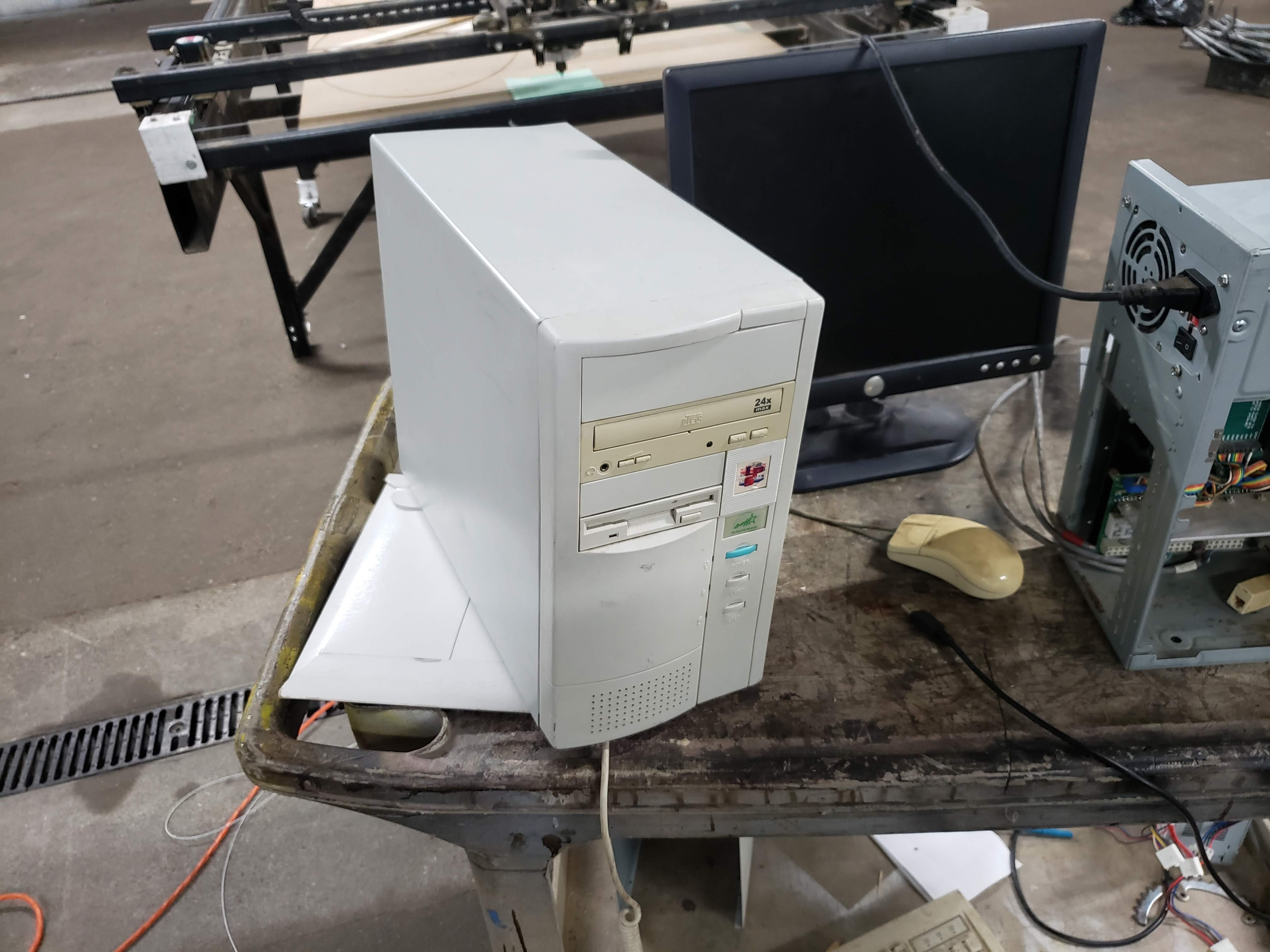
With this rig, development is a multi-step process. A paper manual is on hand to provide detail of how to code for the Atari. An IBM PC is then on hand to allow the budding developer to code in assembly. This text file is then compiled into an Atari ROM, which is then passed through a special utility to convert it to an audio file. This is to allow it to be used with a Starpath Supercharger, which allows games to be loaded onto the Atari via cassette tape, or in this case, raw digital audio. By playing the audio file on the PC, connected to the Supercharger cartridge, it’s possible to run arbitrary code on the Atari 2600.

Programming in 6502 assembly isn’t the easiest mountain to climb for an absolute novice, but experienced coders will likely appreciate the no-fuss development environment. It makes for an easy gateway into the world of retro console programming, and there’s nothing like the fun of seeing your code running on original hardware.

We love a good story of retro development – like this tale of fixing a 37-year-old bug in an Apple II game. Video after the break.

Continue reading “Get Coding With This Atari 2600 Development Suite”

Mechanical Integration With KiCad

Eagle and Fusion are getting all the respect for integrating electronic and mechanical design, but what about KiCad? Are there any tools out there that allow you to easily build an enclosure for your next printed circuit board? [Maurice] has one solution, and it seamlessly synchronizes KiCad and FreeCAD. KiCad will give you the board, FreeCAD will give you the enclosure, and together you have full ECAD and MCAD synchronization.

This trick comes in the form of a FreeCAD macro (on the Github, with a bunch of documentation) that loads a KiCad board and components into FreeCAD and export them as a STEP file. You can align the KiCad board in FreeCAD, convert STEPs to VRMLs, check interference and collision, and create an enclosure around a KiCad board.

KiCad has gotten some really great visualization tools over the past few years, and we would be remiss if we didn’t mention it’s one of the best ways to visualize a completed circuit board before heading to production. Taking that leap from electronic CAD to mechanical CAD is still something that’s relatively rare in the KiCad ecosystem, and more tools to make this happen is always wanted.