Reconstructing A Pin On A Pin Grid Array Package

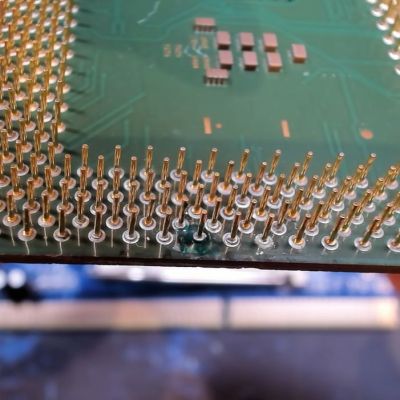
Before moving to land grid array (LGA) packaging whereby each pin on the substrate is just a copper pad, processors commonly used pin grid array (PGA) packaging, including the still highly relevant AMD AM4 socket. With PGA you get a pin soldered onto the copper pad which inserts into the ZIF socket, rather than a fragile pin on the mainboard side. Repairing a damaged PGA pin can be easy if just the pin broke off at the solder joint, or rough if the pad was destroyed, as in the case of this Pentium III CPU that [Bits und Bolts] recently tried to fix.

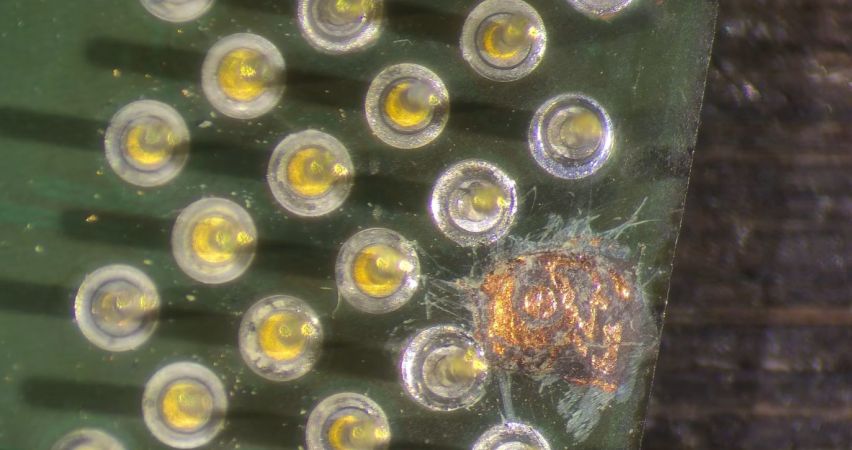
In the case of something like a ground pin or similarly unimportant pin you can ignore the damage, but in this case it concerned an important pin for this 1.2 GHz Tualatin PIII core, with the damage consisting of a well and truly destroyed pad. The first step to repair the damage is thus to try and rebuild the pad, which was done using solder mask and solder.

Although a PIII-era Celeron CPU is definitely not a high-value CPU, since they have so few and such large pins they do make for useful test subjects when it comes to PGA repair practicing. In this case the affected data pad and pin appears to have been repaired successfully, with it running overclocked to 1.6 GHz and crushing similarly or higher clocked Pentium 4 and AMD Athlon CPUs of the era.

Continue reading “Reconstructing A Pin On A Pin Grid Array Package”

Hackaday Podcast Episode 387: Superhuman Clocks, CAN In USB-C, And The Joys Of Bare Metal

This week, Hackaday Editors Elliot Williams and Tom Nardi start the episode off by discussing the latest CircuitPython developments before covering some impressive reverse engineering efforts, the benefits of modeling your projects in 3D, and some of the most incredible timepieces that have ever graced the pages of Hackaday.

You’ll also hear about the fascinating potential of combing 3D and UV printing, Linux on the ESP32, and a virtual TV station that pulls from the Internet Archive. The episode wraps up with a Hackaday Europe double-feature: one talk extols the virtues of keeping things simple through bare metal development, while the other covers off-world hacks and fixes that will make you want to sign up for Space Camp.

Check out the links if you want to follow along, and as always, tell us what you think about this episode in the comments!

Direct download, the MP3 way.

Continue reading “Hackaday Podcast Episode 387: Superhuman Clocks, CAN In USB-C, And The Joys Of Bare Metal”

Brain Control Your Appliance, Sort Of

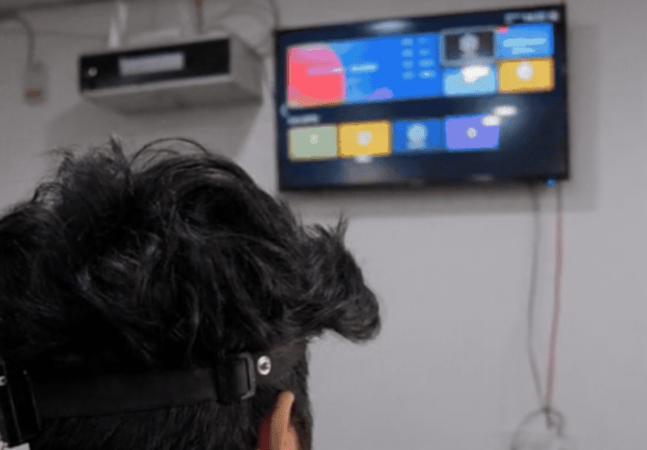
We aren’t sure we subscribe to [Upside Down Labs] description that their Neuro PlayGround Lite (NPG Lite) actually constitutes brain control in the science fiction sense. However, the package can sense biopotentials, and that lets you do things like change TV channels with a blink of the eye or a muscle gesture. That’s the gist of their project example on Instructables.

Since the NPG has an ESP32 onboard, it isn’t hard to see that coupling it to an IR transceiver would be all you need to control anything with an IR remote. The real problem is reading things like eye blinks.

The simplest way to think of the Neuro PlayGround Lite is as a 3-channel instrumentation amplifier + ADC + ESP32-C6 radio, packaged for measuring very small biological voltages. The same hardware can be used for EEG, EMG, ECG, or EOG, depending mainly on where you put the electrodes and how you filter/process the resulting signal.

It is true that you can measure EEG, so maybe it is brain control if you can learn to control your EEG output. EMC for muscles or EOG for blinking is probably somewhat more practical.

The instrumentation amplifier is where the main value is. You probably can’t just hook biosensors up to an ESP-32 analog input. The software, too, does a lot of heavy lifting for signal processing. Once you have reliable indicators that an eye or muscle moved, the rest is pretty simple.

For us, we don’t want to glue sensors to our body every time we want to watch a cat video. But we know there are legitimate reasons you might want this type of interaction, and this is as good a way to dip your toe into user interfaces that use biosignals.

We’ve seen this type of tech — strangely — used to order drinks. Not to mention games.

This Week In Security: Flock Cameras Are Old, Microsoft Patches Patches, And Researchers Attack SSH

Leak site Distributed Denial of Secrets has released a dump of the filesystems of a Flock camera, and Micah Lee has published a dive into the contents.  Apparently the Flock security model did not include “angry citizens with a hacksaw in the middle of the night” in the physical security category.

The first thing Micah notes is that the Flock hardware runs Android 8.1 (for those not keeping track, the current Android release is Android 17 released in June 2026).  The version of Android running on the Flock camera was last patched in June of 2018, and the Linux kernel (3.18.71) is over nine years out of date, and the 3.18 series went end-of-life in 2019.

You might assume “wouldn’t an operating system this old have known vulnerabilities?”, and you’d be completely right.  Micah calls out two in particular, one in the Qualcomm GPU which allows any program to manipulate kernel memory and gain root (similar, yet simpler, than the spate of kernel vulnerabilities this year that allowed manipulating memory via the disk IO cache), and the “WrongZone” vulnerability which allows a process to escalate to root via socket handling errors.  You might also guess both of these have been patched, and again, you’d be right, in 2021 and 2018 respectively.

Digging deeper, Micah discovers that API keys with access into the Flock infrastructure appear to be hard-coded into the binaries.  Each camera appears to request credentials from an authentication server, using the MAC address of the camera.  After obtaining the credentials from an Okta Auth0 sign-in service, the Flock stores them, in plain text.

Also stored on the camera unencrypted are logs and position data:  The camera dumped to Distributed Denial of Secrets came from a suburb of Milwaukee. Continue reading “This Week In Security: Flock Cameras Are Old, Microsoft Patches Patches, And Researchers Attack SSH”

Meta Portal Given New Life As Extended Display

The Meta Portal and associated devices are effectively defunct, having been abandoned by the company in 2022. If you’ve still got one at home, you might be wondering what to do with it. That’s where Wormhole Display from [pgodlews] comes in handy.

The thing about the Meta Portal, and much of the rest of the related lineup, is that they were effectively just heavily branded Android tablets. The screens and speakers were good, and the basic functionality was all there — albeit locked down somewhat to prevent users from easily repurposing them at will. However, it’s possible to enable Android Debug Bridge (ADB) and turn the device to doing your own bidding.

To that end, [pgodlews] built Wormhole Display as an APK that can be dropped on to the Meta Portal to make it an extendable display for Apple devices. It shows up via AirPlay, letting you use it as a wireless display for your Mac, iPhone, or iPad. You can do screen mirroring or use it as an extended display, as desired, including use of the Portal’s speakers if needed. Under the hood, it’s an Android port of UxPlay, a Unix AirPlay server which uses Android’s MediaCodec and AudioTrack in place of GStreamer to take advantage of the Meta Portal’s onboard H.264 decoder.

Extended displays can be incredibly useful, so if you’ve got an old Meta Portal laying around, consider putting it back to work. We’ve seen it done with e-readers, too. If you’ve got your own hacks to repurpose old, forgotten hardware, don’t hesitate to let us know on the tipsline!

TV Audio Tube Makes A Transceiver

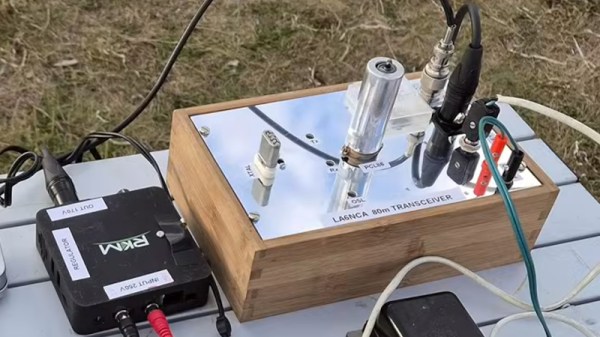
It’s not often we see a tube project here, so [Helge Fykse]’s PCL86 transceiver is a welcome find.

If you know anything about the European Pro-Electron device naming system you’ll be familiar with it as it applies to tubes. The first letter denotes the heater specification, for example “E” is for a 6.3 volt heater. Everyone wants the familiar 6.3 V devices, but they have a set of cousins which often pass unnoticed. “P” tubes have a 300 mA heater designed such that all tubes in a device could be connected in series at the same current. Of those tubes the PCL86 is a mundane example, filling the function taken in the semiconductor years by the LM386. It’s a small-signal triode and a power pentode in one device, and it’s an audio amplifier. Every 1960s TV set in Europe had one, and thus it’s a good choice for experimentation.

This transceiver is a conventional crystal oscillator and power amplifier on transmit, but with a flick of a switch it transforms into a direct conversion receiver in which the triode becomes oscillator and mixer while the pentode becomes an audio amplifier. It’s simple, and the video below the break explains it in great detail. We’re not sure whether or not it could unintentionally radiate in receive mode, but we’re guessing the energy would be tiny.

A simple tube project can make an interesting departure from modern surface mount electronics, so if you get the chance we’d suggest you try one. If you don’t need a transceiver, an audio amplifier is the archetypal PCL86 project.

Continue reading “TV Audio Tube Makes A Transceiver”

Building A DIY Centrifuge For Blood Processing

If you want to do certain types of lab work with blood, you’ll need a centrifuge. It’s often possible to find serviceable units on the used market, but they may not meet your requirements if you’re doing something quite specific. For that reason, [Thomas Nguyen] decided to build his own centrifuge from scratch.

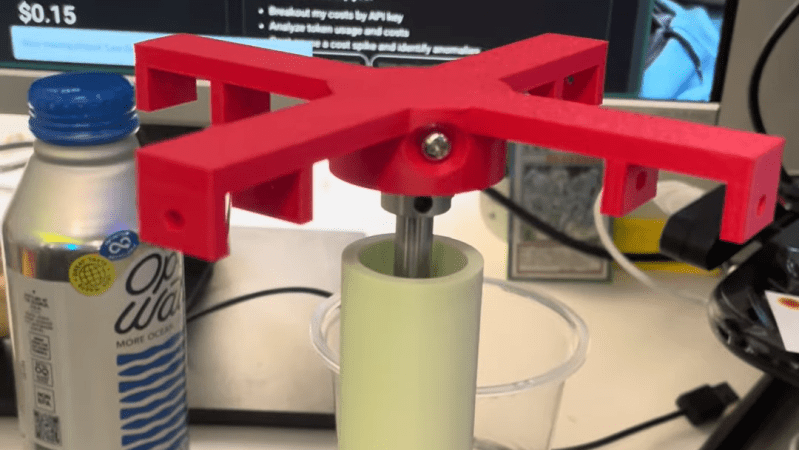
His goal was to separate T cells from blood for further lab analysis, and he needed to be able to work with blood in 15 mL conical tubes. Capable centrifuges weren’t affordable, but he figured he could build his own quite easily. To that end, he enlisted a Raspberry Pi Pico, a 3D printer, and an A2212 brushless motor with a 30 amp electronic speed controller.

Soon enough, he had a design for a fixed-angle centrifuge design that could spin up blood products to the required speed for separation. It has useful safety features, like an MPU-6050 for vibration detection to shut down in case of dangerous imbalance, and an IR sensor for monitoring and controlling rotational speed. For now, the project is still in development, with the first version built and spinning. [Thomas] aims to check that the build operates safely and can separate fluids like dyed water and glycerol successfully before running it with real blood products.

We’ve seen other successful DIY centrifuge builds before, too. Sometimes, the lab hardware you need is the lab hardware you build yourself. If it works and does the job safely, it can be all that you need to get your science goals coming to fruition.

Continue reading “Building A DIY Centrifuge For Blood Processing”