Reviving A Scrapped Sound Blaster 2.0 ISA Soundcard

What do you do when you find a ISA Sound Blaster 2.0 card in a pile of scrap? Try to repair the damage on it to give it a second shot at life, of course. This is what [Adrian Black] did with one hapless victim, with the card in question being mostly in good condition minus an IC that had been rather rudely removed. The core Creative CT1336A and Yamaha YM3812 ICs were still in place, so the task was to figure out what IC was missing, find a replacement and install it.

The CT1350 is the final revision of the original 8-bit ISA Sound Blaster card, with a number of upgrades that makes this actually quite a desirable soundcard. The CT1350B revision featured here on a card from 1994 was the last to retain compatibility with the C/MS chips featured on the original SB card. After consulting with [Alex] from the Bits und Bolts YT channel, it was found that not only is the missing IC merely an Intel 8051-based Atmel MCU, but replacements are readily available. After [Alex] sent him a few replacements with two versions of the firmware preflashed, all [Adrian] had to do was install one.

Before installation, [Adrian] tested the card to see whether the expected remaining functionality like the basic OPL2 soundchip worked, which was the case. Installing the new MCU got somewhat hairy as multiple damaged pads and traces were discovered, probably because the old chip was violently removed. Along the way of figuring out how important these damaged pads are, a reverse-engineered schematic of the card was discovered, which was super helpful.

Some awkward soldering later, the card’s Sound Blaster functionality sprung back to life, after nudging the volume dial on the card up from zero. Clearly the missing MCU was the only major issue with the card, along with the missing IO bracket, for which a replacement was printed after the video was recorded.

Continue reading “Reviving A Scrapped Sound Blaster 2.0 ISA Soundcard”
Robot Balances Ball On A Plate

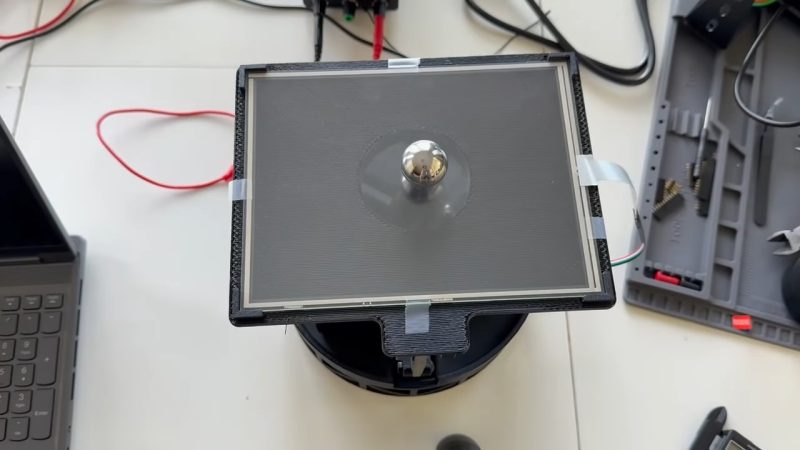
Imagine trying to balance a heavy metal ball bearing on a cafeteria tray. It’s not the easiest thing in the world! In fact, it’s perhaps a task better automated, as [skulkami3000] demonstrates with this robotic build.

The heart of the build is a flat platform fitted with a resistive touchscreen panel on top. The panel is hooked up to a Teensy 4.0 microcontroller. When a heavy ball bearing is placed on the touch panel, the Teensy is thus able to accurately read its position. It then controls a pair of NEMA 17 stepper motors via TCM2208 drivers in order to tilt the panel in two axes in order to keep the ball in the centre of the panel. Thanks to its quick reactions and accurate sensing, it does a fine job of keeping the ball centred, even when the system is perturbed.

Projects like these are a great way to learn the basics of PID control. Understanding these concepts will serve you well in all sorts of engineering contexts, from controlling industrial processes to building capable quadcopter aircraft. Continue reading “Robot Balances Ball On A Plate”

Fnirsi IPS3608: A Bench Power Supply With Serious Flaws

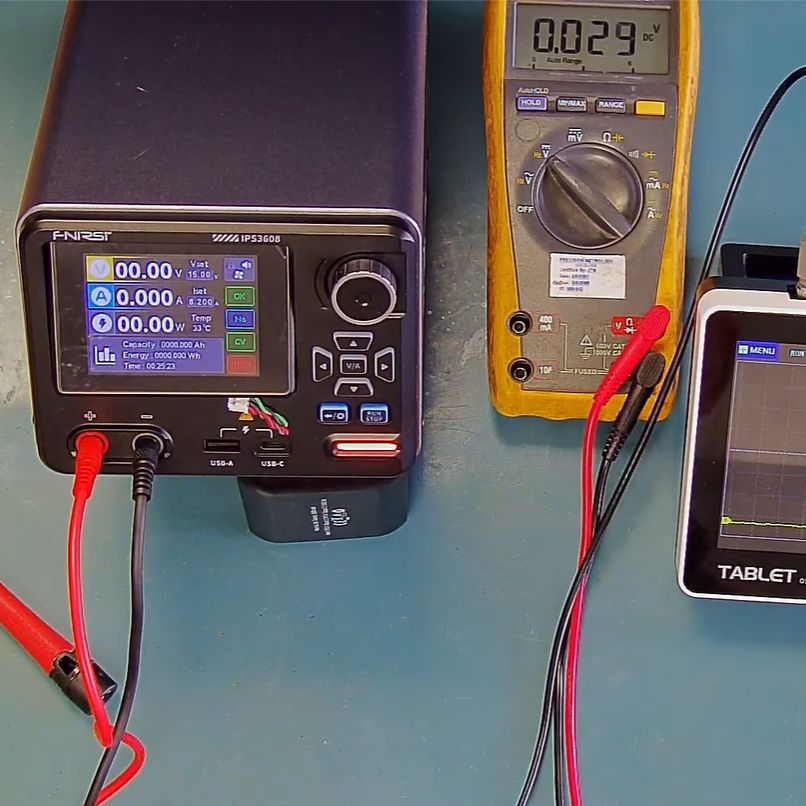
Fnirsi is one of those brands that seem to pop up more and more often, usually for portable oscilloscopes and kin. Their IPS3608 bench power supply is a bit of a departure from that, offering a mains-powered PSU that can deliver up to 36 VDC and 8 A in a fairly compact, metal enclosure. Recently [Joftec] purchased one of these units in order to review it and ended up finding a few worrying flaws in the process.

One of the claims made on the product page is that it is ‘much more intelligent than traditional power supplies’, which is quite something to start off with. The visual impression of this PSU is that it’s somewhat compromised already, with no earth point on the front next to the positive and negative banana plug points, along with a tilting screen that has trouble staying put. The USB-C and -A ports on the front support USB-PD 3.0 and a range of fast charge protocols

The ‘intelligence’ claim seems to come mostly from the rather extensive user interface, including a graphing function. Where things begin to fall apart is when the unit locks up during load testing presumably due to an overheating event. After hooking up an oscilloscope, the ripple at 1 VDC was determined to be about 200 mV peak-to-peak at 91 kHz. Ripple increased at higher voltages, belying the ’10 mV ultra-low ripple’ claim.

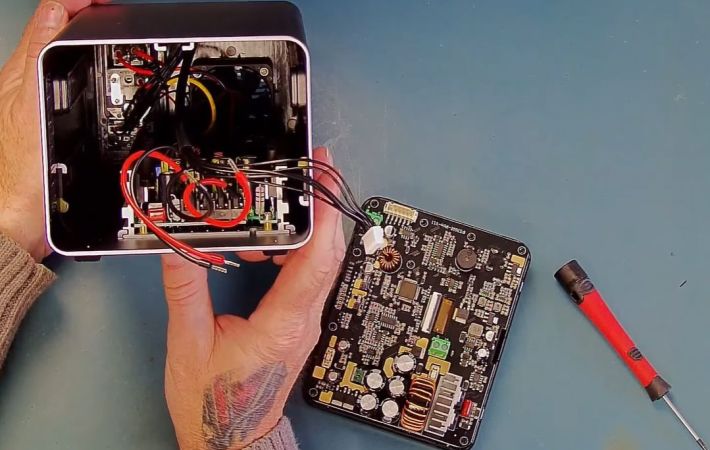
A quick teardown revealed the cause for the most egregious flaw of the unit struggling to maintain even 144 Watt output: a very undersized heatsink on the SMPS board. The retention issues with the tilting issue seemed to be due to a design choice that prevents the screen from rotating without breaking plastic. While this latter issue could be fixed, the buggy firmware and high ripple on the DC output make this €124 ‘285 Watt’ into a hard pass.

Continue reading “Fnirsi IPS3608: A Bench Power Supply With Serious Flaws”

Test Pattern Generator For SCART And RGB TVs

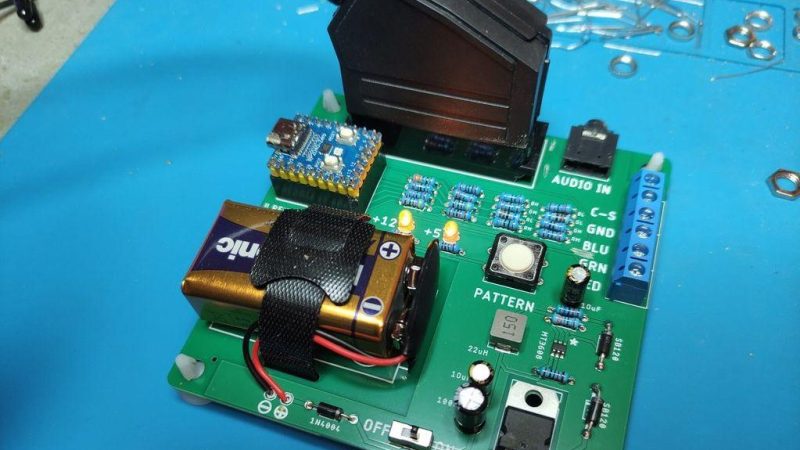
CRTs don’t last forever, and neither do the electronics that drive them. When you have a screen starting to go wonky, then you need a way to troubleshoot which is at fault. A great tool for that is a pattern generator, but they’re not the easiest to come by these days. [baritonomarchetto] needed a pattern generator to help repair his favourite arcade machine, and decided to make his own DIY Portable RGB CRT Test Pattern Generator.

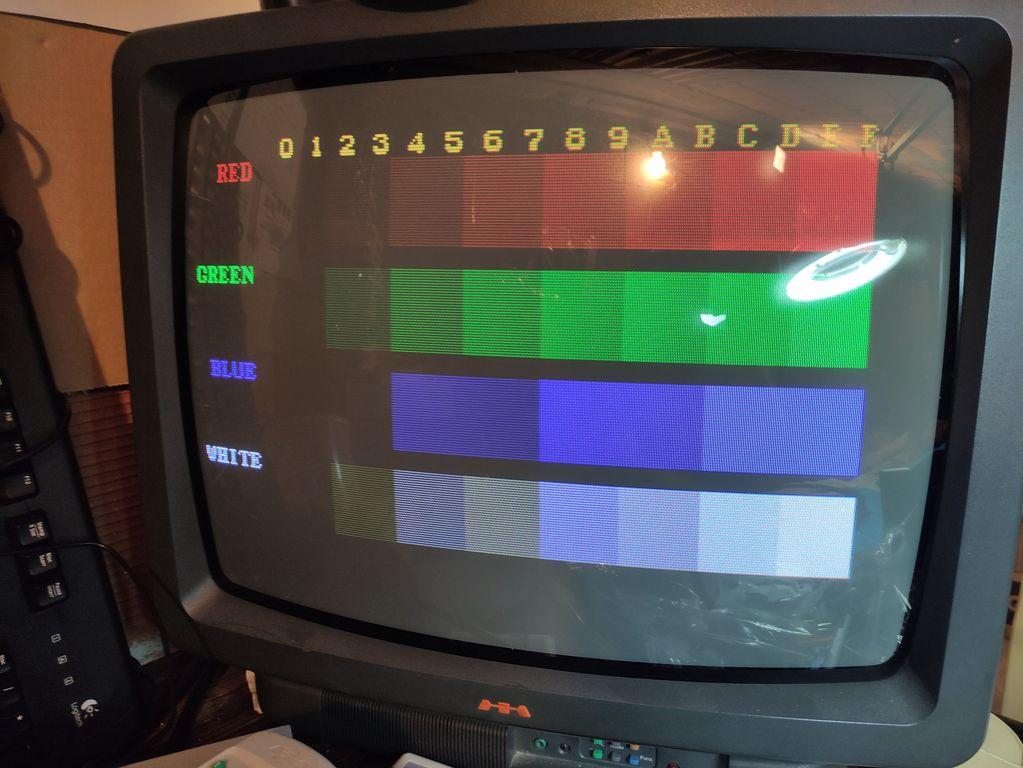
One of the test patterns available from the device. This TV appears to be in good working order.

While he does cite [Nicholas Murray]’s RP2040 test pattern generator as a starting point (which itself builds on the PicoVGA library once featured here), he couldn’t just build one. That worthy project only outputs VGA and because [baritonomarchetto] is in Europe, he needed a SCART connector. Since he’s working on arcade machines, he needed non-SCART RGB signals, too. The arcade signals need to be at higher voltages (TLL level) than the RGB signal you’d find in SCART and VGA.

The upshot is while he’s using [Nicholas]’s code for the RP2040, he’s rolled his own PCB, including a different resistor ladders to provide the correct voltages depending on if he’s dealing with a home TV or arcade CRT. To make life easier, the whole thing runs off a 9V battery.

If you’re wondering what the point of these test patterns is, check out this 1981-vintage pattern generator for some context from the era. If a digital replica doesn’t float your boat, it is possible to recreate the original analog circuitry that generated these patterns back when the CRT was king.

Dirty Pots, Meet Power Tools!

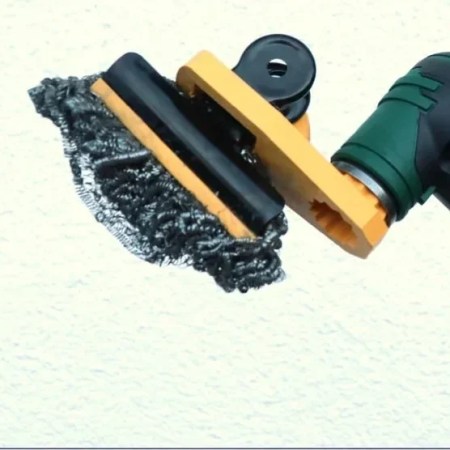
Let’s face it, nobody likes scrubbing, but what option do you have? You can’t exactly break out the grinder to clean off the remains of last nights dinner… right? Well, maybe not a grinder, but thanks to this hack by [Markus Opitz], you can use an oscillating tool.

It’s a simple enough hack: [Markus] modeled the attachment for his Bosch oscillating tool in Tinkercad, and created a bracket to hold a large metal binder clip. The clip attaches with a screw, and can hold whatever scrubbing pad your carpel-tunnel afflicted hands can’t bear to hold on to. He’s using a self-cleaning stainless-steel sponge.

One nice touch is a pair of protective lips on the jaws of the metal clip, to keep it from accidentally scratching the delicate surface under care. Of course if you have a drill or a Dremel handy you can buy attachments for polishing disks of various grits, but what’s the fun in that? Doing the dishes with a hacked-together oscillating tool just somehow seems more fun. Plus this way you can’t accidentally produce an engine-turning pattern.

We don’t seem to have featured many hacks for these fun, buzzing, multi-purpose tools, so if you’ve got one send us a tip. We did feature an oscillating cutter for CNC once, but that was fully DIY.

PCBs The Prehistoric Way

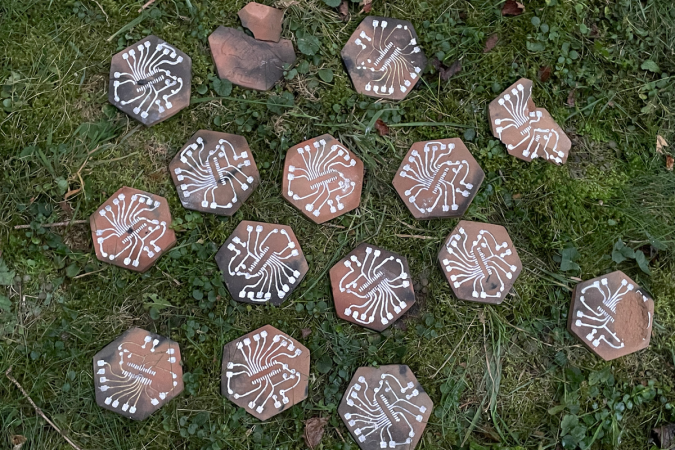
When we see an extremely DIY project, you always get someone who jokes “well, you didn’t collect sand and grow your own silicon”. [Patrícia J. Reis] and [Stefanie Wuschitz] did the next best thing: they collected local soil, sieved it down, and fired their own clay PCB substrates over a campfire. They even built up a portable lab-in-a-backpack so they could go from dirt to blinky in the woods with just what they carried on their back.

This project is half art, half extreme DIY practice, and half environmental consciousness.  (There’s overlap.)  And the clay PCB is just part of the equation. In an effort to approach zero-impact electronics, they pulled ATmega328s out of broken Arduino boards, and otherwise “urban mined” everything else they could: desoldering components from the junk bin along the way.

The traces themselves turned out to be the tricky bit. They are embossed with a 3D print into the clay and then filled with silver before firing. The pair experimented with a variety of the obvious metals, and silver was the only candidate that was both conductive and could be soldered to after firing. Where did they get the silver dust? They bought silver paint from a local supplier who makes it out of waste dust from a jewelry factory. We suppose they could have sat around the campfire with some old silver spoons and a file, but you have to draw the line somewhere. These are clay PCBs, people!

Is this practical? Nope! It’s an experiment to see how far they can take the idea of the pre-industrial, or maybe post-apocalyptic, Arduino. [Patrícia] mentions that the firing is particularly unreliable, and variations in thickness and firing temperature lead to many cracks. It’s an art that takes experience to master.

We actually got to see the working demos in the flesh, and can confirm that they did indeed blink! Plus, they look super cool. The video from their talk is heavy on theory, but we love the practice.

DIY clay PCBs make our own toner transfer techniques look like something out of the Jetsons.

Continue reading “PCBs The Prehistoric Way”

A New Generation Of Spacecraft Head To The ISS

While many in the industry were at first skeptical of NASA’s goal to put resupply flights to the International Space Station in the hands of commercial operators, the results speak for themselves. Since 2012, the SpaceX Dragon family of spacecraft has been transporting crew and cargo from American soil to the orbiting laboratory, a capability that the space agency had lost with the retirement of the Space Shuttle. Putting these relatively routine missions in the hands of a commercial provider like SpaceX takes some of the logistical and financial burden off of NASA, allowing them to focus on more forward-looking projects.

SpaceX Dragon arriving at the ISS for the first time in 2012.

But as the saying goes, you should never put all of your eggs in one basket. As successful as SpaceX has been, there’s always a chance that some issue could temporarily ground either the Falcon 9 or the Dragon.

While Russia’s Progress and Soyuz vehicles would still be available in an emergency situation, it’s in everyone’s best interest that there be multiple backup vehicles that can bring critical supplies to the Station.

Which is precisely why several new or upgraded spacecraft, designed specifically for performing resupply missions to the ISS and any potential commercial successor, are coming online over the next few years.

In fact, one of them is already flying its first mission, and will likely have arrived at the International Space Station by the time you read this article.

Continue reading “A New Generation Of Spacecraft Head To The ISS”