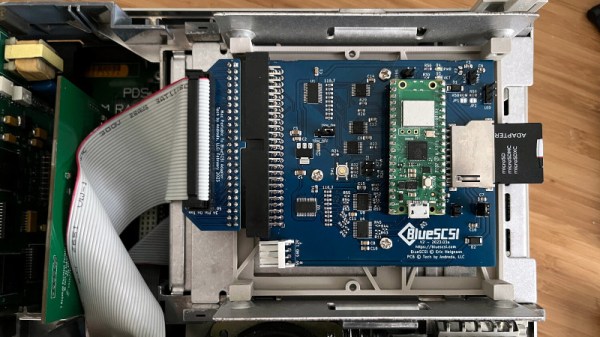
Impossible WiFi On An Ancient Mac Portable

The Macintosh Portable was possibly one of the coolest computing devices to be seen with back at the end of the 1980s, providing as it did a Mac in a slightly nicer version of the hefty luggable portables of the day than the PC world could offer. Inside was a mere 68000, but it ran Mac OS system 6 and looked light years ahead of any comparable PC in doing so.
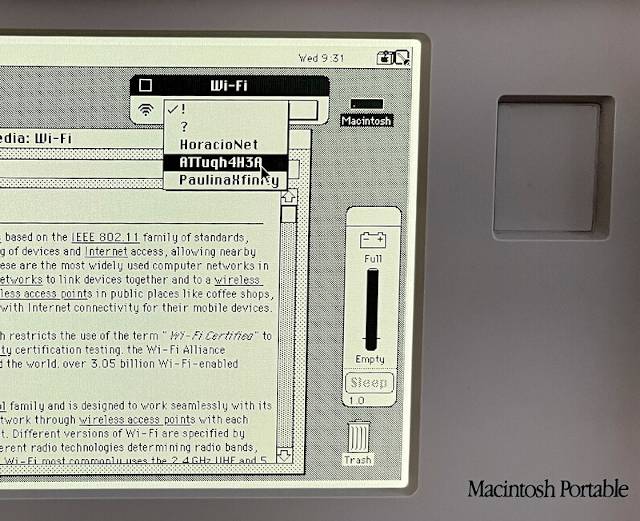
Back in 1989 it wasn’t even the norm for a computer to have built-in Ethernet, and WiFi was still a gleam in the eye of some Dutch engineers, so how has [Joshua Stein] managed to get his Mac Portable on a wireless network here in 2023? The answer contains a few surprises.

When seeing a WiFi upgrade for a classic retrocomputer the usual expectation is that it’s done by emulating a modem connection to the Internet over a serial port. But this wireless network card is a bit different, it’s a real network card capable of being used for much more than just connecting to the Internet.

We have to admit to not knowing that there were SCSI Ethernet interfaces back in the day, and it’s one of these that he’s created. He’s building on a decade’s work in producing disk emulators for the SCSI bus, and he’s taken the code for a Raspberry Pi Pico version and adapted the SCSI driver part to interface with the onboard WiFi on a Pico W. Altogether it’s a beautiful piece of work, and you can color us impressed.

Linux Fu: The Old School Terminal

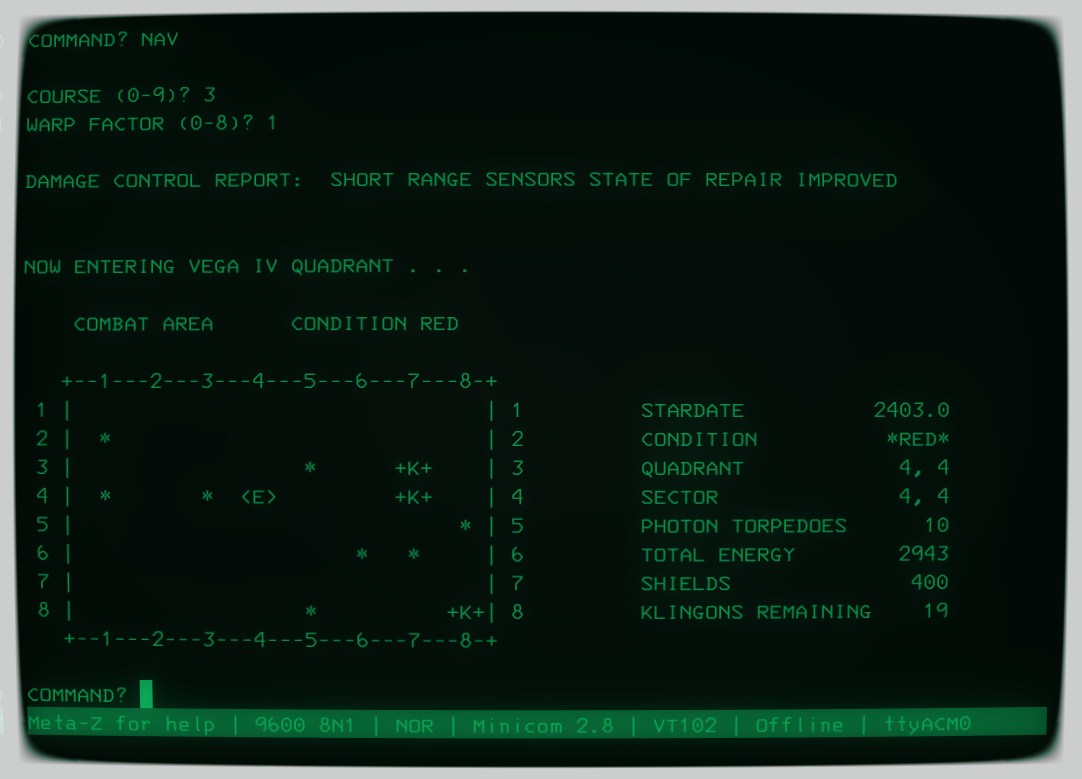
Maybe you have a vintage old-school computer. Maybe you have a replica. Maybe you just want to run SIMH and relive the glory days of CP/M or VMS. The problem is, it looks kind of silly to have CP/M running in your beautiful X11 terminal window full of 3D animations, opacity effects, and special fonts. You could buy an old CRT monitor. That would be cool, too, because on a modern screen, you don’t get scan lines and all the crummy artifacts that go along with an electron beam and phosphor display device. Or you can grab retro-cool-term.

Star Trek on CP/M

Even if you don’t have an old computer, the program will work fine to simply run your shell for everyday use. Confound the youngsters when they see your terminal with scan lines and CRT jitter updating the latest packages.

What Is It?

If you want a shell in a GUI, you used to use xterm, although most people use something more modern. I use Konsole, but some like RXVT or whatever terminal your distro favors. Cool-retro-term is just a replacement for this. By default, it only opens a shell prompt.

Continue reading “Linux Fu: The Old School Terminal”

Random Access Memory From A Rotating Drum In A Bendix G15

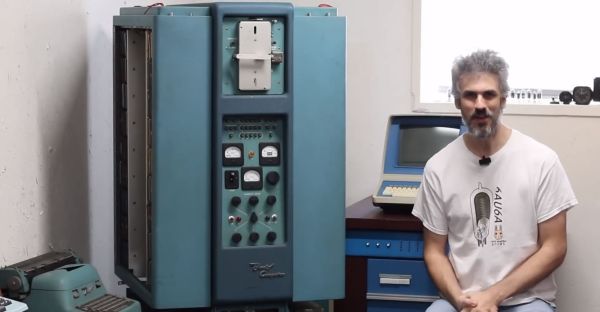
When it’s the 1950s and you are tasked to design a computer system that features not only CPU registers but also a certain amount of RAM, you do not have a lot of options. At this point in time, discrete logic was the rule, and magnetic core memory still fairly new and rather expensive. This is where the rotating drum comes in, which is somewhat like a cross between an old-style cylinder record and a hard drive. In a recent [Usagi Electric] video, a 1950s Bendix G15 system is demonstrated, which features such a rotating drum device, alongside both tube-based circuits and newfangled diode-based circuitry.

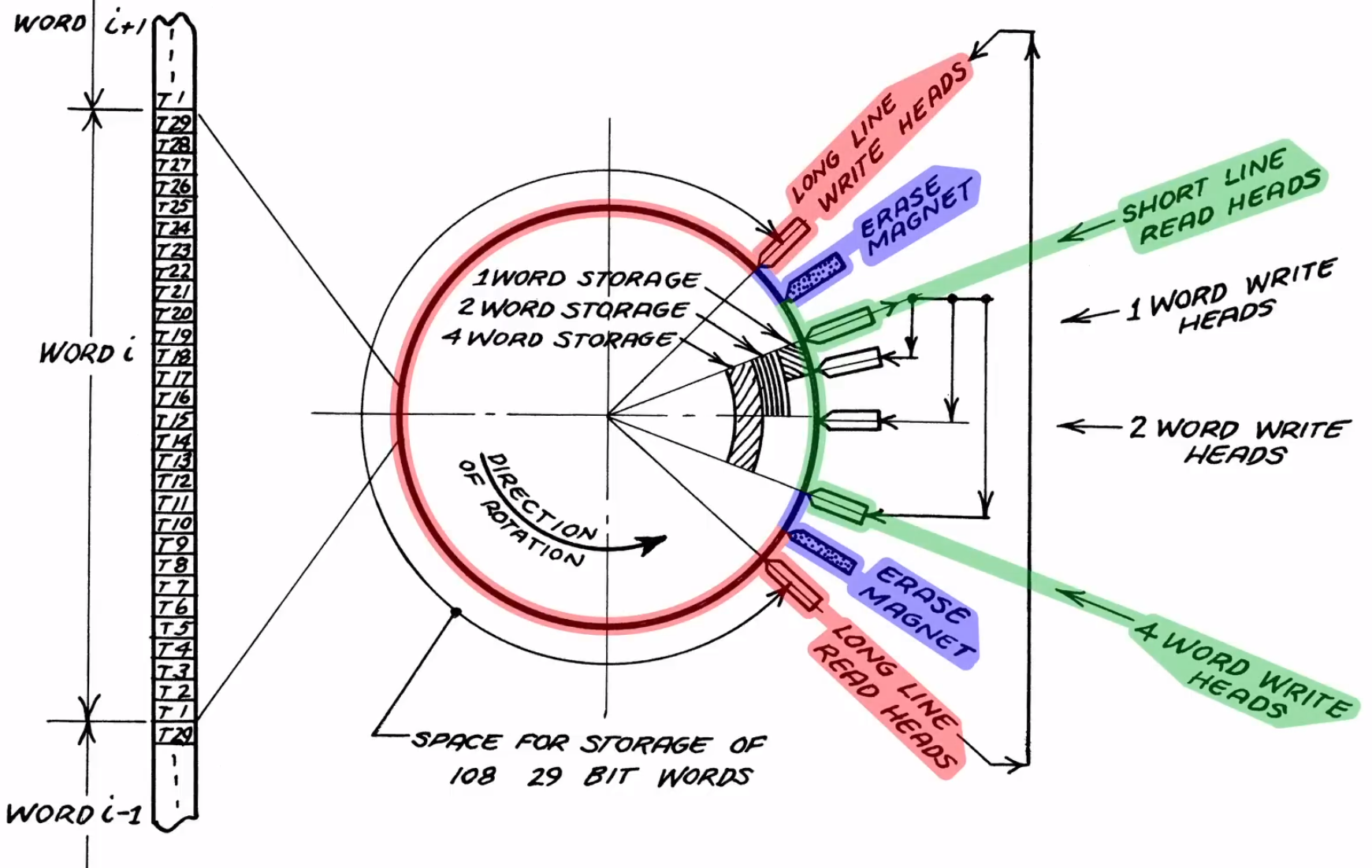
Simplified diagram of a rotating drum random access memory unit, showing the read-erase-write process as the drum spins.

This particular unit was borrowed from the System Source museum, with the intent to restore it to a working condition. Part of this process involved figuring out the circuitry, which was made easy by the circuit schematic drawings that came with the original machine. According to the official brochure by the manufacturer, the ‘short lines’ that are intended for the CPU registers, the access time was less than 1 millisecond, which is pretty darn fast considering the era and the discrete CPU’s clock speed.

For the drum itself, however, popping the cover off the unit showed that it had suffered some damage that had resulted in the multiple heads contacting the surface. Despite this disappointment, it’s not the end of the restoration, however. The museum has one more Bendix G15 standing around, with a rotating drum unit that looks to be in mint condition. The damaged magnetic coating on the other rotating drum may conceivably be resurfaced, which if successful could provide new hope to a lot of retro systems out there that also use magnetic media, whether in drum or disk format.

Continue reading “Random Access Memory From A Rotating Drum In A Bendix G15”

A Mainframe Computer For The Modern Age

The era of mainframe computers and directly programming machines with switches is long past, but plenty of us look back on that era with a certain nostalgia. Getting that close to the hardware and knowing precisely what’s going on is becoming a little bit of a lost art. That’s why [Phil] took it upon himself to build this homage to the mainframe computer of the 70s, which all but disappeared when PCs and microcontrollers took over the scene decades ago.

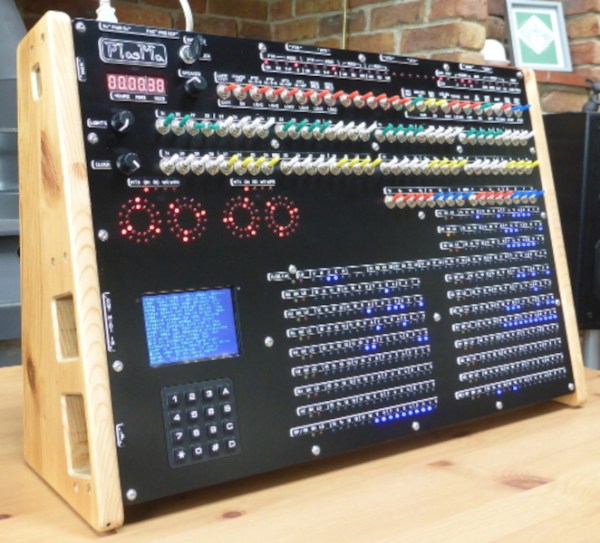
The machine, known as PlasMa, is not a recreation of any specific computer but instead looks to recreate the feel of computers of this era in a more manageable size. [Phil] built the entire machine from scratch, and it can be programmed directly using toggle switches to input values into registers and memory. Programs can be run or single-stepped, and breakpoints can be set for debugging. The internal workings of the machine, including the program counter, instruction register, accumulator, and work registers, are visible in binary lights. Front panel switches let you control those same items.

The computer also hosts three different microcodes, each providing a unique instruction set. Two are based on computers from Princeton, Toy-A, and Toy-B, used as teaching tools. The third is a more advanced instruction set that allows using things like emulated peripherals, including storage devices. If you want to build one or just follow along as the machine is constructed, programmed, and used, [Phil] has a series of videos demonstrating its functionality, and he’s made everything open-source for those more curious. It’s a great way to get a grasp on the fundamentals of computing, and the only way we could think of to get even more into the inner workings of a machine like this is to build something like a relay computer.

Continue reading “A Mainframe Computer For The Modern Age”

An Odd Home Computer From The 1980s

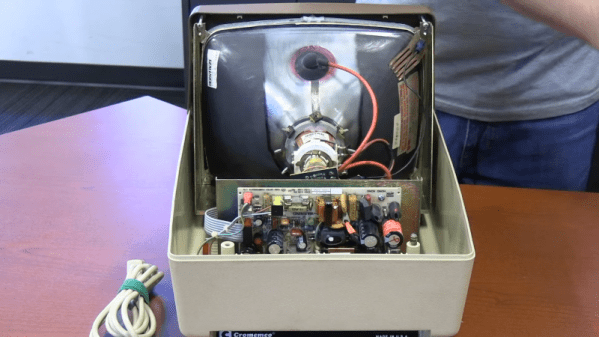
If you were around when the Altair 8800 was king, you might remember the name Cromemco. They were an early vendor of add-ons for the Altair, along with companies like Godbout and Morrow. The company was mostly famous for a very crude digital camera for the Altair and a similarly-crude graphics interface card. They graduated into building S-100 bus computers. Like many similar companies, they could taste the upcoming home PC market, and they wanted a piece of it. Their answer? The $1,800 C-10 Cromemco Personal Computer, and you can see [Vintage Geek’s] thoughts on the odd machine in the video below.

The system ran CP/M and, like many similar systems, got lost in the rush to get the IBM PC. Compared to other computers of the time, the C-10 was compact. The keyboard layout seems odd today, but there wasn’t really much standardization in those days.

Continue reading “An Odd Home Computer From The 1980s”

A 6502 Overlay Debugger

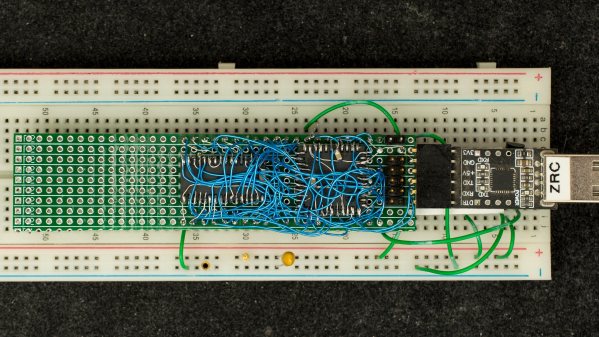
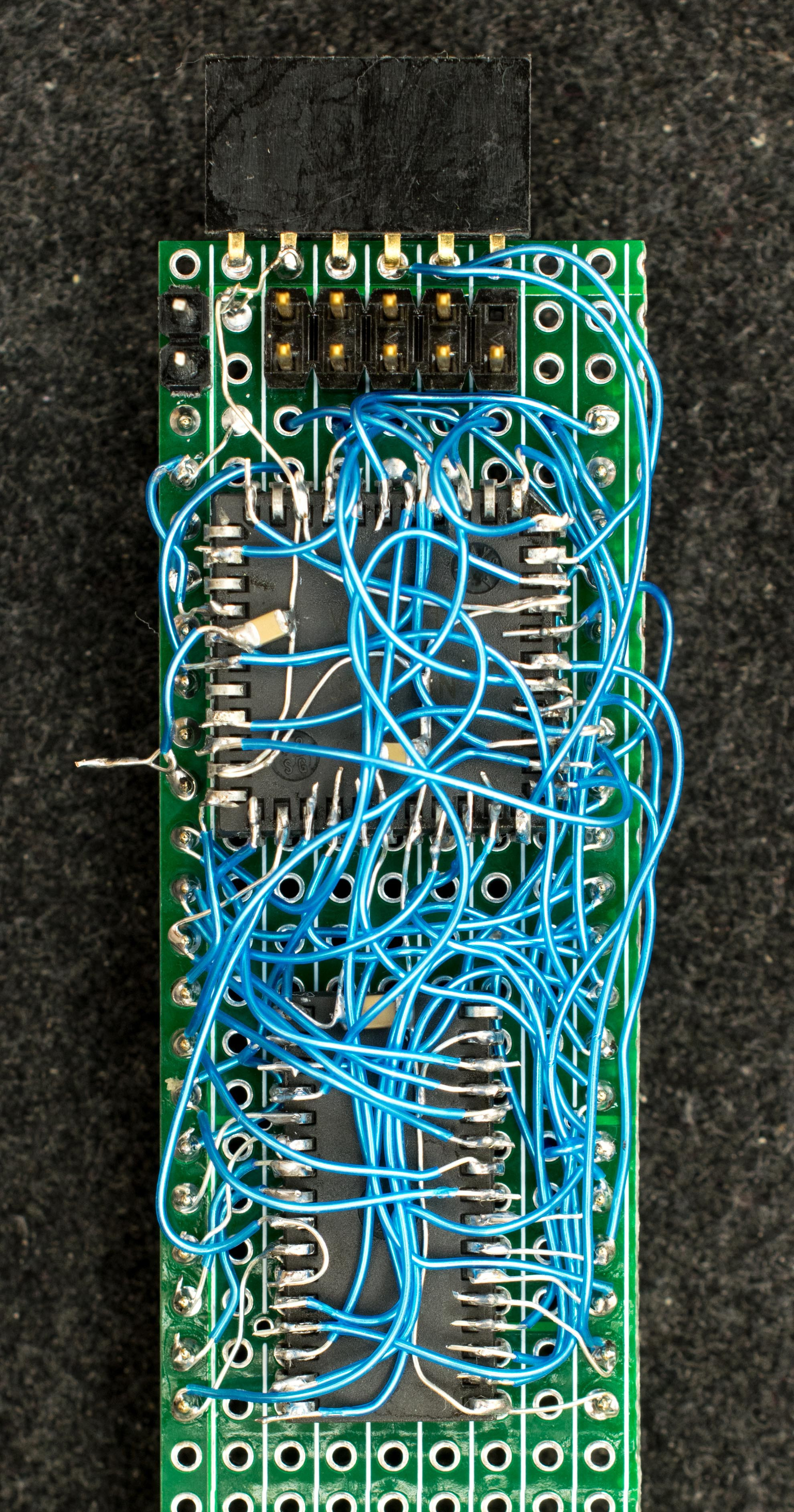
Retired hardware engineer [Plasmode] recently took on the challenge of building a debugger for the 6502 designed to sit atop the microprocessor while seated in a solder less breadboard. The result is the Diagnostic Overlay for W65C02 Breadboard, consisting of 128 kB SRAM and a 1250-gate CPLD. Except being 0.8 in wide, the overlay debugger is otherwise the same size as the 6502’s 40-pin DIP package, so it doesn’t overhang other portions of your circuit.

Being an initial concept prototype, [Plasmode] mounted the chips dead-bug style on perf board — a process he himself found tiring. If he builds additional debuggers, presumably he will consider making a PCB.

The prototype was constructed using point-to-point soldering with 30-ga wire wrap wire.  It was all done under the inspection microscope.  There are not many connections, but they are rather tedious so I can only do a dozen or so wires per session.  It took me 2 days and several hours total to finish the prototype board.

This design is based on the CRC65 Frugal 6502 Single Board Computer, of course omitting the 6502 itself. Instead of a physical ROM memory chip, he implemented a 64-byte boot loader inside the CPLD and a serial port. This lets him to bootstrap the system over the serial port. He plans on expanding this to include other DIP-packaged retro microprocessors in the future. Check out his Hackaday.io project page ( above ). If you want to dig deeper, he posted the schematics here.

A Quarter Century Of The IMac

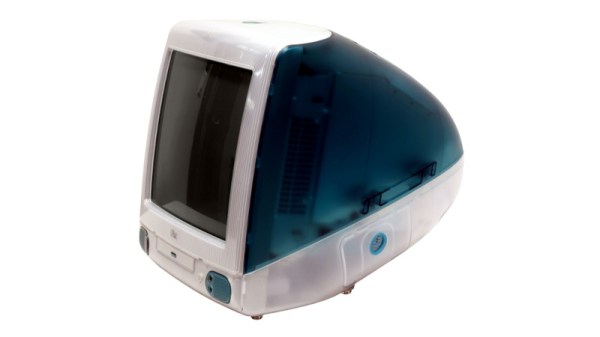
Growing older as an engineer turns out to be a succession of moments in which technologies and devices which you somehow still imagine to be cool or exciting, reveal themselves in fact to be obsolete, indeed, old. Such a moment comes today, with the25th anniversary of the most iconic of 1990s computers, Apple’s iMac. The translucent all-in-one machine was and remains more than simply yet another shiny Mac, it’s probably the single most influential home computer ever. A bold statement to be sure, but take a look at the computer you’re reading this on, indeed at all your electronic devices here in 2023, before you dismiss it.

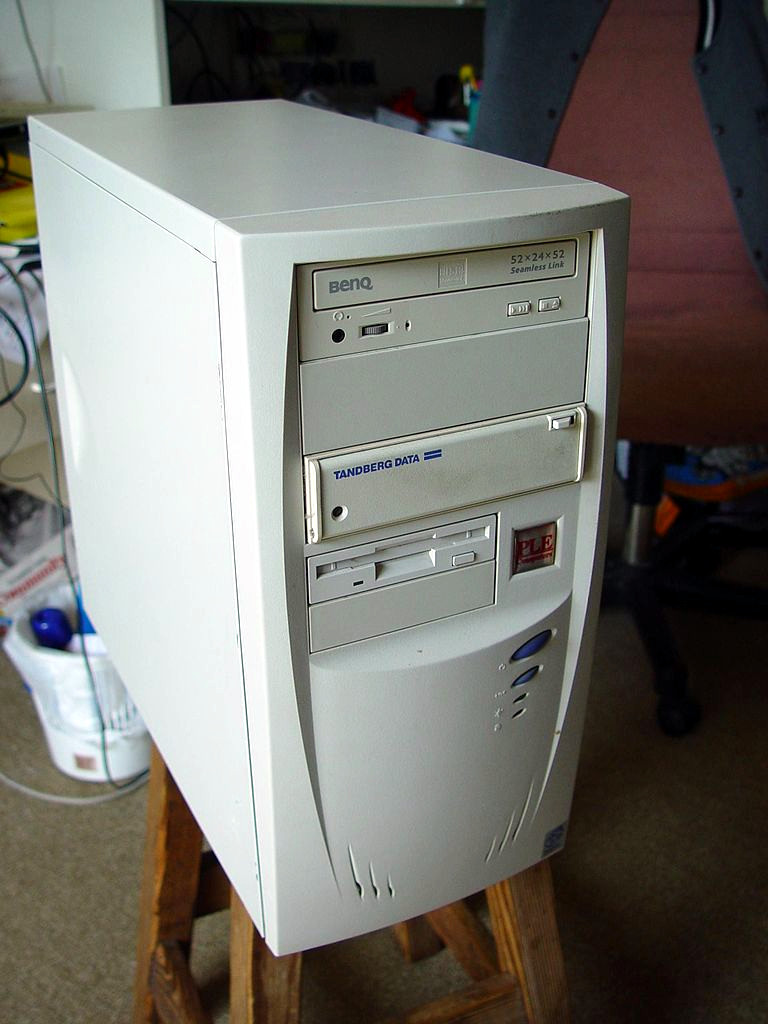
Any colour you want, as long as it's beige
Any colour you want, as long as it’s beige. Leon Brooks, Public domain.

Computers in the 1990s were beige and boring. Breathtakingly so, a festival of the generic. If you had a PC it came in the same beige box as every single other PC, the only thing breaking the monotony being one of those LED 7-segment fake-MHz displays. Apple computers took the beige and ran with it, their PowerMac range being merely a smoother-fronted version of all those beige-box PCs. This was the period following the departure of Steve Jobs during which the company famously lost its way, and the Bondi blue Jonny Ive-designed iMac was the signature product of his triumphant return.

That’s enough pretending to have drunk the Apple Kool-Aid for one article, so  why are we marking this anniversary? The answer lies not in the iMac’s hardware, though its 233MHz PowerPC G3 and ATI graphics driving a 15″ CRT were no slouch for the day, nor even in its forsaking of all their previous proprietary interfaces for USB. Instead it’s the design influence of this machine, as it ushered in a new era of technological devices whose ethos lay around how they might be used rather than in simply showering the interface with features. At the time the iMac spawned a brief fashion for translucent blue in everything from peripherals to steam irons, but in the quarter century since your devices have changed immeasurably in its wake. We still don’t like that weird round mouse though.

Header image: Rama, CC BY-SA 4.0.