The Computer That Controlled Chernobyl

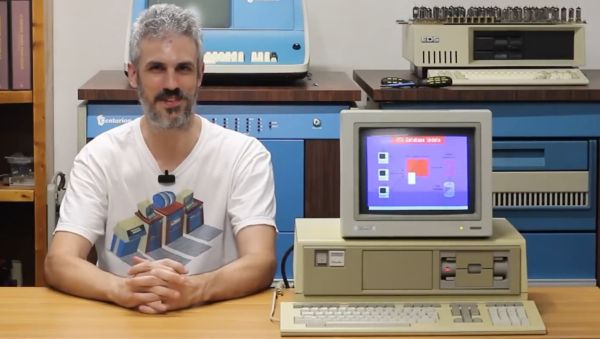
When you think of Chernobyl (or Chornobyl, now), you think of the nuclear accident, of course. But have you ever considered that where there is a nuclear reactor, there is a computer control system? What computers were in control of the infamous reactor? [Chornobyl Family] has the answer in a fascinating video documentary you can see below.

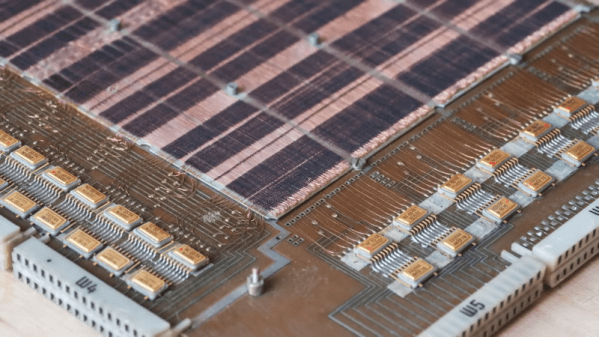
The video shows a bit of the history of Soviet-era control computers. The reactor’s V-30M computer descended from some of these earlier computers. With 20K of core memory, we won’t be impressed today, but that was respectable for the day. The SKALA system will look familiar if you are used to looking at 1970s-era computers.

Continue reading “The Computer That Controlled Chernobyl”

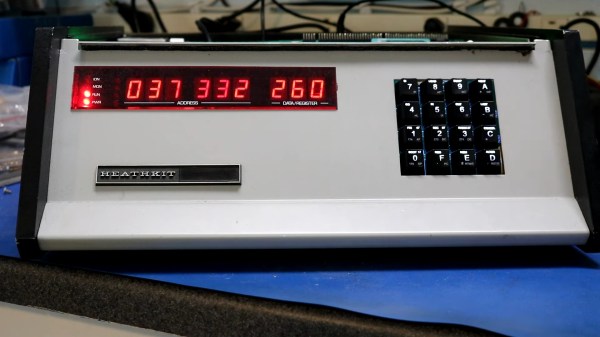
A Heathkit H8 in which hides an 8008 instead of the normal 8080

Downgrade Your Heathkit H8 To The World’s First 8-bit Microprocessor

Typically when you’re replacing parts in an old computer it’s either for repairs or an upgrade. Upgrades like adding a more capable processor to an old computer are the most common, and can help bring an old computer a bit closer to the modern era. [Dr. Scott M. Baker] had a different idea, when he downgraded a Heathkit H8 from an 8080 to an 8008.

Despite the very similar numbers, the 8080 runs at four to nearly sixteen times the speed of its predecessor. In addition to this, the 8008 is far less capable on multiple fronts like address space, I/O ports, the stack and even interrupts. The 8008 does have one thing going for it though: the 8008 is widely known as the world’s first 8-bit microprocessor.

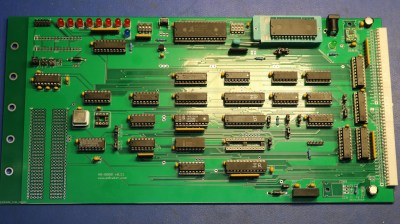
A green circuit board with an 8008 and supporting electronics.
The custom 8008 CPU board for the Heathkit H8.

In the video after the break, [Scott] goes into great detail about the challenges presented in replacing the 8080 with the 8008, starting with the clock. The clock is two-phase, so that what would otherwise be a single oscillator now also has a clock divider and two NAND gates.

Boring clock stuff aside, he does some great hacking using the I/O ports including expanding the I/O port count from 32 to the full 256, bit-banging serial, implementing an interrupt controller and even memory mapping 64 KiB into 16 KiB of address space! With that and a few more special adapter circuits, we think [Scott] has done a great job of downgrading his H8 and the resulting CPU board looks fabulous.

Maybe you’re wondering what happens if you upgrade the computer instead of the CPU? What you get is this credit-card sized 6502 computer.

Continue reading “Downgrade Your Heathkit H8 To The World’s First 8-bit Microprocessor”

Will An 8088 Run DOOM? Now, Yes It Will!

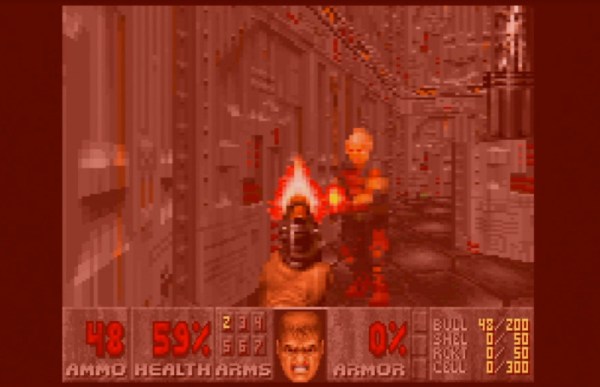
The question on everyone’s lips when a new piece of hardware comes out is this: Will it run DOOM? Many pieces of modern hardware have been coaxed into playing id Software’s 1993 classic, but there have always been some older machines that just didn’t have the power to do it. One of them has now been conquered though, and it’s a doozy. [Frenkel]’s Doom8088, as its name suggests, is a port of the game for the original PC and AT.

As can be seen in this gameplay video, it’s not always the slickest of gaming experiences. But it works, so the question is, how on earth can a machine that was below the spec of the original, run this game? The answer comes in it being a port of GBADoom for the Game Boy Advance, a platform with less memory than a DOS PC. It still relies on extensive hard disk access for every frame though, which leaves it snail-like.

We set out to install it ourselves on one of the web based PC emulators, but fell over on the size of the required Watcom installation. If any of you have the real thing lying around though, we’d love to hear about how the game performed in the comments.

We’ve shown you so many ports of DOOM over the years to have lost count. One of our favourite recent ones uses an extremely unconventional but very retro display.

RGB Graphics On A DEC Rainbow With Reverse-Engineered Monitor

One of the delights of the boring pre-VGA era is that you get to express your creativity when it comes to making a random color CRT work with an equally exciting dual CPU computer like the DEC Rainbow 100. This is the situation that the folk over at Usagi Electric found themselves in with a recent project. The Rainbow 100 is an interesting computer in that it can boot not only DOS with its 8088 processor, but also CP/M on the Z80 processor. Although generally used in monochrome mode, it supports a color graphic card to output RGB signals via its male DB15 connector.

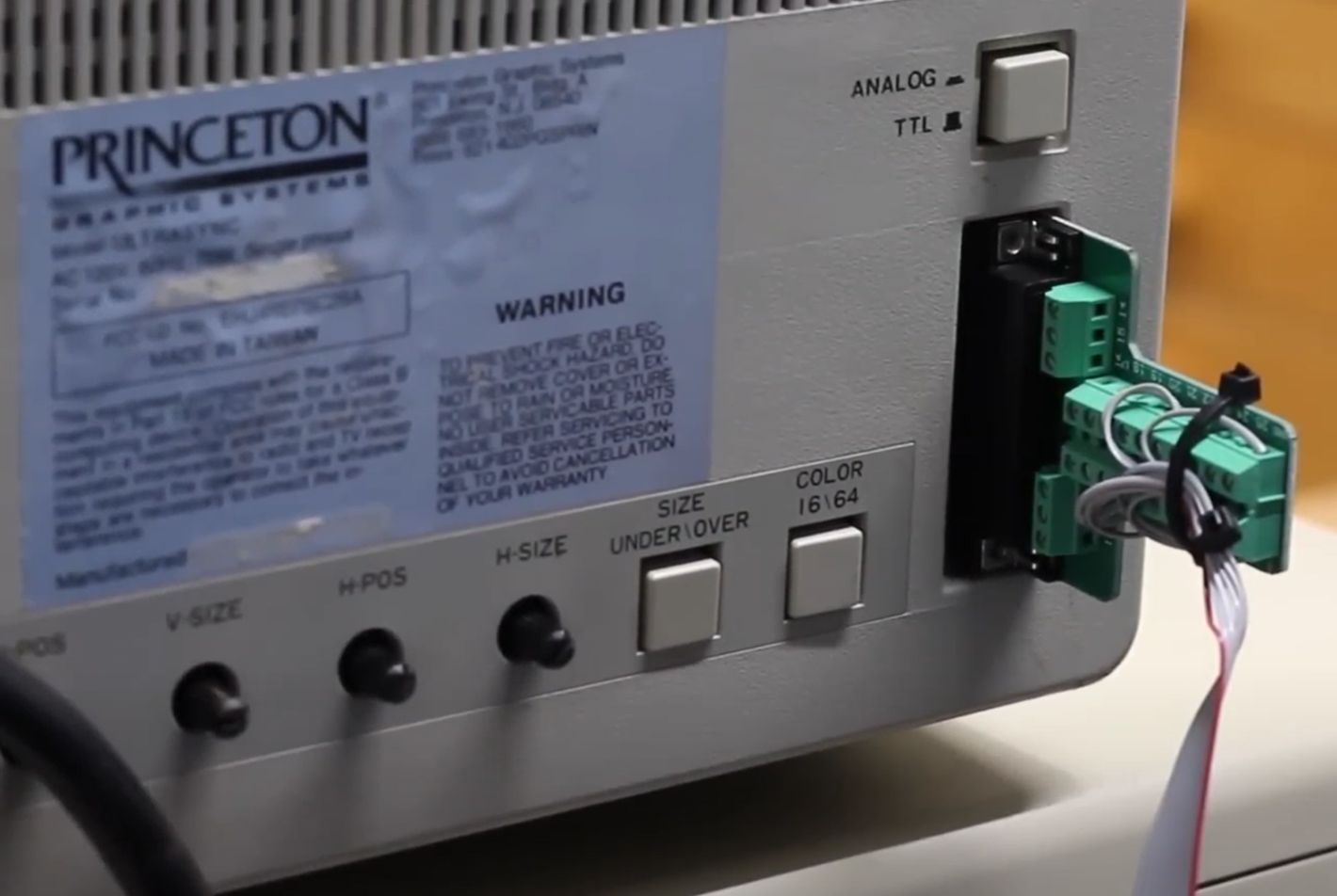
DEC Rainbow 100 to Princeton Ultrasync adapter. With strain-relief zip tie.

Unfortunately, the target monitor – a Princeton Ultrasync – featured a female DB25 connector that obviously wasn’t going to connect directly, thus requiring a spot of reverse engineering. Making this very easy, the PCB containing the input connector had the traces clearly marked with the intended signal, which just left the mapping of the two connectors. One complication here was with the Rainbow 100 outputting an RGB signal with sync-on-green, whereas the monitor expected a separate synchronization signal.

Fortunately, most analog monitors aren’t particularly fussy so long as they get the expected signal somewhere in the input, which just left the final issue, of the Rainbow 100 outputting the monochrome signal on a special monochrome pin. This allowed everything to work as it should, and leaving those of us who joined the computing era in the 90s appreciative of standard VGA cables, other than for those weird Sun and Apple systems with their proprietary connectors.

Continue reading “RGB Graphics On A DEC Rainbow With Reverse-Engineered Monitor”

The Neo6502 Is A Credit-Card Sized Retro Computer

The venerable MOS Technology 6502 turned up in all kinds of computers and other digital equipment over the years. Typically, it was clocked fairly slow and had limited resources, but that was just how things used to be. Today, the 6502 can run at an altogether quicker pace, and the Neo6502 was the board built to take it there.

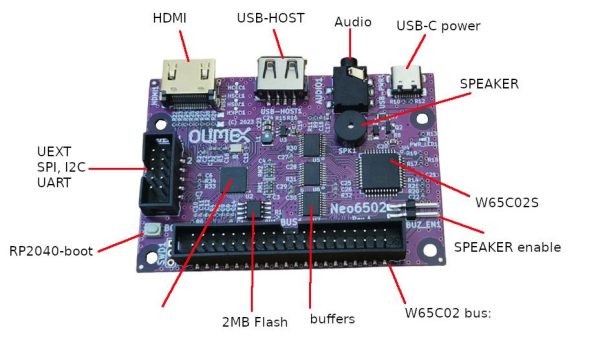
The Neo6502 from [Olimex] is a credit-card sized retro computer built around the W65C02. If you’re unfamiliar with that chip, it’s essentially a 6502 that can go fast. How fast? It can be readily overclocked to a blazing 16 MHz, if you’re so inclined!

Unlike some 6502 retro builds, the Neo6502 doesn’t live so firmly in the past. It’s outfitted with an HDMI video interface to make it easy to hook up to modern monitors, so you needn’t fuss around with old displays. Similarly, it has a USB host port to accept input from a keyboard, and audio out via a 3.5 mm jack. There’s also a tiny PCB-mount speaker, as well as I2C, SPI, and UART interfaces. Finally, there’s 2 MB of flash onboard, and a 40-pin connector hosting all the 6502 signals that you know and love. Which is all of them. Much of this lavish equipment comes courtesy of an RP2040 microcontroller onboard that handles all the bits and bobs that aren’t fit for the CPU itself.

It’s still a new project, with things like a BASIC interpreter currently in development and boards not yet openly available.  But, if you’ve always wanted to play with a hotshot 6502, this could be the board for you. Try out the emulator and see how you go.

Continue reading “The Neo6502 Is A Credit-Card Sized Retro Computer”

Linux On A Commodore 64

We are used to seeing Linux running on almost everything, but we were a bit taken aback to see [semu-c64] running Linux on a Commodore 64. But between the checked-out user name and the caveat that: “it runs extremely slowly and it needs a RAM Expansion Unit”, one can already start piecing together what’s happening here.

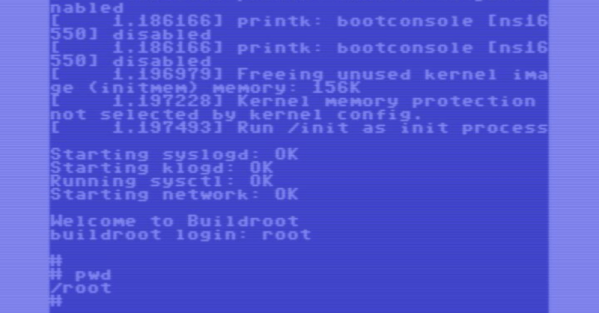
The machine running Linux is really a RISC-V32. It just so happens that the CPU is virtual, with the C64 pretending it is a bigger machine. The boot-up appears to take hours, so this is in no way practical, even though the comment is that optimization might be able to get a 10X speed up. It would still be about as slow as you can imagine.

To further add a layer of abstraction, the code hasn’t run yet on real Commodore hardware. Instead, it is running on an emulator. The emulator has “warp” mode to run faster than a real machine, and it is still slow. So think about that before you rush out to volunteer to boot this on your real hardware.

Tricks like this fall into the talking dog category. If a dog can talk, it isn’t that you think it will have something important to say. You just marvel that it can do it at all. Still, we get it. We spend a lot of time doing things at least as pointless. But at least it is fun!

Maybe emulate the whole thing in VR? Or maybe write some virtualization code for the C64 so you can emulate a Linux box and a quantum computer simultaneously.

Rocket Range Australia, 1950s Style

The Film and Sound Archive (NFSA) of Australia just released a digitized version of a 1957 film documentary on Australia’s rocket research back in the day ( see video below the break ). The Woomera test range is an isolated place about 500 km northwest of Adelaide ( 2021 population 132 ) and hosts a small village, an airstrip, and launch facilities. In the Salisbury suburb of Adelaide, a former WW2 munitions factory complex was repurposed as a research center for rockets and long range weapons.

The documentary showcases a wide variety of state-of-the-art technologies from the late 1950s. As ancient as those appear today, a lot of the basic concepts haven’t changed — careful choreography of the launch countdown sequence of events, the antenna and radio systems to receive and store rocket telemetry, photographic records of the rocket in flight, and post-flight analyses of everything to fix problems and improve your designs. They tried to do as much as possible at the Salisbury campus, because as the narrator notes, it’s expensive to work at the distant test range, a concept which is still a consideration today. There’s even a glimpse of the residents’ leisure life in the barren village. It was a different time, to say the least. Continue reading “Rocket Range Australia, 1950s Style”