Basking In The Vintage Glory Of InfoAge

Last weekend’s Maker Faire wasn’t only about the latest and greatest. Some of the groups there brought up the latest and greatest from earlier eras. InfoAge is a historical science and technology learning center based out of the former Camp Evans in Wall, New Jersey, and they really know how to put on a show using old technology.

I made it to two booths at Maker Faire claimed by members or associates of InfoAge. First up is the booth from MARCH, the Mid-Atlantic Retro Computing Hobbyists. They’ve got a PDP-8, a PDP-11/20, a few VAXxen, IBM mainframes, entire kilobytes of core memory, and enough C64s, TRS-80s, Commodore PETs, teletypes, and punch cards to get to the moon several times over.

The feature of MARCH’s booth was a nearly 100% accurate Apple I reproduction. Yes, the same computer built by hand by [the Steves] who later went on to found Apple Computers. In the video (above, and after the break), a MARCH member demonstrates booting BASIC from a cassette interface with the help of an iPod and typing in a simple program.

Next up are the guys from the radio technology museum at InfoAge. They decided to celebrate the 100th anniversary of [Edwin Armstrong]’s invention of the regenerative radio receiver.

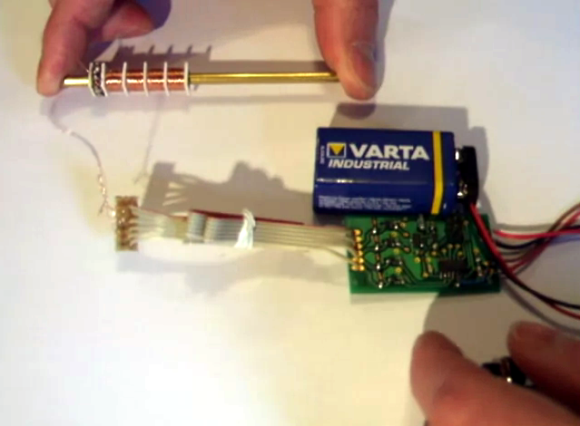
The regenerative radio receiver is an extremely simple device; it can be built out of baling wire and some variants use only one tube. In the video, [Al] shows off his recreation of a regenerative receiver with fancy olde tymie components that include a variable capacitor and a B cell battery (it’s a recreation using a bunch of 9 Volts, but yes, B batteries do exist).

It goes without saying that InfoAge is really cool, and certainly worth the visit if you’re ever in the area. Bonus: it’s only 20 miles away from where [Penzias] and [Wilson] earned their Nobel Prize for discovering the Big Bang.

Continue reading “Basking In The Vintage Glory Of InfoAge”

Giving Graphing Calculators A New Life

[youtube=http://www.youtube.com/watch?v=Um0IeGGdIRY&w=470]

[Christopher] at Cemetech, ever frequent HaD feature for his hacked up graphing calculators, made it to the NYC Maker Faire.

He already posted on his blog he was making the trip up to Maker Faire, but we were lucky enough to catch up with him. Two things: the name of his blog isn’t ‘cement tech’, but ‘chem tech.’ Apparently he hates it when it’s mispronounced.

Secondly, he’s been turning in the TI-83s for a Casio Prizm graphing calculator. In the video above he tells us he’s gotten a few homebrew games running on the Prizm, a Lua interpreter, and is currently working on digging around the operating system.

Mechanical Donkey Kong Features Laser Cut Mario

[Martin] just sent in a project he’s been working on that takes Donkey Kong out of the realm of pixels and sprites and puts our hero Mario into a world made of laser cut plywood.

This mechanical version of Donkey Kong uses an Arduino stuffed into an old NES to control Mario jumping over ball bearing ‘barrels.’ The game starts with 12 of these barrels ready to be thrown by our favorite gorilla antagonist, which Mario carefully dodges with the help of a pair of servos.

This is only the first iteration of [Martin]’s mechanical version of Donkey Kong. The next version will keep the clever means of notifying the player if Mario is crushed by a barrel – a simple magnet glued to the back of the Mario piece – and will be shown at the UK Maker Faire next year.

Although [Martin]’s ideas for a mechanical version of Donkey Kong aren’t fully realized with this build, it’s already a build equal to electromechanical Pong.

VFX1 Virtual Reality Headset LinkBox


[Kevin Mellott’s] take on the VFX1 was to update it so it can be used with modern computers requiring just a USB socket and VGA feed.

The VFX1 is a Virtual Reality Headset that hit the market in the first half of the 90’s. The headset was the first of its kind to hit the home market and was ahead of its time. The VFX1 was developed and marketed by Forte Technologies, who’s assets where purchased in 1997 by Vuzix who now produce modern day Video glasses with optional tracking system.

What [Kevin] has achieved is nothing more than remarkable. The original system required a massive ISA card and a link from this card to the Feature Connector on the display card. [Kevin] did away with the ISA card and FCON replacing it with what he calls the LinkBox. This LinkBox has serial or USB out and accepts stereo/mono VGA input or RGB.

The system can now be used with modern day computers including laptops. Those into VR should really check this out.

Continue reading “VFX1 Virtual Reality Headset LinkBox”

Ask Hackaday: Who Likes Retrocomputing?

Last week we posted a link to Project Kiwi, a homebrew Motorola 68008-based microcomputer built by [Simon] that includes Ethernet, a very good display adapter, an interface for IDE hard disks, two Commodore SID chips (for stereo chiptunes), a floppy disk controller, and an already existent software library that will make it very easy to develop your own software for this wonderful computer.

After thinking about [Simon]’s Project Kiwi for a while, I’ve been thinking there really hasn’t been a homebrew computer made that is so perfect for a proper Open Hardware release. There are more than enough peripherals in the computer to make development very fun. I’ve suggested doing a group buy to get Kiwi PCBs out into the wild and into the hands of other retrocomputer fanatics, but [Simon] would like a little more feedback.

Of course, this means turning to you, the wonderful Hackaday reader. Would any of you be interested in your own Kiwi microcomputer?

[Simon] tells me there are a lot of problems for turning the Kiwi microcomputer into a Open Hardware project. His prototype PCB cost €300, greatly reducing the number of people who would be interested in making their own Kiwi. Also, there are a few problems on the current PCB design (easily fixed for the next revision), and [Simon] would like to add a few features like DMA and a proper framebuffer.

Despite all those problems, I can’t see a better way to learn about computer architecture the hard way (i.e. 80’s microcomputers as opposed to futzing around with a Raspberry Pi). You’ll also get a really wonderful computer system that will show the power of 80s-era electronics, with the very hopeful goal of spreading the gospel of retrocomputing with the venerable Saint MC68000.

If you’d like to add your two cents – if having an Open Hardware 80s microcomputer is a good idea, or some technical requests such as adding a proper 68000 CPU to future designs, leave a note in the comments or on the forum [Simon] set up on his Kiwi page.

I think it’s a cool idea, but then again I’m probably blinded by how cool an 80s computer of this caliber is. The fate of this project is now in your hands.

ATtiny Controlled Magic Eye Tube

In the early days of broadcast radio, the most expensive radio sets were extremely impressive pieces of furniture. With beautifully crafted wooden cases polished to a high shine, these wireless receivers were the focal point of any family room. Some of the most expensive radio sets even included a visual indicator signaling the strength of the reception, something [Marcus] decided to re-engineer using an ATtiny85.

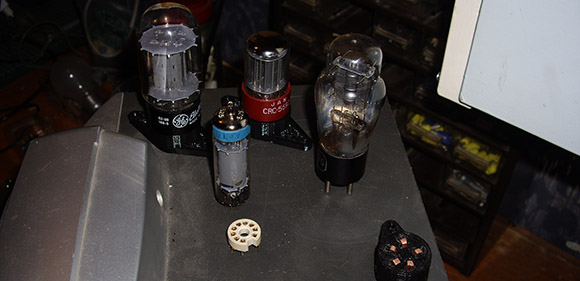
The display tube in question is an EM800 magic eye tube, used in radio sets, stereos, and electronic test equipment as a rudimentary display indicator. By applying a control voltage (from 0 to -10V), the illuminated display can be controlled like a bar graph display.

[Marcus]’ tube display is built around an ATtiny85 microcontroller, using a homemade PCB. It’s a fairly simple build, once the issue of supplying 250 Volts to the EM800’s anode is taken care of.

In the video after the break, you can see the bar display of [Marcus]’s magic eye tube slowly growing and receding, perfect for either displaying the current CPU load on your computer or anything else a dynamic bar graph display would be used.

Continue reading “ATtiny Controlled Magic Eye Tube”

Typewriter Is USB Keyboard, Also Awesome

If you’re a brooding author putting the finishing touches on the next Great American Novel™ while sipping a latte in Starbucks, a MacBook is far too common to impress uncultured proles guzzling caramel macchiatos. No, to impress the next [Joyce] or [T. S. Eliot] sitting at the table next to you, you’ll need something much more hip, like a kit to turn a typewriter into a USB keyboard.

This kit to turn an old Underwood into a USB keyboard comes from the drawing board of [Jack Zylkin], member of Philly hackerspace Hive 76. [Jack] managed to make the process of turning an old typewriter into a keyboard a relatively painless process.

[Jack] created a sensor board loaded up with 74HC595 shift registers that easily mounts to the frame of just about any typewriter. When a key on the typewriter is struck, the mechanical levers strike metal strips soldered to the sensor board. An ATMega microcontroller records these keypresses and sends them over a USB port just like any other USB keyboard.

Modifying a typewriter into a USB keyboard is one of those projects we’d dread; you’d think there would be far too much futzing about with a lot of small electrical contacts and dirty mechanical devices. [Jack] actually managed to put together a very nice kit to turn a typewriter into a keyboard here.

You can pick up a kit over at [Jack]’s etsy store, but doing the same thing with a bit of perf board isn’t out of the question. Awesome video after the break.

Continue reading “Typewriter Is USB Keyboard, Also Awesome”