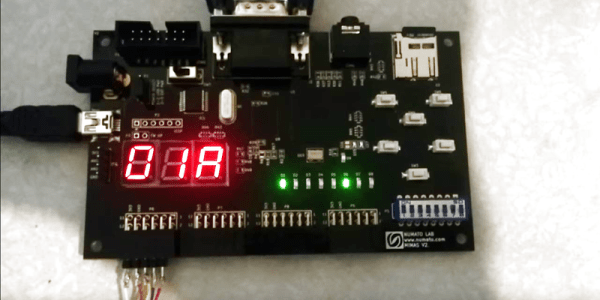
Lightweight Game Console Packs A Punch

Any maker worth their bits will look for new ways to challenge themselves. [Robert Fotino], a computer science student at the University of California, is doing just that: designing and building his own lightweight hobbyist game console that he has appropriately named Consolite.

[Fotino] wrote his own compiler in C++ that converts from C-like languages to a custom-designed assembler that he has dubbed Consolite Assembly. To test his code, he also wrote an emulator before loading it onto the Mimas V2 FPGA board. Presently, Consolite  uses 64KiB of main memory and 48 KiB of video memory; a future version will have 32 bit support to make better use of the Mimas’ 64 MiB of on board ram, but the current 16-bit version is a functional proof of concept.
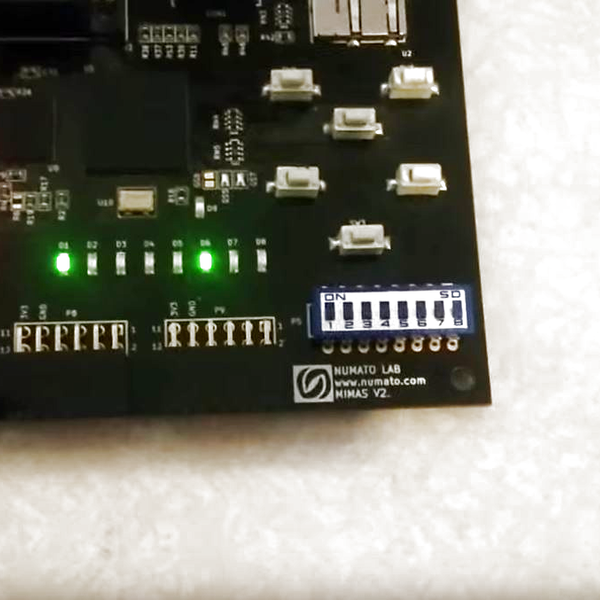
consolite-status-leds-and-hardware-switches_thumbnailAn SD card functions as persistent storage for up to 256 programs, which can be accessed using the hardware switches on the Mimas, with plans to add user access in the form of saving game progress, storage outside of main memory, etc. — also in a future update that will include audio support.

As it stands, [Fotino] has written his own versions of Breakout, Tetris, and Tron to show off his project.

Not wanting for diligence, [Fotino] has provided thorough documentation of nearly every step along the way in his blog posts and on GitHub if you are looking for guidelines for any similar projects you might have on the back burner — like an even tinier game console.

[via r/FPGA]
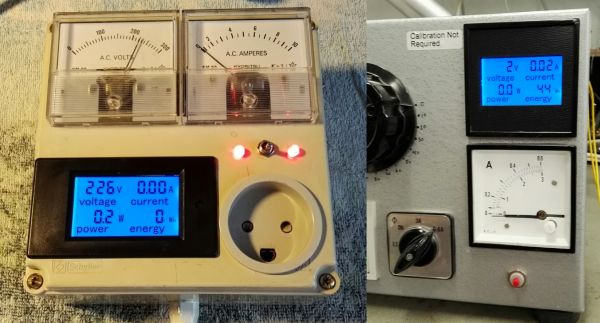
Put A Reverse Engineered Power Meter In Your Toolkit

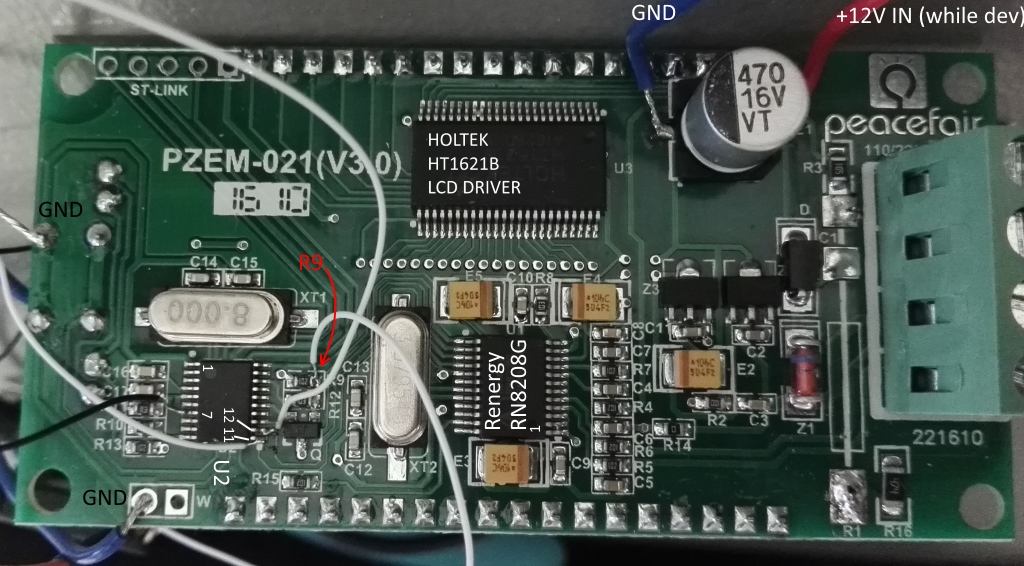
It seems that one can buy cheap power meters online and, well, that’s it. They work just fine, but to use them for anything else (like datalogging or control or…) they need a bit more work. The good news is that [Thomas Scherrer], alias [OZ2CPU], just did that reverse engineering work for us.

Inside these budget power meters, you’ll find an LCD driver, a power-monitoring chip, and an STM32F030, which is a low-cost ARM Cortex M0 chip that’s fun to play with on its own. [Thomas] traced out the SPI lines that the power-monitoring chip uses to talk to the microcontroller and broke in to snoop on the signals. Once he got an understanding of all the data, tossing an ATmega88 chip on the SPI line lets him exfiltrate it over a convenient asynchronous serial interface.

If you’re going to do this hack yourself, you should note that the internals of the power meter run at line voltage — the 3.3 V that powers the microcontroller floats on top of the 230 V coming out of [Thomas]’s wall plug. He took the necessary precautions with an isolation transformer while testing the device, and didn’t get shocked. That means that to get the serial data out, you’ll need to use optoisolation (or radio!) on the serial lines.

Now that we know how this thing works on the inside, it’s open-season for power-management hacks. Toss a mains socket and an ESP8266 in a box and you’ve got a WiFi-logging power meter that you can use anywhere, all for under $20. Sweet.

Capacitors Are Simple, Right?

It is easy to dismiss passive components like resistors and capacitors as a boring subject. [James Lewis] of KEMET Capacitors would disagree. He gave a talk about capacitor tech that is both approachable and in-depth.

Like every other component we use, we always think of them as perfect. But just like wires have resistance and inductance that we often ignore, capacitors have different imperfect characteristics that you need to be aware of.

Ceramic capacitors, for example, lose capacitance over time. Different ceramic material have different temperature sensitivity. Aluminum capacitors don’t last forever. Voltage applied to a capacitor can change its value as much as 50%.

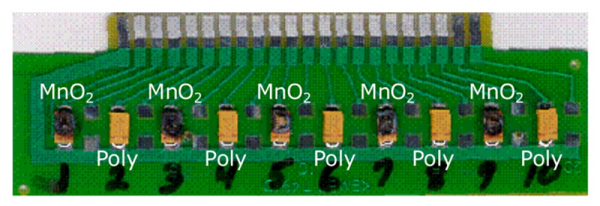
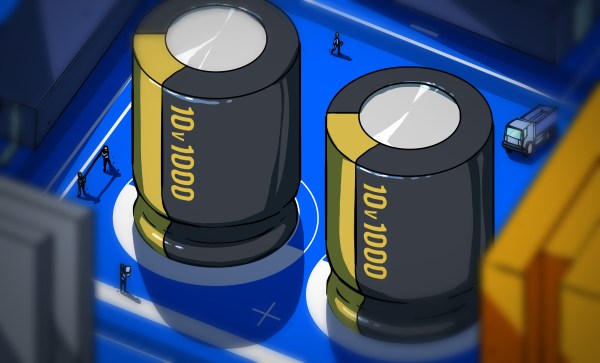
[James] also talks about polymer electrolytics and super capacitors. His burning question: Is there any truth to the old guideline that you should derate capacitors by 50%? Want to know what he thinks? Watch the video below. Speaking of burning, he tackles the touchy subject of tantalum capacitors. The image at the top is a test Kemet ran on their own parts at reverse polarity well beyond spec. All of them are blown but only some look burnt. That’s a mystery well worth watching the talk.

Continue reading “Capacitors Are Simple, Right?”

Voja’s EEPROM Emulator From 1991

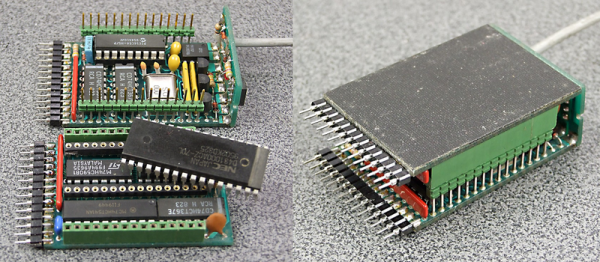
We’re glad we’re not the only hacker-packrats out there! [Voja Antonic] recently stumbled on an EPROM emulator that he’d made way back in 1991. It’s a sweet build, so take your mind back 25 years if you can. Put on “Nevermind” and dig into a nicely done retro project.

The emulator is basically a PIC 16C54 microcontroller and some memory, with some buffers for input and output. On one side, it’s a plug-in replacement for an EPROM — the flash memory of a bygone era. On the other side, it connects via serial port to a PC. Instead of going through the tedious process of pulling the EPROM, erasing and reprogramming it, this device uploads new code in a jiffy.

722351466362213815

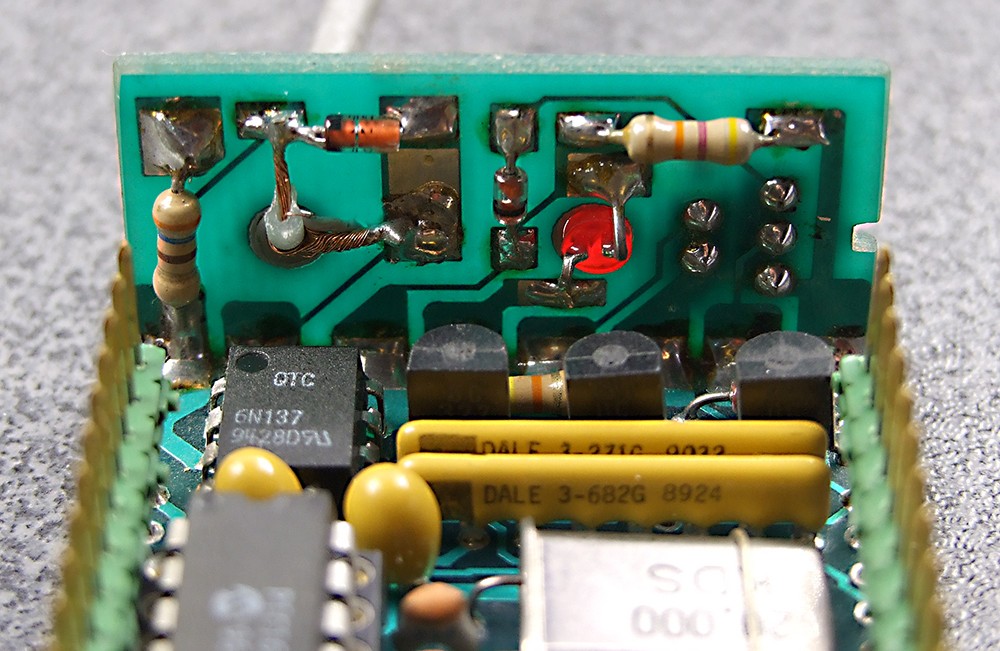
No need to emulate ancient EPROMS? You should still check out this build — the mechanics are great! We love the serial-port backplane that is soldered on at a 90° angle. The joint is a card-edge connector electrically, but also into a nice little box, reminiscent of [Voja]’s other FR4 fabrication tricks. The drilled hole with the LED poking out is classy. We’re never going to make an EPROM emulator, but we’re absolutely going to steal some of the fabrication techniques.

[Voja] is a Hackaday contributor, badge-designer, mad hacker, inspired clock-builder, and developer of (then) Yugoslavia’s first DIY PC.

Arcade Track-Mouse

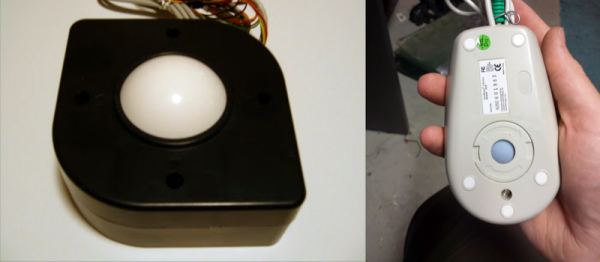
[Evan] always wanted a trackball for his arcade cabinet. It’s hard to play Missile Command with anything else, and Centipede with any other controller is just stupid. So he bought one, jury-rigged a mounting bracket for it, and then fried it by plugging the wiring harness in backwards. Doh!

But proving Edison’s famous statement that innovation is 1% inspiration and 99% having the right stuff in your junk bin, [Evan] dug deep and came out with one of twenty (!) old ball mice that he had purchased for just such an occasion. (Yeah, right.) Since a ball mouse is essentially an upside-down trackball, all that remained for him to do was reverse-engineer the mouse and swap its controller in for the busted trackball.

A simple hack, born of necessity, and well done. If you’re stuck with a crate of optical mice instead, consider turning them instead into optical laser rangefinders.

Capacitors Made Easy The Hackaday Way

If you build electronic circuits on a regular basis the chances are you will have used capacitors many times. They are a standard component along with the resistor whose values are lifted off the shelf without a second thought. We use them for power supply smoothing and decoupling, DC blocking, timing circuits, and many more applications.

Different capacitor applications. By Elcap (Own work) [CC0], via Wikimedia Commons
A capacitor though is not simply a blob with two wires emerging from it and a couple of parameters: working voltage and capacitance. There is a huge array of capacitor technologies and materials with different properties. And while almost any capacitor with the right value can do the job in most cases, you’ll find that knowing more about these different devices can help you make something that doesn’t just do the job, but does the best possible job. If you’ve ever had to chase a thermal stability problem or seek out the source of those extra dBs of noise for example you will appreciate this.

Continue reading “Capacitors Made Easy The Hackaday Way”

Hands-On With The BBC Micro:Bit

It’s been a long wait, but our latest single board computer for review is finally here! The BBC micro:bit, given free to every seventh-grade British child, has landed at Hackaday courtesy of a friend in the world of education. It’s been a year of false starts and delays for the project, but schools started receiving shipments just before the Easter holidays, pupils should begin lessons with them any time now, and you might even be able to buy one for yourself by the time this article goes to press.

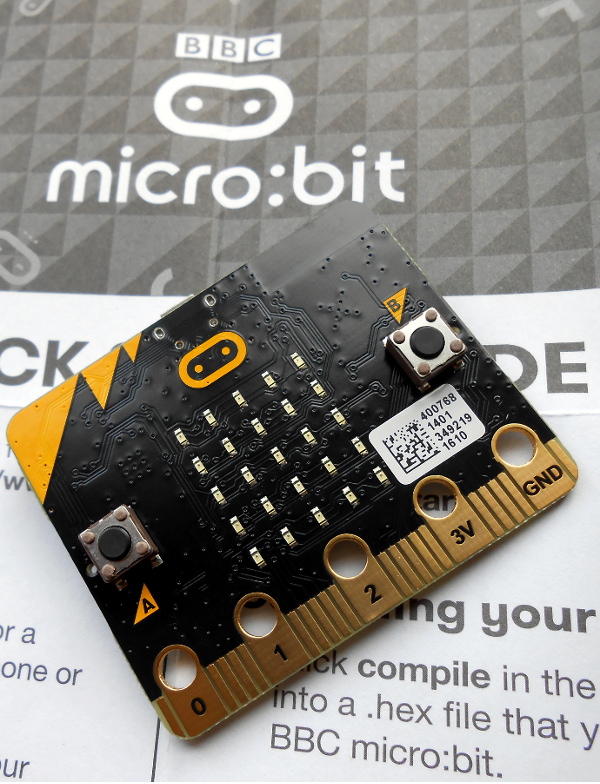
The micro:bit top view

It’s a rather odd proposition, to give an ARM based single board computer to coder-newbie children in the hope that they might learn something about how computers work, after all if you are used to other similar boards you might expect the learning curve involved to be rather steep. But the aim has been to position it as more of a toy than the kind of development board we might be used to, so it bears some investigation to see how much of a success that has been.

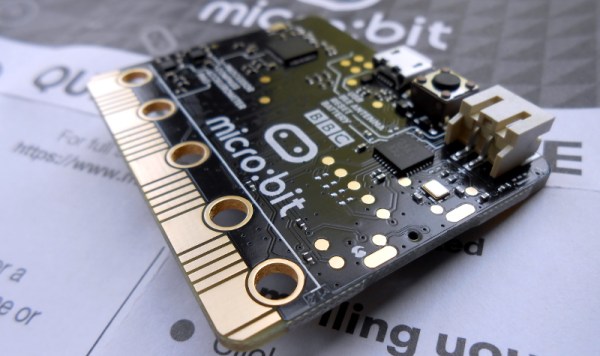
Opening the package, the micro:bit kit is rather minimalist. The board itself, a short USB lead, a battery box and a pair of AAA cells, an instruction leaflet, and the board itself.  Everything is child-sized, the micro:bit is a curved-corner PCB about 50mm by 40mm. The top of the board has a 5 by 5 square LED matrix and a pair of tactile switches, while the bottom has the surface-mount processor and other components, the micro-USB and power connectors, and a reset button. Along the bottom edge of the board is a multi-way card-edge connector for the I/O lines with an ENIG finish. On the card edge connector several contacts are brought out to wide pads for crocodile clips with through-plated holes to take 4mm banana plugs, these are the ground and 3V power lines, and 3 of the I/O lines.

Continue reading “Hands-On With The BBC Micro:Bit”