Adding An LCD Screen Terminal For TP-Link Routers

Routers running embedded Linux offer quite a bit of power depending on what you need to do. To extend the usefulness of his TP-Link router [Roman] built a rig that adds an LCD screen to display the terminal. But it ended up being quite a bit more powerful than that.

The first portion of the project was to build a USB video card for the display. [Roman] went with an STM32 development board which resolves the USB device end with the QVGA screen driver (translated). This seems like it would be the lion’s share of the project, but he still needed a driver on the router to interface with the device. This thrust him into the world of USB-class drivers (translated). It even included building graphics support into the kernel of OpenWRT. The final piece of the puzzle was to write a frame buffer (translated) that would help regulate the output to the screen. The result works so well he is even able to play games using ScummVM. See for yourself in the clip after the break.

Continue reading “Adding An LCD Screen Terminal For TP-Link Routers”

Is Entropy Slowing Down Your Android Device?

071210_1705_AndroidDev11.jpg

[Lambgx02] got tired of his Android device getting bogged down and decided to dig down to the cause of the issue. His investigation led him to believe that entropy is causing the slowdown. He believes that his workaround reduces 90% of the lag on the average Android device.

So how is it possible that entropy is causing the problem? It seems there is a bottleneck when an app requests a random number from the Linux kernel running at the lowest level of the device. Android is set up to use /dev/random for all random number requests, but [Lambgx02] says that location has a very shallow pool of numbers available. When they run out the kernel has to reload with a new seed and this is blocking the app that requested the data from continuing.

His solution was to write his own app that seeds /dev/random once every second using a number from /dev/urandom. He mentions that this might cause a security vulnerability as seeding the random data in this way is not quite as random. There may also be issues with battery life, so make sure to monitor performance if you give it a try.

[via Reddit]

Dedicated Pandora Player Plus AirPlay Built Around The Raspberry Pi

rpi-pandora-radio

[Shaun Gehring] wanted an Internet radio player. Although he did have some troubles along the way, the final project turned out very well. Housed inside this case which used to house a spindle of bland CDs is a Raspberry Pi that plays Pandora radio and serves as an AirPlay receiver.

The GPIO header of the RPi makes this project a lot easier. [Shaun] used Adafruit’s breakout board to solder connections for the six buttons and the character LCD screen. Plug some speakers into the audio jack and the hardware end of the deal is finished. The software side of things is very similar to the BeagleBone Pandora player we looked at in September. It uses a Linux distribution (Rasbian Weezy) and the Pianobar package.

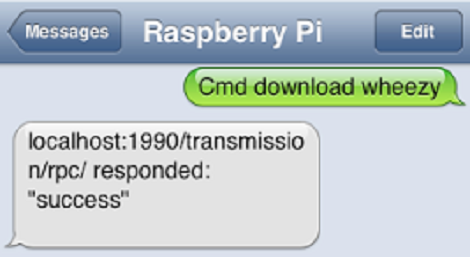
Pianobar is very versatile. You can control it using a First-In First-Out file. Once [Shaun] figured out how to use mkfifo to set up the file, he was able to control it from a script by monitor button presses and echoing the associated command to the FIFO. The finishing touch was to add AirPlay support via the shairport package.

Breaking The New Neo Geo Handheld Wide Open

neo

In case you weren’t aware, there’s a new Neo Geo console on the block. It’s called the Neo Geo X and brings back more than a few pains of nostalgia for classic arcade games of the 90s. After receiving their brand new Neo Geo portables, members of the Neo Geo forum decided to do a teardown on one of their newest consoles and found something interesting: this thing was made for hacking.

Officially, the Neo Geo X will get new games released on SD cards. The first run of these consoles – the gold edition – have 20 games preloaded onto the system convientently stored on a microSD card buried underneath the screen. After looking at this microSD card, forum user [Lectoid] discovered the 20 preloaded games and the bios for the system, all completely unlocked and ready for hacking.

Already a few forum members have  the AES Unibios running on this tiny portability Neo Geo, giving them the capability to play every Neo Geo game ever made. Since the Neo Geo X uses the same processor as some other handhelds, there’s great hope for completely unlocking this new console and running emulators on it.

Leveraging The GPU To Accelerate The Linux Kernel

Powerful graphics cards are pretty affordable these days. Even though we rarely do high-end gaming on our daily machine we still have a GeForce 9800 GT. That goes to waste on a machine used mainly to publish posts and write code for microcontrollers. But perhaps we can put the GPU to good use when it comes compile time. The KGPU package enlists your graphics card to help the kernel do some heavy lifting.

This won’t work for just any GPU. The technique uses CUDA, which is a parallel computing package for NVIDIA hardware. But don’t let lack of hardware keep you from checking it out. [Weibin Sun] is one of the researchers behind the technique. He posted a whitepaper (PDF) on the topic over at his website.

Add this to the growing list of non-graphic applications for today graphics hardware.

UPDATE: Looks like we won’t be trying this out after all. Your GPU must support CUDA 2.0 or higher. We found ours on this list and it’s only capable of CUDA 1.0.

[Thanks John]

Discrete 6502 Processor Sucked Into Linux By A BeagleBone

Often when we see projects using embedded Linux we think of them as not being hardware hacks. But this is a horse of an entirely different color. [Matt Porter] is leveraging a little known feature to directly access a 6502 processor from inside a Linux environment. In other words, this hack lets you write code for a 6502 processor, then load and execute it all from the same Linux shell.

The project leverages the best parts of the BeagleBone, which is an ARM development board running embedded Linux. It’s got a lot of GPIO pins that are easy to get via the boards pin sockets. And the design of the processor makes it fast enough to work well as a host for the 6502 chip. Which brings us back to how this is done. The Linux kernel has support for Remote Processors and that’s the route [Matt] traveled. With everything wired up and a fair amount of kernel tweaking he’s able to map the chip to the /dev/bvuart directory. If you want all the details the best resource is this set of slides (PDF) from his talk at Embedded Linux Conference – Europe.

This is one way to get out of all that hardware work [Quinn Dunki] has been doing to build her own computer around a 6502 chip.

[Thanks Andrew via Dangerous Prototypes]

Python Script Lets You Monitor Multiple Serial Devices At Once

Not knowing what’s going on inside of your electronics projects can make it quite difficult to get the bugs out. [John] was bumping up against this problem when working on wireless communications between several devices. At just about the same time his friend came up with a script with lets you monitor multiple serial devices in one terminal window.

We’re used to using minicom, a Linux package that does the job when working with serial connections of all kinds. But [John] is right, we’re pretty sure you can only connect to one device per minicom instance. But [Jim’s] Python serial terminal (available in this git repository) allows you to specify multiple devices as command line arguments. You can even use wildcards to monitor every USB connection. The script then automatically chooses a different color for each device.

The image above is from [John’s] wireless project. Even without any other background this shows how easy it is to debug this way rather than tab back and forth between windows which gets confusing very quickly.