Voltage Monitor Relay Is More Than Meets The Eye

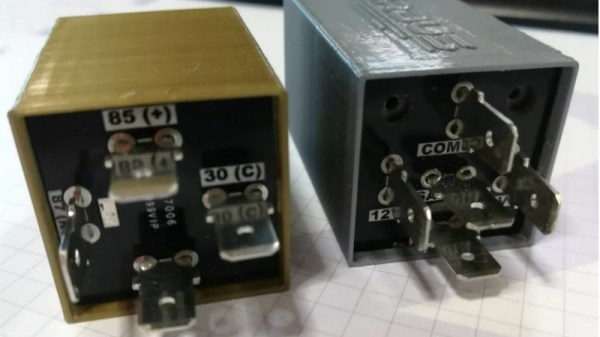
Automotive components that have a hidden secondary function are usually limited to cartoons and Michael Bay movies, but this project that [Jesus Echavarria] created for a client is a perhaps as close as we’re likely to get in the near future. The final product certainly looks like a standard automotive relay, but a peek inside the 3D printed case reveals a surprisingly complex little device. It’s still technically a relay, but it uses a PIC microcontroller to decide when it should activate.
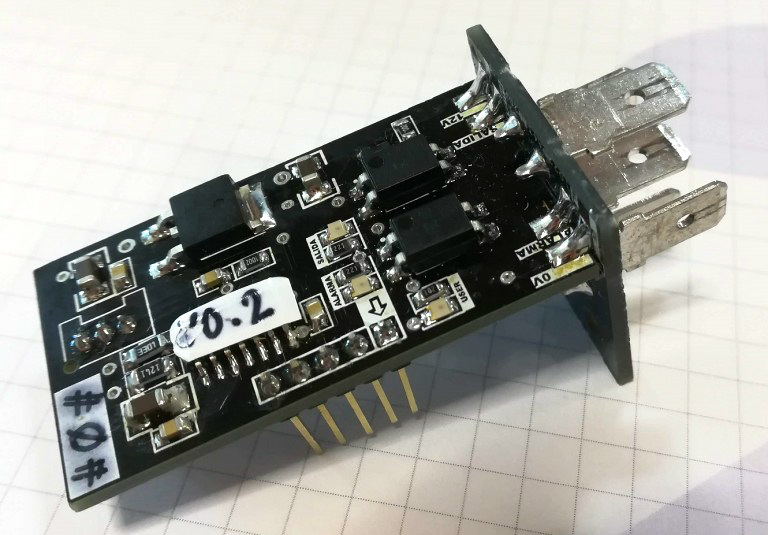
[Jesus] was given the task of creating a device that would fit into the relay box of a vehicle, and serve as a battery monitor to fire off at different voltage set points. The client also wanted the ability to configure such things as how long the device would wait before enabling and disabling the alarms once the voltage threshold has been passed. After showing the client an oversize prototype using a PIC16F88 and switching regulator, he got the OK to move on to a smaller and more cost-effective version.

The final hardware makes use of a 78M05 500 mA linear regulator, a PIC16F1824 microcontroller, and a pair of AQY211EH solid state relays. The standard five pin layout used for automotive relays allows the monitor to get power from the vehicle’s battery while providing two output channels that can be switched on and off from the microcontroller. [Jesus] says an agreement with the client prevents him from sharing some elements of the project (like the firmware source code), but he gives enough information that it shouldn’t be too hard to spin up your own version.

With the addition of something like an ESP8266, this could be an easy way to retrofit an older vehicle with “smart” features. As an example, it could potentially allow for controlling the car’s headlights and horn over Wi-Fi. Or you could hack together a theft deterrent system that refuses to power on the starter or fuel pump unless your smartphone enables the relay first.
ESP8266 Internet Controlled LED Dimmer

There’s no shortage of debate about the “Internet of Things”, largely centered on security and questions about how much anyone really needs to be able to turn on their porch light from the other side of the planet. But while many of us are still wrestling with the realistic application of IoT gadgets, there’s undoubtedly those among us who have found ways to put this technology to work for them.

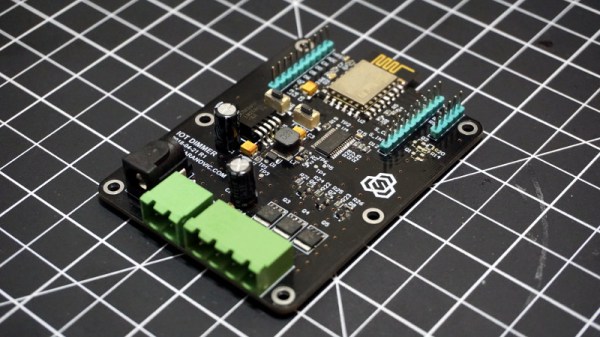
One such IoT devotee is [Sasa Karanovic], who writes in to tell us about his very impressive custom IoT LED dimmer based on the ESP8266. Rather than rely on a commercial lighting controller, he’s designed his own hardware and software to meet his specific needs. With the LED strips now controllable by any device on his network, he’s started working on Python scripts which can detect what he’s doing on his computer and react accordingly. For example, if he’s watching a movie the lights will automatically dim, and come back up when he’s done.

[Sasa] has provided all the files necessary to follow in his footsteps, from the Gerber files for his PCB to the Arduino code he’s running on the ESP. The source code is especially worth checking out, as he’s worked in a lot of niceties that we don’t always see with DIY projects. From making sure the ESP8266 gets a resolvable DNS hostname on the network to using websockets which update all connected clients with status info in real-time, he’s really put a lot of work into making the experience as complete as possible.

He’s explains in his blog post what needs to be edited to put this code to work in your own environment, and there’s even some descriptive comments in the code and a helpful debug mode so you can see how everything works. It’s always a good idea to consider that somebody else down the road might be using your code; taking a few minutes to make things clear can save them hours of stumbling around in the dark.

If you need more inspiration for your ESP8266 lighting project, check out this ambient lighting controller for a kid’s room, or this professional under-cabinet lighting controller.

Grbl Ported To The ESP32

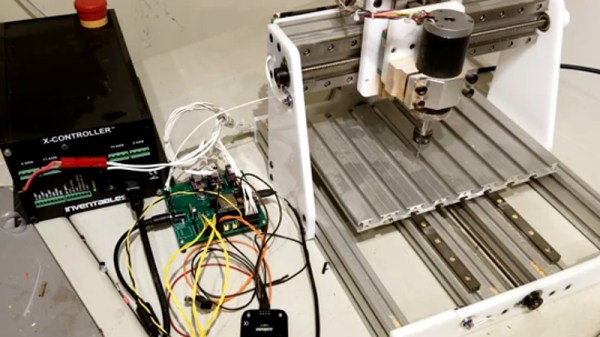
If you’re building a CNC or laser, there’s an excellent chance you’ll be using Grbl to get moving. It’s also a pretty safe bet you’d end up running it on some variation of the Arduino sitting in a motor controller breakout board. It’s cheap, easy to setup and use, and effectively the “industry” standard for DIY machines so there’s no shortage of information out there. What’s not to love?

Well, quite a few things in fact. As [bdring] explains, Grbl pushes the capability of the Arduino to the very limit; making it something of a dead-end for future development. Plus the Arduino needs to be plugged into the host computer via USB to function, a rather quaint idea to many in 2018. These were just some of the reasons he decided to port Grbl to the ESP32 board.

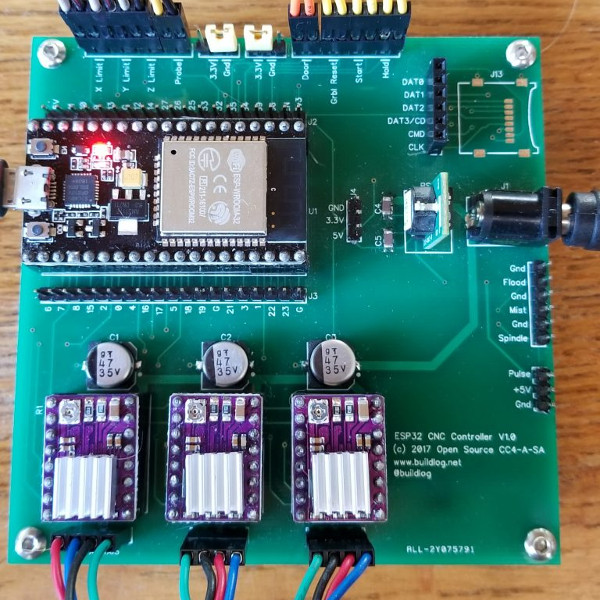
Price wise the Arduino and ESP32 are around the same, but the ESP does have the advantage of being much more powerful than the 8-bit Italian Stallion. Its got way more flash and RAM as well, and perhaps most importantly, includes Wi-Fi and Bluetooth out of the box. It still needs to be plugged into a board to hold the motor drivers like the Arduino, but beyond that [bdring] opines the ESP32 is about as close to the perfect Grbl platform as you can get.

[bdring] reports that porting the code over to the ESP32 wasn’t terrible, but it wasn’t exactly a walk in the park either. The bulk of the code went by without too much trouble, but when it came to the parts that needed precise timing things got tricky. The ESP32 makes use of a Real Time Operating System (RTOS) that’s not too happy about giving up control of the hardware. Turning off the RTOS was an option, but that would nuke Bluetooth and Wi-Fi so obviously not an ideal solution. Eventually he figured out how to get interrupts more or less playing nicely with the RTOS, but mentions there’s still some more work to be done before he’s ready to release the firmware to the public.

If you’ve been browsing Hackaday for a while you may remember [bdring]. He’s got a real knack for making things move, and has created a number of fantastic little CNC machines recently which have definitely caught our eye.

[Thanks to Jon and Craig for the tip.]

Continue reading “Grbl Ported To The ESP32”

ESP8266 Zelda Heart Responds To Tweets

It might not be enough to make you the Hero of Time, but this piece of Hylian interactive art would still be a worthy addition to your game room. [Jeremy Cook] writes in to tell us about how he put together this 8-bit style heart display, and goes into enough detail on the hardware and software sides of things that you shouldn’t have any problem adapting his design for your own purposes.

The build is pretty simple overall but it does assume you have a CNC to cut the basic shape out of MDF. You could cut the shape by hand if you had to, but if you don’t have a CNC the next best thing might be to 3D print the case. You’d potentially have to print it in two parts right down the center though, depending on how big your bed is. Whichever way you create the case, you’ll then need to cut the shape out of a piece of acrylic to make the face.

In any event, once the pieces are cut out [Jeremy] adds in a Wemos D1 Mini, a power supply, and some red LED strips. He provides a wiring diagram, but it’s fairly straightforward stuff. With a couple of 2N2222 transistors he controls the LED strips right from the digital pins of the ESP8266.

The software side is setup to be controlled via IFTTT by way of Adafruit.io. When IFTTT sees one of the keywords on Twitter, it passes a message to Adafruit.io which ultimately talks to the ESP8266 and gets the heart going. The software supports three states (on, off, and half) and gives a good example of a basic IoT implementation on the ESP8266 if you’re looking for some inspiration.

This hack seems like it would fit in perfectly with the Zelda home automation project we covered last year.

A Super Simple ESP8266 IOT Motion Sensor

It’s really hard to overstate how awesome ESP8266 development boards like the Wemos D1 Mini really are. For literally a couple of dollars you can get a decently powerful Wi-Fi enabled microcontroller that has enough free digital pins to do some useful work. Like the Arduino and Raspberry Pi before it, the ESP8266 is a device that’s opening up whole new areas of hacking and development that simply weren’t as practical or cost-effective as previously.

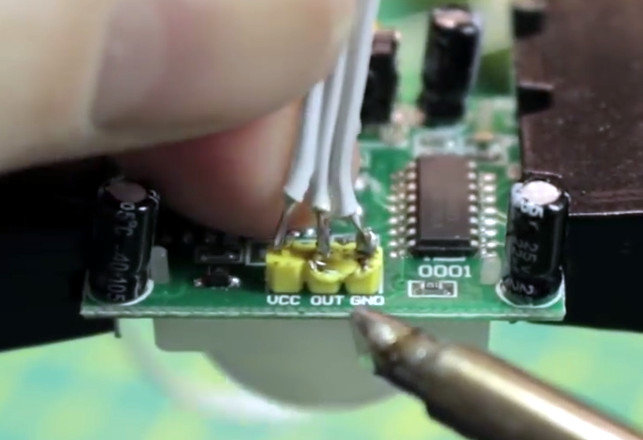
As a perfect example, take a look at this stupendously simple Internet-connected motion detector that [Eric William] has come up with. With just a Wemos D1 Mini, a standard PIR sensor, and some open source code, you can create a practical self-contained motion sensor module that can be placed anywhere you want to keep an eye on. When the sensor picks up something moving, it will trigger an IFTTT event.

It only takes three wires to get the electronics connected, but [Eric] has still gone ahead and provided a wiring diagram so there’s no confusion for young players. Add a 3D printed enclosure from Thingiverse and the hardware component of this project is done.

Using the Arduino Sketch [Eric] has written, you can easily plug in your Wi-Fi information and IFTTT key and trigger. All that’s left to do is put this IoT motion sensor to work by mounting it in the area to be monitored. Once the PIR sensor sees something moving, the ESP8266 will trigger IFTTT; what happens after that is up to you and your imagination. In the video after the break, you can see an example usage that pops up a notification on your mobile device to let you know something is afoot.

With its low cost and connectivity options, the ESP8266 is really the perfect platform for remote sensing applications. Though to give credit where credit’s due, this still isn’t the simplest motion sensor build we’ve seen.

Continue reading “A Super Simple ESP8266 IOT Motion Sensor”

Energy Harvesting Design Doesn’t Need Sleep

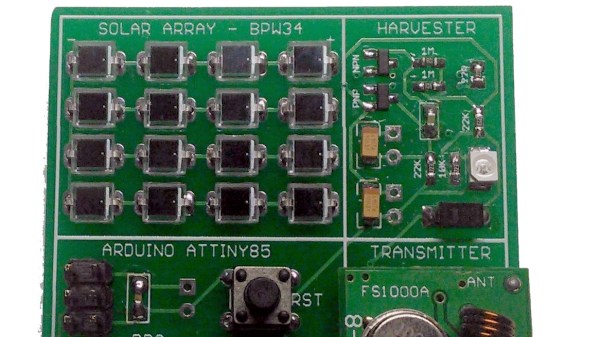
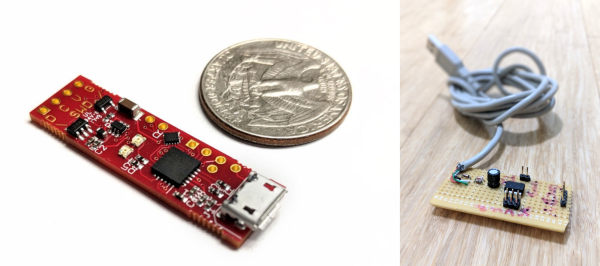
Every scrap of power is precious when it comes to power harvesting, and working with such designs usually means getting cozy with a microcontroller’s low-power tricks and sleep modes. But in the case of the Ultra Low Power Energy Harvester design by [bobricius], the attached microcontroller doesn’t need to worry about managing power at all — as long as it can finish its job fast enough.

The idea is to use solar energy to fill a capacitor, then turn on the microcontroller and let it run normally until the power runs out. As a result, a microcontroller may only have a runtime in the range of dozens of microseconds, but that’s just fine if it’s enough time to, for example, read a sensor and transmit a packet. In early tests, [bobricius] was able to reliably transmit a 16-bit value wirelessly every 30 minutes using a small array of photodiodes as the power supply. That’s the other interesting thing; [bobricius] uses an array of BPW34 photodiodes to gather solar power. The datasheet describes them as silicon photodiodes, but they can be effectively used as tiny plastic-enclosed solar cells. They are readily available and can be arranged in a variety of configurations, while also being fairly durable.

Charging a capacitor then running a load for a short amount of time is one of the simplest ways to manage solar energy, and it requires no unusual components or fancy charge controllers. As long as the load doesn’t mind a short runtime, it can be an effective way to turn even indoor light into a figuratively free power source.

CortexProg Is A Real ARM-Twister

We’ve got a small box of microcontroller programmers on our desktop. AVR, PIC, and ARM, or at least the STMicro version of ARM. Why? Some program faster, some debug better, some have nicer cables, and others, well, we’re just sentimental about. Don’t judge.

[Dmitry Grinberg], on the other hand, is searching for the One Ring. Or at least the One Ring for ARM microcontrollers. You see, while all ARM chips have the same core, and thus the same SWD debugging interface, they all write to flash differently. So if you do ARM development with offerings from different chip vendors, you need to have a box full of programmers or shell out for an expensive J-Link. Until now.

[Dmitry] keeps his options open by loading up the flash-specific portion of the code as a plugin, which lets the programmer figure out what chip it’s dealing with and then lookup the appropriate block size and flash memory procedures. One Ring. He also implements a fast printf-style debugging aid that he calls “ZeroWire Trace” that we’d like to hear more about. Programming and debugging are scriptable in Lua, and it can do batch programming based on reading chip IDs.

You can build your own CortexProg from an ATtiny85, two diodes, and two current-limiting resistors: the standard V-USB setup. The downside of the DIY? Slow upload speed, but at least it’ll get you going. He’s also developed a number of fancier versions that improve on this. Version four of the hardware is just now up on Kickstarter, if you’re interested.

If you’re just using one vendor’s chips or don’t mind having a drawer full of programmers, you might also look into the Black Magic Probe. It embeds a GDB server in the debugger itself, which is both a cool trick and the reason that you have to re-flash the programmer to work with a different vendor’s chips. Since the BMP firmware is open, you can make your own for the cost of a sacrificial ST-Link clone, about $4.

On the other hand, if you want a programmer that works across chip families, is scriptable, and can do batch uploads, CortexProg looks like a caviar programmer on a fish-bait budget. We’re going to try one out soon.

Oh and if you think [Dmitry Grinberg] sounds familiar, you might like his sweet Dreamcast VRU hack, his investigations into the Cypress PSOCs, or his epic AVR-based Linux machine.