Python Maps Mouse Movements On An LED Matrix

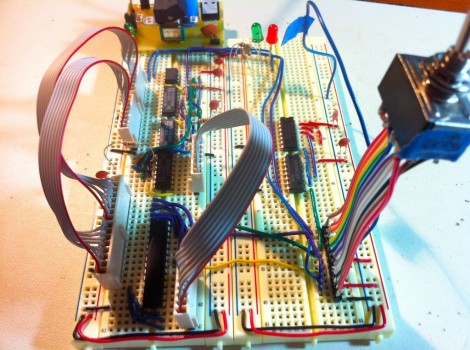
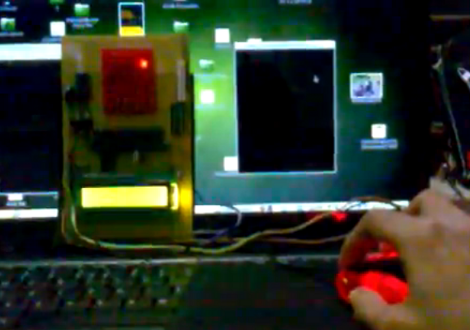
[Vinod Stanur] is working with a mouse input and a microcontroller driven LED matrix. The mouse cursor is tracked inside of a window by Python and the resulting coordinates on the LED grid are illuminated. He calls it an LED matrix “Paint Toy” because one of the features he’s included lets the user create pixel art like in MS Paint.

The 10×8 grid of lights is controlled by a PIC 16F877A. This display orientation is perfect for the 8-bit controller, which uses an array of ten bytes to keep track of the pixel data. A computer running his Python application (which uses the Pygame module to track the mouse movements) communicates with the display board via an RF connection. Five bytes plus a stop character make up the communication packet. The first two bytes contain the coordinates of the cursor, the other three bytes contain mouse button status.

As you can see in the demo after the break, the system is very responsive. The mouse can be moved quickly without latency issues, and if the cursor leaves the tracking window it gets picked up right away when it re-enters.

Continue reading “Python Maps Mouse Movements On An LED Matrix”
Tool Box Light Dimmer Helps Out A Friend, Offers Up Design Tips

toolbox-lighting

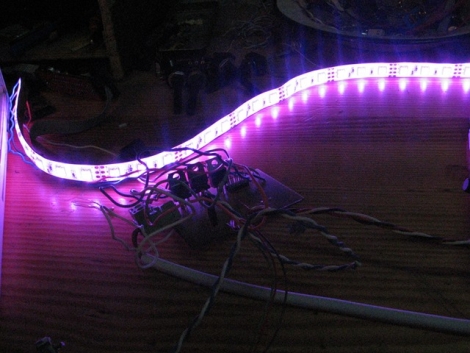
[miceuz] has a friend that works as a theatre technician, and in the course of his job he often needs to jigger with various stage components while shows are in progress. As you can imagine, the lighting situation is far from ideal, so he asked [miceuz] to build him an adjustable lighting solution for his tool box.

The circuit itself is relatively straightforward, using an ATMega88 to provide the PWM required for dimming and color control. Input is taken from three different sources, a rotary encoder for color selection, a pot for brightness control, and a button to turn the light strip on and off.

[miceuz] says that while project came together pretty easily, it still presented some issues along the way which provide some useful design reminders for beginners (and some veterans) alike.

First and foremost: debounce, debounce, debounce. [miceuz] forgot this mantra and made a mad dash to add capacitors to his design after etching the PCB to ensure that his inputs were not bouncing all over the place. He also noted that one should always be sure to read the ADCL before the ADCH register when decoding ADC data. His final observation is that using thick traces is the best policy whenever possible – he ran into a lot of issues with traces detaching during assembly, which he had to rework with wire and solder.

In the end, his friend was happy with the result, and [miceuz] is a better hacker for having worked through his issues. What sorts of important/useful lessons have you learned through the course of your projects? Be sure to share them with us in the comments.

Building An EEPROM Programmer

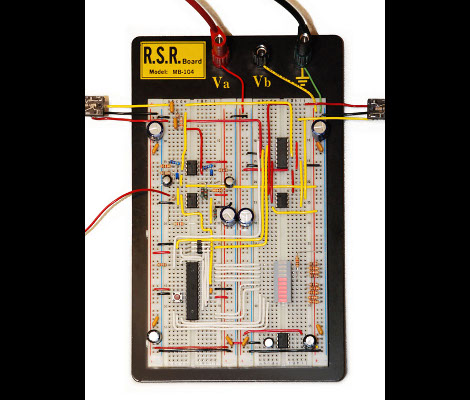
Behold this ATtiny85 based EEPROM programmer. It seems like a roundabout way of doing things, but [Quinn Dunki] wanted to build to her specifications using tools she had on hand. What she came up with is an ATtinyISP USB programmer, pushing data to an ATtiny85, which then programs an EEPROM chip with said data.

The hardware is the next module for her Veronica 6502 computer build. When we last saw that project [Quinn] was planning to add persistent storage for the operating firmware. This will be in the form of an EEPROM programmed with this device. Using ISP and an ATtiny as a go-between means that she should have no problems reflashing the OS without removing the chip. But it all depends on how she designs the interface.

For example, she blew a whole bunch of time troubleshooting the device because garbage data was being written to the chip. In the end, having her manual bus programmer hooked up during the flashing operation was the culprit. Lesson learned, it’s onward and upward with the build.

We’ve been featuring [Quinn’s] projects a lot lately. That’s in part because they’re really interesting, but also because she does such a great job of documenting her experience.

Microcontroller Based Audio Volume Level Compressor

In an effort listen to his music on shuffle without the need to touch the volume knob [Mike] build his own automatic volume leveling hardware. He knows what you’re thinking right now: there’s software to do that for you. But building the feature in hardware is a great stepping off point for a project.

He started the prototype using LabVIEW along with a Mobile Studio development board and a Bus Pirate. This project will be a mix of digital and analog components and it’s a bit easier starting off the exploration with these tools rather than jumping right into the AVR code.

The circuit will sample the incoming audio, modify it accordingly, and output the result. The output side is where the Bus Pirate really shines. He’s using some MCP42010 digital potentiometer chips to make the necessary changes to the levels. They communicate via SPI and it’s nice to have the Bus Pirate’s terminal to issue commands without the need to reflash a microcontroller.

[Mike] made a video showing an audio waveform with and without the hardware leveling. Sound quality is still great, and each clip is played at a reasonably comfortable listening level. We’ve embedded that demonstration after the break.

Continue reading “Microcontroller Based Audio Volume Level Compressor”

Using A Touch Screen With An STM32 Microcontroller

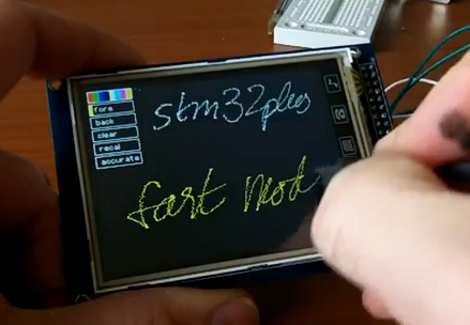
[Andy Brown] has been working on a series of tutorials revolving around the STM32 processor family. He’s using the STM32plus development board, with an STM32F1 ARM Cortex M3 processor to drive a couple of different full color graphic LCD screens. His latest installment shows how to read from the touch screen included with both displays.

After the break we’ve embedded the video from which this screenshot was taken. As an example, [Andy] has programmed a painting program to show off what the touchscreen overlay is capable of. It starts off with the calibration routine we’re all familiar with, then drops to this screen with a virtual control panel and blank canvas.

This hardware uses the Texas Instruments ADS7843 controller, which [Andy] says is extremely common and that several other manufacturers use the same communications protocols. He discusses how to communicate with the controller, and how to incorporate the data into your program. Included is an open source library which you can use in your own projects.

Continue reading “Using A Touch Screen With An STM32 Microcontroller”

Giving The Hexbug Spider Freedom To Explore On Its Own

hexbug-hack

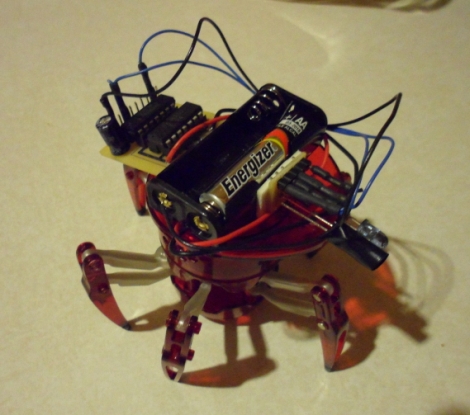
[Eric Gregori] recently spent some time messing around with a Hexbug Spider, and wrote in to share some modifications he made to the toy. In its unaltered form the robot can be controlled remotely, and while it’s fun to play with, the excitement is short lived. Using a TI MSP430 along with a small motor controller kit he put together, he gave the Hexbug a bit more personality.

The kit is really just a simple board used for mounting the MSP430 and FAN8200 motor driver, along with an IR emitter/sensor pair. It would be easy enough to put something similar together yourself, though if you are looking for a protoboard/deadbug/PCB etching-free solution, his Spider Hack kit is a quick and easy solution.

[Eric’s] walkthrough shows how to disassemble the Hexbug, and details which components need alterations before the controller board can be properly mounted. A few soldered wires later, the toy is ready to be reprogrammed, a process [Eric] carries out using the Launchpad board from which he lifted the MSP430.

As you can see in the videos below, calling the robot autonomous might be a bit of a stretch (I don’t see it walking to the kitchen to make me a sandwich), but it can navigate and avoid objects with ease.

Continue reading “Giving The Hexbug Spider Freedom To Explore On Its Own”

Over-engineering A Two-zone Thermometer

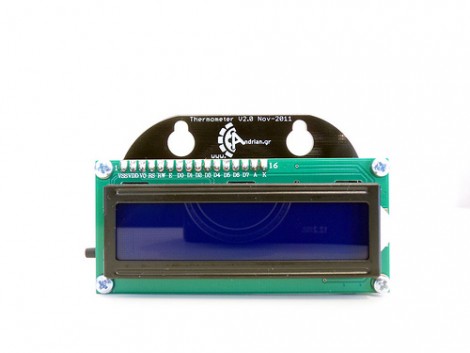
We love the extra touches that [Andrianakis Haris] added to his two-zone electronic thermometer. It includes features that you just wouldn’t find on a mass-market commercial product because of issues like added cost. For example, you can see that the PCB juts up above the LCD display, allowing the module to be mounted on a pair of screws thanks to the keyhole shape that was drilled in the substrate. I increases the board size greatly, but on a small hobby run this won’t usually affect the price of the board depending on the fab house pricing model.

The design uses an ATmega8 microcontroller to monitor sensors in two different places. There is an onboard LM35 temperature sensor for monitoring the space where the unit resides. A remote sensor module uses a DHT-11 chip to gather data about temperature and humidity. That sensor is wired, but there is one wireless option for the device. Data can be pulled down from it via an optional Bluetooth module which can be soldered to a footprint on the back of the board.

Check out the video after the break to see temperature readings pulled down wirelessly. Continue reading “Over-engineering A Two-zone Thermometer”