Dungeon Crawler Game For IM-ME (and Linux)

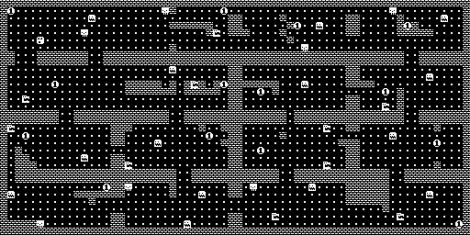
[Joby Taffey] takes the prize for the first completed homebrew game for the IM-ME. Over the last few weeks we’ve seen [Travis Goodspeed] working with sprite graphics, and [Emmanuel Roussel] developing game music for the pink pager. But [Joby] didn’t really use either of those.

[Travis’] sprites were using a framebuffer that fills up a lot of valuable RAM. [Joby] decided to draw the room screens (all of them have been stitched together for the image above) as a one-time background image to keep the memory free. From there, the screen is updated in 8×8 blocks based on cursor movement. He also decided not to add music as he feels the high-pitched piezo is not capable making sound without driving everyone crazy.

Source code is available and for those of you who don’t own this pretty handheld, the game can also be compiled in Linux.

Moving A Resistor For EvalBot Power When Programming

[Riley Porter] posted a picture of his EvalBot USB power hack. In the photo above we’ve put a box around D6 and D7. The development board ships with a 0 Ohm resistor in the D7 location, patching in power from the USB-B connector labeled USB DEVICE. He found that by moving that resistor to D6 he can power the board from the USB-B connector labeled ICDI.

That connector is the In-Circuit Debug Interface. TI sent us an EvalBot bundle so we pulled it out and tried it ourselves. If you plug in the ICDI it doesn’t power the board, and no USB devices register. Shorting the D6 pads changes this and the following USB device registers:

Bus 002 Device 062: ID 0403:bcd9 Future Technology Devices International, Ltd Stellaris Evaluation Board

So it looks like you need to have two USB connections or be using batteries in order to program the board via USB. The uC/OS-III hardcover book that ships with the EvalBot bundle includes board schematics. We took a look and were surprised to see that they show diodes installed on both pads. Rev A of the online schematics have been corrected, showing an omitted diode on D6 and the 0 Ohm resistor on D7. Images of both schematics are included after the break.

It would have been nice to see a selector switch installed here to give you a little more flexibility when prototyping.

Continue reading “Moving A Resistor For EvalBot Power When Programming”

Propeller And Machine Gun Timing

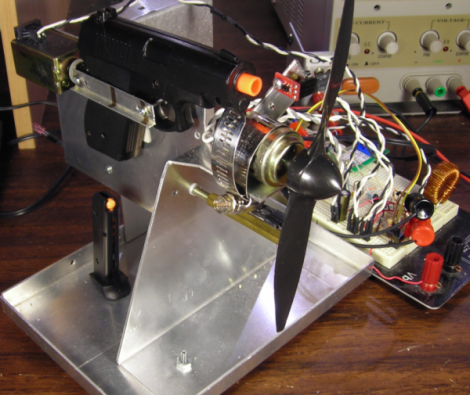
[Matt] was looking for a challenge. Inspired by the machine gun setups on World War I planes he wanted to make a gun that can shoot between the blades of a spinning propeller. The original guns used an interrupter gear that synchronized machine gun firing with the engine mechanically. [Matt] set out to do this using a microcontroller.

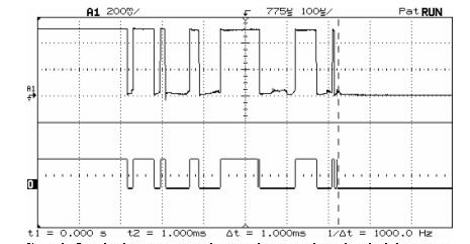
To make this work there are two important pieces of information; how fast is the propeller spinning right now, and how long does it take for the pellet to pass the blade? [Matt] used an oscilloscope and some infrared sensors to establish the firing delay at about 20-22ms. Another sensor shows the propeller is spinning at 500 RPMs, with some simple calculations showing that there is indeed a big enough window of time to fire between the blades. After testing with a visible LED and then building out the rest of the circuitry he accomplished his goal. He even added a test function that purposely hits the blades just to see how accurate the system was. We hope this shows up in a Red Baron RC replica, or other flying arsenal.

[via Hacked Gadgets]

Debounce Code – One Post To Rule Them All

Last month we asked you to send in your debounce code. You didn’t disappoint and it’s time to share the code received. There were some guideline for sending in code so if you don’t see yours here, it probably didn’t follow the rules, sorry. We also tried to weed out code that using delay loops for debounce. These tend to be a poor way to handle inputs because they monopolize the processor.

We wanted to add upvote/downvote buttons to each set of code to give some idea of a group consensus on code quality but there’s no good system available for multiple up/down vote widgets on one wordpress page. This results in a huge code dump for any one person to go through. If you’ve got any ideas on how to better organize this let us know: debounce@hackaday.com.

We make no guarantees that this code is safe to use, or that it even works. Test it carefully before using for important tasks.

Join us after the break for a whirlwind of code examples.

Continue reading “Debounce Code – One Post To Rule Them All”

AVR Controlled RGB LED Matrix Plays Tetris

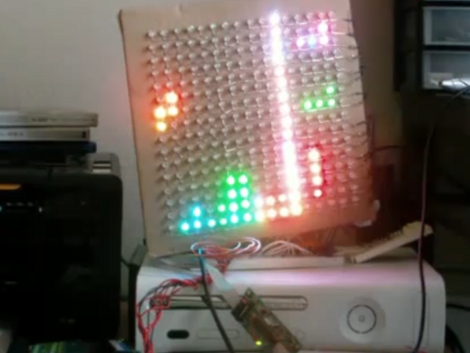
[Stan] built this LED matrix using a 16×16 grid of RGB LEDs. He built the hardware and wrote some subroutines to randomize the colors. He’s not using PWM because frame buffering is not feasible for the 1k SRAM limit of the ATmega168 he used. Instead, shift registers drive the lights which can be mixed to achieve eight different colors (including off for black) reducing the framebuffer size to just 96 bytes. After he got done with the build he realized this is sized well for a game of Tetris. We’ve seen AVR tetris, PIC Tetris, and Tetris using composite video but it’s always a pleasure to see a new display build.

After the break we’ve embedded [Stan’s] demo video, several pictures, and a schematic. He’s using many of the same principles outlined in our How to Design an LED matrix tutorial.

Continue reading “AVR Controlled RGB LED Matrix Plays Tetris”

Czech Discovery Ressurects PS/2 Keyboard

Like us, you probably have piles of old PS/2 keyboards occupying strategic positions in your house and causing all sorts of trouble with the neighbours. As luck would have it, there is a way to put those lazy peripherals to work!

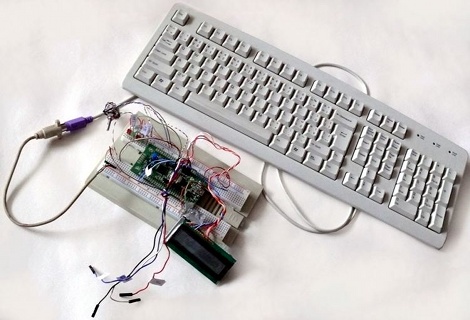
Our friends in the Czech Republic have successfully interfaced a PS/2 keyboard to an STM32 Discovery board (translated), and not a moment too soon—just in time for you to integrate their work into your entries for those juicy contests we told you about (the European one and the North American one).

The project page contains an in-depth walkthrough of how the PS/2 connection talks to the keyboard hardware along with source code and links, more than enough information to get started with a PS/2 keyboard hack on your Discovery application. And why stop at keyboards? Give your old PS/2 mouse a new lease on life, or even hook up your custom game controller to spice up the experience.

IM-ME Plays Music In Preparation For Gaming

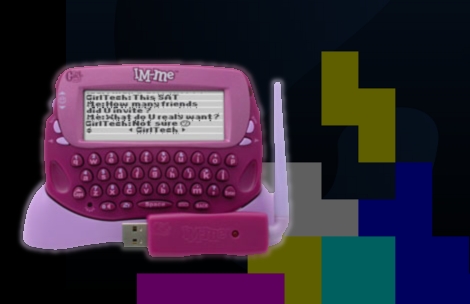
[Emmanuel Roussel] is coding a version of Tetris for the IM-ME. Before you get too excited, he hasn’t actually written the game yet, but instead started with the familiar theme music. The IM-ME has a piezo speak on board so it’s just a question of frequency and duration. [Emmanuel] developed an Open Office spread sheet that calculates each note’s frequency and the timer value needed to produce it. He then created a data type that stores a note and its duration and used an array of those structures to store the song. If you’ve ever wondered how to cleanly code music this is a wonderful example to learn from because right now the code doesn’t have anything other than that code to get in the way.

The ground work for this was established in the other hacks we’ve seen. Now we’re left wondering who will finish coding their game first. Will it be [Emmanuel’s] Tetris or [Travis’] Zombie Gotcha?