Tiny Keyboard/touchpad Has “hack” Written All Over It

Yes, we know, this is not a hack, yet it just has the vibe of something we’ll likely be seeing in many small form-factor systems and wearable hacks in the future.

The USB Wireless Handheld Keyboard is a diminutive keyboard and mouse replacement with a passing resemblance to a BlackBerry PDA — where the screen has been replaced with a laptop-style trackpad sensor. This seems a shoo-in for home theater PC use; it’s unobtrusive and won’t look out of place on the coffee table alongside the universal remote. But any tiny system requiring only occasional input could likely benefit.

The keyboard layout is funky as heck, though likely adequate for its intended use of couch web-surfing and interactive messaging (or whatever wild applications our readers will surely come up with). A USB wireless receiver and a charging cable are included in the $62 package. Video after the break…

[USB Geek via Engadget]

Continue reading “Tiny Keyboard/touchpad Has “hack” Written All Over It”

Building Capacitive Sensitive Floor Tiles

That title’s a mouthful but you’re already familiar with the technology and application of foot pads as sensors in games like Dance Dance Revolution. The usbddr project sought to make a USB connected DDR controller from scratch. The microcontroller used is an Atmel ATmega8 running the V-USB firmware for connectivity and uses the analog to digital converts to read in data from the capacitive sensors.

The physical implementation is cleaver. The base plate has a capacitor plate attached to the top of it and the tile has the other capacitor plate attached to the bottom of it. The two are separated by some weather-stripping which is spongy enough to allow compression, bringing the two capacitor plates together.

We’re not convinced of the long-term durability of the system. We certainly don’t think it will hold up to very much hard-core DDR playing. But we would love to see a Super Mario RPG style puzzle to unlock the door to the ‘castle’ at a child’s birthday party.

[Thanks Hans]

Remote Uses No Batteries

How often do you change the batteries in your television remote control?  Yeah, basically never. But that’s a tribute to how efficient the device is and not a reason to overlook this development. NEC is showing off a remote control that uses no batteries. Power is generated using the piezo effect that occurs when a button is pushed. That is to say, when a crystal is compressed it emits a tiny bit of electricity which is harnessed and used to power this device. This is the same principle that is used in the electricity producing sidewalks tested in Japan.

It’s pretty phenomenal that they can run the device using this method. Right now there’s only a handful of buttons but we’re sure there’ll be advances in the technology. There’s a ton of use for this if it can be miniaturized. It is using radio frequency instead of infrared, making it a useful development in wireless doorbells, garage door openers, key-less entry fobs for your car, and many more applications.

[Thanks das_coach]

USB Accelerometer Controller

[youtube=http://www.youtube.com/watch?v=szZv2YYQm0U]

As you can see above, there is no wiimote in that accessory steering wheel. There is, instead, a home-made accelerometer controller that connects to the pc via USB. Based around a PIC 18F2550 and a 2 axis accelerometer, this device is detected by windows as a standard controller. The schematic and source code are available on his website. He says it can also be used as a “motion mouse”. You can see a video of that after the break.

When we first saw the video, we thought it might be the same person as the accelerometer controlled maze project, due to the wiimote steering wheel casing.

Continue reading “USB Accelerometer Controller”

Look Ma, No Wires

[Robotkid249] details how to build a wireless power transmission system. This is similar to the commercial applications we have seen in a TED talk as well is in a Sony prototype. Power is fed to a ring made of magnet wire. A smaller loop is attached to the system that you want to power and picked up from the base unit. In this case, he is powering some LEDs but the concept can be tailored for your purposes such as an inductive charging pad. We’d like to see a hack that incorporates the base into a mouse pad (or the desk itself) and the receiver into the body of a wireless mouse. We’ve seen a commercial solution along these lines but we want one that doesn’t require a physical connection for power transfer.

[Thanks Juan]

USB To Serial Adapter

[Spikenzie] is at it again. This time he’s posted a nice USB to serial converter. He points out that you can buy a USB to serial adapter pretty cheaply, but sometimes you want this functionality built into your project enough to justify the greater cost. In those cases where you want to integrate it, this is an elegant solution. This design was made to be fairly compact and still usable on a breadboard. As usual, you can download the files from his website.  If his work looks familiar, it’s because we’ve covered his work several times before.

[via Flickr]

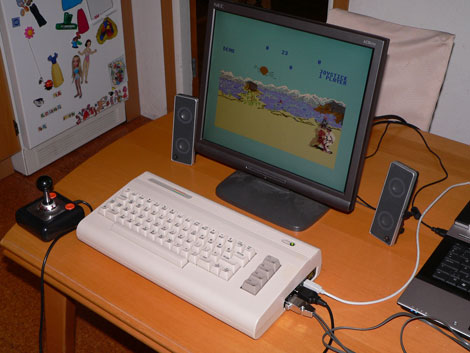
[M]ouse: A PS/2 To C64 Adapter

4100951630_8cb9dc6164 (Custom)

[svofski] has a friend who is a pixel artist. They really wanted to try out their skills on a c64, but were missing a mouse. The original mouse for the c64 was not only serial, but used a different method of communication than more modern mice. [svofski] built this adapter to translate the ps/2 data to something the c64 can use. The writeup describes the build in detail and even has the PCB and source code available for download.


[via flickr]