High-Quality Film Transfers With This Raspberry Pi Frame Grabber

Untold miles of film were shot by amateur filmmakers in the days before YouTube, iPhones, and even the lowly VHS camcorder. A lot of that footage remains to be discovered in attics and on the top shelves of closets, and when you find that trove of precious family memories, you’ll be glad to have this Raspberry Pi enabled frame-by-frame film digitizer at your disposal.

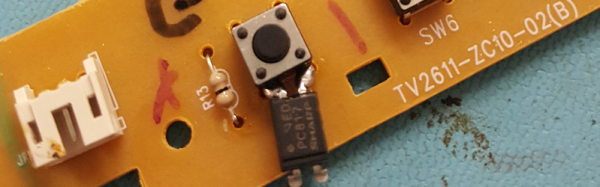
With a spare Super 8mm projector and a Raspberry Pi sitting around, [Joe Herman] figured he had the makings of a good way to preserve his grandfather’s old films. The secret of high-quality film transfers is a frame-by-frame capture, so [Joe] set about a thorough gutting of the projector. The original motor was scrapped in favor of one with better speed control, a magnet and reed switch were added to the driveshaft to synchronize exposures with each frame, and the optics were reversed with the Pi’s camera mounted internally and the LED light source on the outside. To deal with the high dynamic range of the source material, [Joe] wrote Python scripts to capture each frame at multiple exposures and combine the images with OpenCV. Everything is stitched together later with FFmpeg, and the results are pretty stunning if the video below is any indication.

We saw a similar frame-by-frame grabber build a few years ago, but [Joe]’s setup is nicely integrated into the old projector, and really seems to be doing the job — half a million frames of family history and counting.

Continue reading “High-Quality Film Transfers With This Raspberry Pi Frame Grabber”

Hybrid Raspberry Pi + PIC32 = Oscilloscope And Function Generator

The PicBerry is a student final project by [Advitya], [Jeff], and [Danna] that takes a hybrid approach to creating a portable (and affordable) combination digital oscilloscope and function generator. It’s based on the Raspberry Pi, features an intuitive Python GUI, and can generate and measure simultaneously.

But wait! The Raspberry Pi is a capable little Linux machine, but meeting real-time deadlines isn’t its strong suit. That’s where the hybrid approach comes in. The Pi takes care of the user interface and other goodies, and a PIC32 over SPI is used for 1 MHz sampling and running a DAC at 500 kHz. The idea of combining them into PicBerry is to get the best of both worlds, with the Pi and PIC32 each doing what they are best at. The readings are sent in batches from the PIC32 to the Pi, where the plot is updated every 30 ms so that user does not perceive any visible lag.

The project documentation notes that improvements can be made, the speeds are a far cry from regular bench equipment, and the software lacks some typical features such as triggering, but overall not bad at all for under $50 of parts. In fact, there are hardly any components at all beyond the Raspberry Pi, the PIC32, and a MCP4822 digital-to-analog converter. A short demo video is embedded below.

Continue reading “Hybrid Raspberry Pi + PIC32 = Oscilloscope And Function Generator”

The Nest: Album Release Hidden In A Rock

First there were vinyl records, then came cassettes, CDs, those failed audio-on-DVD formats, and then downloads. To quote the band, [Bateleur], “you can’t pay someone to take a CD these days.” So how do you release your new album? By hiding a Raspberry Pi in a semi-transparent fake rock on a mountainous cliff, and requiring a secret whistle to enable it, naturally.

Once activated, you’ll be able to plug into the USB port and download the album, or sit there on a remote hillside cliff overlooking the ocean and enjoy the new tunes. Because there’s a headphone jack in the rock, naturally. Besides being a cool hack, we think that putting people in the right physical and mental space for a serious listening is brilliant. Watch the video embedded below for an idea of the making of and a view from the site.

Continue reading “The Nest: Album Release Hidden In A Rock”

Animatronic Head Responds With Animated GIFs

[Abhishek] describes Peeqo as a “personal desktop robotic assistant” that looks like “the love child of an Amazon Echo and a Disney character.” We’re not sure about that last part — we’re pretty sure [Bender Bending Rodriquez] would fail a paternity suit on this one. Just look at that resemblance.

vkwnaidWhatever Peeqo’s parentage may be, it’s a pretty awesome build, and from the look of [Abhishek]’s design notes, he put a lot of thought into it, and a lot of work too. The build log reveals 3D-printed parts galore, custom-etched PC boards, and a hacked Raspberry Pi to both listen for voice commands and play responses in the form of animated GIFs on Peeqo’s ‘face’. The base has six modified RC servos to run the Gough-Stewart platform that lets Peeqo emote, and the head contains pretty much all the electronics. Beyond the hardware, a ton of programming went into giving Peeqo the ability to communicate through head gestures and GIFs that make sense for the required response.

Whether it’s bopping along to the tunes on your playlist or motivating you to lay off the social media with [Will Ferrell]’s flaming angry eyes, Peeqo looks like a ton of fun to build and use. Conveniently enough, [Abhishek] has shared all his files so you can build one too.

We haven’t seen anything like Peeqo before, but we have seen a lot of Amazon Echo hacks and even a few Stewart platform builds. But did we inadvertently feature a project starring Peeqo’s dad way back in 2009?

[Thanks to Aaron Cofield for the tip]

A Handy Tutorial For Voice-Command Awesomeness

When somebody can’t find a guide on how to accomplish a particular task, we here at Hackaday admire those individuals who take it upon themselves to write one for the benefit of others. Instructables user [PatrickD126] couldn’t find a write-up on how to connect Amazon’s Alexa service, and Echo to his Raspberry Pi home security system, so his handy tutorial should get you up to speed for your own projects.

[PatrickD126] shows how loading some software onto the Raspberry Pi is readily accomplished along with enabling Alexa to communicate more directly with the Pi. From there, it’s a matter of configuring your Amazon Web Services account with your preferred voice commands, as well as which GPIO pins you’d like to access. Done! [PatrickD126] notes that the instructions in the guide only result in a temporary solution, but suggests alternatives that would allow your project to operate long-term.

Continue reading “A Handy Tutorial For Voice-Command Awesomeness”

Voice Activated Fireplace Is As Cool As It Gets

A fireplace can add a cozy, relaxed atmosphere  — and a touch of style — to any home. Redditor [hovee] saw the opportunity to add some flair to his gas fireplace by making it voice activated. Check out the video of it in action below.

Google Home and Google Assistant provides the voice recognition component. A Raspberry Pi 3 with Home Assistant does the legwork. An iTach TCP/IP-to-Contact-Closure relay toggles the fireplace, and an IFTTT account connected to Google Assistant brings it all together.

[hovee] then ran some thick 16/2 wire from the relay network port to the fireplace’s remote receiver circuit to actually turn it on. Some custom code and configuration of the Home Assistant files was necessary, but [hovee] has shown his work, with some tips besides, if you want to throw together a similar setup. It’s a help if your fireplace has a ‘remote’ setting, and a double bonus if there is documentation for the fireplace to be found that will help with the build process.

Once done, all you need to do is kick back with your favorite beverage in the lap of home automated luxury. Just be sure you have a backup to turn off your fireplace just in case your setup goes the way of Skynet. While you’re at it, you can set up your fireplace to save energy as well.

[via /r/homeautomation]

Continue reading “Voice Activated Fireplace Is As Cool As It Gets”

Homebrew Dash Cam Enables Full Suite Of Sensors

You heard it here first: dash cams are going to be the next must-have item for your daily driver. Already reaching market saturation in some parts of the world but still fairly uncommon in North America, we predict that car makers will soon latch onto the trend and start equipping cars with dash cams as standard equipment. And you can just bet that whatever watered-down, overpriced feature set they come up with will be sure to disappoint, so you might want to think about building your own Raspberry Pi dash cam with an accelerometer and lots of LEDS.

Still very much in the prototyping phase, [CFLanger]’s project is at its heart a dash cam, but it looks like he wants to go far beyond that. Raspivid and a PI NoIR camera take care of the video streaming, but the addition of a Pi SenseHAT gives [CFLanger] a bunch of options for sensing and recording the car’s environment. Not content with the SenseHAT’s onboard accelerometer, he added an ADXL345 to the sensor suite. The 64-pixel LED display is just for fun – it displays pitch and roll of the platform – and a yet-to-be-implemented bar-graph display will show acceleration in the X-axis. He figures the whole thing is good for a couple of days of video, but we hope he adds audio capture and perhaps ECU data from an OBDII-Bluetooth adapter.

We’ve seen surprisingly few DIY dash cams on Hackaday, at least so far. There has been a dash cam teardown and retasking, and there are plenty of dashboard computer builds, though. Seems like most hackers want that DIY self-driving car first.

Continue reading “Homebrew Dash Cam Enables Full Suite Of Sensors”