Commodore 64 To Raspberry Pi Conversion Is Respectful & Complete

We’re big fans of taking old computers and giving them a new lease on life, but only when it is done respectfully. That means no cutting, no hot glue, and no gouging out bits to make the new computer fit. It’s best if it can be done in a way that the original parts can be restored if required.

This Commodore 64 to Raspberry Pi conversion from [Mattsoft] definitely fits our criteria here, as it uses the old keyboard, joystick connectors and output portholes for the required authentic look. It does this through the clever use of a couple of 3D-printed parts that hold the Raspberry Pi and outputs in place, mounting them to use the original screw holes in the case.

Combine the Pi with a Keyrah V2 to connect the C64 keyboard and a PowerBlock to juice up all of the parts, and you’ve got a fully updated C64 that can use the keyboard, joysticks or other peripherals, but which also comes with a HDMI port, USB and other more modern goodies.

[Mattsoft] suggests using Combian 64, a C64 emulator for the Pi for the authentic look and feel. Personally, I might use it as a thin client to the big-ass PC with 16 CPU cores and 32GB of memory that’s hidden in my basement, but that’s just because I enjoy confusing people.

Milspec Teardown: AH-64A Apache Data Entry Panel

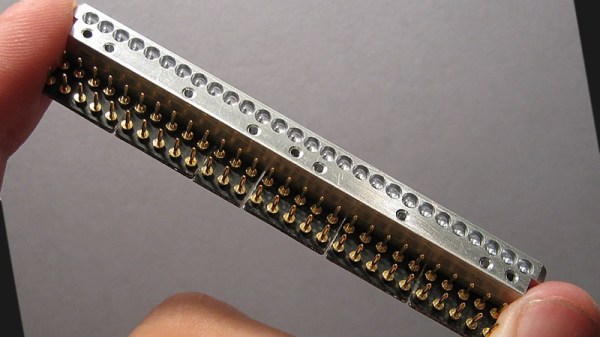
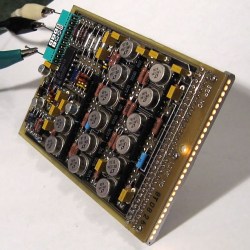
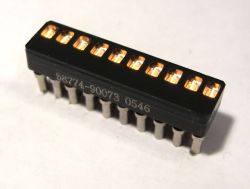
It’s time once again to see how those tax dollars are spent, this time in the form of a “Data Entry Keyboard” manufactured by Hughes Helicopters. This device was built circa 1986 or so, and was used in the AH-64A Apache. Specifically, this panel would have been located by the gunner’s left knee, and served as a general purpose input device for the Apache’s Fire Control System. Eventually the Apache was upgraded with a so-called “glass cockpit”; consolidating various vehicle functions into a handful of multi-purpose digital displays. As such, this particular device became obsolete and was pulled from the active Apache fleet.

The military vehicle aficionados out there may know that while the Apache is currently a product of Boeing, it was originally designed by Hughes Helicopter. In 1984, McDonnell Douglas purchased Hughes Helicopter and took over production of the Apache, and then McDonnell Douglas themselves were merged with Boeing in 1997.

So it’s somewhat interesting that this device bears the name of Hughes Helicopter, as of the time it was manufactured, they would have been known as McDonnell Douglas Helicopter Systems. Presumably they had to work through existing stock of components that already had Hughes branding on them, leaving some transitional examples such as this one.

But you didn’t come here for a history lesson on the American military-industrial complex, you want to know about the hardware itself. So let’s crack it open to see what we can learn about this piece of aviation history.

Continue reading “Milspec Teardown: AH-64A Apache Data Entry Panel”

Core Memory Upgrade For Arduino

Linux programs, when they misbehave, produce core dumps. The reason they have that name is that magnetic core memory was the primary storage for computers back in the old days and many of us still refer to a computer’s main memory as “core.” If you ever wanted to have a computer with real core memory you can get a board that plugs into an Arduino and provides it with a 32-bit core storage. Of course, the Arduino can’t directly run programs out of the memory and as designer [Jussi Kilpeläinen] mentions, it is “hilariously impractical.” The board has been around a little while, but a recent video shined a spotlight on this retro design.

Impractical or not, there’s something charming about having real magnetic core memory on a modern CPU. The core plane isn’t as dense as the old commercial offerings that could fit 32 kilobits (not bytes) into only a cubic foot. We’ll leave the math about how much your 8-gigabyte laptop would have to grow to use core memory to you.

Continue reading “Core Memory Upgrade For Arduino”

Browsing Modern Day BBS On The Epson PX-8 Laptop

As you read this, there are still people chatting away on Bulletin Board Systems all over the world. Running on newly written software and without the need to actually use a dial-up modem, these (slightly) more modern takes on the BBSs of yore can be compelling diversion for those who might want to decompress a bit from contemporary social networks.

[Blake Patterson] is one of these people, and he writes in to tell us about his recent experiments with using a particularly gorgeous example the Epson PX-8 “Geneva” laptop on modernized BBSs. The form factor of the device makes it a fairly convenient client for chatting, despite the somewhat unusual screen. Luckily, modern BBS software is able to cope with the PX-8’s 80 character by 8 line LCD display, it’s just a matter of getting the thing online.

The trick is tethering the PX-8 to a Linux machine as a serial terminal. [Blake] had to build a serial cable for the laptop, and then used a basic USB-to-serial converter to get it connected to a Raspberry Pi. Once you’ve logged in over serial, you can simply fire off a telnet command to connect to the BBS of your choice. In the video after the break, he demonstrates what it’s like browsing and chatting on a BBS using the PX-8. The screen certainly takes a bit of getting used to, but actually works fairly well given the nature of the BBS interface.

[Blake] recently gave us a look at a Wi-Fi “modem” for retro computers based on the ESP8266, if you’d rather cruise your favorite BBS without a dangling Pi.

Continue reading “Browsing Modern Day BBS On The Epson PX-8 Laptop”

Universal Chip Analyzer: Test Old CPUs In Seconds

Collecting old CPUs and firing them up again is all the rage these days, but how do you know if they will work? For many of these ICs, which ceased production decades ago, sorting the good stuff from the defective and counterfeit is a minefield.

Testing old chips is a challenge in itself. Even if you can find the right motherboard, the slim chances of escaping the effect of time on the components (in particular, capacitor and EEPROM degradation) make a reliable test setup hard to come by.

Enter [Samuel], and the Universal Chip Analyzer (UCA). Using an FPGA to emulate the motherboard, it means the experience of testing an IC takes just a matter of seconds. Why an FPGA? Microcontrollers are simply too slow to get a full speed interface to the CPU, even one from the ’80s.

So, how does it actually test? Synthesized inside the FPGA is everything the CPU needs from the motherboard to make it tick, including ROM, RAM, bus controllers, clock generation and interrupt handling. Many testing frequencies are supported (which is helpful for spotting fakes), and if connected to a computer via USB, the UCA can check power consumption, and even benchmark the chip. We can’t begin to detail the amount of thought that’s gone into the design here, from auto-detecting data bus width to the sheer amount of models supported, but you can read more technical details here.

The Mojo v3 FPGA development board was chosen as the heart of the project, featuring an ATmega32U4 and Xilinx Spartan 6 FPGA. The wily among you will have already spotted a problem – the voltage levels used by early CPUs vary greatly (as high as 15V for an Intel 4004). [Samuel]’s ingenious solution to keep the cost down is a shield for each IC family – each with its own voltage converter.

Continue reading “Universal Chip Analyzer: Test Old CPUs In Seconds”

The Forgotten Workstation: Sun JavaStation

These days, conversations about Java tend to center around Oracle and Google fighting it out in court. But back in 1996, Sun was the keeper of Java and promoted it heavily. They even released a diskless workstation that only runs Java applets. The Sun JavaStation was affectionately called the “Mr. Coffee” and [Cameron Gray] wants to show you how it worked and what’s inside of it.

A single screw frees the innards from the small case. Inside looks like a dense PC from the era, although the parts inside are a far cry from a typical PC. The CPU was a 110 MHz microSPARC II soldered directly to the motherboard. The four RAM slots could take up to 64 megabytes of PC RAM.

Continue reading “The Forgotten Workstation: Sun JavaStation”

A Retrocomputer Disk On A Chip

There have been a lot of different mass storage methods over the relatively short lifespan of the computer. Magnetic tapes, drums, all sorts of disks, and flash memory have each had their time. Each of these new innovations required some time to become easy to use. One of the early attempts to simplify using flash memory was the M-Systems DiskOnChip device. Looking like a standard 8K JEDEC-compatible memory device, it actually provided access to a flash disk drive ranging from 16MB to 1GB. [Smbakeryt] bought some of these devices and built an ISA board to provide a disk and clock for the old 8-bit bus. You can see a video discussion about the device below.

SanDisk bought M-Systems and discontinued the devices back in 2007. Of course, you can still design flash memory into your system, but the simple and efficient interface of the DiskOnChip is no more. It is a testament to how simple the interface is that the schematic for the little board fits on a page, including the DS12885 real time clock.

Continue reading “A Retrocomputer Disk On A Chip”