VCF East 2018: The Desktop ENIAC

The ENIAC, or Electronic Numerical Integrator and Computer, is essentially the Great Great Grandfather of whatever device you’re currently reading these words on. Developed during World War II for what would be about $7 million USD today, it was designed to calculate artillery firing tables. Once word got out about its capabilities, it was also put to work on such heady tasks as assisting with John von Neumann’s research into the hydrogen bomb. The success of ENIAC lead directly into the development of EDVAC, which adopted some of the now standard computing concepts such as binary arithmetic and the idea of stored programs. The rest, as they say, is history.

But ENIAC wasn’t just hugely expensive and successful, it was also just plain huge. While it’s somewhat difficult for the modern mind to comprehend, ENIAC was approximately 100 feet long and weighed in at a whopping 27 tons. In its final configuration in 1956, it contained about 18,000 vacuum tubes, 7,000 diodes, 70,000 resistors, 10,000 capacitors, and 6,000 switches. All that hardware comes with a mighty thirst for power: the ENIAC could easily suck down 150 kW of electricity. At the time this all seemed perfectly reasonable for a machine that could perform 5,000 instructions per second, but today an Arduino would run circles around it.

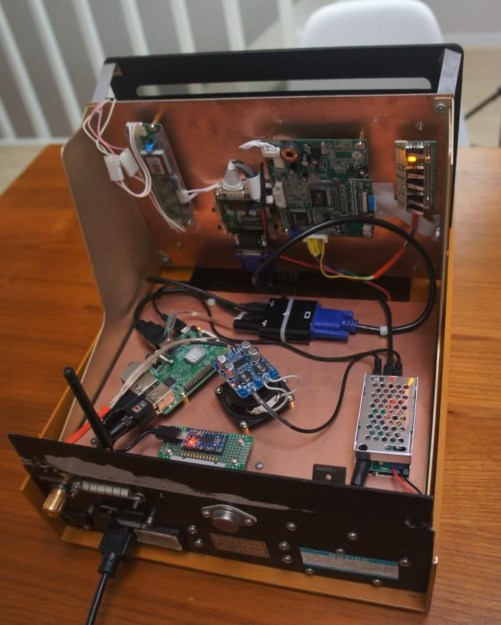
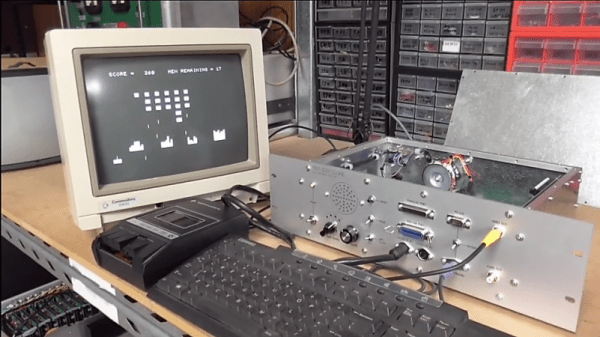
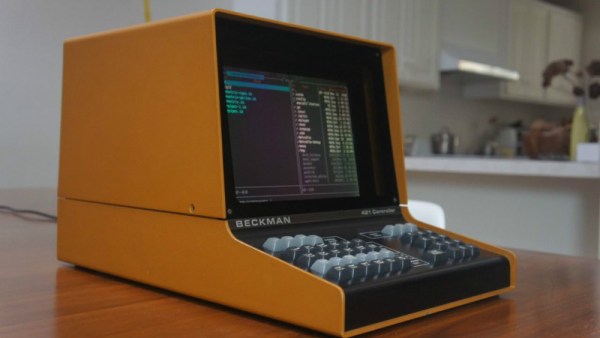
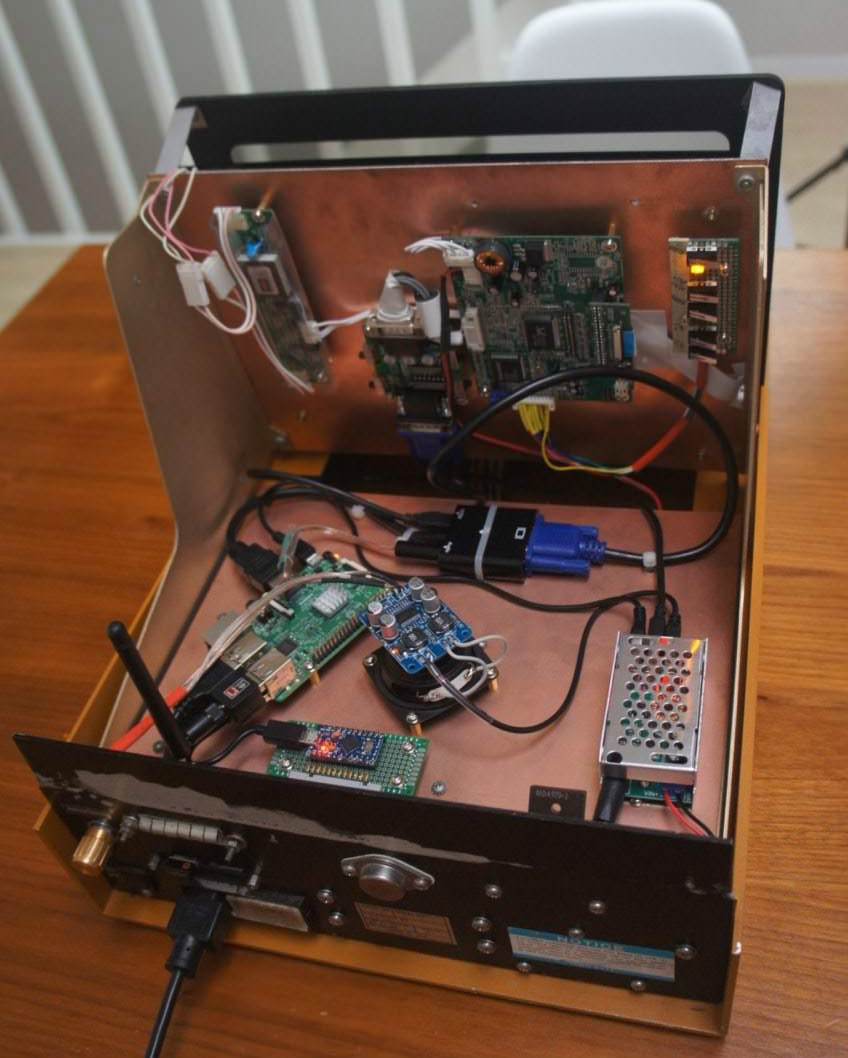
This vast discrepancy between the power and size of modern hardware versus such primordial computers was on full display at the Vintage Computer Festival East, where Brian Stuart demonstrated his very impressive ENIAC emulator. Like any good vintage hardware emulator, his project not only accurately recreates the capabilities of the original hardware, but attempts to give the modern operator a taste of the unique experience of operating a machine that had its heyday when “computers” were still people with slide rules. Continue reading “VCF East 2018: The Desktop ENIAC”

Retro Rebuild Recreates SGI Workstation Demos On The Go

When [Lawrence] showed us the Alice4 after Maker Faire Bay Area last weekend it wasn’t apparent how special the system was. The case is clean and white, adorned only with a big red button below a 7″ screen with a power switch around the back. When the switch is flicked the system boots to display a familiar animation and drops you at a menu. Poking around from here elicits a variety of self-contained graphics demos, some interactive. So this is a Raspberry Pi in a box playing videos, right? Not even close.

Often retro computing focuses on personal computer systems. When they were new the 8-bit graphics or intricate 2D sprites were state of the art, but now their appeal tends towards learning opportunities and the thrill of nostalgia. This may still be true of Alice4, the system [Brad, Lawrence, Mike, and Chris] put together to run Silicon Graphics (SGI) demos from the mid 1980’s but it’s not the whole story. [Lawrence] and [Brad] had both worked at SGI during its heyday and had fond memories of the graphics demos that shipped with those mammoth workstation. So they built Alice4 from the FPGA up to run those very same demos in real-time.

Thanks to Moore’s law, today’s embedded systems put yesterday’s powerhouses within reach. [Lawrence] and [Brad] found the old demo code in a ratty FTP server, and tailor-made Alice4’s software and hardware to run them natively. [Brad] wrote a libgl which implements the subset of the IrisGL API needed to support their selected set of demos. The libgl emits sets of triangles to the SDRAM where [Lawrence’s] HDL running on the onboard FPGA fetches them to interpolate color and depth and draw the result on-screen. Together they allow the $99 Altera Cyclone V development board at Alice4’s heart to run these state of the art demos in the palm of your hand.

Alice4 is open source and extensively documented. Peruse the archeology of reverse engineering the graphics API or the discussion of FIFO design in the FPGA. If those don’t sate your appetite check out a video of Alice4 in action after the break.

Continue reading “Retro Rebuild Recreates SGI Workstation Demos On The Go”

Suitcase Computer Reborn With Raspberry Pi Inside

Fun fact, the Osborne 1 debuted with a price tag equivalent to about $5,000 in today’s value. With a gigantic 9″ screen and twin floppy drives (for making mix tapes, right?) the real miracle of the machine was its portability, something unheard of at the time. The retrocomputing trend is to lovingly and carefully restore these old machines to their former glory, regardless of how clunky or underpowered they are by modern standards. But sometimes they can’t be saved yet it’s still possible to gut and rebuild the machine with modern hardware, like with this Raspberry Pi used to revive an Osborne 1.

Purists will turn their nose up at this one, and we admit that this one feels a little like “restoring” radios from the 30s by chucking out the original chassis and throwing in a streaming player. But [koff1979] went to a lot of effort to keep the original Osborne look and feel in the final product. We imagine that with the original guts replaced by a Pi and a small LCD display taking the place of the 80 character by 24 line CRT, the machine is less strain on the shoulder when carrying it around. (We hear the original Osborne 1 was portable in the same way that an anvil is technically portable.) The Pi runs an emulator to get the original CP/M experience; it even runs Wordstar. The tricky part about this build was making the original keyboard talk to the Pi, which was accomplished with an Arduino that translates key presses to USB.

As an aside, if reading this has given you a twinge of nostalgia and you’re on the Eastern seaboard you may want to check out more vintage gear at the VCF East this weekend. If you hail from Europe, get your hack on with CP/M and a retrocomputing badge at Hackaday Belgrade one wee from now.

We’ve seen the Raspberry Pi pressed into retrocomputing duty before, of course. Here’s one used to emulate a Commodore 1541 disk drive, and another in the laptop Clive Sinclair never built.

Continue reading “Suitcase Computer Reborn With Raspberry Pi Inside”

Retro Computer Badge For Hackaday Belgrade Has Everything You Wished For Back In The Day

The hardware badge for the Hackaday Belgrade conference is a Retro Computer that you wear around your neck. I have one in my hands and it’s truly a work of art. It’s beautiful, it’s fun to play with, and it will be an epic platform for a glorious weekend of badge hacking! Check out the first look video, then join me below as I drill down into the details.

Get your ticket now for Hackaday Belgrade, our premier European hardware conference at the end of this month. It’s a day filled with talks, works, food, fun, and of course everyone through the door gets one of these incredible badges. The best part is the community that turns out for this event and that includes the Hacker Village that takes hold in the evening. We’ll be hacking the badges until the wee hours of the morning alongside hardware demos, presentations, lightning talks, and live IDM and DJ sets.

Continue reading “Retro Computer Badge For Hackaday Belgrade Has Everything You Wished For Back In The Day”

Shirt Pocket Slide Rule: History Of The HP-35

In a recently updated post, [Codex99] has a detailed history of the HP-35 pocket calculator. Unless you are a certain age, you probably don’t think much of calculators. They are cheap and not very essential in this day of cell phones and PCs. But in the 1970s they were amazing technology and the desire of every engineer and engineering student.

The story opens in 1965 when Tom Osborne — who was not an HP employee — build a floating point calculator he called the Green Machine. Apparently, he had painted the balsa wood case green. He had been showing it around but failed to get any interest until he showed it to Bill Hewlett. Hewlett wanted it to do trig functions and offered him a six-week consulting gig to work on improvements.

HP engineer Dave Cochran helped out and also helped envision making the device keystroke-programmable. By 1968, this collaboration led to a 40-pound desktop calculator — the HP 9100 — that was the size of a typewriter. It could be yours for only $4900. Keep in mind, that same amount would buy two brand new cars in 1968.

Continue reading “Shirt Pocket Slide Rule: History Of The HP-35”

Diablo Drive Appears To Be Cursed

[CuriousMarc] didn’t think it would be a big deal when a former Xerox employee sent him an Alto Diablo drive for service. Turns out the drive was cursed — it would destroy everything it touched including a set of heads and an alignment cartridge. [Marc] and a partner spent two months trying to get the drive operable and the video of their process is pretty interesting.

We were interested in the troubleshooting, but we were really envious of their lab, full of HP workstations, an IBM mainframe, and even a Selectric. We kept having to rewind the video because we had tuned out while we were staring at some of the equipment in the background.

The guys got a lot of practice aligning the heads on the drive. Because the crashed head was bent, it actually dug into the alignment cartridge so on subsequent attempts they had to manually load the disk past the damage. They learned to leave the disk a little out of alignment because tightening the assembly will move it a little bit. If you were already aligned, the heads would be off after you did the tightening.

They used a custom FPGA-based tester that [Carl] developed after reverse engineering the disk format. It is amazing to watch the big drive in action and realize that a standard cartridge for this machine was 2.5 megabytes. There was another controller and disk system called the Trident that would get you a whopping 80 megabytes, but we don’t think this is one of those.

Did they succeed in exorcising whatever demons lived in the drive? Watch the video and find out. Even if you never have to fix a Diablo drive yourself, you’ll be entertained. Especially when they work out how to do a current adjustment on the drive by simulating the circuit in Spice.

We’ve seen a lot about the Alto which is surprising considering how few of them were built. We’ve seen a restoration and even an odd use for a light bulb related to the Alto’s CRT.

Continue reading “Diablo Drive Appears To Be Cursed”

Making Vintage Computing Easy, The Hard Way

If you want to not take for granted how easy and seamless computers have become, take up vintage computing as a hobby. If you venture down the retro path, you’ll quickly question how anyone ever got any useful work done with computers, and the farther back you go in computer history, the more difficult everything seems to become.

Case in point: how do you easily transfer files between a home-brew PC/XT and your modern desktop? Back in the day we did it with null modem cables or by sneaker-netting stacks of floppies, but [Scott M. Baker] found another way — putting a Raspberry Pi on the ISA bus as a virtual floppy drive. The heart of the ISA card is an IDT7130, a 1-kb RAM chip that allows simultaneous asynchronous access over dual ports. One port talks to the ISA bus and the other talks to the GPIO of the Pi, after level-shifting to make everything voltage compatible, of course. [Scott] wrote a driver for the card, plugged a Pi Zero W into the header pins, and threw a Python server together that makes local images available to the shared memory on the card. The upshot of this is that the retro machine thinks it has a floppy in it, but it’s actually a server. The video below has tons of detail and shows the card in action. Pretty slick.

[Scott]’s projects are always fun to check out, and he really seems to have the retro life dialed in. Whether it’s old jukebox hacks or a Unix-ish OS for Z80s, there’s plenty to learn. Although we’d like to see more about that PC/XT in the video; are those Nixies we spy along the front panel?

Continue reading “Making Vintage Computing Easy, The Hard Way”