Milling PCBs With An Off-The-Shelf CNC

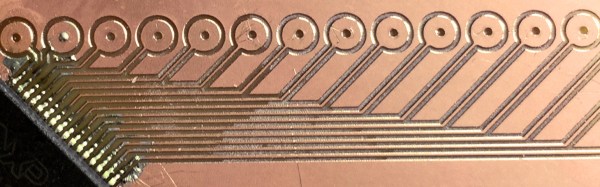
There’s a lot of little things that can go wrong before you get great results out of a process. We like to read build logs to learn from the mistakes made. [Marc Liyanage] bought a Nomad CNC machine from Carbide3d, and after a bit of learning has gotten some very nice PCBs out of it.

The first trip up he encountered was not setting the design rules in EagleCAD to check for gaps too small for his router bit. After he sorted that, and worked around an issue with Carbide not supporting R values for curves; instead opting for IJK, he made a nice TQFP to DIP break out board.

The next board was a more complicated double-sided job. He cleverly had the machine drill two holes all the way through the PCB to give him a space for two alignment pins. Unfortunately this didn’t work out exactly as planned and he had a slight misalignment with some of the via holes. It looked alright and he began assembling. To his dismay, the clearances were off again. It was a bit of deja vu for us.

We’ve made lots of boards on a CNC machine, and can attest to the task’s finicky nature. It’s certainly quicker than the photoresist technique for boards with lots of little holes. It will take someone quite a few tries before they start having more successes than failures, but it’s very rewarding.
Paydar: What It Was Like To Battle Bots In 2002

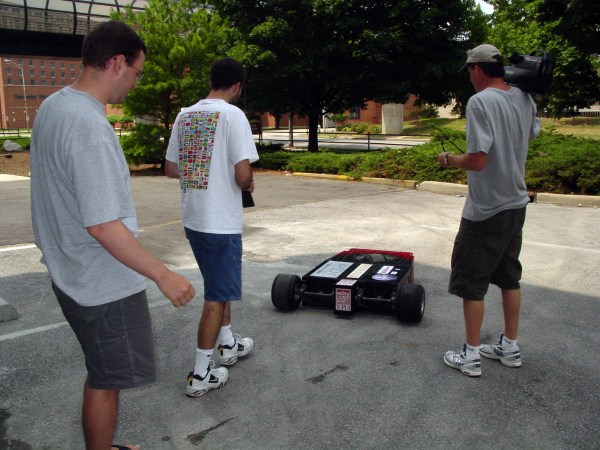
Most people remember when Battle Bots was a big thing, but few of us got to live it as seen in this gallery. Every now and then, someone posts something more amazing than usual in the comments. When [Wolf] was studying at IUPUI they somehow convinced a professor to let them build a scary dangerous robot maiming device for their final project. It’s a cross-disciplinary project — even the medical students may get to participate.

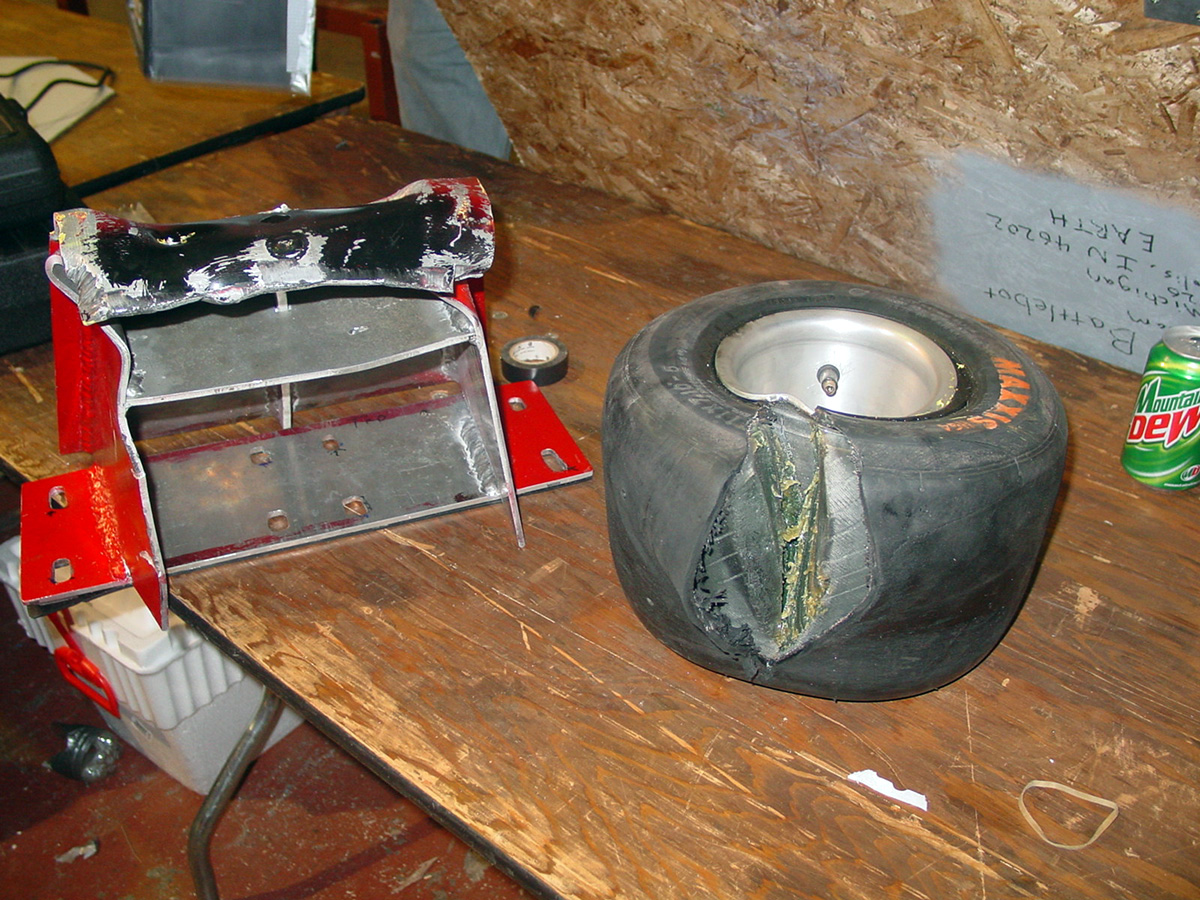
Spike vs hours and hours of work.
Spike vs. hours and hours of work. Victory: spike.

Their bot, unfortunately, got taken out by some spikes after attempting to get a spinbot before it started spinning and got them. If you look closely at the 2002 Comedy Central Battlebot opening you can see the smoke pour from their robot as they try to escape the fatal spikes.

The robot itself is a three wheeled design. The two wheels across from each other drive the robot, and the third steers. There is a very cool encoder mechanism for the steering wheel that is worth checking out. The main drive motor is a hefty 15HP electric forklift motor current limited to 300amps. The robot never got a weapon thanks to slow mechanical engineers, but a motor like that can turn most chunks of metal into deadly weapons.

Battle Bots is making a comeback in some ways. Word’s still out if it will ever go back to it’s prime, or if something more insane will replace it.

FCC Locks Down Router Firmware

For years, we have been graced with consumer electronics that run some form of Linux, have a serial port on the circuit board somewhere, and are able to be upgraded through official and unofficial means. That digital picture frame you got for Christmas in 2007 and forgot to regift in 2008? That’s a computer, and it would make a wonderful Twitter feed display. Your old Linksys WRT54G router? You can make a robotic lawnmower out of that thing. The ability to modify the firmware of consumer electronics is the cornerstone of Hackaday’s editorial prerogative. Now that right we have all enjoyed is in jeopardy, thanks to regulations from the FCC and laziness from router manufacturers.
Continue reading “FCC Locks Down Router Firmware”

Adding Spice To Your Workbench

Most of us didn’t fight in World War II, drive a race car, or fly the Space Shuttle. But with simulation, you can experience at least some of what it would be like to do those things. Granted, playing Call of Duty isn’t really the same as going to war. No matter what you are simulating, it only goes so far. However, you can get a lot of value from a simulation. I’d bet the average kid who has played Call of Duty knows more about WWII locales and weapons than my high school history teacher.

When it comes to electronics, simulation is an excellent way to get insight into a circuit’s operation. After all, most circuits operate in the abstract–you can’t look at an audio amplifier and see how it works without a tool like a scope. So simulation, when done well, can be very satisfying. You just have to be careful to remember that it isn’t always as good as the real thing.

That’s Spicy

One of the best-known electronics simulators is Spice, which Berkeley created in 1973. In its original form, you had to punch cards that described your circuit and the analysis you wanted to perform. Modern PC versions sometimes replace the deck of cards with a text file. The best modern versions, though, give you a GUI that allows you to draw a schematic and then probe it to see the results.

There are several paid and free versions of Spice (and other simulators) that include a GUI. One of the best for a casual user is the free offering from Linear Technology called LTSpice.

Linear makes LTSpice available and populates it with models for their devices in the hopes you’ll buy components from them. However, the software is entirely usable for anything, and it has a powerful set of features. Linear produces the software for Windows, but I can attest that it runs just fine under Wine on Linux. The Web site will invite you to register, but you don’t have to if you don’t want to.

Continue reading “Adding Spice To Your Workbench”

Dr Noirimetla, Private Failure Investigator And The Mystery Of Galileo’s Pillars

One dark and stormy morning, Dr. Richard Noirimetla, private failure investigator, was sitting at his desk nursing his morning cup of joe. It was an addiction, but life, and engineering was hard. Intense eyes sat in a round dark-skinned face. An engineering degree from the prestigious Indian Institute of Technology hung from the wall in his sparse office. Lightning flashed outside of his window, as the rain began to beat even harder against his corner office windows.

His phone rang.

“Hello, Dr. Noirimetla, Private Failure Investigator here.” He said in deep, polite voice. “How may I help you?”

“Ah, I’m Chief of Manufacturing for Galileo Concrete Pillars Inc. We have a bit of a problem here. We used to see a failure rate above 33% for our concrete pillar operation. As part of our lean manufacturing efforts we tried to reduce that number through various improvements. However, we see a failure rate of almost 50% now. We expect foul play… from one of our suppliers. Can you come right away?” a worried man’s voice sounded over the phone.

“I see, that’s very troubling,” Noirimetla rumbled. “I’ll send over the contract detail. There will be an increased fee, but I’m on my way.”

“Sounds good, we’ll pay anything! Just get our operation up to standards!” The man bid a polite goodbye and hung up.
Continue reading “Dr Noirimetla, Private Failure Investigator And The Mystery Of Galileo’s Pillars”

Giving The Pi Zero USB, Ethernet, And Serial Over USB

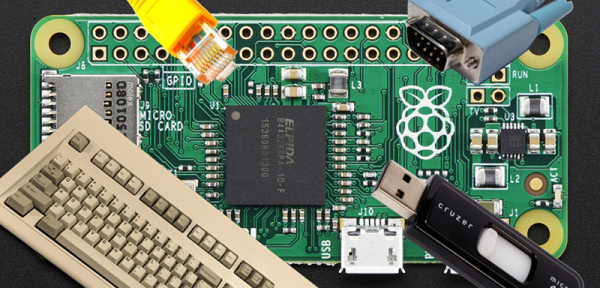
Just as the USB port on your phone can serve as a serial connection, mass storage device, and a network connection, the Pi Zero can do the same. We’ve seen a few people turn the Zero into a single USB gadget, but what about turning the Zero into a USB HID device, network connection, and serial port all at the same time? That’s what [Tobias] did, and his method is even easier than the old one.

The old method of turning the Pi Zero into a USB device required the user to modify and recompile the kernel. Obviously, this isn’t an ideal solution. [Tobias]’ implementation fixes this by putting everything into userland. Everything is configurable through a script and a few tweaks to how the Pi starts up.

The result is a Raspberry Pi Zero that will appear as any USB peripheral. [Tobias] goes through the usual examples: setting the Pi up as a serial device for hacking and code cracking in a terminal, as an Ethernet device to give the Pi Zero networking capabilities, as a keyboard to send keypresses to another computer, and as a mass storage device so that other computers can read a small portion of the Pi’s SD card.

There are plenty more USB gadgets the Pi can emulate, from printers to audio devices to MIDI adapters to webcams. If you can wrap your head around what a Pi Zero could do when configured as one of these devices, drop a note in the comments.

The Challenges Of A Laundry Folding Robot

rosie“This is the year of the general purpose home robot!” “2016 is going to be for robots like 1976 was for the home computer!” The problem with statements like those is the fact that we’ve been hearing them since the 1970’s. General purpose home robots still have a long way to go. Sure, we’ve got Roomba, we’ve even got self-driving cars. But we don’t have Rosie from the Jetsons. And while I don’t think we’re going to get to Rosie for a while, there are some simple challenges that can spur development in that direction. One need look no further than one’s own laundry room.
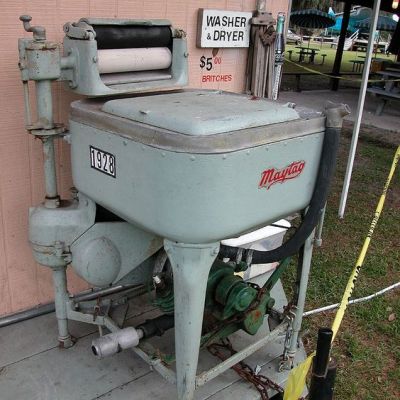
maytagUsing machines to wash and dry laundry isn’t a new concept. Washers and dryers have become commonplace enough that we don’t think of them as robots. Hamilton Smith patented the rotary washing machine in 1858. Maytag has had home machines available for nearly 100 years. Many of the early machines were powered by gasoline engines, as electricity wasn’t common in rural farmhouses. Things have improved quite a bit since then! From the dryer we transfer our laundry to a basket, where it has to be folded. It is this final step that cries out for a homemaking automaton to take this chore out of Everyman’s hands.



As one can imagine, folding laundry is one of those tasks that is easy for humans, but hard for robots. However, it’s not impossible. The idea of this article is to show what has been done, and get people talking. A project like this would take a person or group of people with skills in mechanics, electronics, machine vision, and software. It would also be sure to place well in the 2016 Hackaday Prize.

Continue reading “The Challenges Of A Laundry Folding Robot”