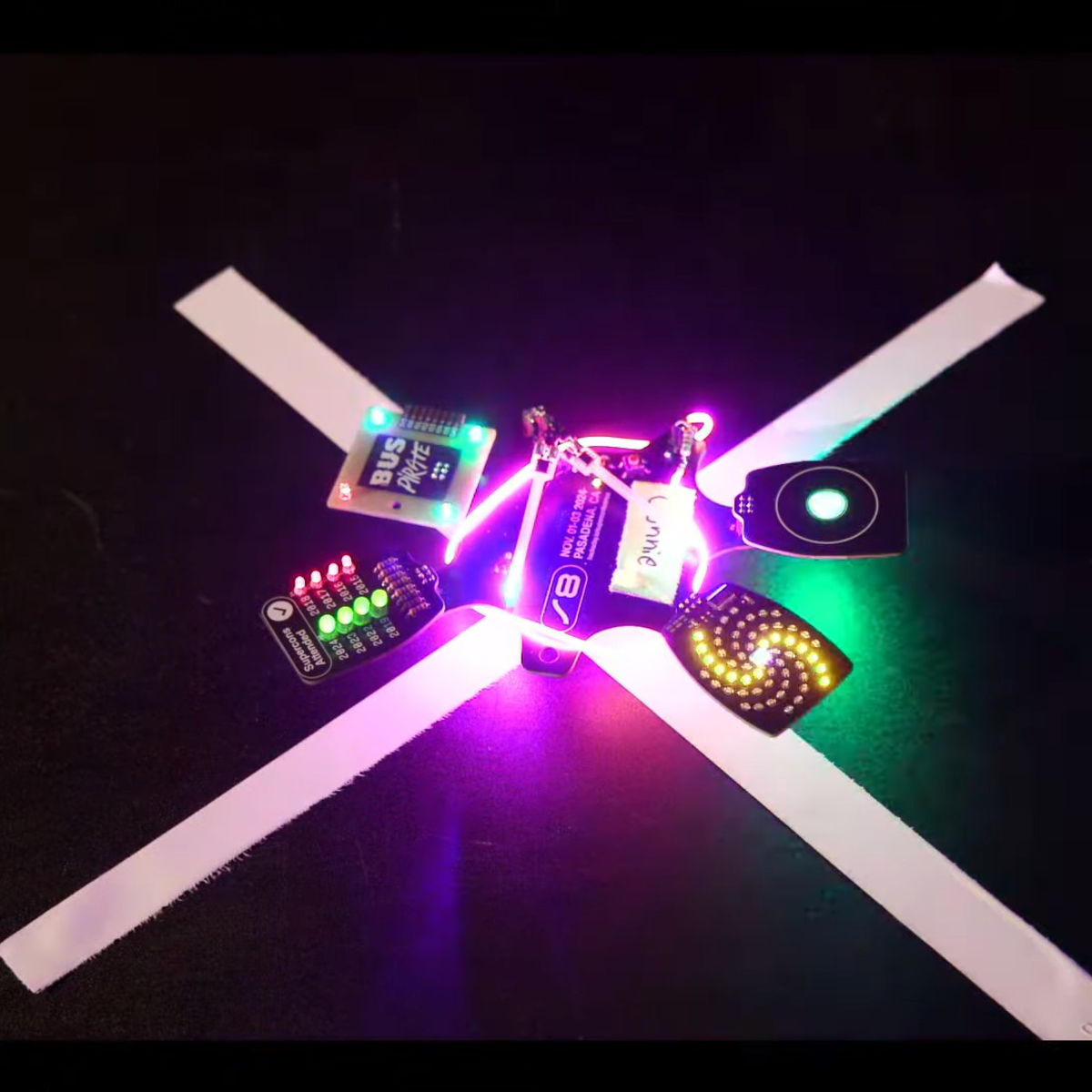
Is your multimeter one of your trusty friends when building up boards, repairing broken gadgets, and reverse-engineering proprietary ones? Is it accompanied by a logic analyzer or an oscilloscope at times?
Having a proper probing setup is crucial for many a task, and the standard multimeter probes just won’t do. As a PCB is slipping under your grip as you’re trying to hold the standard multimeter probes on two points at once, inevitably you will ponder whether you could be doing things differently. Here’s an assortment of probing advice I have accumulated.
Beyond The Norm
There’s the standard advice – keep your board attached firmly to a desk, we’ve seen gadgets like the Stickvise help us in this regard, and a regular lightweight benchtop vise does wonders. Same goes for using fancy needle probes that use gravity to press against testpoints – they might be expensive, but they are seriously cool, within limits, and you can even 3D-print them!
It is funny how when you first start doing something, you have so many misconceptions that you have to discard. When you look back on it, it always seems like you should have known better. That was the case when I first got a low-end laser cutter. When you want to cut or engrave something, it has to be in just the right spot. It is like hanging a picture. You can get really close, but if it is off just a little bit, people will notice.
The big commercial units I’ve been around all had cameras that were in a fixed position and were calibrated. So the software didn’t show you a representation of the bed. It showed you the bed. The real bed plus whatever was on it. Getting things lined up was simply a matter of dragging everything around until it looked right on the screen.
Today, some cheap laser cutters have cameras, and you can probably add one to those that don’t. But you still don’t need it. My Ourtur Laser Master 3 has nothing fancy, and while I didn’t always tackle it the best way, my current method works well enough. In addition, I recently got a chance to try an XTool S1. It isn’t that cheap, but it doesn’t have a camera. Interestingly, though, there are two different ways of laying things out that also work. However, you can still do it the old-fashioned way, too. Continue reading “Laser Cutters: Where’s The Point?”→
I want to introduce you to a project of mine – a portable router build, and with its help, show you how you can build a purpose-built device. You might have seen portable routers for sale, but if you’ve been in the hacking spheres long enough, you might notice there are “coverage gaps”, so to speak. The Pi-hole project is a household staple that keeps being product-ized by shady Kickstarter campaigns, a “mobile hotspot” button is a staple in every self-respecting mobile and desktop OS, and “a reset device for the ISP router” is a whole genre of a hacker project. Sort the projects by “All Time” popularity on Hackaday.io, and near the very top, you will see an OpenVPN &Tor router project – it’s there for a reason, and it got into 2014 Hackaday Prize semifinals for a reason, too.
I own a bunch of devices benefitting from both an Internet connection and also point-to-point connections between them. My internet connection comes sometimes from an LTE uplink, sometimes from an Ethernet cable, and sometimes from an open WiFi network with a portal you need to click through before you can even ping anything. If I want to link my pocket devices into my home network for backups and home automation, I can put a VPN client on my laptop, but a VPN client on my phone kills its battery, and the reasonable way would be to VPN the Internet uplink – somehow, that is a feature I’m not supposed to have, and let’s not even talk about DNSSEC! Whenever I tried to use one of those portable LTE+WiFi[+Ethernet] routers and actively use it for a month or two, I’d encounter serious hardware or firmware bugs – which makes sense, they are a niche product that won’t get as much testing as phones.
There are a ton of fun Raspberry Pi and Linux projects that require audio output – music players, talking robots, game consoles and arcades, intelligent assistants, mesh network walkie-talkies, and much more! There’s no shortage of Pi-based iPods out there, and my humble opinion is that we still could use more of them.
To help you in figuring out your projects, let’s talk about all the ways you can use to get audio out of a Pi or a similar SBC. Not all of them are immediately obvious and you ought to know the ropes before you implement one of them and get unpleasantly surprised by a problem you didn’t foresee. I can count at least five ways, and they don’t even include a GPIO-connected buzzer!
Let’s rank the different audio output methods, zoning in on things like their power consumption, and sort them by ease of implementation, and we’ll talk a bit about audio input options while we’re at it.
You may have heard some scary news about RISC-V CPUs. There’s good news, and bad news, and the whole thing is a bit of a cautionary tale. GhostWrite is a devastating vulnerability in a pair of T-Head XuanTie RISC-V CPUs. There are also unexploitable crashes in another T-Head CPU and the QEMU soft core implementation. These findings come courtesy of a group of researchers at the CISPA Helmholtz Center for Information Security in Germany. They took at look at RISC-V cores, and asked the question, do any of these instructions do anything unexpected? The answer, obviously, was “yes”.
Undocumented instructions have been around just about as long as we’ve had Van Neumann architecture processors. The RISC-V ISA put a lampshade on that reality, and calls them “vendor specific custom ISA extensions”. The problem is that vendors are in a hurry, have limited resources, and deadlines wait for no one. So sometimes things make it out the door with problems. To find those problems, CISPA researchers put together a test framework is called RISCVuzz, and it’s all about running each instruction on multiple chips, and watching for oddball behavior. They found a couple of “halt-and-catch-fire” problems, but the real winner (loser) is GhostWrite.
Now, this isn’t a speculative attack like Meltdown or Spectre. It’s more accurate to say that it’s a memory mapping problem. Memory mapping helps the OS keep programs independent of each other by giving them a simplified memory layout, doing the mapping from each program to physical memory in the background. There are instructions that operate using these virtual addresses, and one such is vs128.v. That instruction is intended to manipulate vectors, and use virtual addressing. The problem is that it actually operates directly on physical memory addresses, even bypassing cache. That’s not only memory, but also includes hardware with memory mapped addresses, entirely bypassing the OS. This instruction is the keys to the kingdom. Continue reading “This Week In Security: GhostWrite, Localhost, And More”→
Raspberry Pi’s first foray into the world of microcontrollers, the RP2040, was a very interesting chip. Its standout features were the programmable input/output units (PIOs) which enabled all sorts of custom real-time shenanigans. And that’s not to discount the impact of the Pi Pico, the $4 dev kit built around it.
Today, they’re announcing a brand-new microcontroller: the RP2350. It will come conveniently packaged in the new Pi Pico 2, and there’s good news and bad news. The good news is that the new chip is better in every way, and that the Pico form factor will stay the same. The bad news? It’s going to cost 25% more, coming in at $5. But in exchange for the extra buck, you get a lot.
For starters, the RP2350 runs a bit faster at 150 MHz, has double the on-board RAM at 520 kB, and twice as much QSPI flash at 4 MB. And those sweet, sweet PIOs? Now it has 12 instead of just 8. (Although we have no word yet if there is more program space per PIO – even with the incredibly compact PIO instruction set, we always wanted more!)
Two flavors on the same chip: Arm and RISC
As before, it’s a dual-core chip, but now the cores are Arm Cortex M33s or RISC-V Hazard3s. Yes, you heard that right, there are two pairs of processors on board. Raspberry Pi says that you’ll be able to select which style of cores runs either by software or by burning one-time fuses. So it’s not a quad core chip, but rather your choice of two different dual cores. Wild!
Raspberry Pi is also making a big deal about the new Arm TrustZone functionality. It has signed boot, 8 kB of OTP key-storage memory, SHA-256 acceleration, a hardware RNG, and “fast glitch detectors”. While this is probably more aimed at industry than at the beginning hacker, we’re absolutely confident that some of you out there will put this data-safe to good use.
There is, as of yet, no wireless built in. We can’t see into the future, but we can see into the past, and we remember that the original Pico was wireless for a few months before they got the WiFi and Bluetooth radio added into the Pico W. Will history repeat itself with the Pico 2?
We’re getting our hands on a Pico 2 in short order, and we’ve already gotten a sneak peek at the extensive software toolchain that’s been built out for it. All the usual suspects are there: Picotool, TinyUSB, and OpenOCD as we write this. We’ll be putting it through its paces and writing up all the details next week.
Image by [fata1err0r81] via redditThe most striking feature of the Tenshi keyboard has to be those dual track pads. But then you notice that [fata1err0r81] managed to sneak in two extra thumb keys on the left, and that those are tilted for comfort and ease of actuation.
The name Tenshi means ‘angel’ in Japanese, and creator [fata1err0r81] says that the track pads are the halos. Each one slides on a cool 3D-printed track that’s shaped like a half dovetail joint, which you can see it closer in this picture.
Tenshi uses a pair of RP2040 Zeros as controllers and runs QMK firmware. The track pads are 40 mm each and come from Cirque. While the Cirques have been integrated into QMK, the pull request for ZMK has yet to be merged in. And about those angled keys — [fata1err0r81] says they tried risers, but the tilting feels like less effort. Makes total sense to me, but then again I’m used to a whole keyboard full of tilted keys.