Make Fancy Resin Printer 3D Models FDM-Friendly

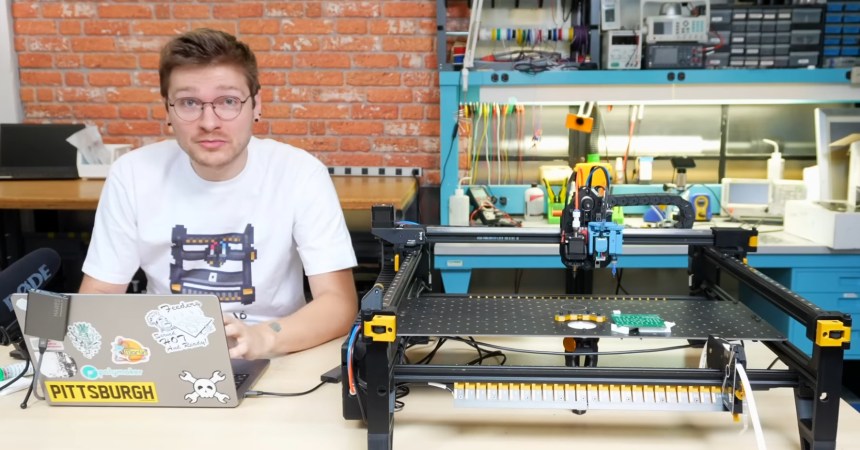
Do you like high-detail 3D models intended for resin printing, but wish you could more easily print them on a filament-based FDM printer? Good news, because [Jacob] of Painted4Combat shared a tool he created to make 3D models meant for resin printers — the kind popular with tabletop gamers — easier to port to FDM. It comes in the form of a Blender add-on called Resin2FDM. Intrigued, but wary of your own lack of experience with Blender? No problem, because he also made a video that walks you through the whole thing step-by-step.

Resin2FDM separates the model from the support structure, then converts the support structure to be FDM-friendly.

3D models intended for resin printing aren’t actually any different, format-wise, from models intended for FDM printers. The differences all come down to the features of the model and how well the printer can execute them. Resin printing is very different from FDM, so printing a model on the “wrong” type of printer will often have disappointing results. Let’s look at why that is, to better understand what makes [Jacob]’s tool so useful.

Rafts and a forest of thin tree-like supports are common in resin printing. In the tabletop gaming scene, many models come pre-supported for convenience. A fair bit of work goes into optimizing the orientation of everything for best printed results, but the benefits don’t carry directly over to FDM.

For one thing, supports for resin prints are usually too small for an FDM printer to properly execute — they tend to be very thin and very tall, which is probably the least favorable shape for FDM printing. In addition, contact points where each support tapers down to a small point that connects to the model are especially troublesome; FDM slicer software will often simply consider those features too small to bother trying to print. Supports that work on a resin printer tend to be too small or too weak to be effective on FDM, even with a 0.2 mm nozzle.

To solve this, [Jacob]’s tool allows one to separate the model itself from the support structure. Once that is done, the tool further allows one to tweak the nest of supports, thickening them up just enough to successfully print on an FDM printer, while leaving the main model unchanged. The result is a support structure that prints well via FDM, allowing the model itself to come out nicely, with a minimum of alterations to the original.

Resin2FDM is available in two versions, the Lite version is free and an advanced version with more features is available to [Jacob]’s Patreon subscribers. The video (embedded below) covers everything from installation to use, and includes some general tips for best results. Check it out if you’re interested in how [Jacob] solved this problem, and keep it in mind for the next time you run across a pre-supported model intended for resin printing that you wish you could print with FDM.

Continue reading “Make Fancy Resin Printer 3D Models FDM-Friendly”

3D Printed Brick Layers For Everyone

Some slicers have introduced brick layers, and more slicers plan to add them. Until that happens, you can use this new script from [Geek Detour] to get brick layer goodness on Prusa, Orca, and Bambu slicers. Check out the video below for more details.

The idea behind brick layers is that outer walls can be stronger if they are staggered vertically so each layer interlocks with the layer below it. The pattern resembles a series of interlocking bricks and can drastically increase strength. Apparently, using the script breaks the canceling object functionality in some printers, but that’s a small price to pay. Multi-material isn’t an option either, but — typically — you’ll want to use the technique on functional parts, which you probably aren’t printing in colors. Also, the Arachne algorithm option only works reliably on Prusa slicer, so far.

The video covers a lot of detail on how hard it was to do this in an external script, and we are impressed. It should be easier to write inside the slicer since it already has to figure out much of the geometry that this script has to figure out by observation.

If you want more information, we’ve covered brick layers (and the controversy around them) back in November. Of course, scripts that add functions to slicers, tend to get outdated once the slicers catch up.

Continue reading “3D Printed Brick Layers For Everyone”

A 6502, In The Shell

Shell scripting is an often forgotten programming environment, relegated to simple automation tasks and little else. In fact, it’s possible to achieve much more complex tasks in the shell. As an example, here’s [calebccf] with an emulated 6502 system in a busybox ash shell script.

What’s in the emulator? A simple 6502 system with RAM, ROM, and an emulated serial port on STDIO. It comes with the wozmon Apple 1 monitor and BASIC, making for a very mid-1970s experience. There’s even a built-in monitor and debugger, which from our memories of debugging hand-assembled 8-bit code back in the day, should be extremely useful.

Although the default machine has a generous 32k of RAM and 16k ROM, you can easily adjust these limits by editing machine.sh. In addition, you can get a log of execution via a socket if you like. Don’t expect it to run too fast, and we did have to adjust the #! line to get it to run on our system (we pointed it to bash, but your results may vary).

What you use this for is up to you, but we’re sure you’ll all agree it’s an impressive feat in the shell. It’s not the first time we’ve seen some impressive feats there, though. Our Linux Fu column does a lot with the shell if you want further inspiration.

Tracking Deep-Sky Objects

Astrophotography, and astronomy in general, takes some fairly specialized tools and a high amount of precision. Setting up the equipment can also take a lot of time, especially for amateurs traveling to various locations with their equipment, so anything that can reduce the amount of time spent looking for objects and increasing the amount of time looking at them is a welcome addition, especially since nights where conditions are ideal for these activities can be rare. [Anton] developed this real-time tracking tool for deep sky objects (DSOs) to keep tabs on most of the interesting things out there a telescope can be pointed at.

[Anton] calls his tool the Nova DSO Altitude Tracker and gets its information from SIMBAD, updating every minute for a given location on the planet. With that location data, the program calculates altitude and azimuth for various objects and also helps the user keep track of other important variables like moon illumination and angle above the horizon. It also allows the user to highlight specific objects of interest, making sure they are front and center throughout the session. Each DSO can be selected from a list to display detailed information about it such as its path, time visible in the sky, and other properties.

To get the program running, essentially all that’s required is a computer capable of running Python and a display of some sort. From there it provides a quick view of the best objects to point one’s telescope or camera at without any guesswork. With all of the code available it shouldn’t be too much of a leap to do other things with the underlying software, either, such as tying it into a tracker of some sort like this DIY telescope tracking device we featured a while back.

Satellite Imagery You Can Play With

Satellite imagery is in the news right now, but not all satellite constellations are the preserve of governments. Satellogic operates a series of CubeSats with Earth imaging payloads, and best of all, they maintain an open dataset. [Mark Litwintschik] takes us through using it.

Starting with a script to recover the locations of the satellites, he moves on to the data itself. It’s in a huge S3 bucket, for which parsing the metadata becomes a big data question rather than one of simple retrieval. After parsing he loads the resulting data into a database, from which he can then perform queries more easily. He uses Qatar as his example, and shows us the resulting imagery.

The dataset isn’t comprehensive, it’s obvious that the areas surveyed have been done at the behest of customers. But who knows, your part of the world might be one of the areas in the dataset, and now you have all the tools you need to explore. It certainly beats low-res weather satellite imagery.

Freeing Windows

There have been several attempts to make an unencumbered version of Windows. ReactOS is perhaps the best-known. You could also argue that Wine and its progeny, while not operating systems in the strictest sense of the word, might be the most successful. Joining the fray is Free95, a GPL-3.0 system that, currently, can run simple Windows programs. The developer promises to push to even higher compatibility.

As you might expect, the GitHub site is calling for contributors. There will be a lot to do. The src subdirectory has a number of files, but when you consider the sheer volume of stuff crammed into Windows, it is just a minimal start.

Continue reading “Freeing Windows”

Physical Computing Used To Be A Thing

In the early 2000s, the idea that you could write programs on microcontrollers that did things in the physical world, like run motors or light up LEDs, was kind of new. At the time, most people thought of coding as stuff that stayed on the screen, or in cyberspace. This idea of writing code for physical gadgets was uncommon enough that it had a buzzword of its own: “physical computing”.

You never hear much about “physical computing” these days, but that’s not because the concept went away. Rather, it’s probably because it’s almost become the norm. I realized this as Tom Nardi and I were talking on the podcast about a number of apparently different trends that all point in the same direction.

We started off talking about the early days of the Arduino revolution. Sure, folks have been building hobby projects with microcontrollers built in before Arduino, but the combination of a standardized board, a wide-ranging software library, and abundant examples to learn from brought embedded programming to a much wider audience. And particularly, it brought this to an audience of beginners who were not only blinking an LED for the first time, but maybe even taking their first steps into coding. For many, the Arduino hello world was their coding hello world as well. These folks are “physical computing” natives.

Now, it’s to the point that when Arya goes to visit FOSDEM, an open-source software convention, there is hardware everywhere. Why? Because many successful software projects support open hardware, and many others run on it. People port their favorite programming languages to microcontroller platforms, and as they become more powerful, the lines between the “big” computers and the “micro” ones starts to blur.

And I think this is awesome. For one, it’s somehow more rewarding, when you’re just starting to learn to code, to see the letters you type cause something in the physical world to happen, even if it’s just blinking an LED. At the same time, everything has a microcontroller in it these days, and hacking on these devices is also another flavor of physical computing – there’s code in everything that you might think of as hardware. And with open licenses, everything being under version control, and more openness in open hardware than we’ve ever seen before, the open-source hardware world reflects the open-source software ethos.

Are we getting past the point where the hardware / software distinction is even worth making? And was “physical computing” just the buzzword for the final stages of blurring out those lines?