An Open Source 96 MSPS Logic Analyzer For $22

If you are in the market for an inexpensive USB logic analyser you have a several choices, but few of them deliver much in the way of performance. There are kits from China for a few dollars using microcontrollers at their heart, but they fail to deliver significant sample rates. If you require more, you will have to pay for it.

It is therefore rather interesting to see [kevinhub88]’s SUMP2 project, an open source logic analyser with a claimed 96 MSPS sample rate using an off-the-shelf Lattice iCEstick FPGA evaluation board that only costs about $20. It talks to a host computer via USB using the established SUMP protocol, so its software front-end comes from the sump.org logic analyser project. Edit: Since this post was published [Kevin] has contacted us to inform us that the project’s capabilities have now moved beyond SUMP’s capabilities and in fact it now uses his own software.

This project has the promise to add a very useful piece of test equipment to the armoury of the engineer on a budget, and to aid the cost-conscious reader he’s provided extensive documentation and installation instructions, as well as the code for the FPGA. Thanks to one of the more awesome hacks of 2015, there is an entirely open toolchain for this Lattice part, and our own [Al Williams] has written up a multi-part getting-started guide if you want to get your feet wet. You probably want one of these anyway, and now it’s a logic analyzer to boot.

We’ve covered quite a few inexpensive home-produced digital instruments here over the years, including this logic analyser with a slightly higher price tag, this inexpensive VNA, and this oscilloscope board. Maybe one day the bench of our dreams will all come on one open-source PCB for $100, who knows!
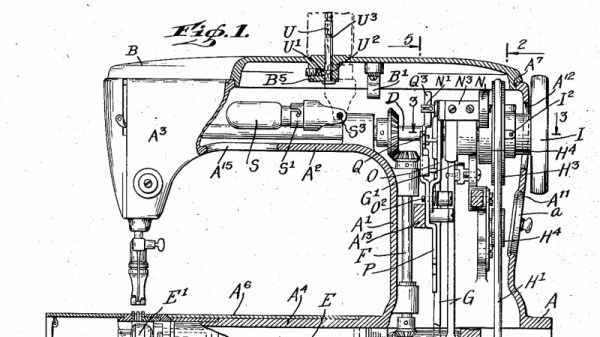
Why You Should Own A Sewing Machine

This could probably be any of our grandmothers at work. George Grantham Bain Collection [PD], via Wikimedia Commons
This could probably be any of our grandmothers at work. George Grantham Bain Collection [PD], via Wikimedia Commons.
In our hackspace, we’ve opened a textile room in the last month. We have high hopes for it as a focal point for cosplayers and LARPers as well as the makers of wearable electronics and more traditional textile users. Putting it in has involved several months of hard work bringing a semi-derelict and previously flooded room that was once the walk-in safe for our local school authority to a point at which it is a light and welcoming space, but a surprising amount of work has also had to go into winning the hearts and minds of our community for the project.

Putting it quite simply, textiles aren’t seen as very cool, in hackspace terms. You know, Women’s stuff. Your mother does it, or even maybe if you are a little younger, your grandmother. It’s just not up there with laser cutting or 3D printing, and as a result those of us for whom it’s a big part of making stuff have had to fight its corner when it comes to resources within the space.

Yet not so long ago when I brought a pair of worn-out jeans into the space on a social night and hauled out our Lervia sewing machine to fix them, I had a constant stream of fellow members passing by amazed at what I was doing. “You can repair jeans?” they asked, incredulously. For some reason this prospect had not occurred to them, I was opening up a new vista in clothing reincarnation, to the extent that before too long in our new facility I may be giving a workshop on the subject as the beloved former trousers of Oxford Hackspace denizens gain a chance of new life.

Continue reading “Why You Should Own A Sewing Machine”

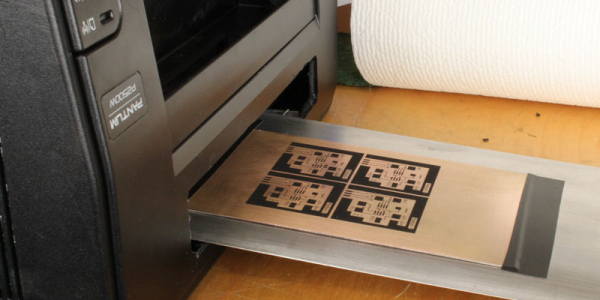
Want To Make A PCB? The Pantum Knows…

We’ve done a lot of PCBs with the toner transfer method over the years. The idea is simple: print a pattern using toner (which is just ground up black plastic) and then use an iron or other heat and pressure device to transfer the toner to a copper-clad board. It works and it works well. But getting just the right combination of heat, pressure, release paper, and toner is sometimes tricky.

Some people hack their printers to turn off the fuser wire (to make the toner not stick to the paper) or to run a PCB directly through it. If you have a big expensive laser printer, though, you might not want to chop it up just to run PCBs. Have you looked at laser printer prices lately? We aren’t sure if it is cheap units flooding the market, or the overwhelming popularity of color printers, but you can pick up a Pantum P2500 for about $25 or $30–and probably get WiFi printing at that price. [Mlermen] picked one of these up and shows you how to convert it to a PCB printer.

Continue reading “Want To Make A PCB? The Pantum Knows…”

OpenFixture Takes The Pain Out Of Pogo Pins

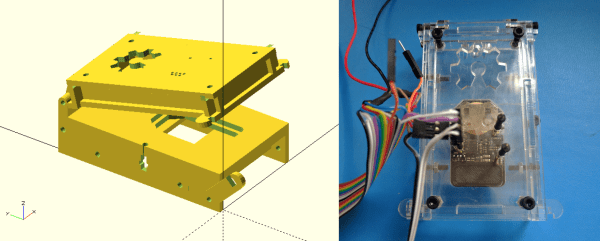
[Elliot] (no relation, but hey, cool name!) wrote in with his OpenFixture model for OpenSCAD. It’s awesome because it takes a small problem, that nonetheless could consume an entire day, and solves it neatly. And that problem is making jigs to test assembled electrical products: a PCB test fixture.

In the PCB design software, you simply note down the locations of the test points and feed these into the OpenSCAD model. ([Elliot] shows you exactly how to do it using KiCAD.) There are a few more parameters of the model that you can tweak to match your particulars, but you should have a DXF outline for a test jig in short order. Cut that out, assemble, and test.

If you have to make more than a few handfuls of a complicated circuit, it becomes worth it to start thinking about testing them systematically. And with this OpenSCAD model, you can have the test jig up and running before the first prototype boards are back in from the fab. How cool is that?

Scissors Make Great Automatic Cable Cutters

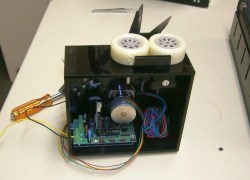
The team at [2PrintBeta] required a bunch of cables, heat shrink, and braid to be cut for their customers. They looked into an industrial cable cutter, but decided the price was a little too high, so they decided to make their own. They had a bunch of ideas for cutting: Using a razor blade?  Or a Dremel with a cutting wheel? What they came up with was a DIY cable cutter that uses a pair of scissors, a pair of stepper motors, a pair of 3D printed wheels and an Arduino.

The first thing the team had to do was to mount the scissors so they would cut reliably. One of the stepper motors was attached to a drive wheel that had a bolt mounted on it. This went through one of the scissors’ handles, the other handle was held in place on the machine using screws. The second stepper motor was used to rotate the wheels that drives the cable through to the correct length. [2PrintBeta] used a BAM&DICE shield and two DICE-STK stepper motor drivers on an Arduino Mega to control the cutter.

The [2PrintBeta] team are pretty good at doing things themselves, as we’ve seen previously with their DIY plastic bender. And again, with this automatic cable cutter, they’ve seen a need and resolved it using the things at their disposal and some DIY ingenuity.

Continue reading “Scissors Make Great Automatic Cable Cutters”

A Cheap, 555-Based Geiger Counter

Every mad scientist’s lair needs a Geiger counter. After all, if that UFO crashes on the back patio, you might need to know if it is hot. [Tanner_Tech] shows you how to build a cheap one that will get the job done.

You do need a Geiger tube, but a quick search of a popular auction site shows plenty of Russian surplus for a few bucks. The other thing you need is a source of high voltage (about 400V), which is the heart of the circuit using a 555-based DC to DC converter. You can see a video of the device working, below.

The DC to DC converter needs a transformer that [Tanner] swiped out of an alarm clock. A piezo transducer (stolen from a junk microwave) gives you the characteristic click. If you prefer solid state over hollow state, there’s an open source project that uses a PIN diode as a sensor. Or you could add an Arduino and some LEDs.

Continue reading “A Cheap, 555-Based Geiger Counter”

Upcycle An Isolation Transformer

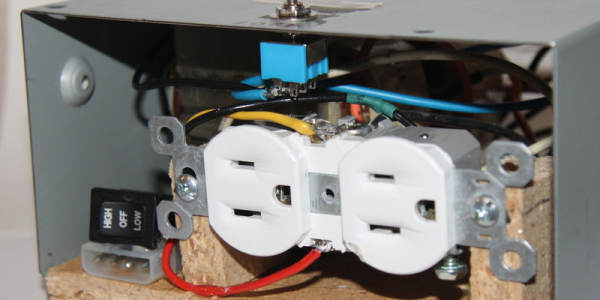
There are several reasons you should have an isolation transformer. They can prevent ground loops and also prevent a device under test from having a DC path to ground (or isolate an oscilloscope from DC ground, which can be dangerous in its own right, but that’s another discussion). [Tanner_tech] noticed that finding ballast transformers for sodium vapor street lights is getting easier as more street lights move to LED technology. What to do with these transformers? Build an isolation transformer, of course.

Of course, your dumpster transformer might be a little different than the one shown in the post (and the video, below). [Tanner] shows how to work out the leads you need. A little wood work and a PC power supply case finished the project.

Judging from the comments, some people take [Tanner’s] talk about safety as an implication that a transformer makes working on mains safe. It doesn’t. It makes it safer if you know what you are doing. Working with high voltage isn’t a place to learn by doing.

If you want some practical advice, [Jenny List] has a good read for you. You probably also ought to invest an hour in watching this video that has a lot of practical advice.

Continue reading “Upcycle An Isolation Transformer”