kaleidoscope

Arduino Powered Digital Kaleidoscope

[Jose’s] latest project brings an old visual effect toy up to date with digital electronics. Most of us are familiar with inexpensive kaleidoscope toys. Some of us have even built cheap versions of them with paper tubes, mirrors, and beads. [Jose] wanted to try to recreate the colorful pattern effects created by a kaleidoscope using an Arduino and an addressable LED strip.

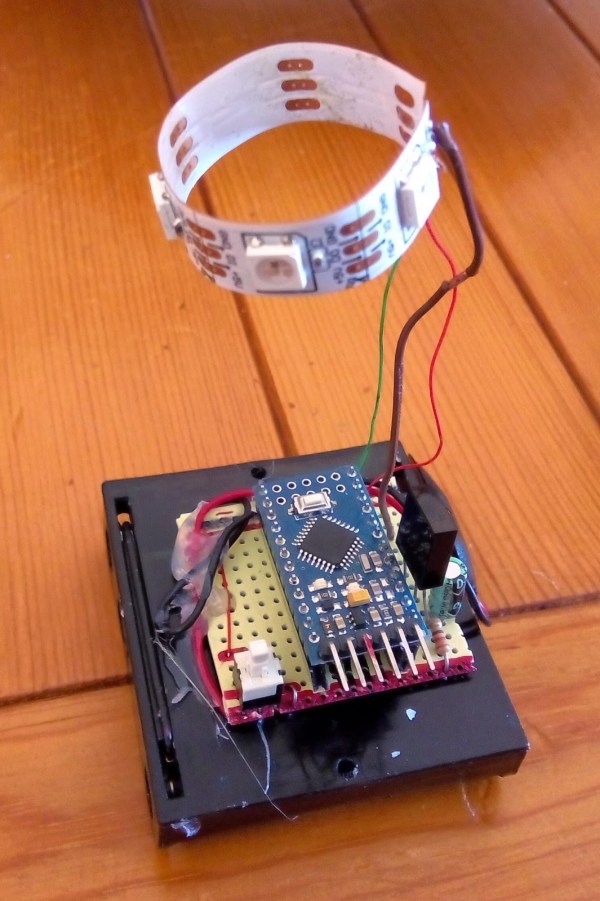
The build is actually pretty simple. The base is a disc of PVC cut to just a few inches in diameter. [Jose] started with an addressable LED strip containing 60 LEDs. He then cut it into 12 sections, each containing five LEDs. The smaller strips were then mounted to the disc, similar to spokes on a bicycle wheel. The LED strip already has an adhesive backing, so that part was trivial.

The final step was to add some kind of diffuser screen. The LED strips on their own are not all that interesting. The diffuser allows the light to blend together, forming interesting patterns that are more reminiscent of the patterns you might see in a real kaleidoscope. Without the diffuser you would just see individual points of light, rather than blended color patterns.

The whole thing is controlled by a small Arduino. [Jose] has made the code available at the bottom of his blog post. Be sure to watch the video of the system in action below. Continue reading “Arduino Powered Digital Kaleidoscope”

Master Clock Keeps Time For All Other Clocks

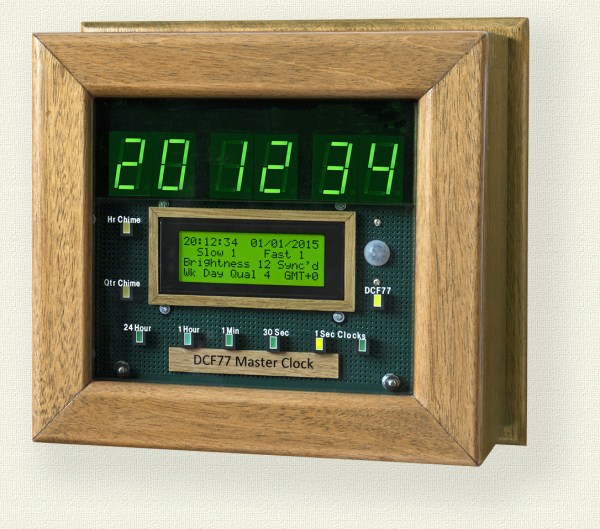
[Brett] just finished construction and long-term testing of this extremely accurate timepiece. It keeps such great time by periodically syncing with the atomic clock in Mainflingen, Germany.

The core of the project is an ATMega328 which uses the new DCF77 library for decoding the signal broadcast by an atomic clock. The libraries written by Udo Klein significantly increase the noise tolerance of the device reading the signal, but they will not work with any project that use a resonator rather than a crystal.

In the event of a complete signal loss from the atomic clock, the micro driving the clock also has a backup crystal that can keep the clock running to an accuracy of within 1 second per day. The clock can drive slave clocks as well, using pulses with various timings depending on what [Brett] needs them to do. The display is no slouch either: six seven-segment displays show the time and an LCD panel reads out data about the clock. It even has chimes for the hour and quarter hour, and is full of many other features to boot!

One of the most annoying things about timekeeping is daylight savings time corrections, and this clock handles that with a manual switch. This can truly take care of all of your timekeeping needs!

Arduino-Powered Alarm System Has All The Bells And Whistles

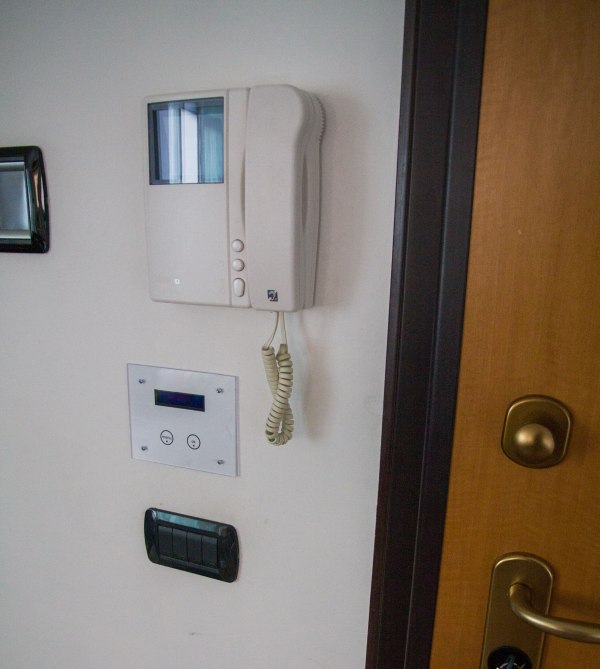
Put aside all of the projects that use an Arduino to blink a few LEDs or drive one servo motor. [IngGaro]’s latest project uses the full range of features available in this versatile microcontroller and has turned an Arduino Mega into a fully-functional home alarm system.

The alarm can read RFID cards for activation and control of the device. It communicates with the front panel via an I2C bus, and it can control the opening and closing of windows or blinds. There is also an integrated GSM antenna for communicating any emergencies over the cell network. The device also keeps track of temperature and humidity.

The entire system can be controlled via a web interface. The Arduino serves a web page that allows the user full control over the alarm. With all of that, it’s hard to think of any more functionality to get out of this tiny microcontroller, unless you wanted to add a frickin’ laser to REALLY trip up the burglars!

GPS Bike Tracker

GPS Tracker Tracks Your Stolen Bike

Bikes are great for cruising through congested cities but there is a serious downside to pedaling your two-wheeler around… bike theft. It’s a big deal, for example, yearly estimates for stolen bikes in NYC are in the 60,000 – 100,000 range. Only an extremely small percentage of those are ever recovered. [stbennett] just got himself a halfway decent bike and is not too interested in having it stolen, and if it is stolen, he wants a way to find it so he built himself a GPS tracker for his bike.

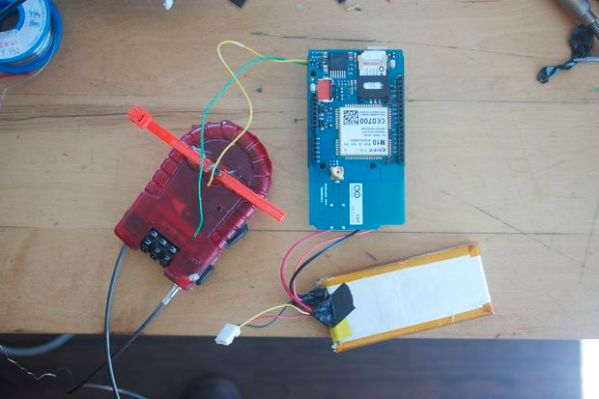
The entire project is Arduino-based. It uses a GSM Shield and a GPS module along with a few other small odds and ends. A 2-cell LiPo battery provides the required power for all of the components. It’s pretty neat how this device maintains an extremely long battery life. The metal cable of the bike lock is used as a conductor in the circuit. When the cable is inserted and locked into the lock housing a circuit is completed that prevents electricity from passing through a transistor to the Arduino. In other words, the Arduino is off unless the bike cable is cut or disengaged. That way it is not running 24/7 and draining the battery.

The entire system works like this, once the bike lock cable is cut, the Arduino wakes up and gives a 15 second delay before doing anything, allowing the legitimate user to reconnect the bike lock and shut down the alarm system. If the bike lock is not re-engaged, the unit starts looking for a GPS signal. At that time it will send out SMS messages with the GPS location coordinates. Punching those numbers into Google Maps will show you exactly where the bike is.

Of course your other option is to park your bike where nobody else can access it, like at the top of a lamp pole.

Arduino-based LED Wedding Lights

Light (1 of 3)Light (2 of 3)

[Rob] created these amazing Bluetooth controlled LED lights for his daughter’s wedding adding a colorful ambient glow to the ceremony. Each item held a Neopixel ring and an Arduino microprocessor with a wireless module that could be individually addressed over a ‘mini-network.’ The main master station would receive commands from a Windows Phone. Usually we see Arduino-based projects being run with Android apps, so it’s nice to see that Microsoft is still present in the maker community.

The enclosures and translucent vases that sit atop the devices were 3D printed. All eight of the matrimonial units synchronized with each other, and the colors could be changed by sliding the settings bar on the app.  [Rob] says that it was a lot of fun to build, and jokingly stated that it kept him “out of all the less important aspects of the ceremony. (food choice, decor, venue, who to marry etc etc).” The outcome was a beautiful arrangement of tabletop lighting for the wedding. A demo of [Rob]’s setup can be seen in the video below.

Continue reading “Arduino-based LED Wedding Lights”

Baby’s Room Gets A Palace With This CNC Castle Decoration

castle decoration

[Vegard] and his wife were expecting a baby girl, and decided to build a castle for their new daughter. As a prototyping geek with his own CNC machine in his apartment, he decided to take to Google Sketchup to design this well-crafted castle decoration for his daughter’s room.

The first challenge was figuring out what the castle would look like. [Vegard] had never been to Disney Land or World, and so had never actually seen any of the fairy-tale castles in real life. After experimenting with some paper versions, he settled on a design which incorporates multiple layers and can house lights within them.

The next step was to cut the final version on the CNC machine, then sand and paint the parts. After figuring out a way to mount the castle to the wall, some LEDs were added for effect, driven by an Arduino. The final version looks pretty good!

Hacking your kids’ room is great fun, and you get to keep making new stuff to remain age appropriate. We bet [Vegard] can’t wait until she’s old enough to enjoy a marble-run that wraps the entire room. In the mean time he can work on a classic robot stroller.

Gemma-Powered NeoPixel Sound Reactive Drums

adafruit_products_drum-slide-out

This tutorial from Adafruit shows how to create a custom interactive drum set that lights up with sound. It uses a mic amp sensor that is connected to a miniature Arduino Gemma board to detect when the instrument is being hit by the sticks. Neopixels then illuminate into a range of colors creating a beautifully synced up music presentation.

The container that houses the electronics is 3D printed. The entire circuit is integrated into the snare, mid-tom, hi-tom and a drum kick. All the code and step-by-step instructions can be found on Adafruit’s website. Now imagine something like this being packed up in a suitcase and carried from venue to venue as an up-and-coming band travels from state to state on tour; especially at Drum n’ Bass raves or electronic based music festivals. A video of the kit being used is below.

Continue reading “Gemma-Powered NeoPixel Sound Reactive Drums”