NES Controller To USB Gamepad

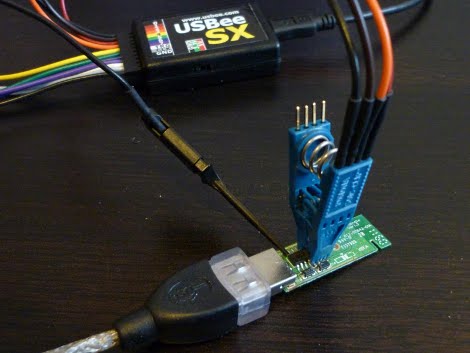
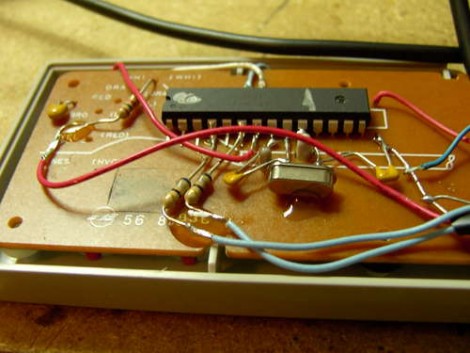
Regular Hackaday reader [Osgeld] is at it again with this USB conversion for an NES controller. This is a ubiquitous hack that we started seeing very early on, sometimes involving an adapter kit, and other times including things like a thumb drive and USB hub. But this time around is truly a bare-bones version. He’s using an Arduino but it’s really just an AVR ATmega168 running the bootloader. We’d wager this can be done with an ATmega8 just as easily. Grab a couple of diodes (we never seem to have the 3.6v zener diodes around when we need them), a couple caps and resistors, a crystal and you’re in business. The hack wires each button to a pin and implements a keyboard HID that can be mapped for any purpose you desire.

Talking Poker Timer

[youtube=http://www.youtube.com/watch?v=k8iIuPnXzm8]

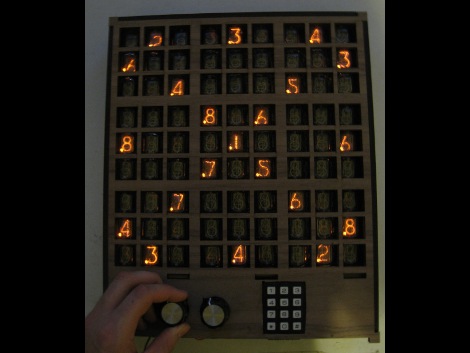
This interesting box of buttons is a talking poker tournament timer. Full of useful tools like a binary time display, words of wisdom, countdowns to the end of the game, and even good old “bicycle built for two” mode (around 1:20).  While we find it fairly difficult to understand, we applaud the feature list, especially the song.  He used an Arduino with a voice shield, so there’s not much to the electronics side, but you can download his source code from his site.

[via Makezine]

Replacement Speedometer

[Howard] built his own replacement speedometer for his truck after the original speedometer cable broke. He’s using surface mount components and produced a two-board design that is quite nice. When he tipped us off he mentioned that this is Arduino powered and uses a hall effect sensor. There’s not talk of this in his writeup but we gather that he’s just using the bootloader on an AVR chip and that he hall effect sensor measures the rotation of one of the wheels. When the vehicle isn’t moving the board alternates between max speed and trip distance. Once he’s on the roll it shows current speed.

Android Meets Arduino

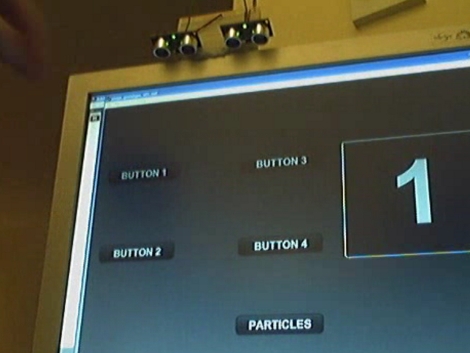
This new toolkit, called “Android” meets Arduino, allows you to connect an Arduino to your device and communicate back and forth. You could trigger external events at the Arduino end when an event happens on your phone, or even trigger things on your phone side when something happens at the Arduino.  We can’t wait to see the stuff people come up with beyond simple notifiers.

[via littlebirdceo]

Printed Circuit Board Minus The Printed Traces

Reader [Osgeld] is a board-layout ninja. He populated this 4×4 LED matrix board without having a layout plan to start with. Watch it develop in slideshow format to see the art work he performs. The display is driven by a shift-register and he’s included all the proper parts like resistors and transistors, yet he makes everything fit. Why is this amazing? He’s using uninsulated wire and not a single one of them crosses another wire. He’s physically designing a printed circuit board, routing the traces as he solders away. He’s built this to use with an Arduino shift register tutorial and our only question is where is the header to hook this board to a microcontroller?

An Arduino Watch You Would Actually Want To Wear

Leather work, copper tubing, small easy to use package. Now that is a beautiful Arduino Watch. [Matthew Garten] has retrofitted his old Arduino Watch and given us the details that we crave.

Previously, all we had was a video and a few pictures of a quite uninviting watch. But now we know it has temperature, range finding, and trackball input while displaying time, games, and more with its 128 by 128 pixel OLED 16 bit display. And did we mention the much more enticing steampunk case?

Printing With Pressure

The video of [Thibault Brevet’s] printer makes it look like he’s actually designed a vinyl cutter (watch it after the break). But at the end of the printing process you see that the top layer was actually a piece of carbon copy paper and the magic was happening underneath. The print head applies enough pressure to transfer the blue-ish printing ink onto the paper giving the result seen above. He’s driving this with an Arduino and feeding data using Processing.

[Thibault] left this link in the comments from the LEGO printer post. Shame on him for not tipping us off as soon as he posted info on this hack. Don’t underestimate yourselves, if you hack it we want to hear about it!

Continue reading “Printing With Pressure”