Garage Door Monitoring And Control Using A Dedicated Android Phone

[Sean] happened to have an extra Android phone sitting around and wanted to see what type of home automation he could use it for. One simple hardware modification, and some apps from the Android Market let him monitor and control his garage door remotely.

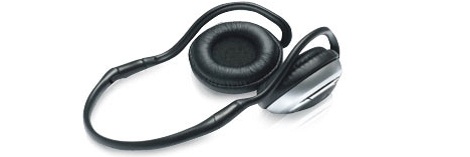
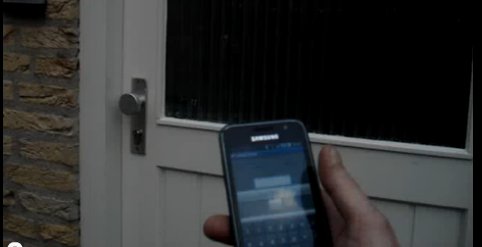
The hardware modification is a hack we’ve already looked at. The BTmate uses a Bluetooth headset with an added transistor to short the connections on your garage door opener. The only issue is that you need to be within range for the Bluetooth to work. [Sean] adds a layer of abstraction by using two Android phones. One is permanently mounted in the garage and handles the Bluetooth connectivity, while the other uses VNC to tunnel in anywhere he has an Internet connection.

But why stop there? He knew that this one feature was overkill, and added a second which the phone was perfect for. Since it has its own camera, he used the tinyCam app to create a webcam server. This even allows him to turn the LED on and off for a better view in dim light conditions. See [Sean’s] demonstration after the break.

Overkill? Maybe, but if you’ve got a phone with a broken LCD, this might be just the thing to give it a new purpose.

Continue reading “Garage Door Monitoring And Control Using A Dedicated Android Phone”

RF Sniffing On-the-go

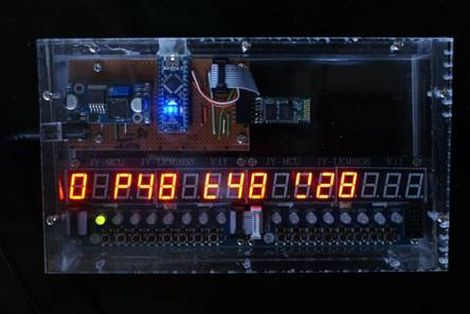
It’s been a while since we checked in on [Travis Goodspeed]. His latest post makes RF sniffing with the Next HOPE badge more portable by ditching the need to display data on a computer. He’s built on the work he did at the beginning of the year, replacing the FTDI chip on the badge with a Bluetooth module. Now he can use his Nokia N900 as a GoodFET terminal to not only display the packets pulled from the air, but the control the badge as well.

Previously, the client running on the computer was communicating with the badge via a serial connection. To get it working on the N900 [Travis] transitioned from using py-serial over to using py-bluez. All of the code changes are available from the GoodFET repository.

He’s got a few other tricks planned for this concept. He put in a parts order to add Bluetooth to the Girltech IM-ME. The pretty pink pager has the same radio chip on board, so adding Bluetooth connectivity will allow it to be used in the same way. There are also plans in the works to add a couple other packet sniffing protocols to the bag of tricks, including ZigBee.

Prototyping A Bluetooth To IR Remote Control Translator

[James] is one of those guys on a quest to control everything with one device. His tool of choice is an Android phone, which can do quite a lot right out of the box. But he was never satisfied with its lack of IR remote control abilities. He fixed that feature-gap by building a Bluetooth to Infrared translator.

The hardware he used for the prototype is quite simple. A cheap serial Bluetooth modem from eBay lets him connect to his phone. An Arduino board listens for data from the modem and converts incoming commands to flashes on an IR LED. Voila, he can control the tube with his phone.

We love the potential of this hack. The Bluetooth module runs from 3.3V, and reading serial data and flashing an LED is extremely simple. You should be able to use a small uC, say an ATtiny13, and a 3.3V regulator to miniaturize the module. We could see this plugging into the USB port on the back of a TV for power, with a wire extension to put the LED into position. The only shortfall is the inability to turn the TV on remotely when drawing power this way.

Remote codes aren’t particularly large to store either. So this would be pretty easy to extend to full control of all IR-compatible home entertainment devices. You just need a tool to discover the remote control codes.

Continue reading “Prototyping A Bluetooth To IR Remote Control Translator”

Bluetooth Communications For Android Devices Via Processing

[Oscar] shows us how to use a Processing sketch for Android to communicate with Bluetooth devices (translated). It turns out this is easier than you might think. Processing and Android are both closely related to Java, and you can just import the Android libraries that deal with Bluetooth within the Processing sketch. That makes it easy to enable the Bluetooth modem when the sketch is launched, and manages connecting with devices as well as sending and receiving data.

For this example [Oscar] is using an Arduino with a Bluetooth module as a test device. His sketch first shows what devices are available, then connects to the one you select from the list. The 11 lines of Arduino code transmit a value via the serial port, and listens back for a command to toggle the LED on pin 13. [Oscar] takes time in his tutorial to show us how each step of the Processing sketch is assembled, instead of only posting the finished code.

[Thanks Sara]

Update: Bluetooth Super Nintendo Controller For Android

[Rich’s] newest version of a Bluetooth connected Super Nintendo controller takes what was already good and makes it better. We looked at the original version back in May, which is built into a knockoff controller  — [Rich] mentions that he got a lot of flack for defacing retro equipment and wants to set the record straight. The most notable difference between the two controllers is that the batteries are now housed inside the case. He switched over to an 850 mAh Lithium Ion battery, which takes much less room than the four AA batteries did. There is an integrated charger which connects via a mini USB jack as seen in the image above. Bother versions of the controller can be used to play emulators without rooting your Android device.

Unfortunately you won’t get to look inside the case. What we can tell you is that the build no longer uses a BlueSMiRF board , opting for a less expensive Bluetooth solution. We also know that the build is still Arduino compatible, sporting an ATmega328 chip running the bootloader. The lack of detail is because [Rich] is working to market the controller with a limited-quantity preorder. Check out his video presentation of the new version after the break.

Continue reading “Update: Bluetooth Super Nintendo Controller For Android”

Bluetooth Cassette Adapter

Today, with iPods that can hold entire music collections and cell phones that stream music from the Internet, the lowly cassette seems like an anachronism. [Matt] still has a cassette deck in his truck, but wanted Bluetooth connectivity for his stereo. The obvious solution was to stuff Bluetooth headphones into a cassette adapter.

Audio cassette adapters are dead-simple devices. They’re really just a tape head, stuffed into the shell of a cassette and a wire going out to a media player. To put Bluetooth into his adapter, [Matt] got a cheap pair of Bluetooth headphones and tore them apart. He was left with a circuit board, battery, and two earphones. [Matt] cut off the leads to the ear phones and wired them to the cassette adapter head. After a little bit of modifications to the case, [Matt] had a functional Bluetooth-cassette adapter.

While it’s true [Matt] could have gotten a ready-made Bluetooth cassette adapter shipped from China to his door for $10, there’s not much fun in just buying one. Kudos to [Matt] for going the home-brew route.

Making A Bluetooth Headset Into A Wireless Music Streaming Device

This bluetooth headset hack, although simple, may provide some hacking inspiration. Turning a Bluetooth headset into a wireless input for one’s stereo is definitely something that makes one think “why didn’t I think of that?” It’s also good if you’ve got a tight hacking budget as there’s not a lot of stuff to buy.

In addition to a possibly broken headset, a 3.5mm stereo plug and some wires are needed for this. Throw in some tools that every good hacker should have around like a soldering iron and glue gun and you’re ready to get started. [Dex] does a good job of describing the process, from disassembling the headset to wiring the stereo plug to it. When making the conversion, one must remember to bridge the left and right output channels, as most headsets only output a mono signal.

There’s not a whole lot else required to do this hack.  Could be a good beginner project. For another Bluetooth-based hack using scrounged equipment, check out this Cellphone controlled retro-radio hack.