Name of the game

Repairing And Reviewing A 1976 PONG Clone

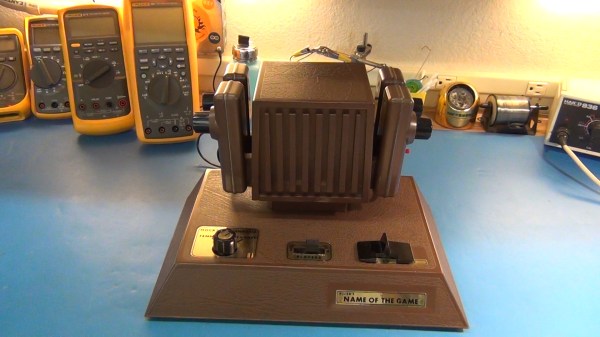
Hackaday alum [Todd] has been searching for an old PONG clone for the last two years. This variant is called, “The Name of the Game”. [Todd] has fond memories of playing this game with his sister when they were young. Unfortunately, being the hacker that he is, [Todd] tore the game apart when he was just 14 to build his own Commodore 64 peripherals. He’s been wanting to make it up to his sister ever since, and he finally found a copy of this game to give to his sister last Christmas.

After opening up the box, [Todd] quickly noticed something strange with the power connector. It looked a bit charred and was wiggling inside of the enclosure. This is indicative of a bad solder joint. [Todd] decided he’d better open it up and have a look before applying power to the device.

It was a good thing he did, because the power connector was barely connected at all. A simple soldering job fixed the problem. While the case was still opened, [Todd] did some sleuthing and noticed that someone else had likely made repairs to several other solder joints. He also looked for any possible short circuits, but everything else looked fine. The system ended up working perfectly the first time it was started.

The end of the video shows that even after all this time, simple games like this can still capture our attention and be fun to play for hours at a time. [Todd] is working on part 2 of this series, where he’ll do a much more in-depth review of the system. You can watch part 1 below. Continue reading “Repairing And Reviewing A 1976 PONG Clone”

phone controller

Breathe New Life Into Payphones With Asterisk

Payphones used to be found on just about every street corner. They were a convenience, now replaced by the ubiquitous mobile phone. These machines were the stomping grounds for many early computer hackers, and as a result hold a place in hacker history. If you’ve ever wanted to re-live the good ol’ days, [hharte’s] project might be for you.

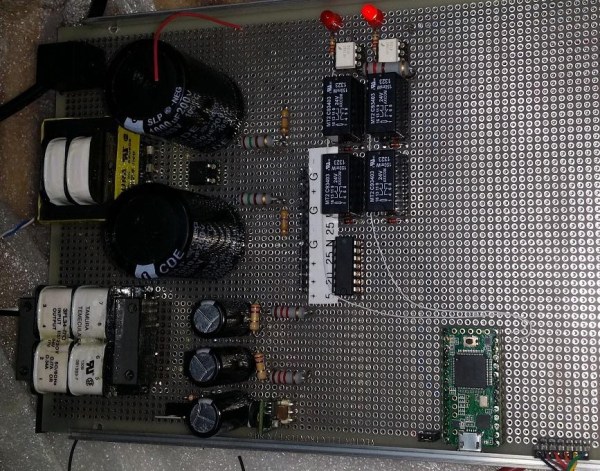
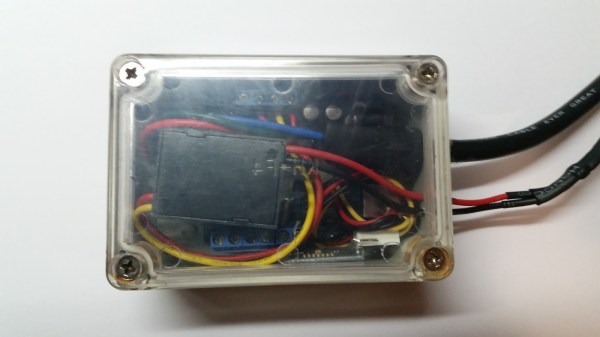
[hharte] has been working to make these old payphones useful again with some custom hardware and software. The project intends to be an interface between a payphone and an Asterisk PBX system. On the hardware side, the controller board is capable of switching various high voltage signals required for coin-line signaling. The controller uses a Teensy microcontroller to detect the hook status as well as to control the relays. The current firmware features are very basic, but functional.

[hharte] also wrote a custom AGI script for Asterisk. This script allows Asterisk to detect the 1700hz and 2200hz tones transmitted when coins are placed into the machine. The script is also in an early stage, but it will prompt for money and then place the call once 25 cents has been deposited. All of the schematics and code can be found on the project’s github page.

[Thanks mies]

Direct Digital Synthesis (DDS)

Direct Digital Synthesis (DDS) Explained By [Bil Herd]

One of the acronyms you may hear thrown around is DDS which stands for Direct Digital Synthesis. DDS can be as simple as taking a digital value — a collection of ones and zeroes — and processing it through a Digital to Analog Converter (DAC) circuit. For example, if the digital source is the output of a counter that counts up to a maximum value and resets then the output of the DAC would be a ramp (analog signal) that increases in voltage until it resets back to its starting voltage.

This concept can be very useful for creating signals for use in a project or as a poor-man’s version of a signal or function generator. With this in mind I set out here to demonstrate some basic waveforms using programmable logic for flexibility, and a small collection of resistors to act as a cheap DAC. In the end I will also demonstrate an off-the-shelf and inexpensive DDS chip that can be used with any of the popular micro-controller boards available that support SPI serial communication.

All of the topics covered in the video are also discussed further after the break.

Continue reading “Direct Digital Synthesis (DDS) Explained By [Bil Herd]”

Watering circuit

Solar Powered Circuit Waters Your Plants


If you want your plants to stay healthy, you need to make sure they stay watered. [Dimbit] decided to build his own solar powered circuit to help automatically keep his plants healthy. Like many things, there is more than one way to skin this cat. [Dimbit] had seen other similar projects before, but he wanted to make his smarter than the average watering project. He also wanted it to use very little energy.

[Dimbit] first tackled the power supply. He suspected he wouldn’t need much more than 5V for his project. He was able to build his own solar power supply by using four off-the-shelf solar garden lamps. These lamps each have their own low quality solar panel and AAA NiMH cell. [Dimbit] designed and 3D printed his own plastic stand to hold all of the solar cells in place. All of the cells and batteries are connected in series to increase the voltage.

Next [Dimbit] needed an electronically controllable water valve. He looked around but was unable to find anything readily available that would work with very little energy. He tried all different combinations of custom parts and off-the-shelf parts but just couldn’t make something with a perfect seal. The solution came from an unlikely source.

One day, when [Dimbit] ran out of laundry detergent, he noticed that the detergent bottle cap had a perfect hole that should be sealable with a steel ball bearing. He then designed his own electromagnet using a bolt, some magnet wire, and a custom 3D printed housing. This all fit together with the detergent cap to make a functional low power water valve.

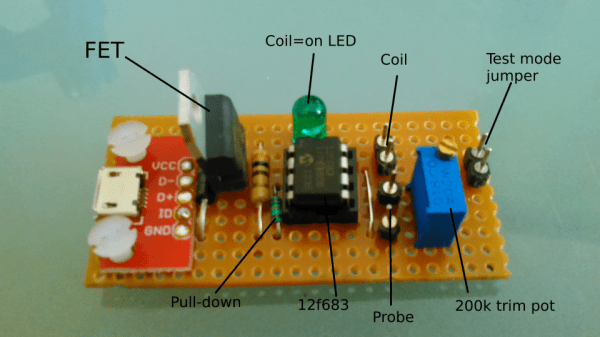
The actual circuit runs on a Microchip PIC microcontroller. The system is designed to sleep for approximately nine minutes at a time. After the sleep cycle, it wakes up and tests a probe that sits in the soil. If the resistance is low enough, the PIC knows that the plants need water. It then opens the custom valve to release about two teaspoons of water from a gravity-fed system. After a few cycles, even very dry soil can reach the correct moisture level. Be sure to watch the video of the functioning system below. Continue reading “Solar Powered Circuit Waters Your Plants”

AVR Programmer

Inexpensive AVR Programmer Made From Five Components

If you want to program an AVR chip as inexpensively as possible, then [Ian’s] solution might just be for you. He built an AVR programmer using only four components. This design is based on the vusbtiny AVR programmer design, with a few components left out.

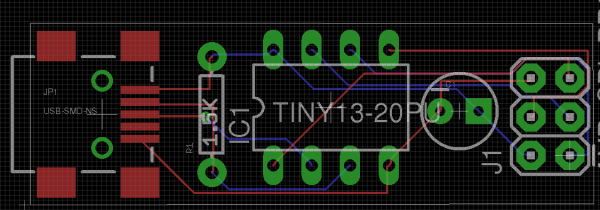
[Ian’s] design leaves out two of the resistors and two diodes, leaving just four components. These include a 1.5k resistor, a small capacitor, a USB connector, a six pin header, and an ATtiny45. He admits that this may not be exactly up to USB spec, but it does work.

This is one of those projects that is really an exercise in “will it work?” more than anything else. The fact that you need to first program an AVR chip means that this wouldn’t be useful in a pinch, because you would already have to have a working programmer. Nonetheless, it’s always fun to see what can be done with as little as possible.

DIY Optoisolator

MacGyvered Optoisolator Is A Great Introduction

Sometimes the best way to learn about a technology is to just build something yourself. That’s what [Dan] did with his DIY optoisolator. The purpose of an optoisolator is to allow two electrical systems to communicate with each other without being electrically connected. Many times this is done to prevent noise from one circuit from bleeding over into another.

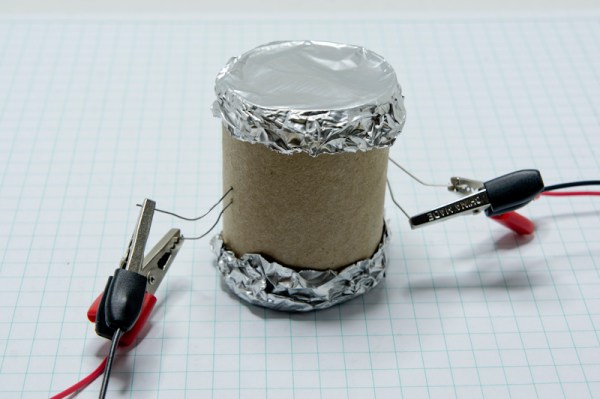
[Dan] built his incredibly simple optoisolator using just a toilet paper tube, some aluminum foil, an LED, and a photo cell. The electrical components are mounted inside of the tube and the ends of the tube are sealed with foil. That’s all there is to it. To test the circuit, he configured an Arduino to send PWM signals to the LED inside the tube at various pulse widths. He then measured the resistance on the other side and graphed the resulting data. The result is a curve that shows the LED affects the sensor pretty drastically at first, but then gets less and less effective as the frequency of the signal increases.

[Dan] then had some more fun with his project by testing it on a simple temperature controller circuit. An Arduino reads a temperature sensor and if the temperature rises above a certain value, it turns on a fan to cool the sensor off again. [Dan] first graphed the sensor data with no fan hooked up. He only used ambient air to cool things down. The resulting graph is a pretty smooth curve. Next he hooked the fan up and tried again. This time the graph went all kinds of crazy. Every time the fan turned on, it created a bunch of electrical noise that prevented the Arduino from getting an accurate analog reading of the temperature sensor.

The third test was to remove the motor circuit and move it to its own bread board. The only thing connecting the Arduino circuit to the fan was a wire for the PWM signal and also a common ground. This smoothed out the graph but it was still a bit… lumpy. The final test was to isolate the fan circuit from the temperature sensor and see if it helped the situation. [Dan] hooked up his optoisolator and tried again. This time the graph was nice and smooth, just like the original graph.

While this technology is certainly not new or exciting, it’s always great to see someone learning by doing. What’s more is [Dan] has made all of his schematics and code readily available so others can try the same experiment and learn it for themselves.

THP Hacker Bio: Rusty Jehangir

[Rusty]’s project for the Hackaday Prize is extremely ambitious. He’s planning on sending an autonomous craft across the ocean, from LA to Hawaii, a distance that will end up being well over 2,500 miles The best part about this project? It’s already had some time in the ocean, cruising off the coast of southern California under its own power for a distance of 20km.

Why is [Rusty] doing this? Partly because he wanted to do something no one had ever done before. For him, this meant developing a cheap underwater thruster, building an autonomous solar-powered surfboard for a months-long voyage halfway across the Pacific. It’s a small step to the goal of exploring the deep ocean with his thruster and mostly off the shelf parts, but already [Rusty] has learned a lot about electronics in a marine environment and being confident enough to let a project go on its own for months at a time.

Interview below.

Continue reading “THP Hacker Bio: Rusty Jehangir”