Pushbutton → Push Notification

How many mundane devices upgrade to IoT because they let you monitor a single data point or a variable? That little nudge over the communication precipice allows you to charge 500% more. Now, if you are as handy as a Hackaday reader, you can throw a lazy afternoon at the problem and get the same effect from a “dumb” appliance. If IoT is as simple as getting a notification when your laundry is dry, or your water is boiling, all you really need is a WiFi device and a push notification, right? Does it need to be more complicated than that? [Gianni] believes it is that simple (machine translation) and has built up an easy-to-implement version on Raspberry Pi, Arduino, and ESP8266.

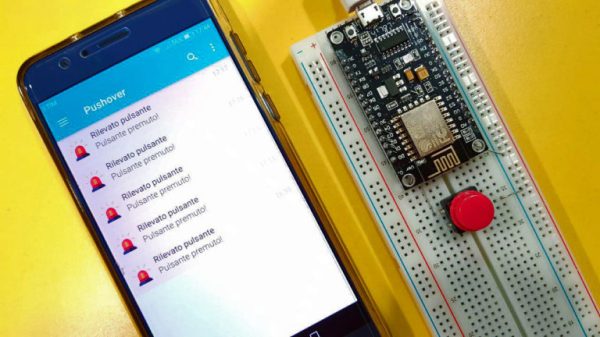
[Gianni] leverages the aptly named Pushover (a paid app with a 1-week trial period) to convert your bits, bytes, words, or strings to a push notification. This idea is born of the desire for a home security system which doesn’t require constant monitoring but instead alerts you to problems. The minimum requirement you need is for your phone to chime with a notification saying, “Your front window sensor has been tripped.” Now it is time to launch your IP camera app or call someone nearby.

It’s not revolutionary, it may be the “Hello World” of IoT, but that is all some people need. The general idea is the same no matter the framework you want to use. For instance, if you Google Suite account, you can set up a chatroom just for your alert notifications; Google’s quickstart takes about 3 minutes to test it out in Python. The same setup is also available for Slack, and [Tom Nardi] did a guide for doing this with Discord. These tackle the receiving side, but the sending side is really flexible too — that MQTT broker you built could easily be the source of the alerts.

Build a handful of these in a weekend and keep them nearby to step up your next project to IoT status with a couple of solder joints. Maybe it will be a motion sensor for your own security system.

LEDs And Pi Let You Virtually Decorate This Online Christmas Tree

Anyone who has decorated a Christmas tree knows that the lights are what really make the look. But no matter how many strings you wrap around it, there never seems to be enough. Plus the standard sets either sit there and do nothing, or just blink on and off at regular intervals. Yawn.

But hackers aim higher, and [leo.currie]’s interactive “paintable” Christmas tree takes the lighting game a step beyond. The standard light strings are replaced with strings of WS2811 RGB LEDs which are wired to an ESP8266. A camera connected to a Raspberry Pi is setup up to stream images of the tree to all and sundry on the Interwebz, but with a special twist: it also creates a map of every light on the tree. That allows the lights to be controlled individually in response to user inputs on a web page hosted on the Pi. The upshot is that you can paint the tree with any color you like in real time, or upload various animated GIFs to display on the tree. You can play with the tree directly, or watch a replay on the video below when that Pi inevitably gets hugged to death.

Imagine the possibilities with this. Why not hang a lot of LED strings vertically from the eaves of your house and make a huge, low-resolution display? We’ve featured plenty of large, interactive LED Christmas displays before, and we’d love to see what you come up with.

Continue reading “LEDs And Pi Let You Virtually Decorate This Online Christmas Tree”

A Deep Dive Into Low Power WiFi Microcontrollers

The Internet of Things is eating everything alive, and the world wants to know: how do you make a small, battery-powered, WiFi-enabled microcontroller device? This is a surprisingly difficult problem. WiFi is not optimized for low-power operations. It’s power-hungry, and there’s a lot of overhead. That said, there are microcontrollers out there with WiFi capability, but how do they hold up to running off of a battery for days, or weeks? That’s what [TvE] is exploring in a fantastic multi-part series of posts delving into low-power WiFi microcontrollers.

The idea for these experiments is set up in the first post in the series. Basically, the goal is to measure how long the ESP8266 and ESP32 will run on a battery, using various sleep modes. Both the ESP8266 and ESP32 have deep-sleep modes, a ‘sleep’ mode where the state is preserved, a ‘CPU only’ mode that turns the RF off, and various measures for sending and receiving a packet.

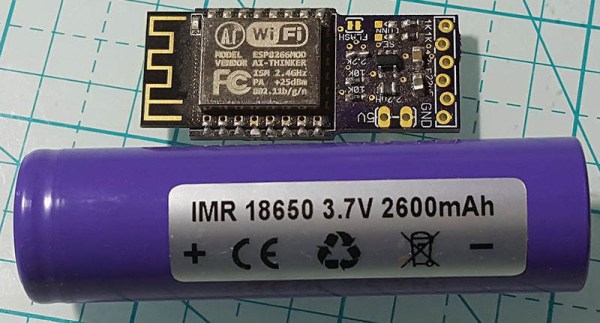
The takeaway from these experiments is that a battery-powered ESP8266 can’t be used for more than a week without a seriously beefy battery or a solar panel. Run times are much longer with an open network as compared to a secured network, and that security eats up a ton of power: connecting to a secure network every now and again means your ESP might only run for a day, instead of a week.

There is another option, though: the ESP32. While the ’32 is vastly more powerful and more capable than the ESP8266, it also has a few improved features that help with power consumption. Importantly, there’s a bug in the ESP8266 where it drops into modem sleep instead of light sleep about half the time. This error was fixed in the ESP32, but all that power does come at a cost. On the whole, if you’re concerned about security, the ESP32 is slightly better, simply because it does the ‘security’ part of connecting to a WiFi network faster. This is really a remarkable amount of testing that’s gone into this write-up, so if you’re developing something battery-powered with any ESP, it’s well worth the read.

Turn Old Pinball Parts Into A Unique Digital Clock

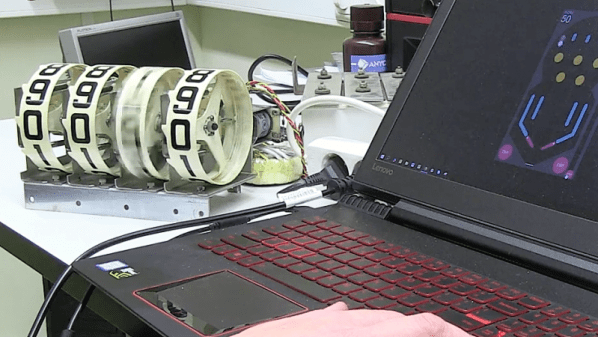
It’s getting ever harder to build a truly unique digital clock. From electronic displays to the flip-dots and flip-cards, everything seems to have been done to death. But this pinball scoring reel clock manages to keep the unique clock ball in play, as it were.

It’s not entirely clear whom to credit with this build, but the article was written by [Lucky]. Nor do they mention which pinball machine gave up its electromechanical scoring display for the build. Our guess would be a machine from the ’60s, before the era of score inflation that required more than the four digits used. And indeed, the driver for the display is designed so that a scoring unit from any pinball machine from the electromechanical era can be used. An ESP8266 keeps the time with the help of an RTC and drives the coils of the scoring unit through a bunch of MOSFETs. The video below shows that it wouldn’t make a great clock for the nightstand; thankfully, it has a user-configured quiet time to limit the not inconsiderable noise to waking hours. It also flashes the date every half hour, rings solenoid operated chimes, and as a bonus, it can be used to keep score in a pinball game built right into the software.

We like the idea of honoring the old pinball machines with clock builds like this. We’ve seen a word clock built from the back-glass of an old machine, and one that uses a four-player back to display the date and alarm time too.

Continue reading “Turn Old Pinball Parts Into A Unique Digital Clock”

NTP Morse Code Clock Powered By ESP8266

We’ve featured a great many unique clocks here on Hackaday, which have utilized nearly every imaginable way of conveying the current time. But of all these marvelous timepieces, the Morse code clock has the distinct honor of simultaneously being the easiest to construct and (arguably) the most difficult to read. As such, it’s little surprise we don’t see them very often. Which makes this latest entry into the field all the more interesting.

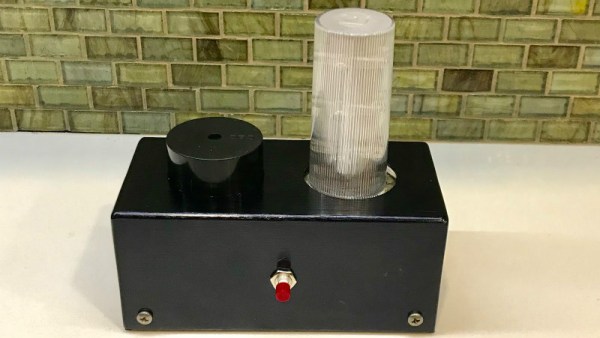
[WhisleyTangoHotel] has taken the basic concept of the Morse clock, which at its most simplistic could be done with a microcontroller and single LED, and expanded it into a (relatively) practical device. With both audio and visual signaling, and support for pulling the time from NTP, this is easily the most polished Morse code clock we’ve ever seen. Using it still requires you to have a decent grasp on Samuel Morse’s now nearly 200 year old encoding scheme of course, but on the bright side, this clock is sure to help keep your CW skills sharp.

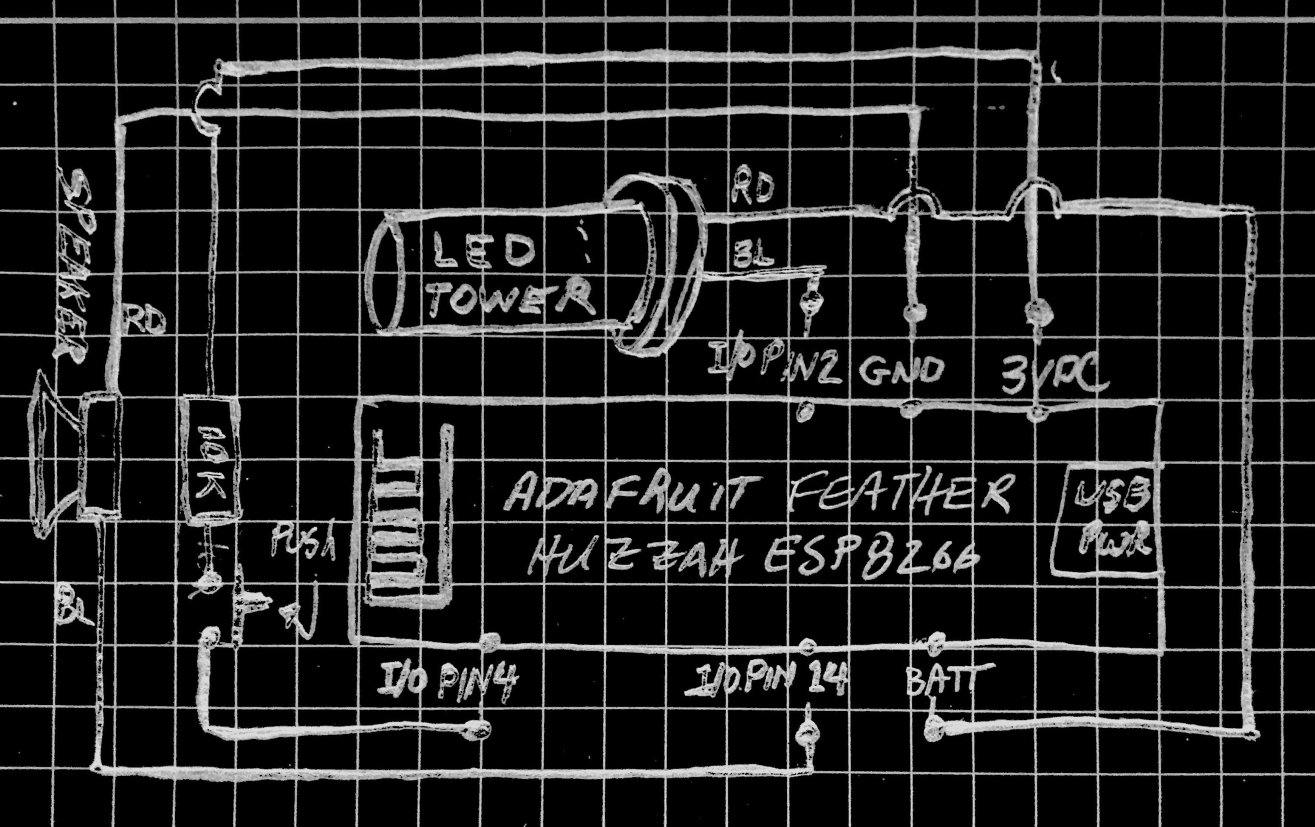
For those following along at home, [WhisleyTangoHotel] provides a hand-drawn diagram to show how everything connects together in his Morse timepiece, but there’s nothing on the hardware side that’s likely to surprise the Hackaday reader. A single momentary push button represents the device’s sole user input, with the output being handled by a LED “tower” and speaker on their own respective pins on the microcontroller. Here a Adafruit Feather HUZZAH is used, but any ESP8266 would work in its place.

Of course, the advantage of using an ESP8266 board over your garden variety MCU is the Wi-Fi connectivity. This allows the clock to connect to an NTP server and get the current time before relaying it to the user. Some might think this overkill, but it’s really a critical feature; the lack of a proper RTC on the ESP means the clock would drift badly if not regularly synchronized. Assuming you’ve got a reliable Internet connection, this saves you the added cost and complexity of adding an external RTC.

[WhisleyTangoHotel] wraps up his blog post by providing his ESP8266 Arduino source code, which offers an interesting example in working not only with NTP and time zones on the ESP, but how to handle parsing strings and representing their principle characters in Morse code.

Interestingly enough, in the past we’ve seen a single LED clock that didn’t use Morse code to blink out the time, which might be a viable option as an alternate firmware for this device if you’re not in the Samuel Morse fan club.

Continue reading “NTP Morse Code Clock Powered By ESP8266”

ESP8266 Wi-Fi Instant Camera Is A Simple Shooter

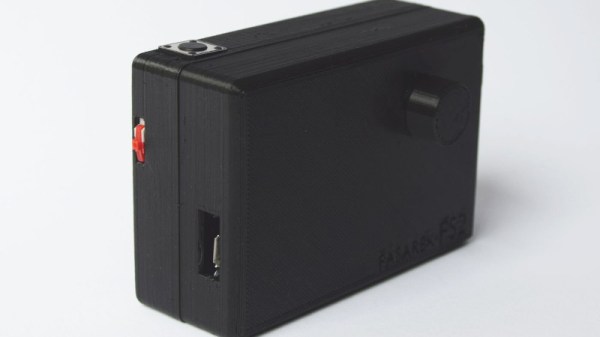
If a camera that combines the immediate gratification of a Polaroid with cloud hosting sounds like something that tickles your fancy, look no farther than this ESP-powered point and shoot camera created by [Martin Fasani]. There’s no screen or complicated configuration on this camera; just press the button and the raw picture pops up on the online gallery. Somehow it’s simultaneously one of the most simplistic and complex implementations of the classic “instant camera” concept, and we love it.

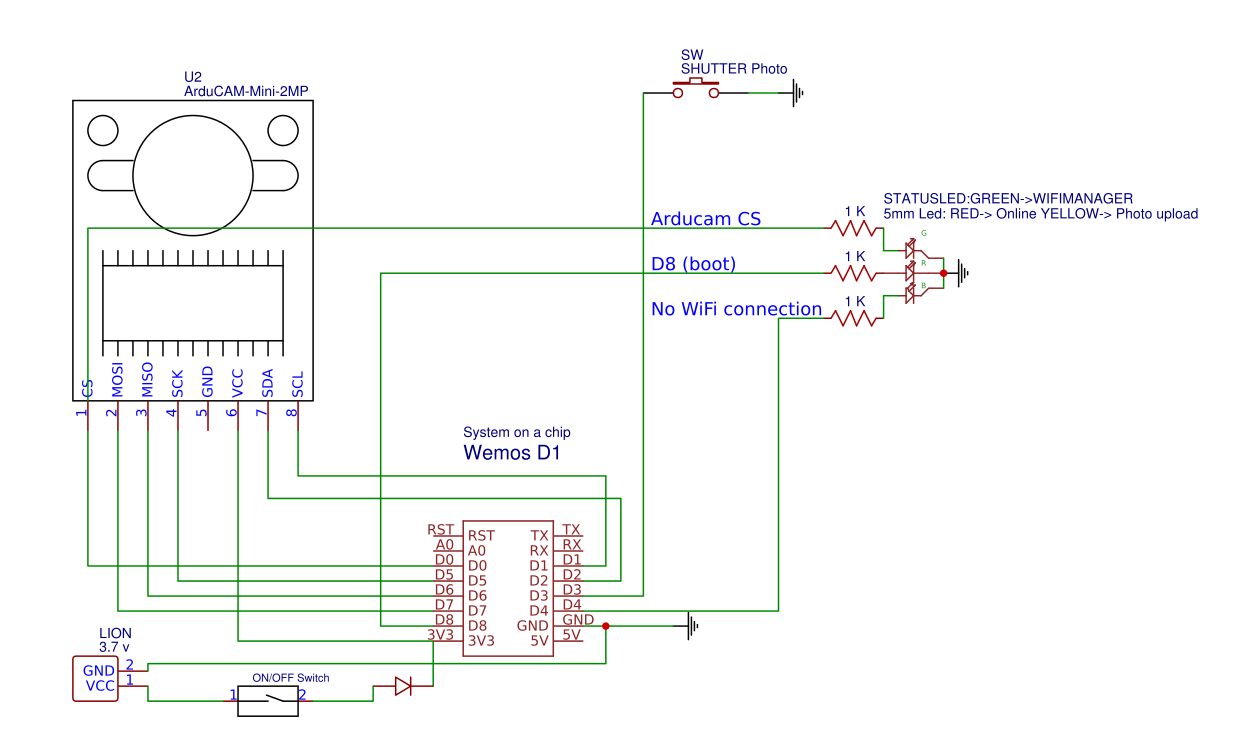
The electronics in the camera itself, which [Martin] calls the FS2, is quite simple. At the core, it’s nothing more than the ESP board, an ArduCAM camera module, and a momentary button for the shutter. To make it portable he added a 2000 mAh Li-ion battery and an Adafruit Micro Micro USB charger. [Martin] added support for an optional 128×64 OLED display for user feedback. Everything is housed in a relatively spacious 3D printed enclosure, leaving some room for possible future hardware.

There are firmware versions for both the ESP8266 and ESP32, so fans of either generation of the popular microcontroller are invited to the party. Processing images is obviously a bit faster if you go with the more powerful 32-bit chip, but on the flip side the ESP8266 uses 3MB of SPI flash as a local buffer for the images during upload, which helps prevent lost images if there’s a problem pushing them to the cloud. The camera is intended to be as simple as possible so right now the only option other than taking still images is a time-lapse mode. [Martin] hopes to implement some additional filters and effects in the future. He’s also hoping others might lend a hand with his firmware. He’s specifically looking for assistance getting autofocus working and implementing more robust error correction for image uploads.

We’ve seen some impressive DIY camera builds using everything from a salvaged thermal sensor to film and molten aluminum. But the quaint simplicity of what [Martin] has put together here really puts his project in a whole new category.

Continue reading “ESP8266 Wi-Fi Instant Camera Is A Simple Shooter”

Low-energy ESP8266-based Board Sleeps Like A Log Until Triggered

Given the popularity of hacking and repurposing Amazon Dash buttons, there appears to be a real need amongst tinkerers for a simple “do something interesting on the internet when a button is pressed” device. If you have this need but don’t feel like fighting to bend a Dash device to your will, take a look at [Kevin Darrah]’s trigBoard instead.

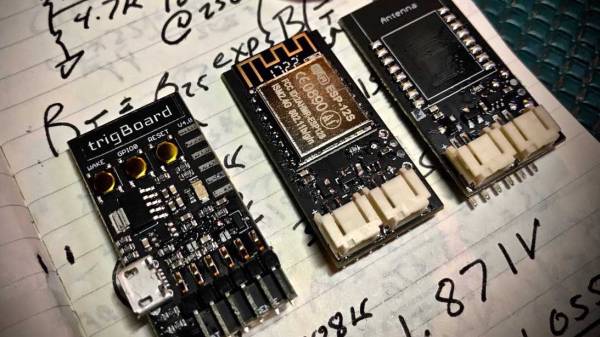
The trigBoard is a battery-powered, ESP8266-based board that includes some clever circuitry to help it barely sip power (less than one microamp!) while waiting to be triggered by a digital input. This input could be a magnetic reed switch, push button, or similar, and you can configure the board for either normally open or normally closed switches.

The clever hardware bits that allow for such low power consumption are explained in [Kevin]’s YouTube video, which we’ve also embedded after the break. To summarize: the EPS8266 spends most of it’s time completely unpowered. A Texas Instruments TPL5111 power timer chip burns 35 nanoamps and wakes the ESP8266 up every hour to check on the battery. This chip also has a manual wake pin, and it’s this pin – along with more power-saving circuitry – that’s used to trigger actions based on the external input.

Apparently the microcontroller can somehow distinguish between being woken up for a battery check versus a button press, so you needn’t worry about accidentally sending yourself an alert every hour. The default firmware is set up to use Pushbullet to send notifications, but of course you could do anything an EPS8266 is capable of. The code is available on the project’s wiki page.

The board also includes a standard micro-JST connector for a LiPo battery, and can charge said battery through a micro-USB port. The trigBoard’s full schematic is on the wiki, and pre-built devices are available on Tindie.

[Kevin]’s hardware walkthrough video is embedded after the break.

Continue reading “Low-energy ESP8266-based Board Sleeps Like A Log Until Triggered”