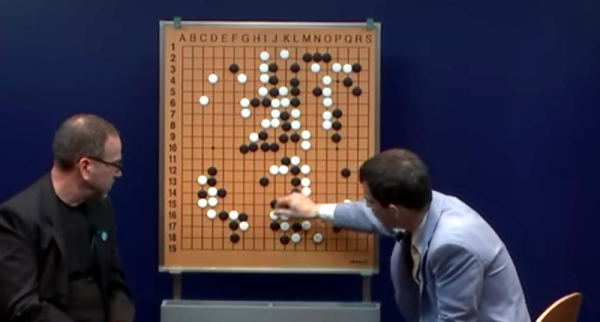
AlphaGo is the deep learning program that can beat humans at the game Go. You can read Google’s highly technical paper on it, but you’ll have to wade through some very academic language. [Aman Agarwal] has done us a favor. He took the original paper and dissected the important parts of in in plain English. If the title doesn’t make sense to you, you need to read more XKCD.
[Aman] says his treatment will be useful for anyone who doesn’t want to become an expert on neural networks but still wants to understand this important breakthrough. He also thinks people who don’t have English as a first language may find his analysis useful. By the way, the actual Go matches where AlphaGo beat [Sedol] were streamed and you can watch all the replays on YouTube (the first match appears below).
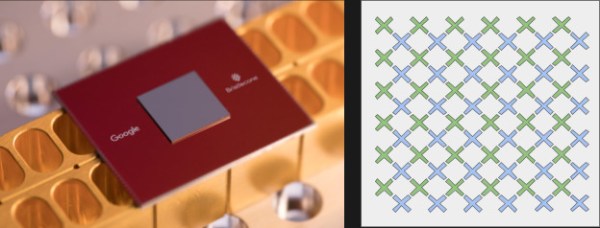
At the American Physical Society conference in early March, Google announced their Bristlecone chip was in testing. This is their latest quantum computer chip which ups the game from 9 qubits in their previous test chip to 72 — quite the leap. This also trounces IBM and Intel who have 50- and 49-qubit devices. You can read more technical details on the Google Research Blog.
It turns out that just the number of qubits isn’t the entire problem, though. Having qubits that last longer is important and low-noise qubits help because the higher the noise figure, the more likely you will need redundant qubits to get a reliable answer. That’s fine, but it does leave fewer qubits for working your problem.
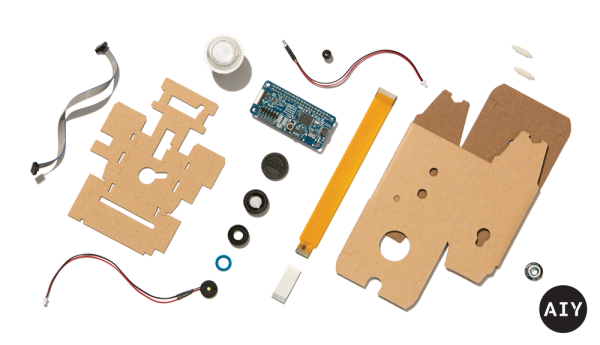
Google has announced their soon to be available Vision Kit, their next easy to assemble Artificial Intelligence Yourself (AIY) product. You’ll have to provide your own Raspberry Pi Zero W but that’s okay since what makes this special is Google’s VisionBonnet board that they do provide, basically a low power neural network accelerator board running TensorFlow.
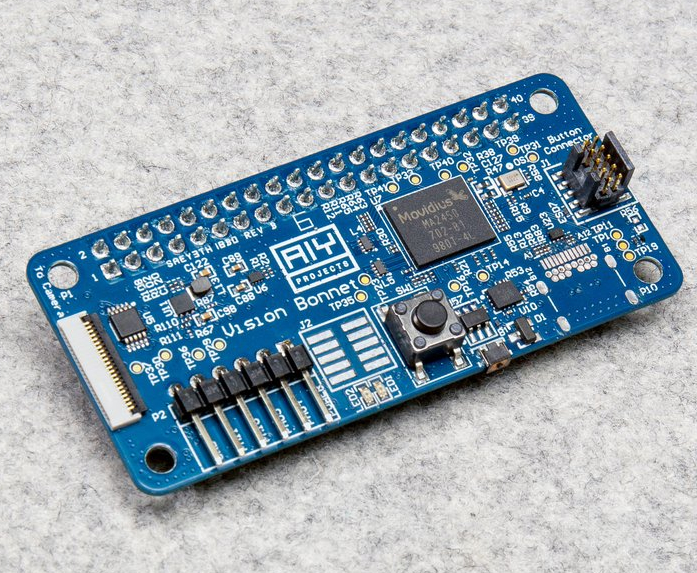
AIY VisionBonnet with Myriad 2 (MA2450) chip
The VisionBonnet is built around the Intel® Movidius™ Myriad 2 (aka MA2450) vision processing unit (VPU) chip. See the video below for an overview of this chip, but what it allows is the rapid processing of compute-intensive neural networks. We don’t think you’d use it for training the neural nets, just for doing the inference, or in human terms, for making use of the trained neural nets. It may be worth getting the kit for this board alone to use in your own hacks. An alternative is to get Modivius’s Neural Compute Stick, which has the same chip on a USB stick for around $80, not quite double the Vision Kit’s $45 price tag.
The Vision Kit isn’t out yet so we can’t be certain of the details, but based on the hardware it looks like you’ll point the camera at something, press a button and it will speak. We’ve seen this before with this talking object recognizer on a Pi 3 (full disclosure, it was made by yours truly) but without the hardware acceleration, a single object recognition took around 10 seconds. In the vision kit we expect the recognition will be in real-time. So the Vision Kit may be much more dynamic than that. And in case it wasn’t clear, a key feature is that nothing is done on the cloud here, all processing is local.
The kit comes with three different applications: an object recognition one that can recognize up to 1000 different classes of objects, another that recognizes faces and their expressions, and a third that detects people, cats, and dogs. While you can get up to a lot of mischief with just that, you can run your own neural networks too. If you need a refresher on TensorFlow then check out our introduction. And be sure to check out the Myriad 2 VPU video below the break.
Some people look forward to the day when robots have taken over all our jobs and given us an economy where we can while our days away on leisure activities. But if your idea of play is drone racing, you may be out of luck if this AI pilot for high-speed racing drones has anything to say about it.
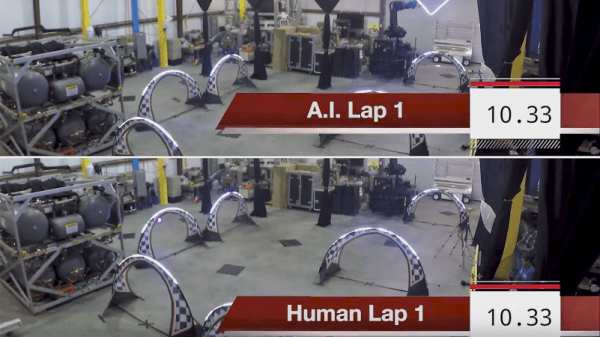
NASA’s Jet Propulsion Lab has been working for the past two years to develop the algorithms needed to let high-performance UAVs navigate typical drone racing obstacles, and from the look of the tests in the video below, they’ve made a lot of progress. The system is vision based, with the AI drones equipped with wide-field cameras looking both forward and down. The indoor test course has seemingly random floor tiles scattered around, which we guess provide some kind of waypoints for the drones. A previous video details a little about the architecture, and it seems the drones are doing the computer vision on-board, which we find pretty impressive.
Despite the program being bankrolled by Google, we’re sure no evil will come of this, and that we’ll be in no danger of being chased down by swarms of high-speed flying killbots anytime soon. For now we can take solace in the fact that JPL’s algorithms still can’t beat an elite human pilot like [Ken Loo], who bested the bots overall. But alarmingly, the human did no better than the bots on his first lap, which suggests that once the AI gets a little creativity and intuition like that needed to best a Go champion, [Ken] might need to find another line of work.
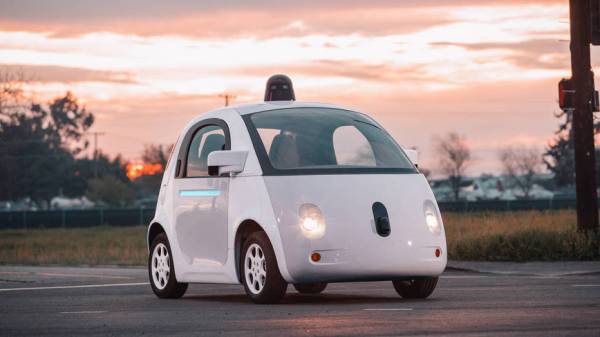
Alphabet’s self-driving car offshoot, Waymo, feels that may be the case as they were recently granted a patent for vehicles that soften on impact. Sensors would identify an impending collision and adjust ‘tension members’ on the vehicle’s exterior to cushion the blow. These ‘members’ would be corrugated sections or moving panels that absorb the impact alongside the crumpling effect of the vehicle, making adjustments based on the type of obstacle the vehicle is about to strike.
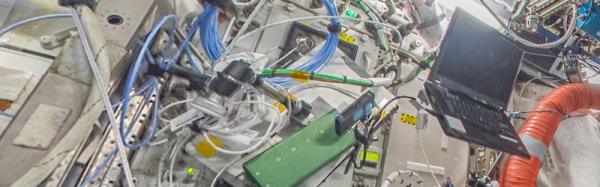
If you’d have asked most people a few decades ago if they wanted a picture of every street address in the world, they would have probably looked at you like you were crazy. But turns out that Google Street View is handy for several reasons. Sure, it is easy to check out the neighborhood around that cheap hotel before you book. But it is also a great way to visit places virtually. Now one of those places is the International Space Station (ISS).
[Thomas Pesquet] in a true hack used bungee cords and existing cameras to take panoramas of all 15 ISS modules. Google did their magic, and you can enjoy the results. You can also see a video on how it was all done, below.
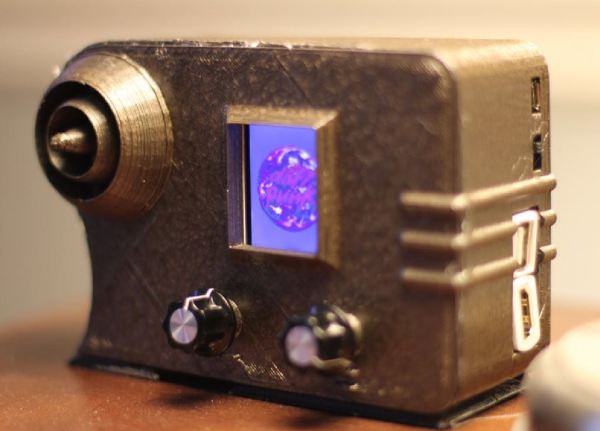
Ok, so you want a radio — but not just any radio. It has to be wireless, access a variety of music services, and must have a vintage aesthetic that belies its modern innards. Oh, and a tiny screen that displays album art, because that’s always awesome. This 1938 Emerson AX212-inspired radio delivers.
Building on the backbone of a Raspberry Pi Zero W and an Adafruit MAX 98357 mono amp chip, the crux of this single-speaker radio is the program Mopidy. Mopidy is a music player that enables streaming from multiple services, with the stipulation that you have a premium Spotify account. Once signed up, [Tinkernut] helpfully outlines how to set up Mopidy to run automatically once the Pi boots up. The addition of a screen to display album art adds flair to the design, and Adafruit’s 1.8″ TFT LCD screen is small enough to fit the bill.