Mowing The Lawn With Lasers, For Science

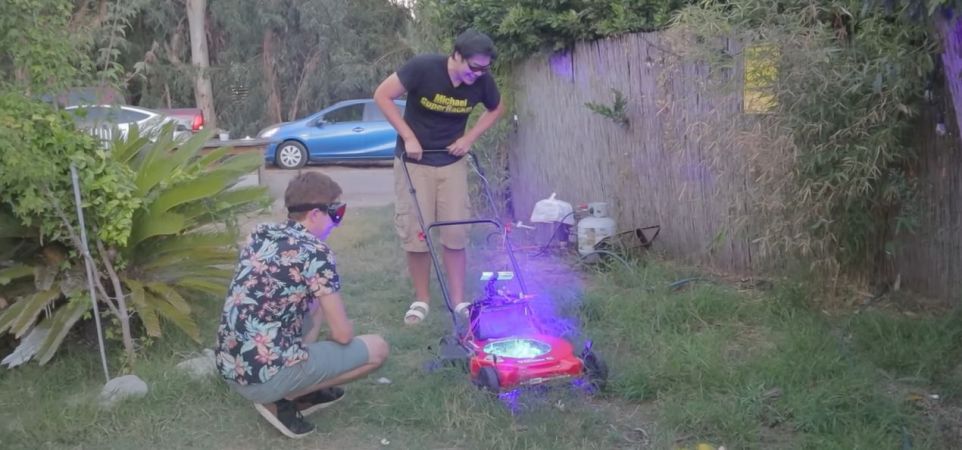
Cutting grass with lasers works great in a test setup. (Credit: Allen Pan, YouTube)

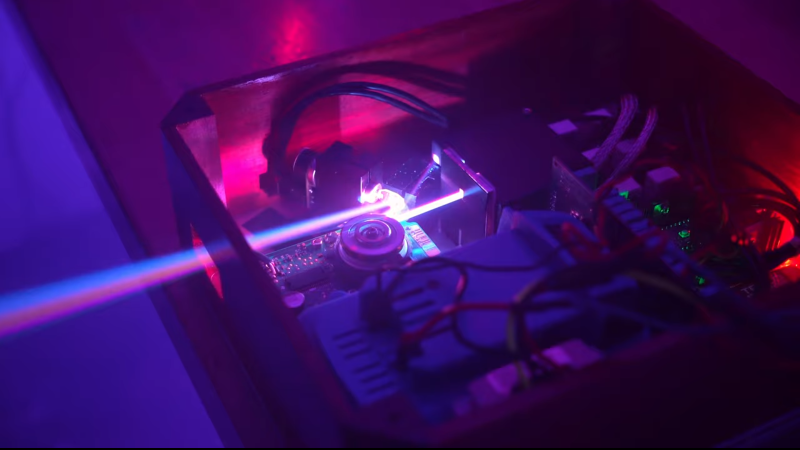
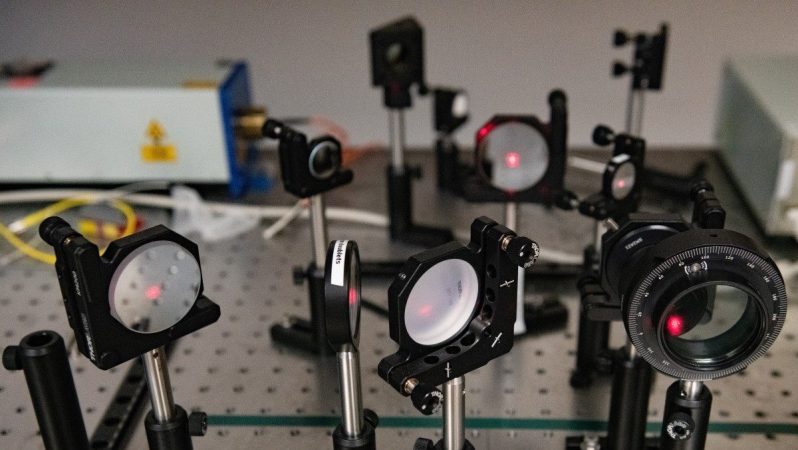
Wouldn’t it be cool if you could cut the grass with lasers? Everyone knows that lasers are basically magic, and if you strap a diode laser or two to a lawn mower, it should slice through those pesky blades of grass with zero effort. Cue [Allen Pan]’s video on doing exactly this, demonstrating in the process that we do in fact live in a physics-based universe, and lasers are not magical light sabers that will just slice and dice without effort.

The first attempt to attach two diode lasers in a spinning configuration like the cutting blades on a traditional lawn mower led to the obvious focusing issues (fixed by removing the focusing lenses) and short contact time. Effectively, while these diode lasers can cut blades of grass, you need to give them some time to do the work. Naturally, this meant adding more lasers in a stationary grid, like creating a Resident Evil-style cutting grid, only for grass instead of intruders.

Does this work? Sort of. Especially thick grass has a lot of moisture in it, which the lasers have to boil off before they can do the cutting. As [Allen] and co-conspirator found out, this also risks igniting a lawn fire in especially thick grass. The best attempt to cut the lawn with lasers appears to have been made two years ago by [rctestflight], who used a stationary, 40 watt diode laser sweeping across an area. When placed on a (slowly) moving platform this could cut the lawn in a matter of days, whereas low-tech rapidly spinning blades would need at least a couple of minutes.

Obviously the answer is to toss out those weak diode lasers and get started with kW-level chemical lasers. We’re definitely looking forward to seeing those attempts, and the safety methods required to not turn it into a laser safety PSA.

Continue reading “Mowing The Lawn With Lasers, For Science”

Creating Customized Diffraction Lenses For Lasers

[The Thought Emporium] has been fascinated by holograms for a long time, and in all sorts of different ways. His ultimate goal right now is to work up to creating holograms using chocolate, but along the way he’s found another interesting way to manipulate light. Using specialized diffraction gratings, a laser, and a few lines of code, he explores a unique way of projecting hologram-like images on his path to the chocolate hologram.

There’s a lot of background that [The Thought Emporium] has to go through before explaining how this project actually works. Briefly, this is a type of “transmission hologram” that doesn’t use a physical object as a model. Instead, it uses diffraction gratings, which are materials which are shaped to light apart in specific ways. After some discussion he demonstrates creating diffraction gratings using film. Certain diffraction patterns, including blocking all of the light source, can actually be used as a lens as the light bends around the blockage into the center of the shadow where there can be focal points. From there, a special diffraction lens can be built.

The diffraction lens can be shaped into any pattern with a small amount of computer code to compute the diffraction pattern for a given image. Then it’s transferred to film and when a laser is pointed at it, the image appears on the projected surface. Diffraction gratings like these have a number of other uses as well; the video also shows a specific pattern being used to focus a telescope for astrophotography, and a few others in the past have used them to create the illusive holographic chocolate that [The Thought Emporium] is working towards.

Continue reading “Creating Customized Diffraction Lenses For Lasers”

George Washington Gets Cleaned Up With A Laser

Now, we wouldn’t necessarily call ourselves connoisseurs of fine art here at Hackaday. But we do enjoy watching [Julian Baumgartner]’s YouTube channel, where he documents the projects that he takes on as a professional conservator. Folks send in their dirty or damaged paintings, [Julian] works his magic, and the end result often looks like a completely different piece. Spoilers: if you’ve ever looked at an old painting and wondered why the artist made it so dark and dreary — it probably just needs to be cleaned.

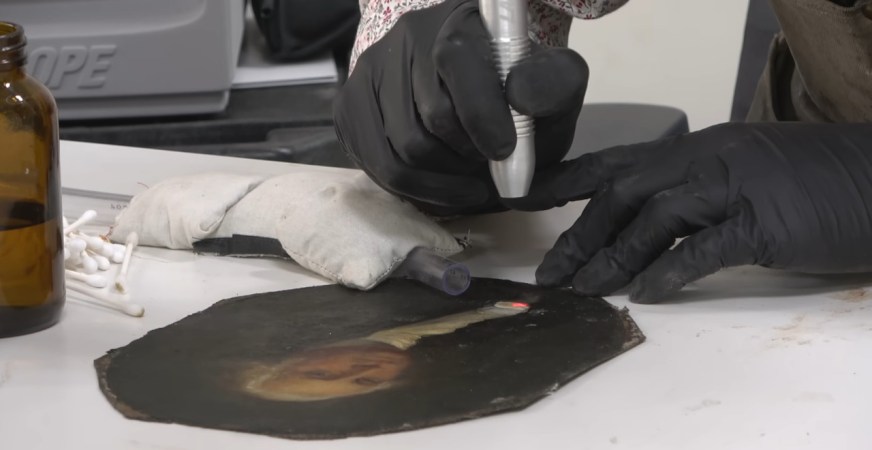
Anyway, in his most recent video, [Julian] pulled out a piece of gear that we didn’t expect to see unleashed against a painting of one of America’s Founding Fathers: a Er:YAG laser. Even better, instead of some fancy-pants fine art restoration laser, he apparently picked up second hand unit designed for cosmetic applications. The model appears to be a Laserscope Venus from the early 2000s, which goes for about $5K these days.

Now, to explain why he raided an esthetician’s closet to fix up this particular painting, we’ve got to rewind a bit. As we’ve learned from [Julian]’s previous videos, the problem with an old dirty painting is rarely the paining itself, it’s the varnish that has been applied to it. These varnishes, especially older ones, have a tendency to yellow and crack with age. Now stack a few decades worth of smoke and dirt on top of it, and you’ve all but completely obscured the original painting underneath. But there’s good news — if you know what you’re doing, you can remove the varnish without damaging the painting itself.

In most cases, this can be done with various solvents that [Julian] mixes up after testing them out on some inconspicuous corner of the painting. But in this particular case, the varnish wasn’t reacting well to anything in his inventory. Even his weakest solvents were going right through it and damaging the paint underneath.

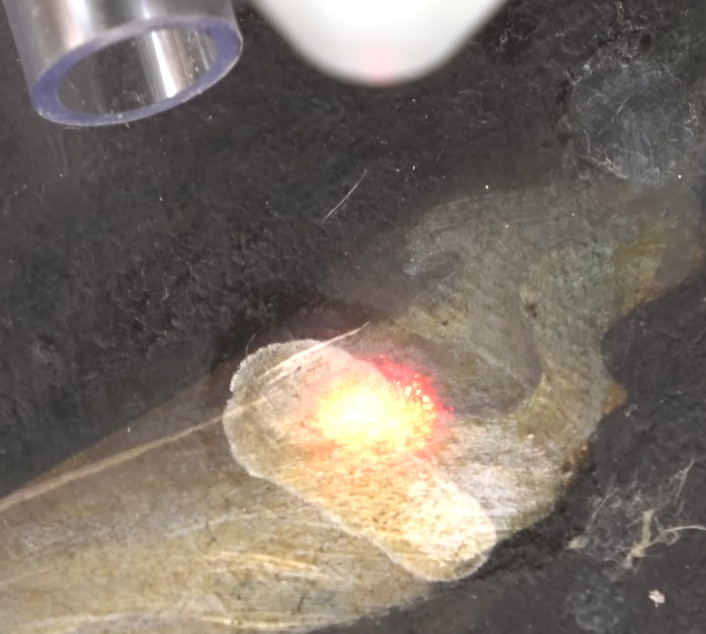
Because of this, [Julian] had to break out the big guns. After experimenting with the power level and pulse duration of the 2940 nm laser, he found the settings necessary to break down the varnish while stopping short of cooking the paint it was covering. After hitting it with a few pulses, he could then come in with a cotton swab and wipe the residue away. It was still slow going, but it turns out most things are in the art conservation world.

This isn’t the first time we’ve covered [Julian]’s resourceful conservation methods. Back in 2019, we took at look the surprisingly in-depth video he created about the design and construction of his custom heat table for flattening out large canvases.

Continue reading “George Washington Gets Cleaned Up With A Laser”

Lasers Could Help Us Recycle Plastics Into Carbon Dots

As it turns out, a great deal of plastics are thrown away every year, a waste which feels ever growing. Still, as reported by Sci-Tech Daily, there may be help on the way from our good friend, the laser!

The research paper  from the University of Texas outlines the use of lasers for breaking down tough plastics into their baser components. The method isn’t quite as simple as fire a laser off at the plastic, though. First, the material must be laid on a special two-dimensional transition metal dichalcogenide material — a type of atomically-thin semiconductor at the very forefront of current research. When the plastics are placed under the right laser light in this scenario, carbon-hydrogen bonds in the plastic are broken and transformed, creating new chemical bonds. Done right, and you can synthesize luminescent carbon dots from the plastic itself!

“By harnessing these unique reactions, we can explore new pathways for transforming environmental pollutants into valuable, reusable chemicals, contributing to the development of a more sustainable and circular economy,” says Yuebing Zheng, a leader on the project. “This discovery has significant implications for addressing environmental challenges and advancing the field of green chemistry.”

Sure it’s a bit trickier than turning old drink bottles into filament, but it could be very useful to researchers and those investigating high-tech materials solutions. Don’t forget to read up on the sheer immensity of the world’s plastic recycling problems, either. If you’ve got the solution, let us know!

Lasers Al Fresco: Fun With Open-Cavity Lasers

Helium-neon lasers may be little more than glorified neon signs, but there’s just something about that glowing glass tube that makes the whole process of stimulated emission easier to understand. But to make things even clearer, you might want to take a step inside the laser with something like [Les Wright]’s open-cavity He-Ne laser.

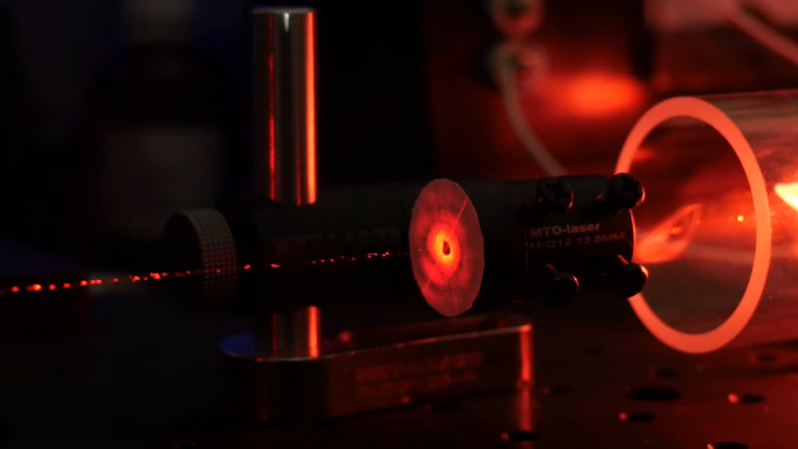
In most gas lasers, the stimulated emission action takes place within a closed optical cavity, typically formed by a glass tube whose ends are sealed with mirrors, one of which is partially silvered. The gas in the tube is stimulated, by an electrical discharge in the case of a helium-neon laser, and the stimulated photons bounce back and forth between the mirrors until some finally blast out through the partial mirror to form a coherent, monochromatic laser beam. By contrast, an open-cavity laser has a gas-discharge tube sealed with the fully silvered mirror on one end and a Brewster window on the other, which is a very flat piece of glass set at a steep angle to the long axis of the tube and transparent to p-polarized light. A second mirror is positioned opposite the Brewster window and aligned to create a resonant optical cavity external to the tube.

To switch mirrors easily, [Les] crafted a rotating turret mount for six different mirrors. The turret fits in a standard optical bench mirror mount, which lets him precisely align the mirror in two dimensions. He also built a quick alignment jig, as well as a safety enclosure to protect the delicate laser tube. The tube is connected to a high-voltage supply and after a little tweaking the open cavity starts to lase. [Les] could extend the cavity to almost half a meter, although even a waft of smoke was enough obstruction to kill the lasing at that length.

If this open-cavity laser arrangement seems familiar, it might be because [Les] previously looked at an old-school particle counter with such a laser at its heart. Continue reading “Lasers Al Fresco: Fun With Open-Cavity Lasers”

The Best DIY PCB Method?

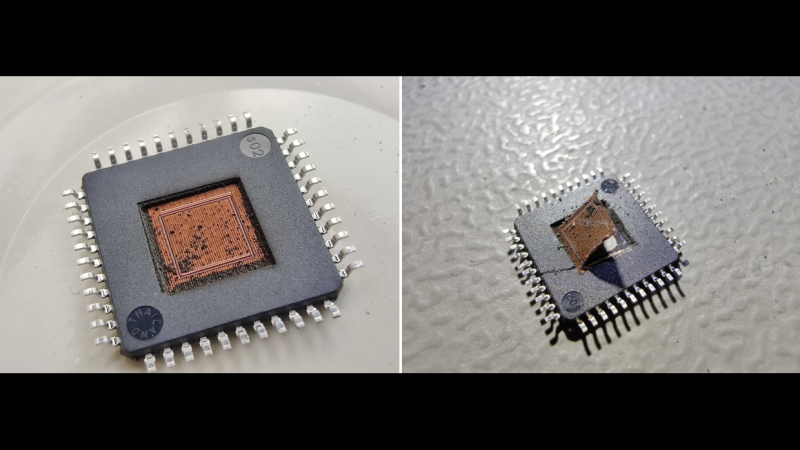
Now before you start asking yourself “best for what purpose?”, just have a look at the quality of the DIY PCB in the image above. [ForOurGood] is getting higher resolution on the silkscreen than we’ve seen in production boards. Heck, he’s got silkscreen and soldermask at all on a DIY board, so it’s definitely better than what we’re producing at home.

The cost here is mostly time and complexity. This video demonstrating the method is almost three hours long, so you’re absolutely going to want to skip around, and we’ve got some relevant timestamps for you. The main tools required are a cheap 3018-style CNC mill with both a drill and a diode laser head, and a number of UV curing resins, a heat plate, and some etchant.

[ForOurGood] first cleans and covers the entire board with soldermask. A clever recurring theme here is the use of silkscreens and a squeegee to spread the layer uniformly. After that, a laser removes the mask and he etches the board. He then applies another layer of UV soldermask and a UV-curing silkscreen ink. This is baked, selectively exposed with the laser head again, and then he cleans the unexposed bits off.

In the last steps, the laser clears out the copper of the second soldermask layer, and the holes are drilled. An alignment jig makes sure that the drill holes go in exactly the right place when swapping between laser and drill toolheads – it’s been all laser up to now. He does a final swap back to the laser to etch additional informational layers on the back of the board, and creates a solder stencil to boot.

This is hands-down the most complete DIY PCB manufacturing process we’ve seen, and the results speak for themselves. We would cut about half of the corners here ourselves. Heck, if you do single-sided SMT boards, you could probably get away with just the first soldermask, laser clearing, and etching step, which would remove most of the heavy registration requirements and about 2/3 of the time. But if it really needs to look more professional than the professionals, this video demonstrates how you can get there in your own home, on a surprisingly reasonable budget.

This puts even our best toner transfer attempts to shame. We’re ordering UV cure soldermask right now.

Continue reading “The Best DIY PCB Method?”

Long-Awaited SLS4All 3D Printer Now Shipping

We touched on the open source SLS4All DIY SLS 3D printer a year or two ago when the project was in the early stages. Finally, version one is complete, with a parts kit ready to ship and all design data ready for download if a DIY build or derivative is your style. As some already mentioned, this is not going to be cheap: with the full parts kit running at an eye-watering $7K before tax. But it’s possible to build or source almost all of it a bit at a time for those on a budget.

Try printing THIS benchy on an FDM machine!

It’s important to note that to access the detailed information, you’ll need to create an account, which is a bit inconvenient for an open source design. However, all the essential components seem to be available, so it’s forgivable. In terms of electronics, there are two custom PCBs: the GATE1 (GAlvo and Temperature Control) and the ZERO1 (Zero-crossing dimming) controller. Other than that, all the electronics seem to be standard off-the-shelf components. Both of these PCBs are designed using EasyEDA.

Unfortunately we couldn’t find access to the PCB Gerbers, nor does there appear to be a link to their respective EasyEDA projects, just the reference schematics. This is a bit of a drawback, but it’s something that could easily be reproduced with enough motivation. Control is courtesy of a Radxa Rock Pi, as there were ‘problems’ with a Raspberry Pi. This is paired with a 7-inch touchscreen to complete the UI. This is running a highly modified version of the Klipper together with their own control software, which is still undergoing testing before release.

The laser head is built around a 10 W 450 nm laser module from China and a high-end galvanometer set. Two 200 W halogen tube heaters heat the print bed, and 200 W silicone heating pads heat both the powder bed and the print bed.

Continue reading “Long-Awaited SLS4All 3D Printer Now Shipping”