Making The Forgotten 1982 Game Adventure Canoe Run On MAME

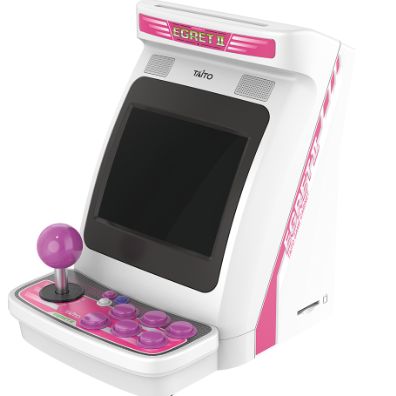
A Taito Egret II mini arcade cabinet.

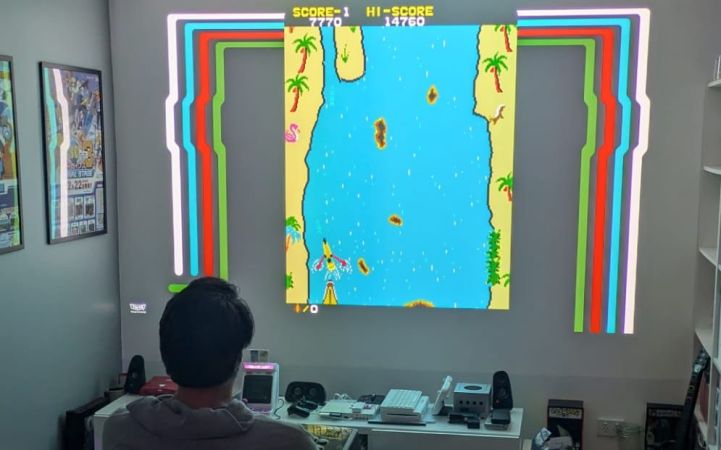
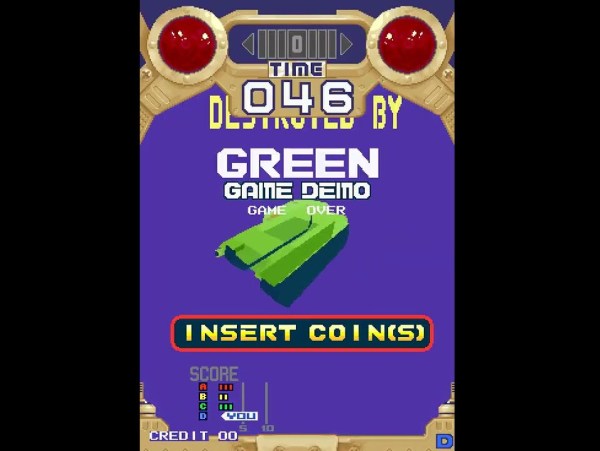
A while back [Jack] came across a Taito arcade game that neither he nor any of his mates recognized. The game was Adventure Canoe and part of the collection of forty preinstalled games on a Taito Egret II mini arcade cabinet. Yet despite [Jack] and his buddies being avid 1980s arcade enthusiasts, this 1982 title for the Z80-based Taito SJ system was completely unfamiliar to them.

When even a web search turned up extremely few details, [Jack] did the only reasonable thing and borrowed the rather expensive mini arcade for hopefully some extracting of the game ROM.

As expensive as this mini arcade is, it features the typical ARM-based SoC and Linux-based firmware. Although you can totally dump the Flash, [Jack] found that the firmware update ZIP file was a much easier target to poke at and hopefully extract the ROMs from.

Of course, Taito used password-protected ZIP files within the firmware, leading to some reverse-engineering to find the passwords. The first was ‘hidden’ as plain text in the egret2 binary. For the remainder of the ZIP files the password wasn’t as readily found, but required some sleuthing. This took the form of dynamic runtime analysis with gdb, using information previously gleaned from a Ghidra analysis. Eventually this yielded the final passwords.

Extracting the game’s ROM files this way allowed for them to be adapted to the format that MAME expects, after which the game just had to be added to the emulator’s source files. With this done the game fired right up, and [Jack] was able to play the game without any trouble.

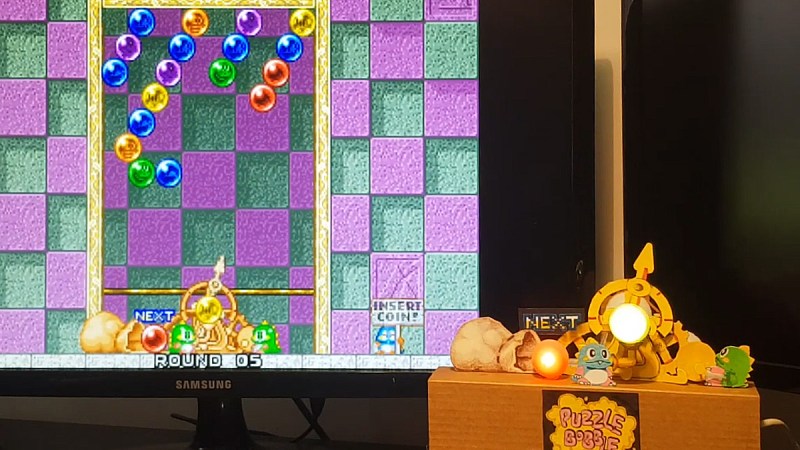
Puzzle Bobble on a screen with a physical gadget in front

Crafting A Cardboard Tribute To Puzzle Bobble

What do you get when you cross cardboard, deodorant rollers, and a love for retro gaming? A marvel of DIY engineering that brings the arcade classic Puzzle Bobble to life—once again! Do you remember the original Puzzle Bobble aiming mechanism we featured 12 years ago? Now, creator [TomTilly] has returned with a revamped version, blending ingenuity with a touch of nostalgia. [Tom] truly is a Puzzle Bobble enthusiast. And who could argue that? The game’s simplicty makes for innocent yet addictive gameplay.

[Tom]’s new setup recreates Puzzle Bobble’s signature aiming mechanic using surprising materials: deodorant roller balls filled with hot glue (to diffuse LED colours), bamboo skewers, and rubber bands. At its heart is an Arduino UNO, which syncs the RGB LED ‘bubbles’ and a servo-driven aiming arm to the game’s real-time data. A Lua script monitors MAME’s memory locations to match the bubble colours and aimer position.

But this isn’t just a static display. [Tom] hints at a version 2.0: a fully functional controller complete with a handle. Imagine steering this tactile masterpiece through Puzzle Bobble’s frantic levels!

Need more inspiration? Check out other quirky hacks like [Tom]’s deodorant roller controller we featured in 2023. Whether you’re into cardboard mechanics or retro gaming, there’s no end to what clever hands can create.

Continue reading “Crafting A Cardboard Tribute To Puzzle Bobble”

Seven New Street Fighter 2 Arcade Rom Hacks

[Sebastian Mihai] is a prolific programmer and hacker with a particular focus on retrocomputing and period games, and this latest hack, adding new gameplay elements to Capcom’s Street Fighter II – Champion Edition, is another great one. [Sebastian] was careful to resist changing the game physics, as that’s part of what makes this game ‘feel’ the way it does, but added some fun extra elements, such as the ability to catch birds, lob barrels at the other player, and dodge fire.

The title screen was updated for each of the different versions, so there is no doubt about which was being played. This work was based on their previous hacks to Knights of the Round. Since both games shared the same Capcom CPS-1 hardware, the existing 68000 toolchain could be reused, reducing the overhead for this new series of hacks. Continue reading “Seven New Street Fighter 2 Arcade Rom Hacks”

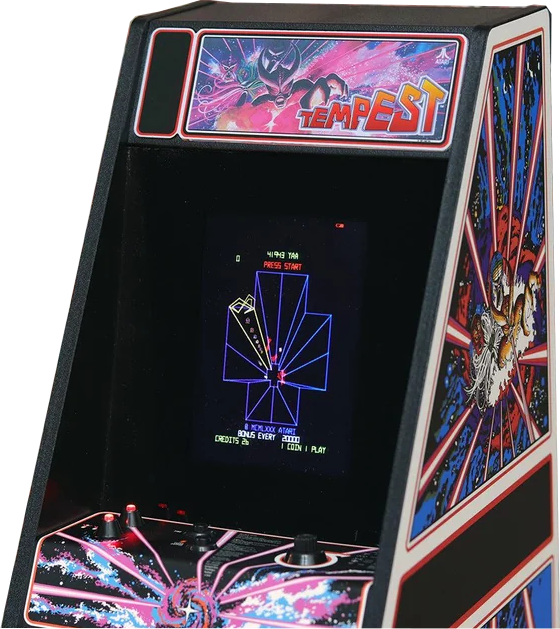
Build A DIY Spinner To Get Your Tempest Game Going

These days, controls in games are fairly standardized by genre. Most RTSs, FPSs, and RPGs all control more or less the same way. But one type of controller that has fallen by the wayside is the paddle, or spinner. [jesster88] is a big Tempest fan, however, and a spinner is crucial. Thus, what else is there to do but whip up one’s own?

Tempest is one of the more difficult classic games to categorize.

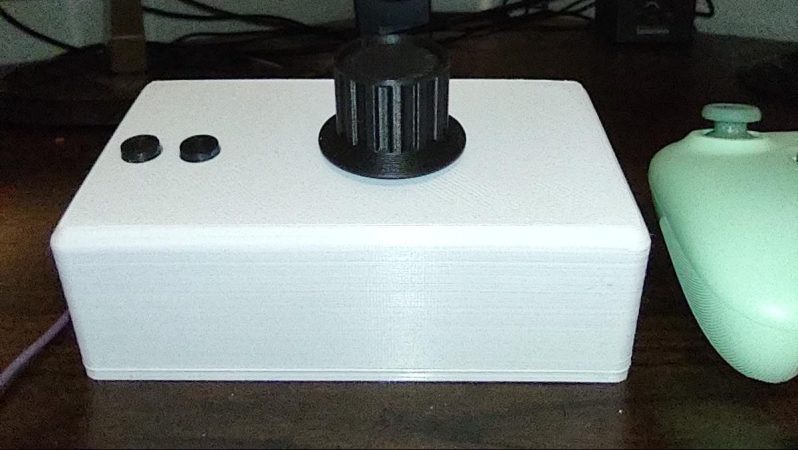
The build is based around a wired optical mouse. It’s pulled apart, with its main PCB installed into a 3D printed enclosure. Inside, the optical sensor is pointed at the base of a spinner constructed out of a printed drum and an off-the-shelf knob. The spinner is installed in a skateboard-style bearing for smooth rotation. As it spins, the optical sensor detects the motion and reports it as mouse movement via USB.

[jesster88] uses the device for playing Tempest with MAME. We imagine the technique could be adapted to work with other games that rely on spinner or paddle inputs, too. Meanwhile, if you’re whipping up your own retro game hacks at home, don’t hesitate to let us know!

Portable, Full-Size Arcade Cabinets

Believe it or not, there was a time when the only way for many of us to play video games was to grab a roll of quarters and head to the mall. Even though there’s a working computer or video game console in essentially every house now doesn’t mean we don’t look back with a certain nostalgia on those times, though. Some have turned to restoring vintage arcade cabinets and others build their own. This hackerspace got a unique request for a full-sized arcade cabinet that was also easily portable as well.

The original request was for a portable arcade cabinet, and the original designs were for a laptop-like tabletop arcade. But further back-and-forth made it clear they wanted full-size cabinets that just happened to also be portable. So with that criteria in mind the group started building the units. The updated design is modular, allowing the controls, monitor, and Raspberry Pi running the machines to be in self-contained units, with the cabinets in two parts that can quickly be assembled on-site. The base is separate and optional, with the top section capable of being assembled on the base or on something like a tabletop or bar, and the electronics section quickly drops in.

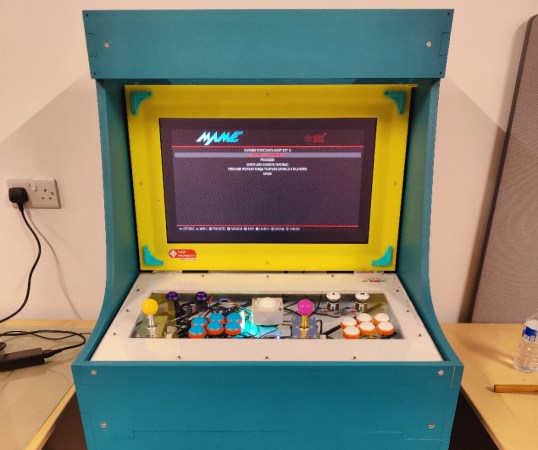
While the idea of a Pi-powered arcade cabinet is certainly nothing new, the quick build, prototyping, design, and final product that’s mobile and quickly assembled are all worth checking out. There is even more information on the build at the project’s GitHub page including Fusion 360 models. If you need your cabinets to be even more portable, this tabletop MAME cabinet is a great place to start.

Reverse-Engineering Forgotten Konami Arcade Hardware

When fully-3D video games started arriving in the early 90s, some companies were more prepared for the change than others. Indeed, it would take nearly a decade of experimentation before 3D virtual spaces felt natural. Even then, Konami seems to have shot themselves in the foot at the beginning of this era with their first foray into 3D arcade games. [Mog] shows us the ins-and-outs of these platforms while trying to bring them back to life via MAME.

These arcade machines were among the first available with fully-3D environments, but compared to offerings from other companies are curiously underpowered, even for the time. They include only a single digital signal processor which is tasked with calculating all of the scene geometry while competing machines would use multiple DSP chips to do the same job. As a result the resolution and frame rate are very low. Nonetheless, [Mog] set out to get it working in MAME.

To accomplish this task, [Mog] turned to a set of development tools provided to developers for Konami in the early 90s which would emulate the system on the PCs of the time. It surprisingly still worked on Windows 10 with minor tweaking, and with some other tools provided over the decades of others working on MAME these old Konami machines have some new life with this emulator support.

Not everything works perfectly, but [Mog] reports that most of the bugs and other issues were recently worked out or are being actively worked on by other experts in the field. If you remember these games from the arcade era of the 80s and early 90s, it might be time to grab an old CRT and fire this one up again.

Continue reading “Reverse-Engineering Forgotten Konami Arcade Hardware”

A multi-PCB setup to drive a CRT vector monitor

Color Vector Display Controller Brings Arcade Classics Back To Life

If you’ve been reading Hackaday long enough, you’ve probably come across a few hacks where someone made simple animations or even video games on an analog oscilloscope screen. Those hacks generally use vector graphics, where the cathode ray tube’s electron beam directly draws geometric shapes onto the screen. This gives the image a unique look that’s quite distinct from the pixel-based raster displays used on TVs and most computer monitors.

Vector displays were also used in several arcade machines of the early 1980s, including classics like Tempest, Gravitar and Star Wars. In order to emulate these games more faithfully than would be possible on a raster monitor, [Robin Champion] designed the vstcm: a color vector monitor controller to easily drive RGB vector monitors.

Star Wars (1983) displayed on CRT monitorThe design is based on [Trammell Hudson] and [Adelle Lin]’s v.st system, and therefore features a Teensy microcontroller as well as a couple of digital-to-analog converters. While the v.st can only connect to monochrome X/Y systems like oscilloscopes, the vstcm can work with RGB monitors to allow near-perfect emulation of color vector-based games. A custom software interface connects the vstcm to AdvanceMAME, a special version of the well-known arcade emulator that facilitates the connection of unusual display systems.

The end result definitely looks the part, although [Robin] notes that performance is not at the level it could be and requests those familiar with the Teensy platform to help optimize the code. If you’d like to build the vstcm but can’t find a vector monitor, you can always modify the yoke of a conventional CRT. Want to learn more about vector displays? Check out this thorough introduction.