It Ain’t Broke, But Should I Fix It?

Five years ago, I wrote a series on getting started with your own MQTT-based home information/automation network. Five years is a long while in Hackaday time. Back then, the ESP8266 was a lot newer, and the 8266 Arduino port wasn’t fully in shape yet, and the easiest software framework to get MQTT up and running was NodeMCU; so that’s what I used for the article series, and as a consequence a handful of devices around my house run minor modifications of that basic “hello world”, but doing useful stuff.

Since then, NodeMCU has changed a bunch of its libraries and the ESP32 has replaced the ESP8266 in my parts drawer. If you tried to run my code, you’d find that it won’t run on an ESP8266 without porting or compiling an old version of NodeMCU for yourself anyway, and it won’t run on an ESP32 at all. When [Chris Lott] tried to follow my guide, he discovered that Micropython is probably a better language choice in 2021. To minimize lines of code, I’d agree, although the Arduino and Espressif’s own native IDF have grown into the job just about as well. In short, anything but NodeMCU.
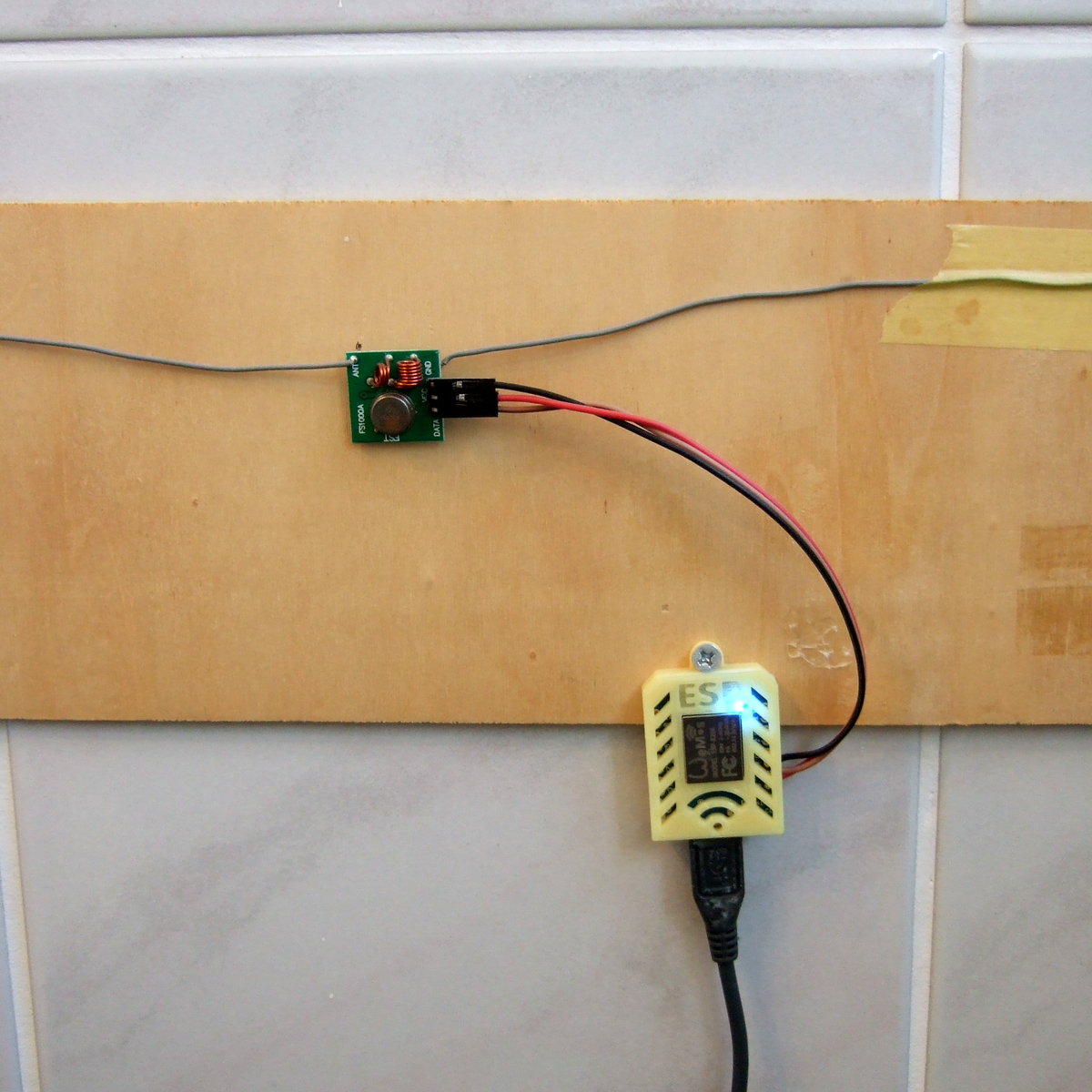
Built in an hour, survived for five years.

But my home automation system doesn’t care. Those little guys are running 24/7, flipping bits like it was still 2016. Thermometers, light sensors, and power meters haven’t changed much in five years, and although I’ve revamped the databasing, display, and user control a number of times since then, using a fixed communication transport protocol means that they’re still talking the same language. Indeed, even if NodeMCU is dead to me, the MQTT content of my original series is all still valid, and installing a broker on a Raspberry Pi has only become easier in the intervening five years.

So I’ve got a bunch of legacy code running within the walls of my own home, and it makes me nervous. If the devices fail, or maybe when they eventually fail, it’s not going to be “just flash another ESP8266 and replace it”, because even though I have some ancient NodeMCU binaries sitting around, I know when to throw in the towel. But there’s no good reason to pull them down and start reflashing either. Except that it makes me a little bit itchy, just knowing that there’s orphaned, dead-end code running all around me. Surrounding me. Staring deep into my hacker’s heart.

I know better than to tear down a running system, even though I could do it one device at a time, and each module would surely be a simple, independent fix; even though I’d love the excuse to play around with Micropython and its MQTT implementation on the ESP8266, or maybe even swap some of them out for ESP32s; even though these were all temporary quick hacks that have somehow served for five (5!) years. I certainly know better, right? (Right?)

The Right Tools For The Job

We’re knee-deep in new microcontrollers over here, from the new Raspberry Pi Pico to an engineering sample from Espressif that’s right now on our desk. (Spoiler alert, review coming out Monday.) And microcontroller peripherals are a little bit like Pokemon — you’ve just got to catch them all. If a microcontroller doesn’t have 23 UARTS, WiFi, Bluetooth, IR/DA, and a 16-channel 48 MHz ADC, it’s hardly worth considering. More is always better, right?

No, it’s not. Chip design is always a compromise, and who says you’re limited to one microcontroller per project anyway? [Francesco] built a gas-meter reader that reminded to think outside of the single-microcontroller design paradigm. It uses an ATtiny13 for its low power sleep mode, ease of wakeup, and decent ADCs. Pairing this with an ESP8266 that’s turned off except when the ATtiny wants to send data to the network results in a lower power budget than would be achievable with the ESP alone, but still gets his data up into his home-grown cloud.

Of course, there’s more complexity here than a single-micro solution, but the I2C lines between the two chips actually form a natural division of work — each unit can be tested separately. And it’s using each chip for what it’s best at: simple, low-power tasks for the Tiny and wrangling WiFi on the ESP.

Once you’ve moved past the “more is better” mindset, you’ll start to make a mental map of which chips are best for what. The obvious next step is combination designs like this one.

Run The Math, Or Try It Out?

I was reading Sonya Vasquez’s marvelous piece on the capstan equation this week. It’s a short, practical introduction to a single equation that, unless you’re doing something very strange, covers everything you need to know about friction when designing something with a rope or a cable that has to turn a corner or navigate a wiggle. Think of a bike cable or, in Sonya’s case, a moveable dragon-head Chomper. Turns out, there’s math for that! Continue reading “Run The Math, Or Try It Out?”

New Parts, New Hacks

The biggest news this week is that Raspberry Pi is no longer synonymous with single-board Linux computers: they’re dipping their toes into the microcontroller business with their first chip: the RP2040, and the supporting breakout board, the Pico. It’s an affordable, capable microcontroller being made by a firm that’s never made microcontrollers before, so that’s newsy.

The Hackaday comments lit on fire about this chip, with some fraction of the commenters lamenting the lack of wireless radios onboard. It’s a glass-half-full thing, I guess, but the RP2040 isn’t an ESP32, folks. It’s something else. And it’s got a hardware trick up its sleeve that really tickles my fancy — the programmable input/output (PIO) units.

The other half of the commenters were, like me, salivating about getting to try out some of the new features. The PIO, of course, was high on that list, but this chip also caters to folks who are doing high-speed DSP, with fast multiplication routines burnt into ROM and a nice accumulator. (You know you’re a microcontroller nerd when you’re reading through a 663-page datasheet and thinking about all the funny ways you can use and/or abuse the hardware peripherals.)

All chip designs are compromises. Nothing can do everything. The new peripherals, novel combinations of old elements, and just pleasant design decisions, open up new opportunities if you’re willing to seek them out. When the ESP32 was new, I was looking at their oddball parallel-I2S hardware and thinking what kind of crazy hacks that would enable, and clever hackers have proven me right. I’d put my money on the PIO being similar.

New chips open up new possibilities for hacks. What are you going to do with them?

Hackability Matters

The Unix Way™ provides extreme hackability. The idea is that software should be written as tools to accomplish discrete tasks, and that it should be modular, extensible, and play well with others. It’s like software as a LEGO set — you can put the blocks together however you want, within limits, and make stuff that’s significantly cooler than any of the individual blocks alone.

Clearly this doesn’t work for all applications — things like graphics editors and web browsers don’t really lend themselves to being elegant tools that integrate well with others, right? It’s only natural that they’re bloaty walled gardens. What happens in the browser must stay in the browser, right?

But how sad is it that the one piece of software you use all day, your window into cyberspace, doesn’t play well with the rest of your system? I’d honestly never really been bothered by that fact until stumbling on TabFS. It’s an extension to Chrome that represents the tabs on your browser as if they were files on your local system — The Unix Way™. And what this means is that any other program that can read from or write to a file can open tabs, collect them, change webpages on the fly, and so on. It opens up the browser to you.

This is tremendously powerful. Don’t like the bookmarking paradigm of your particular browser? Writing your own would be a snap in Python — and you could do cleverer things like apply a little machine learning to handle putting them in categories. Want to pop open (or refresh) a set of webpages at a particular time every day? Cron, or its significantly more complicated counterpart systemd, and a couple lines of code will do that. Want to make a hardware button that converts dark mode to light mode and vice-versa for every website starting with “H”? Can do.

I’m picking on browsers, but many large pieces of software are inaccessible in the same way — even if they’re open source, they don’t open up channels for interaction with user code or scripts. (Everything “in the cloud” or “as a service”, I’m looking at you! But that’s a further rant for another day.) And that’s a shame, because most of these “big” pieces of software actually do the coolest things.

So please, if you’re working on a big software package, or even just writing a plug-in for one, do think about how you can make more of its abilities available to the casual scripter. Otherwise, it’s just plastic blocks that don’t fit with the rest of the set.

How Much Is Too Much?

I definitely tend towards minimalism in my personal projects. That often translates into getting stuff done with the smallest number of parts, or the cheapest parts, or the lowest tech. Oddly enough that doesn’t extend to getting the project done in the minimum amount of time, which is a resource no less valuable than money or silicon. The overkill road is often the smoothest road, but I’ll make the case for taking the rocky, muddy path. (At least sometimes.)

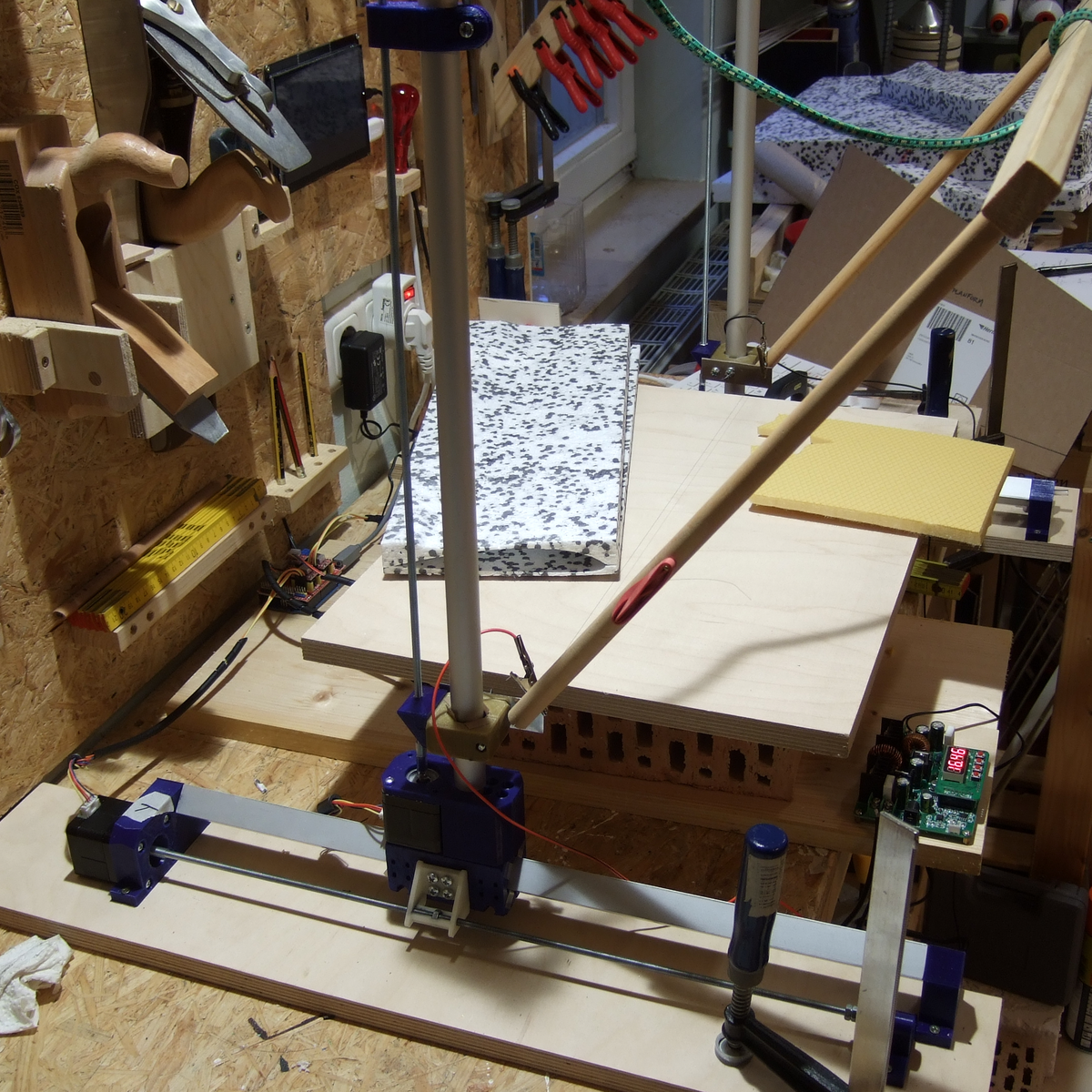
There are a bunch of great designs for CNC hot-wire foam cutters out there, and they range from the hacky to the ridiculously over-engineered, with probably most of them falling into the latter pile. Many of the machines you’ll see borrow heavily from their nearest cousins, the CNC mill or the 3D printer, and sport hardened steel rails or ballscrews and are constructed out of thick MDF or even aluminum plates.

All a CNC foam cutter needs to do is hold a little bit of tension on a wire that gets hot, and pass it slowly and accurately through a block of foam, which obligingly melts out of the way. The wire moves slowly, so the frame doesn’t need to handle the acceleration of a 3D printer head, and it faces almost no load so it doesn’t need any of the beefy drives and ways of the CNC mill. But the mechanics of the mill and printer are so well worked out that most makers don’t feel the need to minimize, simply build what they already know, and thereby save time. They build a machine strong enough to carry a small child instead of a 60 cm length of 0.4 mm wire that weighs less than a bird’s feather.

I took the opposite approach, building as light and as minimal as possible from the ground up. (Which is why my machine still isn’t finished yet!) By building too little, too wobbly, or simply too janky, I’ve gotten to see what the advantages of the more robust designs are. Had I started out with an infinite supply of v-slot rail and ballscrews, I wouldn’t have found out that they’re overkill, but if I had started out with a frame that resisted pulling inwards a little bit more, I would be done by now.

Overbuilding is expedient, but it’s also a one-way street. Once you have the gilded version of the machine up and running, there’s little incentive to reduce the cost or complexity of the thing; it’s working and the money is already spent. But when your machine doesn’t quite work well enough yet, it’s easy enough to tell what needs improving, as well as what doesn’t. Overkill is the path of getting it done fast, while iterated failure and improvement is the path of learning along the way. And when it’s done, I’ll have a good story to tell. Or at least that’s what I’m saying to myself as I wait for my third rail-holder block to finish printing.

Why You Need To Finish

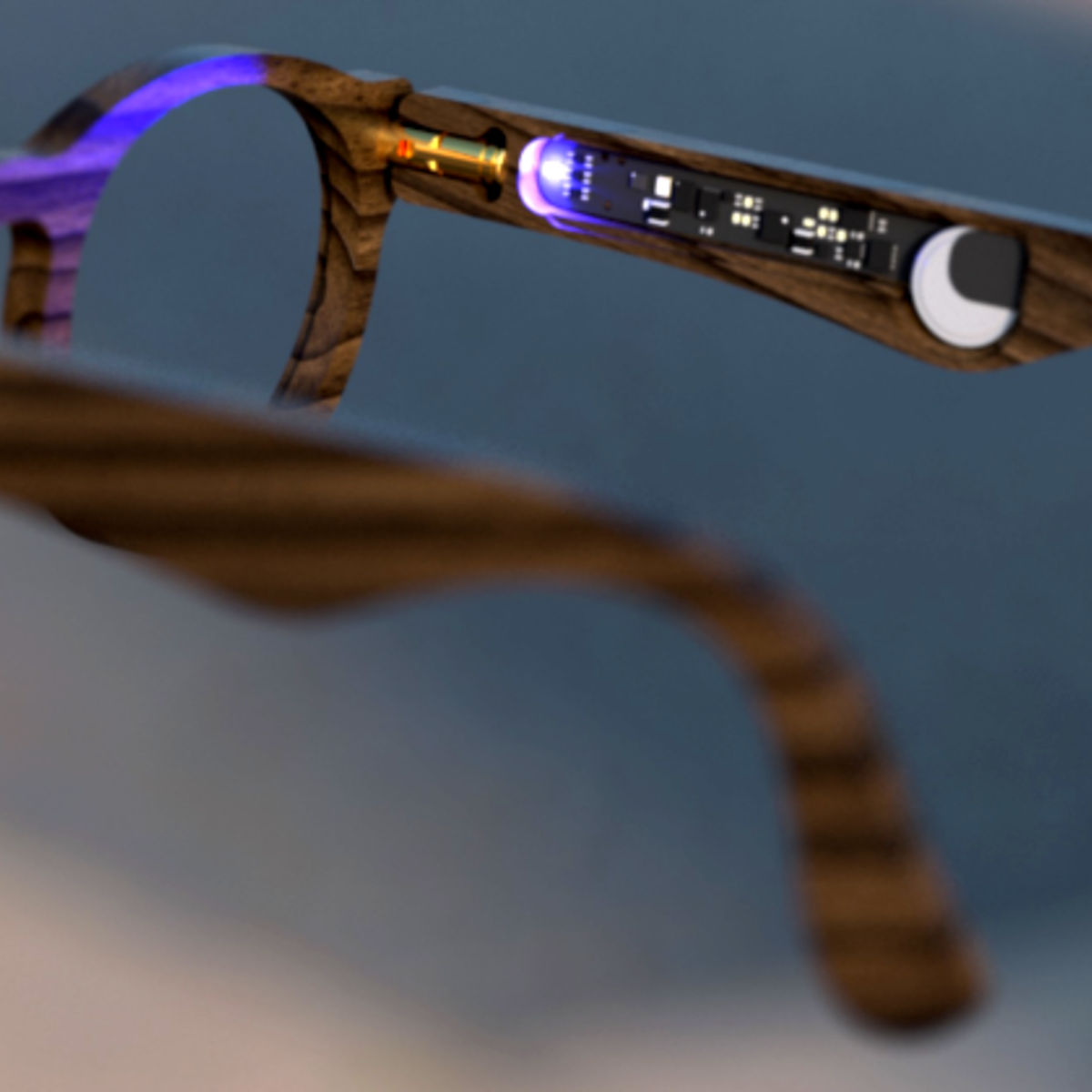
Mike and I were talking about an interesting smart-glasses hack on the podcast. This was one of those projects where, even if you don’t need a pair of glasses with LEDs on them to help you navigate around, you just couldn’t help but marvel at a lot of the little design choices made throughout.

For instance, I love the way the flex PCB is made to do double duty by wrapping around the battery and forming a battery holder. This struck me as one of those quintessential hacks that only occurs to you because you need it. Necessity is the mother of invention, and all that. There was a problem, how to fit a battery holder in the tiny space, and a set of resources that included a flex PCB substrate. Cleverly mashing that all together ended up with a novel solution. This wouldn’t occur to you if you were just sitting at the beach; you’d have to be designing something electronic, space-constrained, and on a flex PCB to come up with this.

Mike made an offhand comment about how sometimes you just need to finish a project for the good ideas and clever solutions that you’ll come up with along the way, and I think this battery holder example drives that point home. I can’t count the number of my projects that may or may not have been dumb in retrospect, but along the way I came up with a little trick that I’ll end up using in many further projects, outliving the original application.

Finishing up a project on principle is a reasonable goal just on its own. But when the process of seeing something to conclusion is the generator of new and interesting challenges and solutions, it’s even more valuable. So if you’re stuck on a project, and not sure you want to take it all the way, consider if the journey itself could be the destination, and look at it as an opportunity to come up with that next long-lasting trick.

Bad News: Arecibo

If you read the newsletter last week, you heard me wondering aloud if the damage to Arecibo Observatory had crossed the threshold into where it’s no longer economically viable to keep it running, and the sad news has just come in and the battle for Arecibo has been lost. We said we’d shed a tear, and here we are. Sic transit gloria mundi. Here’s hoping something cooler replaces it!