Upgrading The RAM In A 25 Year Old Oscilloscope

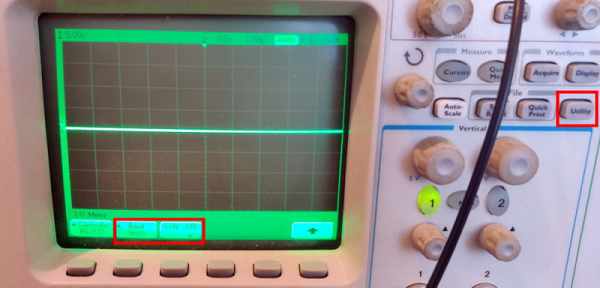
From reading his extensive write-ups on the subject, there’s one thing we know for sure: [Tom Verbeure] loves his Tektronix TDS 420A oscilloscope. While it might be older than some of the people reading this, it’s still an impressive piece of hardware with more than enough bells and whistles to keep the average hacker occupied. Especially if you’re willing to perform some hardware modifications.

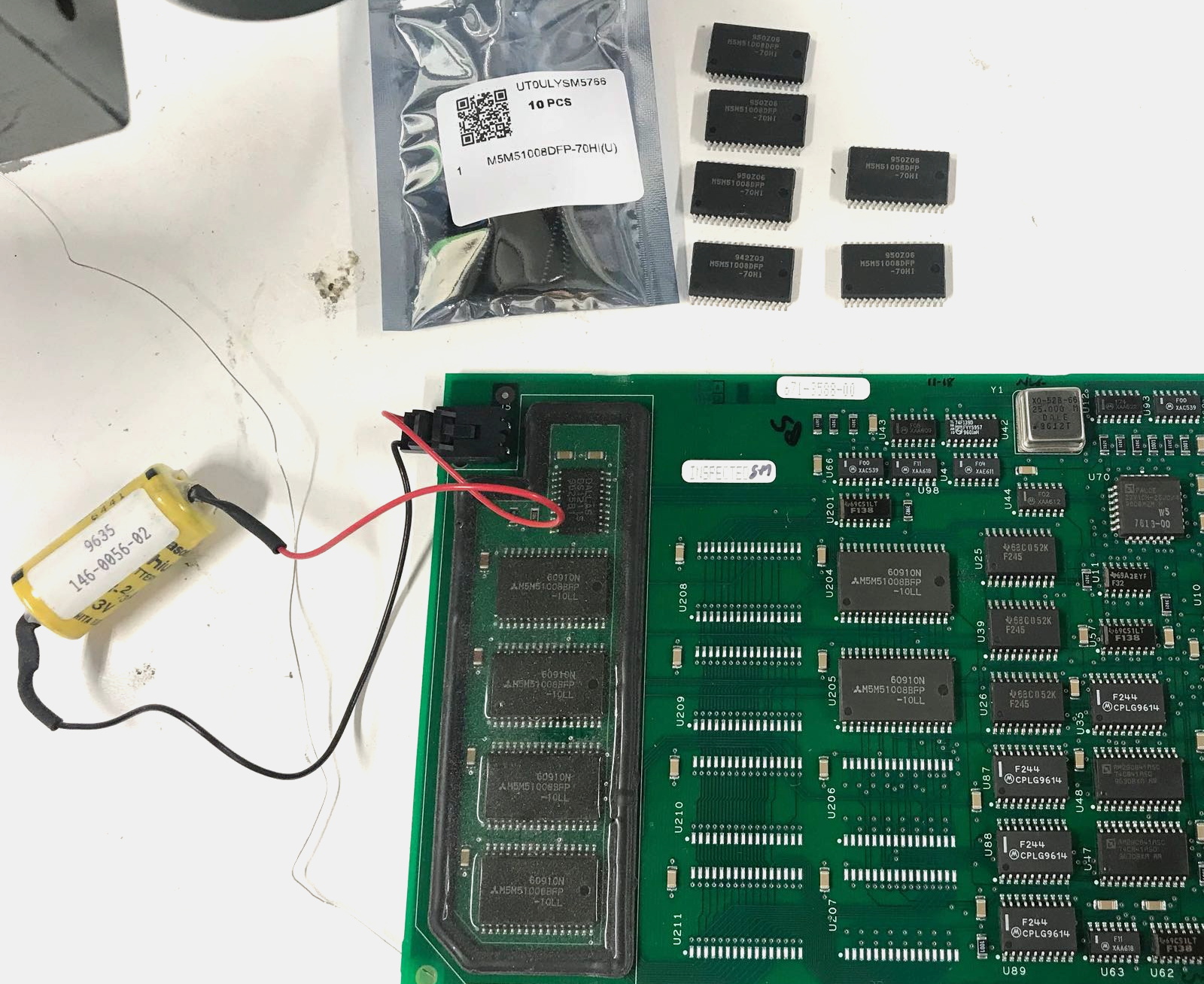
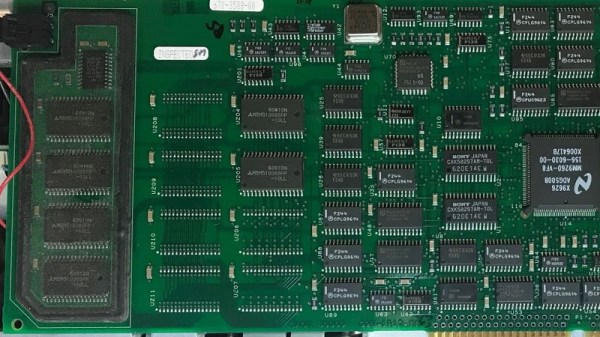
Note the battery to retain calibration data.

[Tom] already knew how to tickle the scope into unlocking software features, a process not unlike what we’ve seen done on more modern scopes. But there’s only so far you can get by toggling software flags.

Some of the more advanced features that are turned off in the firmware actually need additional hardware to function. Simply bumping the sample points to 120,000 in software wasn’t enough, the scope actually needs the memory to hold them in.

Now logically, if there’s a software option to increase the number of samples, there must be a hardware upgrade that goes along with it. Sure enough, [Tom] found there were 6 open spots next to the scope’s existing M5M51008 static RAM ICs.

As luck would have it the chips are still available, albeit from a different manufacturer and a bit faster than the original parts. Digikey wouldn’t sell fewer than 100 of them, but UTSource was happy to sell him 10. In this case, the parts were cheaper than the shipping cost. Installation was about as straightforward as it gets, though [Tom] does note that he had to keep the board powered up during the operation or else the scope would have lost its calibration data.

Squeezing more features out of modern scopes like the Rigol DS2072A just takes a USB cable and some software. Sometimes it’s only a matter of tapping in a code. But we certainly appreciate [Tom] putting in a little extra effort to get the most out of this classic piece of hardware.

Tablet Oscilloscope Claims 100 MHz, But Is It?

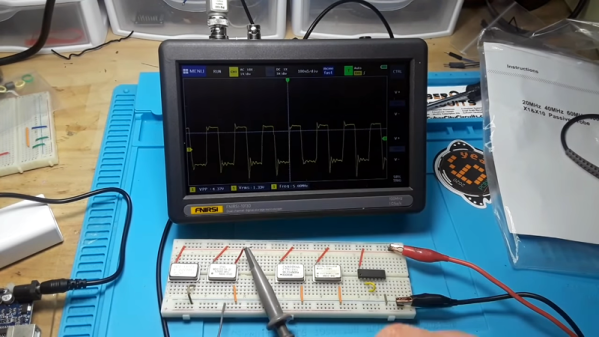
[LearnElectronics] grabbed a FNIRSI tablet oscilloscope from a vendor from China. The device has a seven-inch touchscreen and claims to be a two-channel 100 MHz scope. But is it? Watch the video below and you’ll see.

Spoiler alert: [LearnElectronics] was skeptical of the 100 MHz claim and it looks like it is more like a 30 MHz analog bandwidth. Despite that, it does seem like a pretty capable 30 MHz scope in a very handy form factor and a very cheap price: as little as $120 or so, depending on where you shop.

Continue reading “Tablet Oscilloscope Claims 100 MHz, But Is It?” →

Hantek 3-in-1 Instrument Reviewed

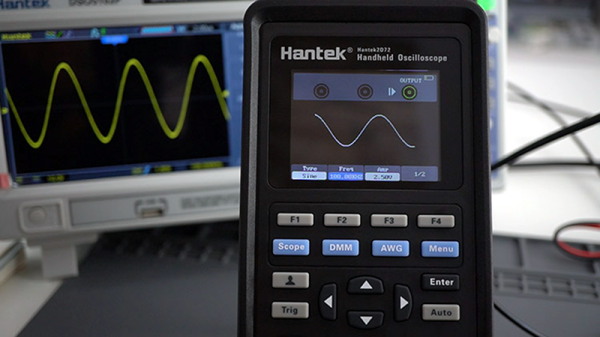
What kid doesn’t want a Swiss Army knife? Maybe that was the idea behind Hantek’s 3-in-1 instrument that [Rui Santos] reviewed in a recent blog post. You can also watch the video version, below. The instrument is a combination oscilloscope, multimeter, and signal generator. The device is pretty inexpensive and comes in 40 MHz and 70 MHz versions. You can also get versions that drop the function generator if you want to save a little bit more.

The multimeter does 4000 counts and has the usual scales along with capacitance measurements. Rechargeable batteries make it portable, and the signal generator is capable up to 25 MHz. The scope is dual channel, but the sampling drops in half (125 megasamples per second) when using both channels.

The 2.8 inch color screen isn’t as big as your bench scope, but it’s good for a portable device. The review also mentions that there are few buttons so many operations require a lot of menu navigation, but — again — that’s a function of being small. Overall, [Rui] seemed to like the meter well enough. We’ve spent more on a good digital meter, so if this can do that function plus also give you a reasonable scope and signal generator, it seems like a fair deal.

This reminded us of a very polished version of the EM125 we took a look at a few years ago, although that didn’t have a color screen, a second channel, or a signal generator. Of course, signal generators are cheap enough if you want to keep it separate.

Continue reading “Hantek 3-in-1 Instrument Reviewed” →

Digitize An Analogue Oscilloscope

Many of us will possess digital oscilloscopes which offer at an affordable price an array of features once unimaginable on the analogue CRT ‘scopes of yesteryear. But those old analogue beasts were fine pieces of equipment when they were made and remain so today. So how can they find a place in the digital age?

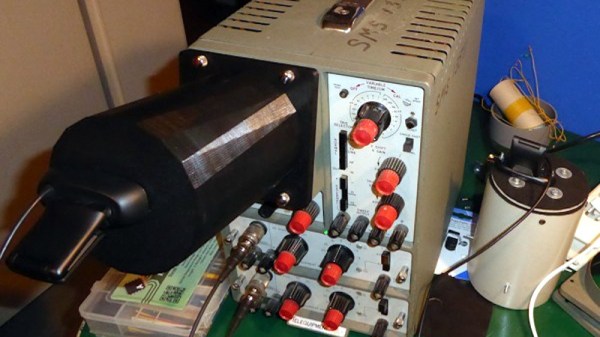
Perhaps [Joseph Eoff] has the answer, because he’s fitted his trusty Telequipment D43 with a camera in a 3D-printed attachment, paired with a piece of cross-platform Python/Qt custom software using OpenCV to identify, digitize, and quantify the traces. The software allows viewing the either the digitized trace or the real trace, and derives measurements of voltage and frequency from them. One limitation is that despite the ‘scope being a dual-trace model, the software only has a single set of cursors to measure one trace at a time. All the code can be had from the GitHub repository, should you wish to experiment with it or extend it.

It’s worth thinking for a minute at what price point a remotely decent digital ‘scope starts, then considering the ease with which surprisingly good older analogue instruments can be found on the second-hand market for not a lot. An approach such as this one makes them an even more attractive proposition.

If you’re looking further into enhancements for an analogue ‘scope, how about a logic analyser?

Hackaday Links Column Banner

Hackaday Links: May 24, 2020

We’re saddened to learn of the passing of Gershon Kingsley in December 2019 at the age of 97. The composer and electronic music pioneer was not exactly a household name, but the things he did with the Moog synthesizer, especially the surprise hit “Pop Corn”, which he wrote in 1969, are sure to be familiar. The song has been covered dozens of times, in the process of which the spelling of the name changed to “Popcorn.” We’re most familiar with the 1972 cover by Hot Butter, an earworm from our youth that doesn’t hide the Moog as deeply in the backing instruments as Kingsley did in the original. Or, perhaps you prefer the cover done by a robotic glockenspiel, because robotic glockenspiel.

A few months back, we covered the audacious plan to recover the radio gear from the Titanic. At the time, the potential salvors, Atlanta-based RMS Titanic, Inc., were seeking permission to cut into the submerged remains of the Titanic‘s Marconi room to remove as much of the wireless gear as possible. A federal judge granted permission for the salvage operation last Friday, giving the company the green light to prepare an expedition for this summer. The US government, through the National Oceanic and Atmospheric Administration and the National Park Service, argued strenuously to leave the wreck be and treat it as a tomb for the 1,527 victims. For our part, we had a great discussion about the merits in the comments section of the previous article. Now that it’s a done deal, we’d love to hear what you have to say about this again.

Although life appears to be slowly returning to what passes for normal, that doesn’t mean you might not still have some cycles to spare, especially when the time spent can bolster your skillset. And so if you’re looking to adding FPGAs to your resume, check out this remote lab on FPGA vision systems offered by Bonn-Rhein-Sieg University. The setup allows you to watch lectures, download code examples, and build them on your local computer, and then upload the resulting binaries to real hardware running on the lab’s servers in Germany. It sounds like a great way to get access to FPGA hardware that you’d otherwise have a hard time laying hands on. Or, you know, you could have just come to the 2019 Hackaday Superconference.

Speaking of skill-builders, oscilloscope owners who want to sharpen their skills could do worse than to listen to the advice of a real scope jockey like Allen Wolke. He recently posted a helpful video listing the five most common reasons for your scope giving “wrong” voltage readings. Spoiler alert: the instrument is probably doing exactly what you told it to do. As a scope newbie, we found the insights very helpful, and we can imagine even seasoned users could make simple mistakes like using the wrong probe attenuation or forgetting that scope response isn’t flat across its bandwidth.

Safety tip for the gearheads among us: your jack stands might be unsafe to use. Harbor Freight, the stalwart purveyor of cheap tools, has issued a recall of two different models of its jack stands. It seems that the pawls can kick out under the right conditions, sending the supported load crashing to the ground. This qualifies as a Very Bad Day for anyone unlucky enough to be working underneath when it happens. Defective jack stands can be returned to Harbor Freight for store credit, so check your garage and be safe out there in the shop.

And finally, because everyone loves a good flame war, Ars Technica has come up with a pronunciation guide for common tech terms. We have to admit that most of these are not surprising; few among the technology literate would mispronounce “Linux” or “sudo”. We will admit to a non-fanboy level of ignorance on whether the “X” in “iOS X” was a Roman numeral or not, but learning that the “iOS” part is correctly pronounced as three syllables, not two was a bit shocking. It’s all an exercise in pedantry that reminds us of a mildly heated discussion we had around the secret Hackaday writers’ bunker and whether “a LED” or “an LED” is the correct style. If the Internet was made for anything, it was stuff like this.

No More Floppy Drives For This Agilent Scope

When [kiwih] picked up an Agilent 54621A scope, he was amused that it had a floppy disk. At one time, it was high-tech to use a disk to transfer scope data to your computer. Today, not so much. However, on the back was a serial port. Surely it was possible to read data from there. It is, and what results is a nice walkthrough of finding the port’s info and interfacing with it using Python.

Normally, you’d use the included BenchLinkXL software to grab data from the port, but that software is so old it would not run under Windows 10 or Wine. Searching didn’t turn up much on the serial port, but it did locate a manual for a similar Agilent scope. That manual wasn’t too helpful since it assumed you were connecting via a LAN or USB. However, it did make reference to an older model that was also similar and that was the key to finding a manual that did explain the serial port protocol.

The command set looks suspiciously like SCPI — Standard Commands for Programmable Instruments — which is a layer on top of the GPIB protocol. Many scopes speak that language, so that’s not surprising. That also means if you are in the mood to communicate with an SCPI scope, you might find the code useful, even if you don’t use a serial port or have this exact Agilent model.

SCPI has a lot of uses. For example, try talking to your scope. The cheap Rigol and similar scopes usually have SCPI and you can control and read them using the same kind of techniques.

Open-Source 2 GHz Oscilloscope Probe

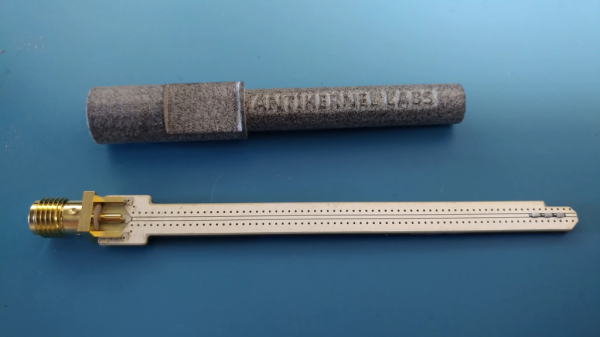
If you do any work with high-speed signals, you quickly realize that probing is an art unto itself. Just having a fast oscilloscope isn’t enough; you’ve got to have probes fast enough to handle the signals you want to see. In this realm, just any old probe won’t do: the input capacitance of the classic RC probe you so often see on low-bandwidth scopes starts to severely load down a circuit well below 1 GHz. That’s why we were really pleased to see [Andrew Zonenberg’s] new open-source design for a 2 GHz resistive probe hit Kickstarter.

The design of this new probe looks deceptively simple. Known as a Z0-probe, transmission-line probe, or resistive probe, the circuit works as a voltage divider, created from the 50-Ohm input impedance of a high-speed oscilloscope input and an external resistor, to reduce loading on the circuit-under-test. In this case, the input resistance has been chosen to be 500 Ohms, yielding a 10x probe. In theory, building such a probe is as simple as soldering a resistor to the end of a piece of coaxial cable. You can do exactly that, but in practice, optimizing a design is much more complex. As you can see in the schematic, just choosing a resistor of the right value doesn’t cut it at these frequencies. Even the tiny 0402-size resistors have parasitic capacitance and inductance that affect the response, and choosing a combination of parts that add to the correct resistance but reduce the overall capacitive loading makes a huge difference.

2 GHz Passive Probe Schematic

Don’t be fooled: the relatively simple schematic belies the complexity of such a design. At these speeds, the PCB layout is just as much of a component as the resistors themselves, and getting the transmission-line and especially the SMA footprint launch correct is no easy task. Using a combination of modeling with the Sonnet EM simulator and empirical testing, [Andrew] has ended up with a design that’s flat (+/- 1 dB) out to 1.98 GHz, with a 10-90% rise time of 161 ps. That’s a fast probe.

The probe comes in a few options, from fully assembled with traceable specs to a DIY solder-it-yourself version. You probably know which of these options you need.

We really like to see this kind of knowledge and thoroughness go into a project, and we’d love to see the Kickstarter project reach its goals, but perhaps the best part is that the design is permissively open-source licensed. This is a case where having the board layout open-sourced is key; the schematic tells you maybe half of what’s really going on in the circuit, and getting the PCB right yourself can be a long and frustrating exercise. So, have a look at the project, and if you haven’t got probes suitable for your fastest scopes, build one, or better yet, support the development of this exciting design.

We’ve seen [Andrew’s] oscilloscope work before, like glscopeclient, his remote oscilloscope utility program.