Writing An ESP32 Bluetooth Printer Driver In Two Acts

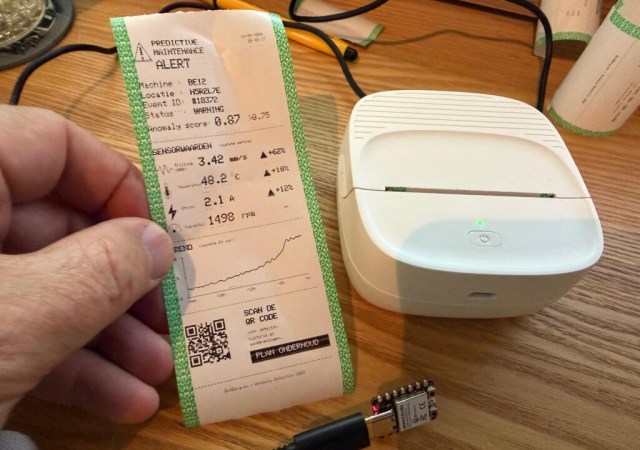
[Bas BotBerg] wanted to use a portable Bluetooth thermal printer to run off reports on sensor data collected by an ESP32-C3 microcontroller. But as is so often the case these days, the only official way to interface with the printer was through a proprietary smartphone application provided by the manufacturer. With no documentation on how the thing works, he set out to reverse engineer the printer’s communications protocol so he could control it from the MCU — but the route he took to get there was a bit different than what we usually see, and is an excellent case study for those who might have similar projects in mind.
The standard procedure for something like this, if it can be called that, is to use Android’s built-in debugging capability to log Bluetooth communications while running the manufacturer’s application. The resulting file can be fed into Wireshark, and with patience and some educated guesses, you can usually work out the various commands and values that get passed to the hardware.

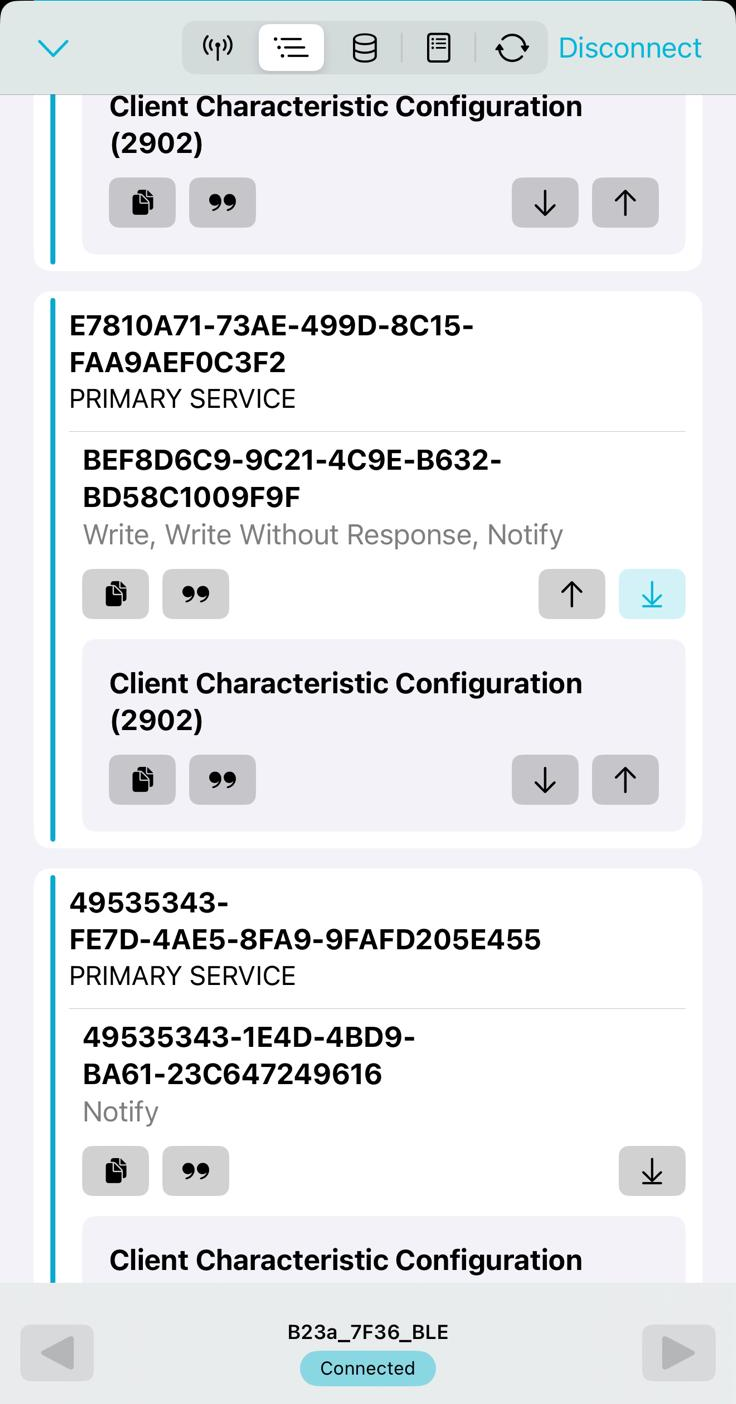
But in this case, [Bas BotBerg] ignored the manufacturer’s software and instead used an application that can query a device and list its Bluetooth Low Energy services and characteristics. Specifically, he looks for services that are marked as writable, and starts pushing data into them to see how the printer responds. For this he uses Python with the Bleak library, as it allows him to rapidly iterate and adapt his code. After a bit of poking and experimentation, he finds the proper incantation to get the printer’s motor to kick on and advance the paper — a critical first milestone that tells him he’s on the right path.

Once [Bas BotBerg] mapped out what data needed to be sent to what endpoints to operate the printer in Python, it was a relatively straightforward process to send those same payloads using C++ code on the ESP32. For extra style points he also brought in the Adafruit GFX library so he could produce icons and more easily format the output of the printer.

It doesn’t look like [Bas BotBerg] has released the code in this case (perhaps if we all ask nicely), but we’ve seen similar efforts to bring open source drivers to these cheap Bluetooth printers for the good of the community.
Rusting An E-scooter (In A Good Way)

It is a classic Hackaday situation. You have an Egret GT E-scooter. It has a screen that shows the usual dash stats, but that led to an annoyance. You could accidentally enter firmware update mode and, from there, enter operational mode without the security PIN. [Ben] couldn’t let that stand, so he reverse-engineered the protocol and rewrote the firmware in Rust. As he put it, “… because I have to break… everything I own…” We get it.

The mobile app was useful for some basic info, since sniffing Bluetooth is fairly easy and analyzing mobile code is, more or less, straightforward. Analysis revealed some data that doesn’t show on the display and that several things are sent back to home base tagged with the scooter’s unique ID — another reason to gut the existing firmware.

Continue reading “Rusting An E-scooter (In A Good Way)” →

Bluetooth Shock Collar Keeps Wearer On Task

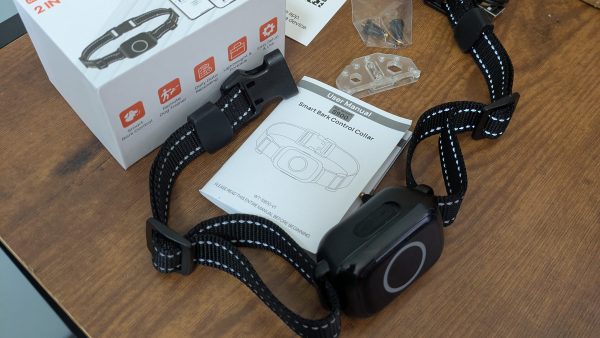
Like a lot of us [Liam Kloppers] had a problem with doomscrolling. Unwilling to go cold-turkey because he does find some utility in social media. He tried a number of things before deciding to say “Screw it” and just go full Pavlov on himself with some old-fashioned classical conditioning. Who needs willpower when you have electric shocks to dissuade you?

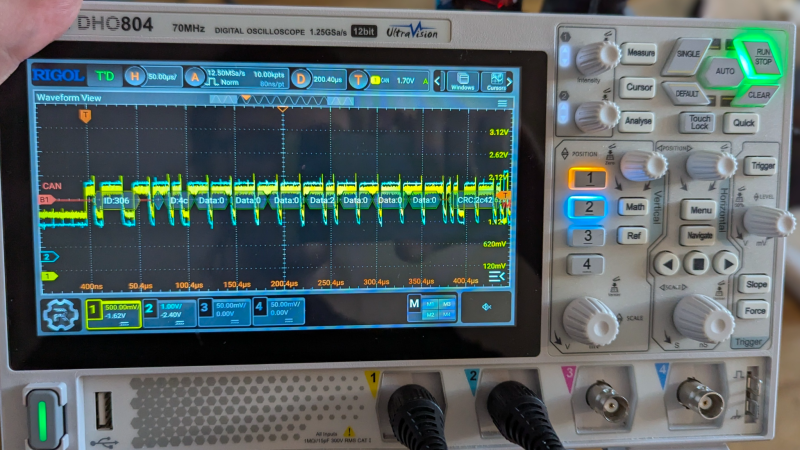
The key here was finding an electric-shock dog collar that could be controlled via a smartphone application, which meant he could reverse-engineer its Bluetooth protocol and get it linked up to his own software. The initial implementation ties his quick-and-dirty Python control program with a web server living on his laptop, which he’s configured MacroDroid to call on when his personal criterion for ‘doomscrolling’ is met.

With the shock collar wrapped around his leg, [Liam] was ready to test. It turns out dogs are a lot tougher than people, because even when set to a low level, the shock from the device made him toss his phone across the room and had him hesitant to even pick it up again.

Since he couldn’t bring himself to put the shock collar back onto his leg, he’s now thinking of an audible alarm, something we’ve seen work before. If you’re as unhappy with your habits as [Liam], perhaps consider a device like Commodore’s social-media-free phone before resorting to self-electrocution.

Hacking A Commercial Colorimeter To Add RAL Color Code Support

When you need to match paint colors, one of the tools you’ll reach for is a deck of reference colors. Another might be a colorimeter. But what if you want both? [hallko1234] created just that by reverse-engineering and then patching a CR4501 colorimeter.

It starts with a problem: every time [hallko1234] needed to check a color, he had to take a reading, write it down, run to the office, match it with a table, and then walk all the way back. That sounds like too much effort. The natural solution, of course, is to automate the process.

So he did. The CR4501 will happily give you its entire firmware over the debug port, after which it was time for analysis in Ghidra. Some hiccups, brickings and accidental erasure of calibration data later, he finally had a working version. The end result is a simple screen that, after every time you measure, displays the closest RAL color code and how close it is.

On the off chance someone else has the same colorimeter, he even made an online tool to install it for you.

Sharkfin Bites Attack Shark

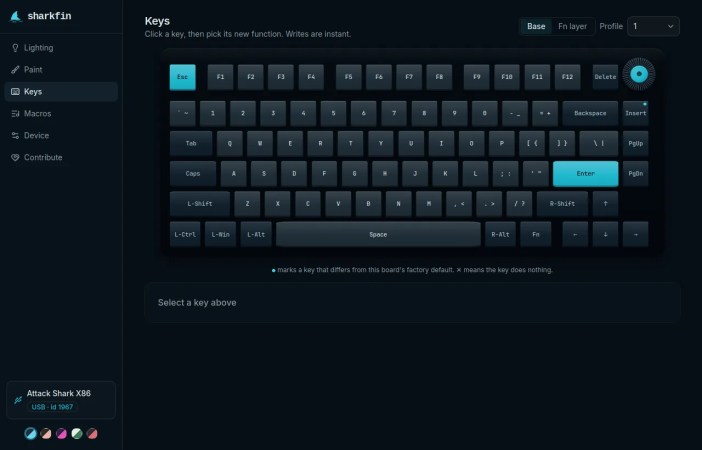
The Attack Shark is a modern keyboard with fancy magnetic keyswitches, macros, configurable blinky LEDs, and more. The problem is that the configuration software only works on Windows, so [JR Lanteigne] set out to fix that. Along the way, he completely worked out the configuration protocol that this keyboard needs, and wrote the comfortable sharkfin web-app so that you can flash yours too.

Don’t have an Attack Shark? Well, you might have one of the 522 other boards that are made on the same ROYUAN hardware, but are re-branded under 100 different names. Want to find out if yours is supported? Look it up in the list here, or just plug it in and find out.

[RJ]’s path to reverse engineering the config protocol wasn’t entirely straightforward, but since the “Windows only” application was actually an Electron app under the hood, he patched it to run on Linux and logged a few configuration sessions. Of course there are gotchas like two different firmware generations and the fact that writing to flash too fast put the keyboard into a boot loop, but after these problems were surmounted, it just remained to map all of the bytes out, and wrap it all up in a user-friendly application.

We don’t have one of these fancy-schmancy keyboards, but if we did, we’d certainly be glad to have the configuration protocol documented. Nothing is worse than finding out that the company that made your keyboard has gone belly-up, and you’re left with a backlight setup that doesn’t match your new deskpad. If you’re a keyboard-head and you don’t already follow [Kristina]’s series, well you should.

Poking Around With JTAG On A Guitar Amp

You would think a guitar amplifier would be a straightforward piece of analog electronics. But, of course, these days, everything has firmware, including [mforney]’s Yamaha THR10c. The service manual showed both a UART and JTAG header on the schematic, so as many of us would, he took that as a challenge.

Of course, the production board doesn’t have headers for these ports, but that’s not a real problem. The serial port seemed quiet, but the JTAG port was more productive. This revealed two binary images: a bootloader and the main firmware. Once you have the code, it is a straightforward, if not laborious, process to reverse engineer what the code does.

The next step is to figure out how to load new firmware. You can see in the post that this was done, and custom features sprang into life with custom-patched firmware.

We never get tired of seeing people dig into consumer devices like this. Things like JTAG and the wide availability of JTAG tools have made it easier but no less fun. Of course, there are even more features [mforney] has in mind, but now that’s just a matter of coding.

Hacking Hard Drive Firmware

You probably flash new firmware on a variety of devices regularly, even though that’s rare for non-technical types. But what about your hard drive firmware? Most of us don’t want to touch our operating drives, so unless you are dealing with surplus drives or have a special project in mind, you may not think much about the firmware running your spinning rust storage. [I Code 4 Coffee] uses hard drives in an unusual way to exploit Xbox 360s, and wound up reverse engineering some drive firmware with an eye to making changes.

The analysis started with three hard drives and an SSD. Looking for people who’ve done similar work wasn’t as productive as you might think. There isn’t much call for modifying hard drive firmware, and what data there is can be outdated.

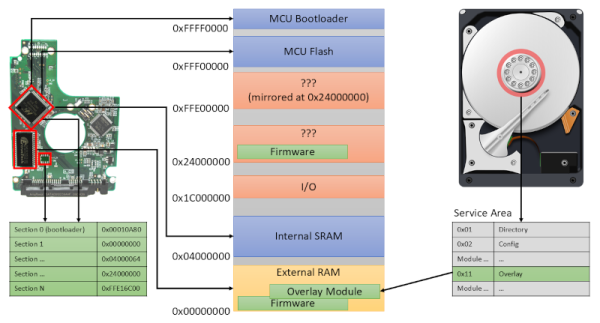
One thing that was available was firmware dumps taken with a PC-3000 data recovery tool. What follows is a deep dive down the hard drive rabbit hole. There are backdoor vendor commands and connections to the diagnostic RS-232 port on some drives. You can find the technical artifacts on GitHub.

We learned a few things, and we bet you will too. Another way to get into the hard drive’s firmware is via JTAG.