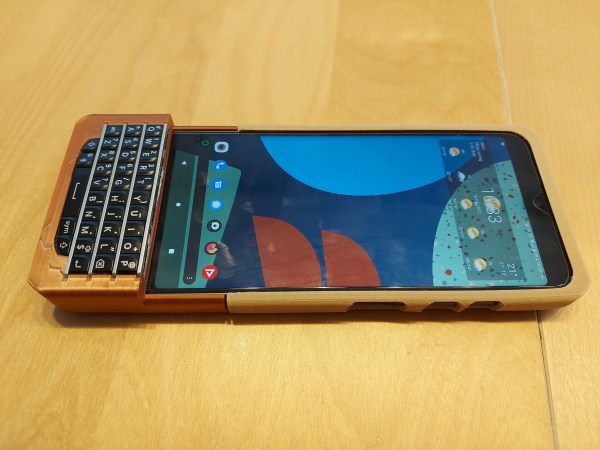
An image of a smarphone sitting on a lightly-colored wooden table. It has a tan case surrounding it on the top 2/3, and a copper case holding a BlackBerry Q10 keyboard jutting out over the bottom of the phone.

FairBerry Brings The PKB Back To Your Smartphone

Missing the feel of physical keys on your phone, but not ready to give up your fancy new touchscreen phone? [Dakkaron] has attached a BlackBerry keyboard to a slightly more recent device.

Designed for the FairPhone 4, [Dakkaron]’s hack should be transferable to other smartphones as it connects to the phone over USB without any of that tedious mucking about with Bluetooth. There’s even a handy OpenSCAD-based generator to help you along in the customization process.

[Dakkaron] started with an Arduino Pro Micro-based implementation, but the most recent iteration uses a custom board that can be obtained partially-populated. Unfortunately, the Hirose connector for the keyboard isn’t available off-the-shelf, so you’ll have to solder that yourself if you’re planning to do this mod. Sounds like a perfect opportunity to practice your surface mount soldering skills!

If the Q10 keyboard looks familiar, it’s probably because it’s one of the most popular keyboards for small projects around here. Check out Regrowing a BlackBerry from the Keyboard Out or a LoRa Messenger with one. We’ve even seen them in a conference badge!

Mailblocks Makes Your Phone Work More Like The Post, Kinda?

Phones can be distracting, with notifications popping up all the time to snare our attention and maybe even ruin our lives. [Guy Dupont] wishes to be no slave to the machine, and thus built a solution. Enter Mailblocks.

The concept is simple. It’s a physical mailbox which [Guy] can put his phone in. All notifications on the phone are blocked unless he puts his phone into the box. When the phone is inside and the box is closed, the little red flag goes up, indicating “DOPAMINE” is available, and [Guy] can check his notifications.

To achieve this, [Guy] is running a custom DNS server. It redirects all the lookups for push notifications on Android so they go nowhere. Placing the phone in the mailbox turns the re-directions off, so the phone can contact the usual servers and get its notifications as normal.

It’s a novel way of fighting against the constant attention suck of modern smartphones. Rather than being bombarded by notifications in real time, [Guy] instead has to take a significant intentional physical action to check the notifications. It cuts the willpower required and the interruptions to his work in a fell swoop.

We’ve featured [Guy’s] innovative and outside-the-box projects before, too. His smart pants were an absolute tour de force, I might add.

Continue reading “Mailblocks Makes Your Phone Work More Like The Post, Kinda?”

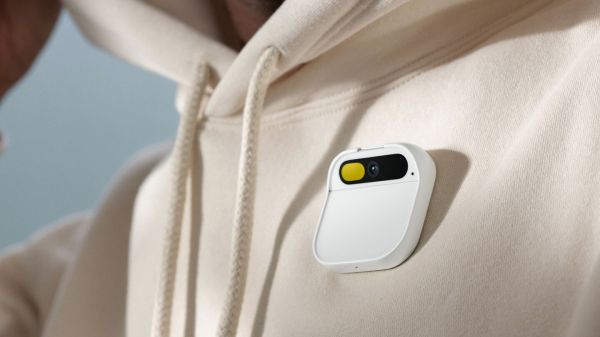
Human AI Pin marketing picture. (Credting: Humane)

The AI Pin: A Smart Body Camera That Wants To Compete With Smartphones

Seeking to shake up the smartphone market, Humane introduced its ‘AI Pin’, which at first glance looks like someone put a very stylish body camera on their chest. There’s no display, only the 13 MP camera and some other optics visible above what turns out to be a touch panel, which is its main gesture-based input method, while it’s affixed to one’s clothing using either a magnet on the other side of the fabric, a wireless powerbank or a clip. Inside the unit you find a Qualcomm octa-core processor with 4 GB of RAM and 32 GB of eMMC storage, running a custom Android-based ‘Cosmos’ OS.

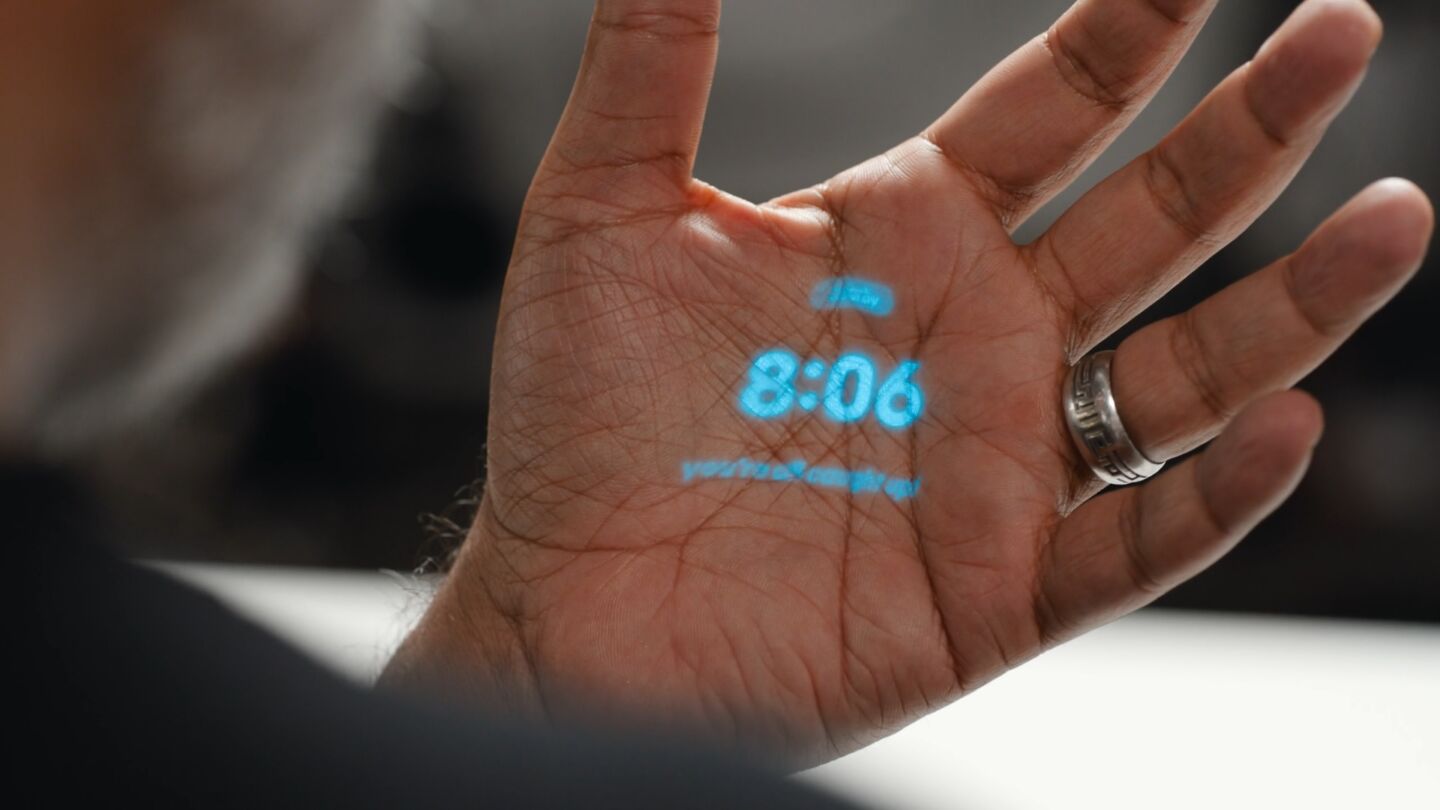
The AI Pin home screen, demonstrating why hand palms are poor projection surfaces. (Credit: Humane)

There is also a monochrome (teal) 720p laser projector built-in that provides something of a screen experience, albeit with the expectation that you use your hand (or presumably any other suitable surface) to render it visible. From the PR video it is quite clear that visibility of the projection is highly variable, with much of the text often not remotely legible, or only after some squinting. The hand-based gestures to control the UI (tilting to indicate a direction, touching thumb & index finger together to confirm) are somewhat of a novelty, though this may get tiresome after a day.

An article by [Ron Amadeo] over at Ars Technica also takes a look at the device, where the lack of an app ecosystem is pointed out, as well as the need for a mandatory internet connection (via T-Mobile). Presumably this always-on ‘feature’ is where the ‘AI’ part comes in, as the device has some voice assistant functionality, which seems to rely heavily on remote servers. As a result, this ends up being a quirky device with no third-party app support for a price tag of $700 + the $25/month for online service. Not to mention that people may look a bit odd at you walking around with a body camera-like thing on your chest that you keep rubbing and holding your hand in front of.

To be fair, it’s not often that we see something more quaint in this space come out than Google Glass, now many years ago.

An Open Source Mobile Phone Based On The ESP32

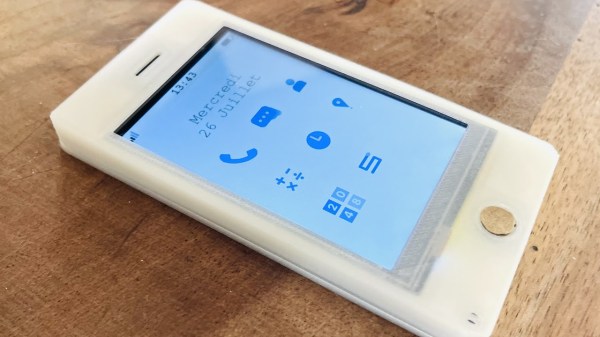
As microcontrollers become ever faster and cheaper, something we’ve been expecting has been an open source smartphone based not upon a high-end chip, but on a cheap commodity one. In the electronic badge arena we’ve come pretty close, but perhaps it’s left to [Gabriel Rochet] to deliver the first one that brings everything together. His Paxo phone is now on version 4, and while the French-language website link stubbornly resists translation with Google translate, English speakers can find a description of its capabilities along with the software in a GitHub repository.

The hardware is surprisingly straightforward, with a resistive touch screen and a PCB featuring power management, an ESP32 main processor, and a GSM module. The 2G connectivity may not be the fastest, or even available in your country, but otherwise the feature set looks more than reasonable for a basic mobile phone.

We like this project a lot, because as we said it starts to deliver on the promise of the 2018 EMF badge and the 2022 MCH badge. We think the former badge’s designers might find something of interest in it.

Blood Pressure Monitor For Under $1

Medical equipment is not generally known for being inexpensive, with various imaging systems usually weighing in at over a million dollars, and even relatively simpler pieces of technology like digital thermometers, stethoscopes, and pulse oximeters coming in somewhere around $50. As the general pace of technological improvement continues on we expect marginal decreases in costs, but every now and then a revolutionary piece of technology will drop the cost of something like a blood pressure monitor by over an order of magnitude.

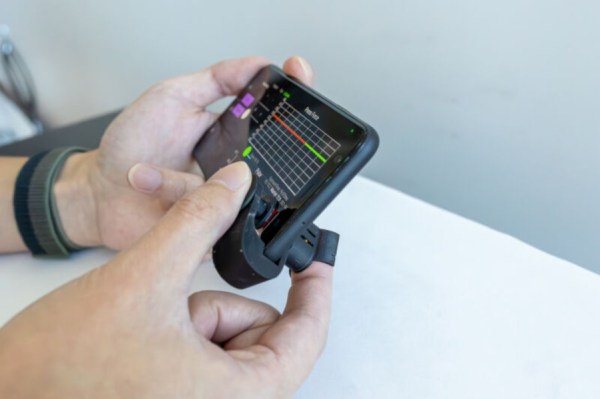
Typically a blood pressure monitor involves a cuff that pressurizes against a patient’s arm, and measures the physical pressure of the blood as the heart forces blood through the area restricted by the cuff. But there are some ways to measure blood pressure by proxy, instead of directly. This device, a small piece of plastic with a cost of less than a dollar, attaches to a smartphone near the camera sensor and flashlight. By pressing a finger onto the device, the smartphone uses the flashlight and the camera in tandem to measure subtle changes in the skin, which can be processed in an app to approximate blood pressure.

The developers of this technology note that it’s not a one-to-one substitute for a traditional blood pressure monitor, but it is extremely helpful for those who might not be able to afford a normal monitor and who might otherwise go undiagnosed for high blood pressure. Almost half of adults in the US alone have issues relating to blood pressure, so just getting information at all is the hurdle this device is attempting to overcome. And, we’ll count it as a win any time medical technology becomes more accessible, more inexpensive, or more open-source.

Hackaday Links Column Banner

Hackaday Links: May 7, 2023

More fallout for SpaceX this week after their Starship launch attempt, but of the legal kind rather than concrete and rebar. A handful of environmental groups filed the suit, alleging that the launch generated “intense heat, noise, and light that adversely affects surrounding habitat areas and communities, which included designated critical habitat for federally protected species as well as National Wildlife Refuge and State Park lands,” in addition to “scatter[ing] debris and ash over a large area.”

Specifics of this energetic launch aside, we always wondered about the choice of Boca Chica for a launch facility. Yes, it has all the obvious advantages, like a large body of water directly to the east and being at a relatively low latitude. But the whole area is a wildlife sanctuary, and from what we understand there are still people living pretty close to the launch facility. Then again, you could pretty much say the same thing about the Cape Canaveral and Cape Kennedy complex, which probably couldn’t be built today. Amazing how a Space Race will grease the wheels of progress.

Continue reading “Hackaday Links: May 7, 2023”

Using An Old Smartphone In Place Of A Raspberry Pi

The Raspberry Pi was a fairly revolutionary computing device when it came on the scene around a decade ago. Enough processing power to run a full Linux desktop and plenty of GPIO meant almost certain success. In the past year, though, they’ve run into some issues with their chip supplier and it’s been difficult to find new Pis, which has led to some looking for alternatives to these handy devices. [David] was hoping to build a music streaming server and built it on an old smartphone instead of the ubiquitous single-board computer.

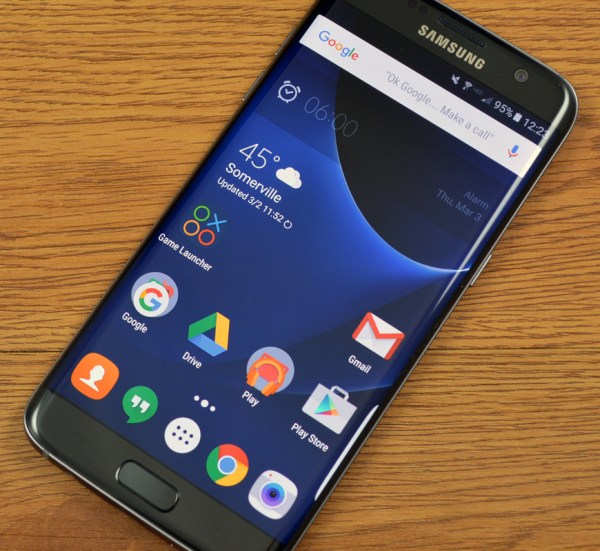
Most smartphones are single-board computers though, and at least the Android devices are fully capable of running Linux just like the Pi. The only problem tends to be getting around the carrier or manufacturer restrictions like a locked bootloader or lack of root access. For [David]’s first try getting this to work, he tried to install Navidrome on a Samsung phone but had difficulties with the lack of memory and had to build the software somewhere else and then load it on the phone. It did work, but the stock operating system kept killing the process for consuming too much memory.

Without root access, [David] decided to try LineageOS, a version of Android which, among other benefits, is typically much more configurable than the stock version of Android that is shipped with smartphones. This allowed him to disable or uninstall anything not needed for his music server to free up enough memory. After some issues with transcoding the actual music files he planned on streaming, his music server was successfully up and running on a phone that would have otherwise been relegated to the junk drawer. The specific steps he took to get this working can be found on his GitHub page as well.

[David] also mentioned looking at PostmarketOS for this job which is certainly a viable option for some, but the Linux distribution for phones is only supported on a few devices. Another viable alternative for a project like this if no Raspberry Pis are available might be any of a number of Pine64 devices that might also be sitting around gathering dust, like the versatile Linux-based Pinephone.