Vintage Instrument Gets Modern Replacement For Unobtainium Parts

One of the best parts about Hackaday is how much you learn from the projects that people tackle, especially when they are repairs on old gear with unknown failure modes and potentially multiple problems. By the same token, the worst part about Hackaday is seeing what other people are capable of and knowing that you’ve got a long way to go to catch up to them.

A case in point is [Curious Marc]’s recent repair of an old pulse generator. The instrument in question is an H-P 8082A, a device from a time when H-P was a place where “good engineers managed by even better engineers [wanted] to help other engineers,” as [Marc] so eloquently puts it. The instrument was capable of 250 MHz output with complete control over the amplitude, frequency, duty cycle, and rising and falling edge geometry of the pulses, in addition to being able to output double pulses. For an all-analog instrument made in 1974, it was in decent shape, and it still powered up and produced at least the square wave output. But [Marc]’s exploration revealed a few problems, which are detailed and partially addressed in the first video below.

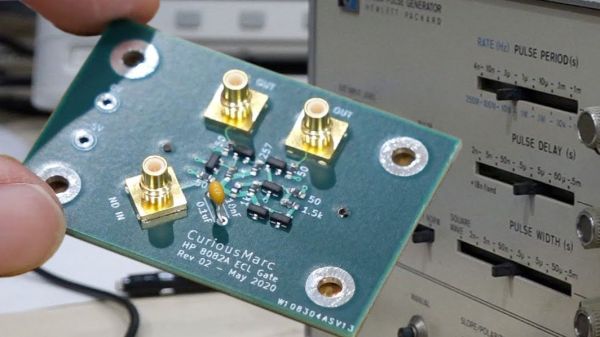
In part two [Marc] goes after the problem behind the pulse delay function. He traced it to a bad IC, which was bad news since it was a custom H-P part using emitter-coupled logic (ECL) to achieve the needed performance that can no longer be sourced. So naturally, [Marc] decided to replace the chip with a custom circuit. The design and simulation of the circuit are detailed in part two, while the non-trivial details of designing a PCB to handle the high-speed signals take up most of part three. We found the details on getting the trace impedance just right fascinating.

In the end, [Marc]’s pulse generator was salvaged. It’ll go into service helping him probe the mysteries of vintage electronics from the Apollo era, so we’re looking forward to seeing more about this great old instrument.

Continue reading “Vintage Instrument Gets Modern Replacement For Unobtainium Parts”

What Rhymes With Spice And Simulates Huge Circuits?

Most of us have computers on our desk that would have been considered supercomputers not long ago. We always wonder how many of them get any actual workout other than decoding video. If you want to simulate circuits you may very well start chewing up significant CPU time, so you might consider Xyce, an open source high-performance analog circuit simulator from Sandia National Labs. As you’d expect from a giant government lab it is able to support large scale parallel computing, but will also work on common desktop systems. On Linux, it will do what they call “small-scale parallelism.” In addition, it can deal with simulations of things as diverse as neural networks and power grids.

The code is open source, but oddly you do have to register to download it. Xyce has been around for a bit, but version 7.0 just arrived in April. Many of the changes are to improve compatibility with other Spice programs, notably HSpice.

Continue reading “What Rhymes With Spice And Simulates Huge Circuits?”

Solid State Relay Simulation, Explained

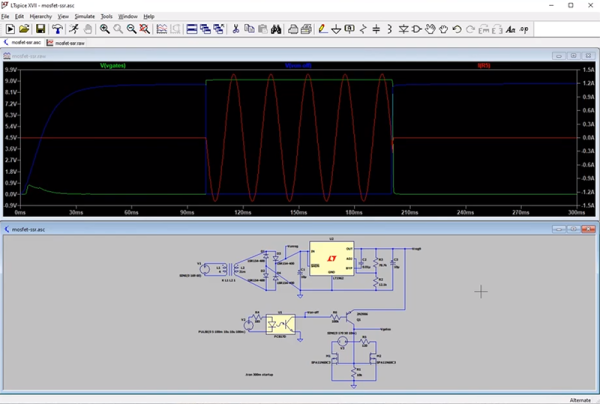
[SaltyPuglord] needed a solid state relay for a project. We’d have just bought one, but he decided to design his own in LTSpice. Along the way he made the video below, which is pretty informative and a good example of a non-trivial design in LTSpice.

MOSFETs have made designs like this a lot easier, to the extent that it should be as easy as putting a pair of beefy fets in-line with the AC source and load. However, that has a few ramifications that [Salty] covers in the video.

The biggest concern comes in isolating the DC supply from ground. He used a transformer which is tricky to simulate in LTSpice. Beyond that the design of the power supply is quite simple, and as he mentions in the video, you don’t really need this complex of a regulator just to feed the gates of the MOSFETs.

Continue reading “Solid State Relay Simulation, Explained”

Commercial Circuit Simulator Goes Free

If you are looking for simulation software, you are probably thinking LTSpice or one of the open-source simulators like Ngspice (which drives Oregano and QUCs-S), or GNUCap. However, there is a new free option after the closing of Spectrum Software last year: Micro-Cap 12. You may be thinking: why use another closed-source simulator? Well, all the simulators have particular strengths, but Micro-Cap does have very nice features and used to retail for about $4,500.

The simulator boasts a multipage schematic editor, native robust digital simulation, Monte Carlo analysis, 33,000 parts in its library, worst-case and smoke analysis, Smith charts, and it can even incorporate spreadsheets. There’s a built-in designer for active and passive filters. Have a look at the brochure and you will see this is a pretty serious piece of software. And now it’s at least free as in beer.

Continue reading “Commercial Circuit Simulator Goes Free”

Circuit Simulation In Python

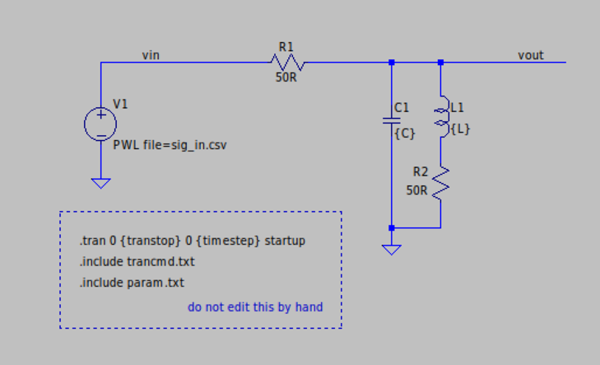
Using SPICE to simulate an electrical circuit is a common enough practice in engineering that “SPICEing a circuit” is a perfectly valid phrase in the lexicon. SPICE as a software tool has been around since the 70s, and its open source nature means there are more SPICE tools around now to count. It also means it is straightforward enough to use with other software as well, like integrating LTspice with Python for some interesting signal processing circuit simulation.

[Michael]’s latest project involves simulating filters in LTspice (a SPICE derivative) and then using Python/NumPy to both provide the input signal for the filter and process the output data from it. Basically, it allows you to “plug in” a graphical analog circuit of any design into a Python script and manipulate it easily, in any way needed. SPICE programs aren’t without their clumsiness, and being able to write your own tools for manipulating circuits is a powerful tool.

This project is definitely worth a look if you have any interest in signal processing (digital or analog) or even if you have never heard of SPICE before and want an easier way of simulating a circuit before prototyping one on a breadboard.

Endless Electronic Problems For Solving

We know not everyone who likes to build circuitry wants to dive headfirst into the underlying electrical engineering that makes everything work. However, if you want to, now is a great time. Many universities have most or all of their material online and you can even take many courses for free. If you want an endless pool of solved study problems, check out autoCircuits. It can create many different kinds of electronics problems and their solutions.

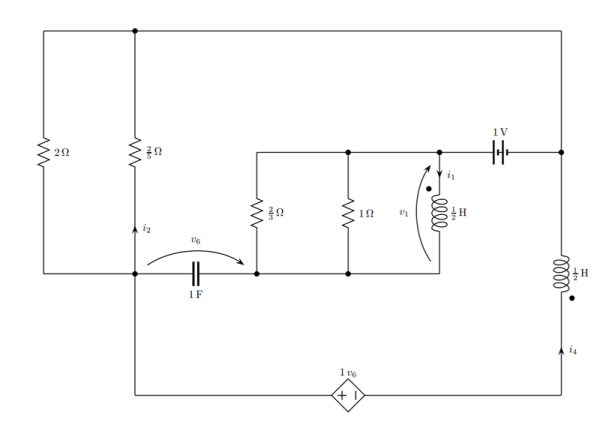
You can get a totally random circuit, or choose if you want to focus on DC, AC, two-ports, or several other types of problems. You can also alter the general form of the problem. For example, for a DC analysis, you can have it assign circuit values so that the answer is a value such as 45 ohms, or you can have it just use symbols so that the answer might be i4=V1/4R. You even get to pick the difficulty level and pick certain types of problems to avoid. Just be fast. After the site generates a problem, you have 10 seconds to download it before it is gone forever.

Continue reading “Endless Electronic Problems For Solving”

Spice With A Sound Card

In years gone by, trying out a new circuit probably would have meant heating up a soldering iron. Solderless breadboards have made that even easier and computer simulation is easier still, but there’s something not quite as satisfying about building a circuit virtually. [Thedeuluiz] has a way to get some of the best of both worlds with the RTSpice project.

The idea is simple in concept, although not as simple in execution. The program does a Spice-like simulation of a circuit and can accept input and produce output from a PC’s sound card. Obviously, that means you can’t simulate RF circuits — at least not at the input and the output. It also means the simulation has to run lightning fast to keep up with the sound card sample rate. According to the author, it works best with modest circuits but exactly how big you can go will depend on your hardware.

Continue reading “Spice With A Sound Card”