
Join us on Wednesday, March 25 at noon Pacific for the Side-Channel Attacks Hack Chat with Samy Kamkar!
In the world of computer security, the good news is that a lot of vendors are finally taking security seriously now, with the result that direct attacks are harder to pull off. The bad news is that in a lot of cases, they’re still leaving the side-door wide open. Side-channel attacks come in all sorts of flavors, but they all have something in common: they leak information about the state of a system through an unexpected vector. From monitoring the sounds that the keyboard makes as you type to watching the minute vibrations of a potato chip bag in response to a nearby conversation, side-channel attacks take advantage of these leaks to exfiltrate information.
Side-channel exploits can be the bread and butter of black hat hackers, but understanding them can be useful to those of us who are more interested in protecting systems, or perhaps to inform our reverse engineering efforts. Samy Kamkar knows quite a bit more than a thing or two about side-channel attacks, so much so that he gave a great talk at the 2019 Hackaday Superconference on just that topic. He’ll be dropping by the Hack Chat to “extend and enhance” that talk, and to answer your questions about side-channel exploits, and discuss the reverse engineering potential they offer. Join us and learn more about this fascinating world, where the complexity of systems leads to unintended consequences that could come back to bite you, or perhaps even help you.
 Our Hack Chats are live community events in the Hackaday.io Hack Chat group messaging. This week we’ll be sitting down on Wednesday, March 25 at 12:00 PM Pacific time. If time zones have got you down, we have a handy time zone converter.
Click that speech bubble to the right, and you’ll be taken directly to the Hack Chat group on Hackaday.io. You don’t have to wait until Wednesday; join whenever you want and you can see what the community is talking about.
Continue reading “Side-Channel Attacks Hack Chat With Samy Kamkar”

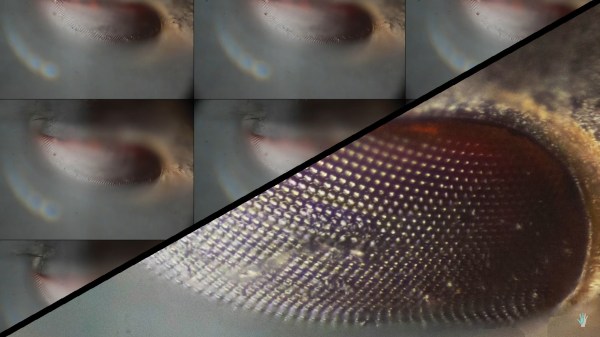

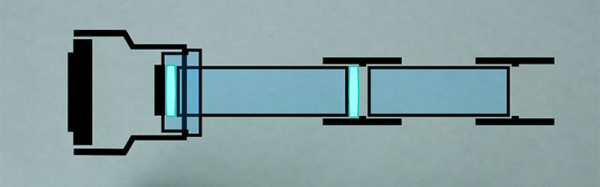
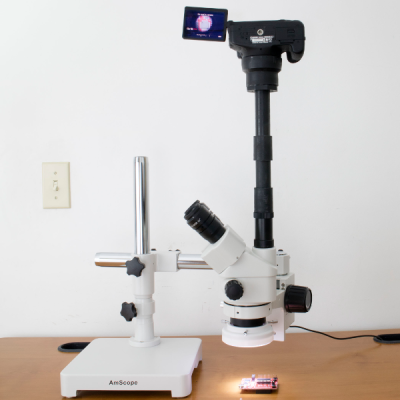 The virtues of PVC pipe are many and varied. It’s readily available in all manner of shapes and sizes, and there’s a wide variety of couplers, adapters, solvents and glues to go with it. Best of all, you can heat it to a point where it becomes soft and pliable, allowing one to get a custom fit where necessary. [Brian] demonstrates this in using a heat gun to warm up a reducer to friction fit the DSLR lens mount. Beyond that, the mount uses a pair of lenses sourced from jeweller’s loupes to bring the image into focus on the camera’s sensor, mounted tidily inside the PVC couplers.