posted Feb 6th 2012 10:49am by
Mike Szczys
filed under:
macs hacks

[Andrew] was left wanting by the slow hard drive in his 2011 Mac Mini. He set out to add a 10,000 RPM drive and we think he did a great job of pulling it off. Luckily he also took the time to document the process so you can try it yourself.
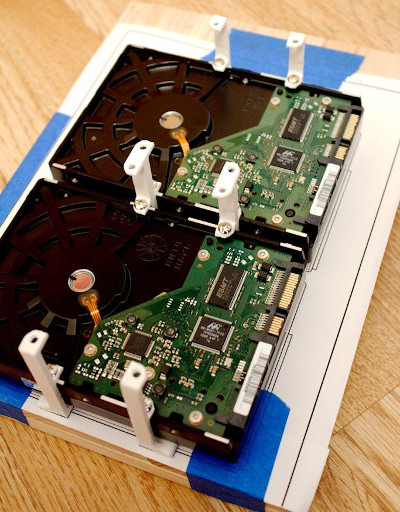
As with a lot of Apple products, a big part of this hack is just getting the darn thing apart without breaking something. Once that’s done, you’re got to do a little bit of interface hacking. To save space Apple uses a non-standard SATA breakout cable so [Andrew] starts by ordering a second hard drive cable from the company. He then soldered a thin wire connecting 12V from the motherboard to the 12V pin on a SATA connector. From there it’s just a matter of altering the original hard drive sled to make room for the 500 GB WD Velociraptor drive. It fits below the original and serves as additional space instead of as a replacement.
posted Dec 19th 2011 1:01pm by
Mike Szczys
filed under:
pcs hacks

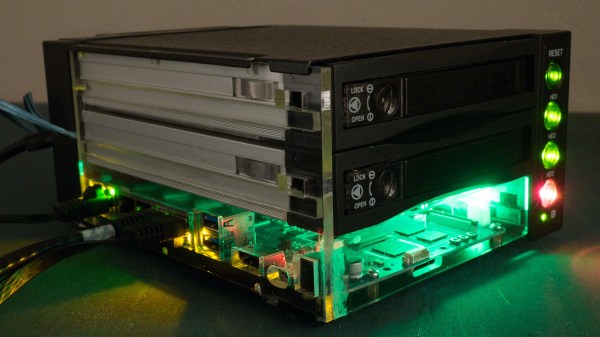
[Arnuschky] was looking for a network storage solution that included redundancy. He could have gone with a new NAS box, but didn’t want to shell out full price. Instead, he picked up a Dell PowerEdge 2800 and hacked it for SATA drives and quiet operation.
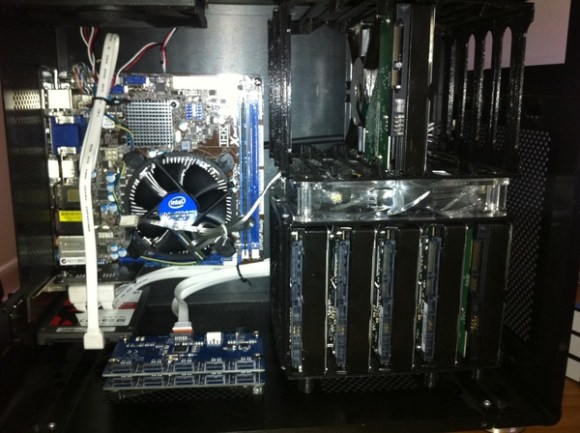
It’s not surprising that this hardware can be had second-hand at a low price. The backplane for it requires SCSI drives, and it’s cheaper to upgrade to new server hardware than it is to keep replacing those drives. This didn’t help out [Arnuschky's] any, so he started out by removing the SCSI connectors. While he was at it, he soldered wires to the HDD activity light pads on the PCB. These will be connected to the RAID controller for status indication. The image above shows the server with eight SATA drives installed (but no backplane); note that all of the power connectors in each column are chained together for a total of two drive power connectors. He then applied glue to each of these connectors, then screwed the backplane in place until the glue dried. Now the device has swappable SATA drives!
His server conversion spans several posts. The link at the top is a round-up so make sure you click through to see how he did the fan speed hack in addition to the SATA conversion.
If your tolerances don’t allow you to glue the connectors like this, check out this other hack that uses shims for spacing.
posted Nov 26th 2011 8:36am by
Brian Benchoff
filed under:
hardware,
macs hacks

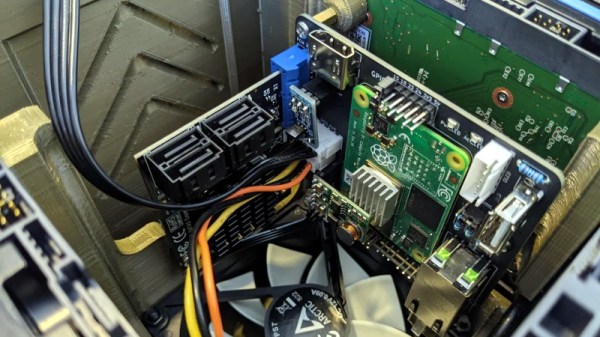
Around this time last year, [Sprite_TM] took a 1980′s-era Macintosh SE and rebuilt it as a home file server. He used a Seagate Dockstar as the new motherboard, but over the past year he’s been annoyed with the fact that the Dockstar doesn’t have real SATA ports. Using USB to SATA converters on a server is a slow way of doing things, so [Sprite_TM] rebuilt his SE using an HP thin client. To do this, he had to break out the onboard SATA and PCIE; not an easy task, but that’s why [Sprite_TM] is around.
The first order of business was installing a pair of SATA ports. The stock thin client had two NAND-flash chips serving as the drive, both connected to a SATA controller. All [Sprite_tm] had to do was desolder the flash chips and wire up the new SATA connections. Easy enough.
Because the HP thin client only had 100Mbps Ethernet, [Sprite_tm] wasn’t looking forward to the order of magnitude difference between his expected rsync speeds and what he would get with a 1Gbps connection. The only problem is the thin client didn’t have a spare PCIE connection for an Ethernet card. That’s really no problem for [Sprite_tm], though: just desolder the GPU and run a few wires.
Just like last year’s work on his SE, [Sprite_tm] ended up with a functional and very cool home server. The old-school System 7 is still there, and of course he can still play Beyond Dark Castle. Awesome work, in our humble opinion.
posted Aug 13th 2011 12:00pm by
Mike Szczys
filed under:
pcs hacks

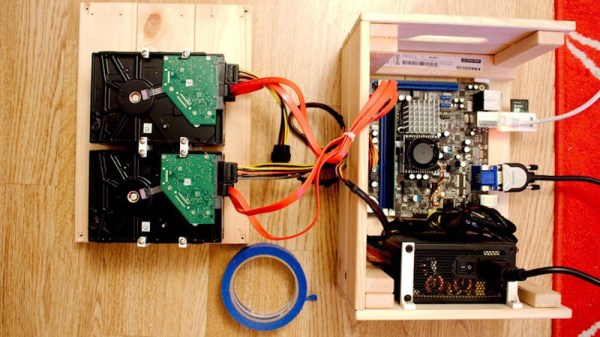
The problem of persistent and reliable storage plagues us all. There are a myriad of solutions, some more expensive than others, but a dedicated and redundant network attached storage solution is hands down the best choice for all problems except natural disaster (ie: fire, flood, locusts) and physical theft. That being said, the issue of price-tag rears its ugly head if you try to traverse this route.
[Phil's] had his mind stuck on a very large NAS solution for the last ten years and finally found an economical option. He picked up a powerful motherboard being sold as surplus and a server enclosure that would play nicely with it. It came with a backplane for multiple hard drives that utilized SCSI connections. The cost and availability of these drives can’t compare to the SATA drives that are on the market. Realizing this, [Phil] completely reworked the backplane to make SATA connections possible. It’s an intense amount of work, but there’s also an intense amount of documentation of the process (thank you!). If doing this again his number one tip would be to buy a rework station to make it easier to depopulate the connectors and extraneous parts from the PCB. Since he needs to keep using the board, the old blow-torch trick is out of the question.
posted Mar 14th 2011 4:02am by
Mike Nathan
filed under:
pcs hacks,
peripherals hacks

[Marc] is pretty unsatisfied with hard drive docking stations as a whole. He says they are typically slow and unreliable, causing him all sorts of grief while he is troubleshooting a questionable hard drive. He decided to take some of the mystery out of the troubleshooting equation and built a standalone SATA power module.
Aware that SATA drives require 5v and 12v for operation, he disassembled one of his docking stations to see how it provided both voltages. He discovered that it used a simple PWM buck converter and decided to replicate it in the smallest space possible. His plan was to use a standard 12v wall wart to power the circuit, passing that 12v straight to the drive. A simple voltage step-down circuit would be built to provide the required 5v.
[Marc] reports that the power adapter is performing nicely, and he is quite happy with the size as well. He says that one major benefit of this sort of adapter is that it can be used to power any SATA drive, not just hard drives. He does mention that if he built another one, he might consider regulating the 12v output as well, so that he can power the adapter with a laptop power supply instead of a separate dedicated wall wart.
posted Mar 8th 2011 8:02am by
Kevin Dady
filed under:
laptops hacks,
netbook hacks

[Scott] was trying to fix a laptop, and we all know how that sometimes ends. Having a spare 128GB solid state drive and a Dell Mini 10 netbook to shove it in, there was only one problem, the drive did not have SATA connectors. That problem was taken care of like a pro with this FPC to SATA converter.
Inspired by our recent spot about Speeding up a ThinkPad, he was able to find information about the FPC connector from a similar Samsung model, order a SATA connector, FPC zero force connector and matching 24pin jumper. From there a board is designed to connect the two interfaces, taking notes of how other drives have their SATA traces laid out to ensure proper function.
The board is etched and connectors soldered, with every thing plugged in and tested, a little bit of glue is used to hold everything in the stock netbook’s drive sled, resulting in really fast boot times, and a factory look.
posted Feb 22nd 2011 6:06am by
Mike Szczys
filed under:
tablet pcs hacks

[Marek Walther] uses a ThinkPad x41 tablet for business on a daily basis. Since he’s on the go with the device he figures that hardware failure is eventually going to strike and with that in mind he purchased a second unit – slightly broken – to fix as a backup. He had never been excited about the speed of the tablet so he set out to find improvements. One of the options was to replace the traditional hard drive with a solid state model (translated). But simply dropping in an SSD isn’t going to make things faster. That’s because the stock drive uses a PATA interface. After a bit of snooping [Marek] discovered that the motherboard has a SATA interface that has a bridge connecting to the PATA plug. By removing the bridge and soldering a SATA cable to the board he was able to improve performance while increasing storage capacity at the same time.
posted Feb 18th 2011 4:00pm by
Mike Szczys
filed under:
security hacks

Here’s a guide for recovering protection passwords from ATA hard drives (translated). These passwords are stored in a special area of the hard disk that also contains the firmware for the device. Normally you can’t get at them but [Supersonic] walks us through a method used to grab the data off of a Western Digital Scorpio drive. Booting into a program called MHDD you are able to bypass the BIOS (which won’t allow you to read protected data) and directly drive the SATA or PATA controller on your motherboard. Once you’ve dumped the data it can be viewed with a HEX editor, and if you know where to look you can grab the passwords that are locking the disk.
This reminds us of some of the original Xbox hacks which used a variety of methods to unlock the stock hard disk.